SEO for Lawyers: Rank for Your Own Name First
Referred clients, opposing counsel and journalists all search your name before they call. Here’s how to make that search work for you, from your bar listing and firm bio to directories, Google’s panels, schema and AI answers.
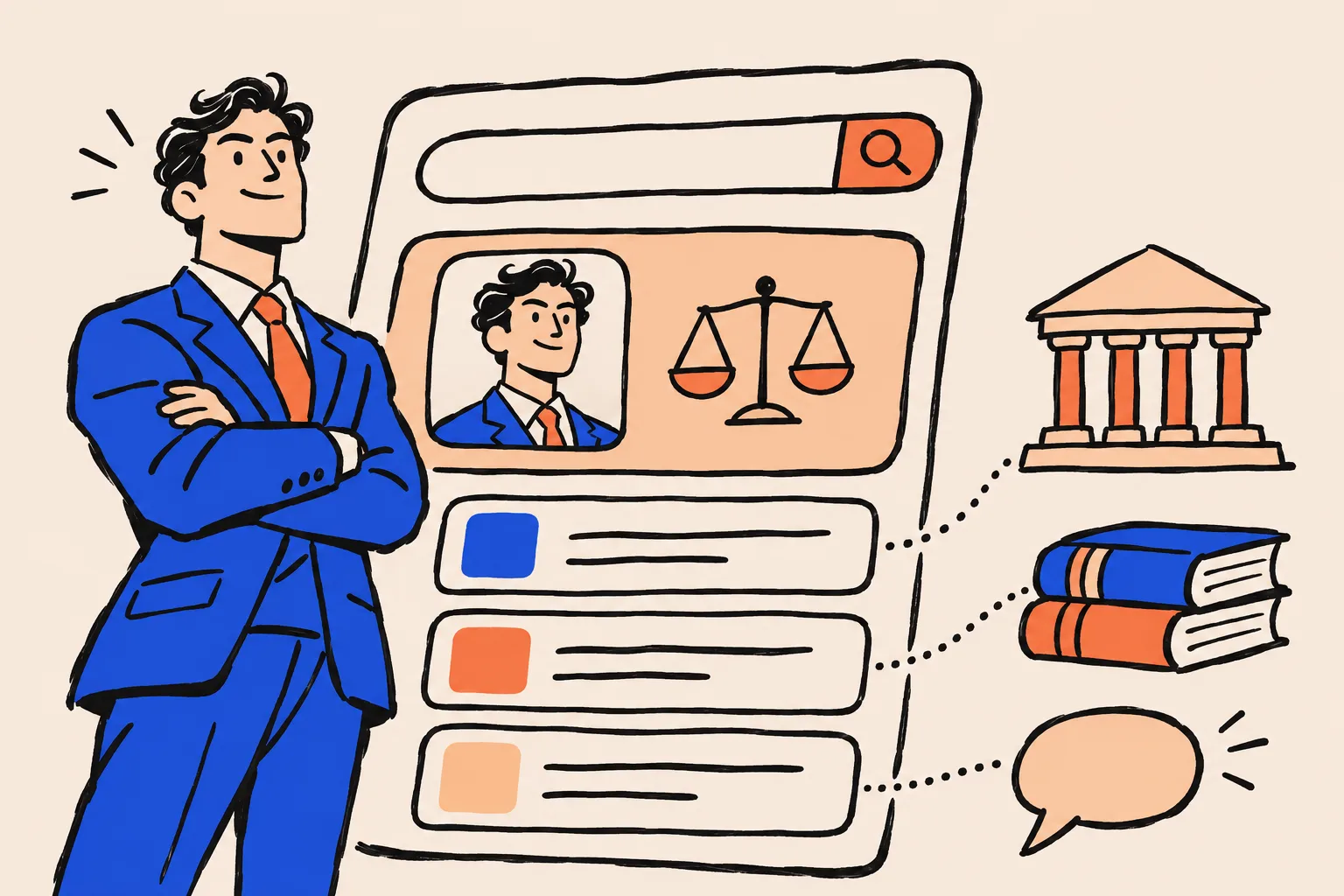
SEO for lawyers usually means ranking a firm for searches like “divorce lawyer near me”. Start somewhere smaller: your own name. When a referred client, a general counsel or a journalist types your name into Google, the first page should show your firm bio, your bar listing and your directory profiles, all saying the same thing about who you are.
That search is less competitive than any practice-area keyword, the pages that win it are mostly yours to fix, and the same pages are what Google’s knowledge panels and AI answers draw on.
Why should SEO for lawyers start with your name?
Because the people most likely to hire you already know your name. A colleague refers a client to “Dana Whitfield at Whitfield Law”, and the first thing that client does is search for her. They aren’t comparing every family lawyer in the city. They’re checking that you’re real and qualified.
Most SEO advice for lawyers skips that moment. It covers keyword research, practice-area pages, the local map pack, links and technical fixes for the firm. Very little of it starts with the attorney’s own name.
That’s a gap worth closing first, for three practical reasons.
- It’s winnable. You’re not competing with every firm in your market. You’re competing with namesakes and with stale pages about you.
- Most of the pages are yours. Your firm bio, your bar listing and your directory profiles are things you can write, correct or claim.
- It compounds. The same consistent pages help Google work out who you are, which supports a Knowledge Panel and the AI answers built on top of search.
Practice-area SEO
- Targets searches like a case type plus a city
- Competes with every firm and directory in your market
- Needs ongoing content, links and local work
- Wins new people who don’t know you yet
Name-search SEO
- Targets your name, your name plus firm, your name plus city
- Competes mainly with namesakes and outdated pages
- Mostly one-off fixes, then light upkeep
- Wins the people who were already sent to you
Google’s own guidance points the same way. It says its systems give extra weight to content with strong experience, expertise, authoritativeness and trust when a topic could significantly affect people’s health, financial stability or safety, and that trust matters most of the four1. Legal problems often touch exactly those things. A clear, verifiable attorney behind the content is part of what Google is looking for.
What does a client see when they search your name?
They see a mix of pages you control, pages you can claim and pages you can only influence. Before you fix anything, it helps to know which is which.
Search your name in a private browser window, then your name plus your firm, then your name plus your city. If you want a structured way to do it, our name search checklist walks through twelve things to look at.
| Page | Who runs it | What you can do |
|---|---|---|
| Your firm bio page | You or your firm | Write it, structure it, mark it up |
| Your own website, if you have one | You | Same as above, and point it at the bio |
| State bar attorney profile | Your state bar | Keep your record and contact details current |
| Justia, Avvo, Martindale and similar | The directory | Claim, complete and correct |
| You | Match your name, title, photo and bio | |
| Google Business Profile | You, within Google’s rules | Create or claim, verify and edit |
| Knowledge Panel | Earn it, claim it, suggest edits | |
| News, court and conference pages | Third parties | Influence only, by being easy to describe accurately |
| AI answers | Google, OpenAI and others | Influence only, through the pages above |
Source: DotVisible summary of the Google, bar and directory pages cited in this article
Consistency is what matters. If your bio says “Dana Whitfield”, the bar lists “Dana M. Whitfield” and Avvo has an old firm, a client has to work harder to trust any of it, and so does Google.
Is your firm bio page doing its job?
Your firm bio is the most important page in your name search, because it’s the one you fully control and the one every other profile can point to. Treat it as the official statement of who you are.
Google’s guidance on helpful content asks whether it’s self-evident who created a page, whether pages carry bylines where you’d expect them, and whether those bylines lead to more information about the author1. For a law firm, the attorney bio is that author page. If you write articles or client alerts, each one should carry your name and link to it.
A strong bio page usually has:
- One stable URL per lawyer, such as
/attorneys/dana-whitfield. Don’t move it every time the site is redesigned. - Your name exactly as you use it professionally, in the page title and main heading.
- A first sentence that states who you are: “Dana Whitfield is a family law attorney in Denver who represents parents in custody and relocation cases.”
- Bar admissions, courts and years, plus education, memberships and any certification from an approved certifying body.
- A current headshot that matches the one on your other profiles.
- Links out to your genuine profiles: bar listing, Justia, Avvo, LinkedIn and any publications.
- Contact details for you or the firm.
Google’s documentation for ProfilePage structured data names “an employee page on a company site” as an example of a suitable page, so a firm bio is a good fit for that markup2. We’ll come back to markup below.
Your bio page is the one place on the web where you get to say, in full, who you are. Everything else should agree with it.
What about your bar profile?
Your state bar’s public listing is one of the most trusted pages about you, and you can’t write it. What you can do is keep your record and your contact details current, and make sure the name on it matches the name you use everywhere else.
Bars publish more than many lawyers assume. The State Bar of California, for example, runs public attorney profile pages on its website. Its Board of Trustees approved a policy on 14 November 2024 that lets certain administrative suspensions, the short-term kind tied to things like unpaid fees, be removed from those pages after set periods3. If something like a lapsed fee shows on your listing, it’s visible to anyone who checks.
Three things to do:
- Look yourself up on your bar’s attorney search, as a client would.
- Check that your name, firm, address and contact details are current. Fix them through your bar’s member portal.
- Link to your bar listing from your bio page. It’s an independent confirmation that you’re licensed, and it’s exactly the kind of page that ties your other profiles together.
Avvo, Justia and Martindale: which directory profiles matter?
The big legal directories matter because they rank well for lawyer names and because many of them create profiles for lawyers whether or not the lawyer signs up. The job is to claim the ones you can and make them consistent, not to collect as many listings as possible.
Justia
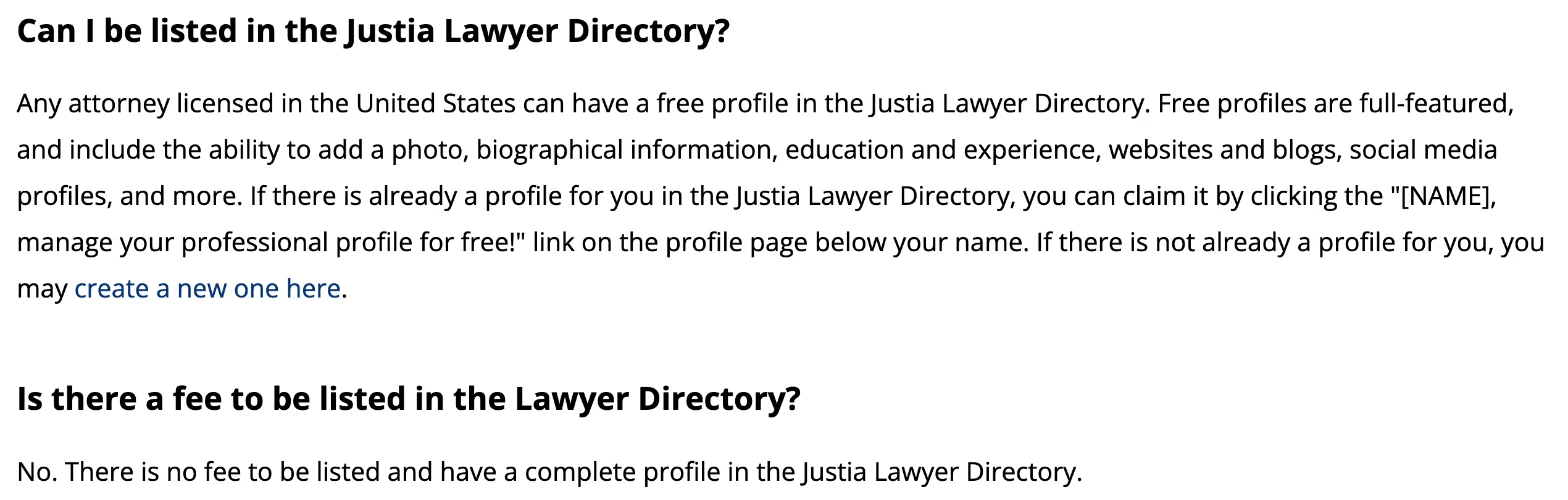
Justia says any attorney licensed in the United States can have a free, full-featured profile in its Lawyer Directory, with a photo, biography, education, experience, websites and social profiles. If a profile already exists for you, you claim it by verifying through email or phone, or by sending photo proof of your identity and licence. Updates can take up to 24 hours to show on the live site4. Justia also asks for a headshot of at least 320 by 320 pixels, ideally 640 by 6404, and recommends using the same photo on LinkedIn, Avvo and Martindale5.
Avvo
According to an undated article in National Jurist, Avvo lists licensed attorneys whether or not they have claimed a profile, lawyers can’t opt out, and its 1-to-10 rating draws on the lawyer’s profile and public sources6. Check Avvo’s own current terms before relying on any of that. Either way, if a profile exists for you, an empty one looks thin next to a completed one, and claiming it lets you add a photo, a bio, practice areas and contact details. Reviews on Avvo are a bigger subject, and one that touches on the advertising rules discussed below.
Martindale and the rest
Martindale-Hubbell, Lawyers.com, Super Lawyers, Best Lawyers and bar association directories may also appear for your name. A few accurate, complete profiles do more than a long tail of half-filled ones.
Search your name and note every directory on page one
Those are the profiles clients actually see. Start there.
Claim each one that offers it
Use your own firm email address where the directory asks for it. Justia, for example, requires the attorney’s personal firm email for claimed profiles.
Copy in your master details
Same name, same headshot, same first sentence of your bio, same practice areas, same office address and phone.
Link each profile back to your firm bio
Then link from your bio out to each profile, so the connection runs both ways.
Diary a twice-yearly check
And an extra one whenever you change firm, title, address or photo.
Paying for a listing is a separate decision. The ABA’s comment on Model Rule 7.2 says lawyers may pay the costs of online directory listings, internet ads and domain names, and that directory listings that list lawyers by practice area, without more, aren’t treated as paid “recommendations”7. Your state’s rule is what counts, so check it before you buy anything that looks like an endorsement.
Google Business Profile or Knowledge Panel?
They look alike on the results page, but they’re different systems, and a lawyer may be eligible for both.
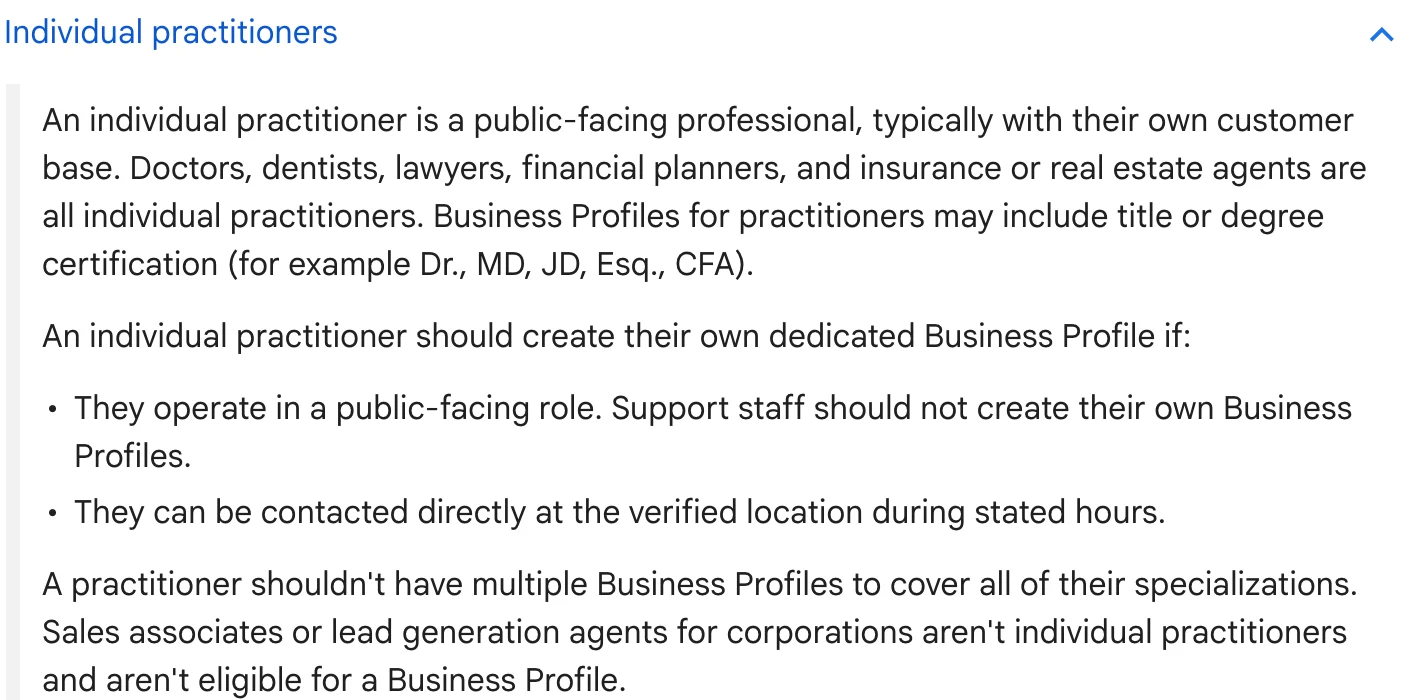
A Google Business Profile is a listing you create or claim for a place where clients are served. Google’s guidelines name lawyers among “individual practitioners”, along with doctors, dentists and financial planners, and allow titles such as JD or Esq. in the profile name. A practitioner should have their own profile if they’re public-facing and can be contacted directly at the verified location during stated hours8. When several lawyers work at one office, the firm gets its own profile and each lawyer’s profile uses only the lawyer’s name. For a lawyer who is the only public-facing practitioner at a branded office, Google says it’s best to share one profile named in the form “Firm: Lawyer Name”8. Google also says a practitioner shouldn’t have several profiles for different specialties, and that a rented mailing address where you don’t work, a virtual office, isn’t eligible8.
A Knowledge Panel is the box Google generates automatically for an entity in its Knowledge Graph, such as a person. Google says panels are generated automatically from sources across the web, update as the web changes, and can be claimed by the person they describe, who can then suggest changes9. Google’s help pages note that Business Profiles look similar to panels but are specific to businesses serving customers at a location or in a service area9.
Google Business Profile
- About a place where you serve clients
- You create, verify and edit it
- Lawyers can qualify as individual practitioners
- Wins searches for a service nearby, and some name searches
Google Knowledge Panel
- About you as a person
- Google generates it, you can claim it
- No application form, and no guarantee
- Answers searches for your name, and feeds Google’s understanding of you
For many lawyers the honest answer is that both are useful: the Business Profile wins “near me” searches for the office, and a panel answers searches for the person. Our guide to Knowledge Panel or Google Business Profile sets out the rules side by side.
When Google mixes you up with someone else
If you share a name with another lawyer, a judge or a public figure, Google may blend your details or show their panel for your name. Google’s verification help lists “content of the knowledge panel is mixed with another of the same or similar name” as an issue to contact it about10. The lasting fix is upstream: always pair your name with the same firm, city and practice on every page, so the two of you are easy to tell apart. If you’d like the full route to a panel, see how to get a Google Knowledge Panel.
Should you use Person markup or Attorney schema?
Use Person markup for yourself. Many law-firm SEO guides recommend “attorney schema”, but on schema.org the Attorney type sits under LegalService, which is a kind of LocalBusiness, which in turn is both an Organization and a Place11. Its properties are those of a business, such as opening hours, price range and payments accepted, and Person appears nowhere in its hierarchy11. It is built for a law practice. You are a person.
A cleaner setup is:
- The firm marked up as a LegalService (or Organization) on the home or contact page.
- Each lawyer marked up as a Person on their bio page, inside a ProfilePage, with
worksForpointing at the firm. - sameAs links from each Person to their genuine profiles: bar listing, Justia, Avvo, LinkedIn.
Google’s ProfilePage documentation requires a mainEntity that is a Person or Organization, recommends sameAs for links to other profiles, and suits staff pages on a company site2. It also says plainly that Google doesn’t guarantee structured data will produce any search feature2. Treat markup as a clear label, not a switch.
Here’s an example for a fictional lawyer. Every name and URL is a placeholder.
{
  "@context": "https://schema.org",
  "@type": "ProfilePage",
  "url": "https://www.example.com/attorneys/dana-whitfield",
  "mainEntity": {
    "@type": "Person",
    "@id": "https://www.example.com/attorneys/dana-whitfield#person",
    "name": "Dana Whitfield",
    "alternateName": "Dana M. Whitfield",
    "jobTitle": "Family Law Attorney",
    "description": "Dana Whitfield is a family law attorney in Denver who represents parents in custody and relocation cases.",
    "image": "https://www.example.com/images/dana-whitfield.jpg",
    "worksFor": {
      "@type": "LegalService",
      "name": "Whitfield Law",
      "url": "https://www.example.com"
    },
    "alumniOf": {
      "@type": "CollegeOrUniversity",
      "name": "Example State University School of Law"
    },
    "knowsAbout": ["Family law", "Child custody", "Parental relocation"],
    "sameAs": [
      "https://bar.example.org/attorney/000000",
      "https://lawyers.example-directory.com/dana-whitfield",
      "https://www.linkedin.com/in/example-dana-whitfield"
    ]
  }
}
Two cautions. First, the markup must match what’s visible on the page. Google’s guidance for its AI features specifically says to check that structured data matches the visible text12. Second, don’t add claims to markup that you couldn’t make in the bio itself, such as a specialist title you don’t hold. If the idea of markup is new to you, Structured Data in Plain English explains it from the start.
How do AI answers describe a lawyer?
They mostly repeat what the web already says about you, which is why the work above matters for AI as much as for Google’s blue links.
Google says there are no extra technical requirements for appearing in AI Overviews or AI Mode: a page needs to be indexed and eligible to show a snippet in normal Search. Its advice for those features is ordinary SEO, plus making sure structured data matches visible text and that Business Profile information is up to date12. Google also notes that AI Overviews only appear when its systems judge they add value, so they often don’t trigger at all12.
ChatGPT works differently. OpenAI says ChatGPT search sometimes partners with other search providers, rewriting a question into targeted queries and sending those to them, and that search results and citations can be incomplete, outdated or incorrect. For a site to be eligible, it has to let OpenAI’s search crawler, OAI-SearchBot, reach it, and placement isn’t guaranteed13.
Put those together and the practical lesson is simple. An AI answer about you is assembled from your bio, your bar listing, your directory profiles and any coverage of you. If those agree, an AI system has an easy job. If they contradict each other, it has to guess. For the sources AI tools tend to lean on, see where ChatGPT gets its information.
What do the ABA advertising rules mean for name-search work?
They apply to it. Bios, directory profiles, Business Profiles and markup are all communications about your services, and the ABA’s Model Rules on information about legal services cover them.
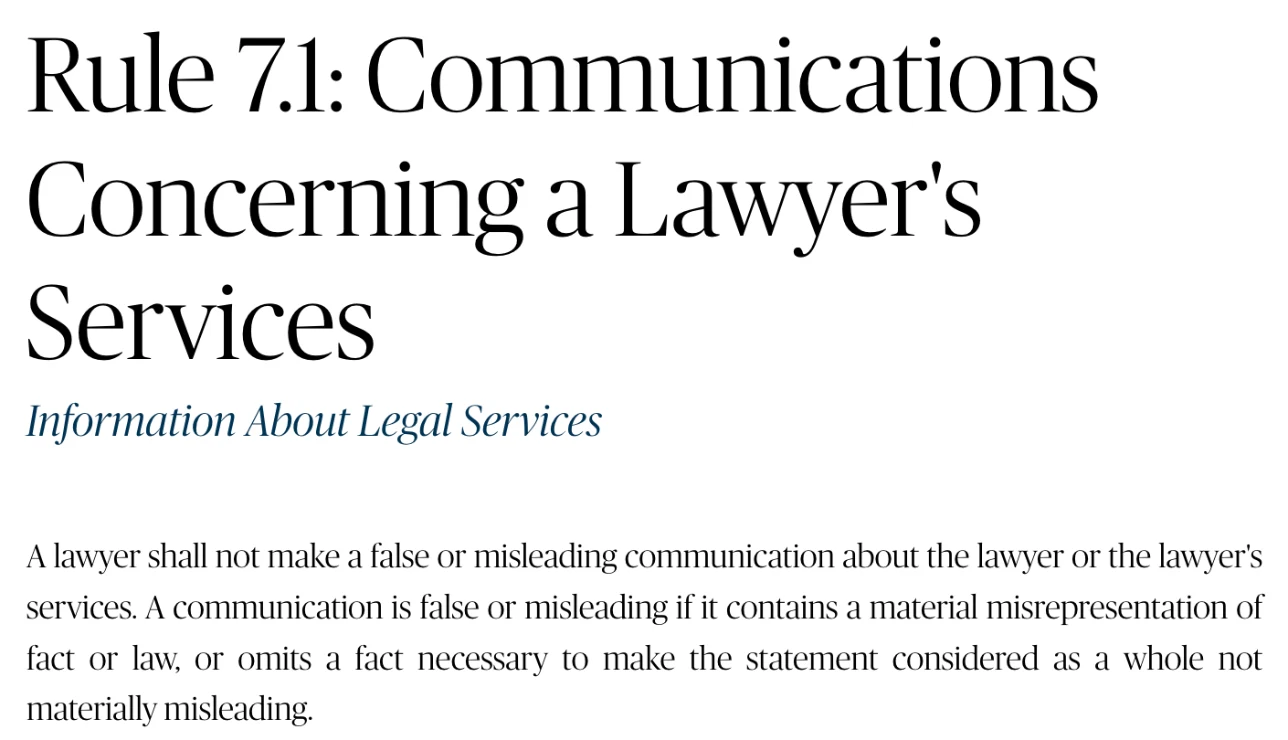
Rule 7.1 reads: “A lawyer shall not make a false or misleading communication about the lawyer or the lawyer’s services.” A communication is false or misleading if it misstates a material fact or law, or leaves out a fact needed to keep the statement as a whole from being materially misleading14. The comment adds that the rule “governs all communications about a lawyer’s services, including advertising”; that truthful reports of past results can mislead if they create an unjustified expectation of the same results for others; and that a lawyer may use a website address or social media username as a professional designation only if it isn’t misleading15.
Rule 7.2 lets lawyers communicate through any media. It bars giving anything of value to someone for recommending the lawyer, with listed exceptions such as paying the reasonable cost of permitted advertising. It limits saying you’re “certified as a specialist” to certifications from an approved or ABA-accredited body that you name, and it requires any communication under the rule to include the name and contact details of at least one responsible lawyer or firm16. The comment explains that lawyers can generally say they “specialize” in an area, subject to Rule 7.1, and that lawyers may pay lead generators only on conditions, one of which is that the lead generator doesn’t recommend the lawyer7.
Rule 7.3 bars soliciting work by live person-to-person contact when a significant motive is the lawyer’s or firm’s pecuniary gain, with exceptions such as contact with another lawyer or someone with a prior personal or professional relationship. “Solicitation” means a communication aimed at a specific person the lawyer knows, or reasonably should know, needs legal services in a particular matter17. Most name-search work never comes close to solicitation, but it’s worth knowing where the line sits.
| Name-search task | Rule to keep in mind | What it says (ABA Model Rule) |
|---|---|---|
| Writing your bio and profiles | 7.1 | No false or misleading statements, including misleading omissions |
| Listing results or verdicts | 7.1, comment [3] | True results can mislead if they suggest the same outcome for others |
| Calling yourself a specialist | 7.2(c) | “Certified specialist” only with an approved certifier, named |
| Paying for directory listings or ads | 7.2(b)(1), comment [3] | Paying reasonable advertising costs is allowed |
| Paying for reviews or endorsements | 7.2(b) | No giving value for recommending you, outside the listed exceptions |
| Contact details on profiles | 7.2(d) | Include the name and contact of a responsible lawyer or firm |
| Reaching out to people who need help | 7.3(b) | No live person-to-person solicitation for gain, outside the listed exceptions |
Source: ABA Model Rules of Professional Conduct and comments141617
A 30-day plan to own your name search
You don’t need an agency to do most of this. You need a free afternoon a week for a month and a master version of your details.
Week 1: write your master details
One version of your name, one job title, one headshot, a one-sentence bio and a 150-word bio. Every other step copies from this.
Week 1: search yourself
Private window, desktop and mobile. Your name, your name plus firm, your name plus city. List every page on the first screen.
Week 2: fix the firm bio
Stable URL, clear first sentence, bar admissions, links out to genuine profiles, a byline on anything you’ve written.
Week 2: update your bar record
Name, firm, address and contact details, through your bar’s member portal.
Week 3: claim and complete the directories that rank
Justia, Avvo and any others on page one. Same details, same photo, a link back to your bio.
Week 3: sort out Google Business Profile
Decide whether you need a practitioner profile, the firm’s profile or the combined “Firm: Lawyer” form, following Google’s rules.
Week 4: add Person markup
ProfilePage with a Person as mainEntity on your bio, sameAs to your profiles, checked at validator.schema.org.
Week 4: run your details past the rules
Read every bio and profile against your state’s version of Rules 7.1 to 7.3. Remove anything you can’t substantiate.
After that, check your name search every quarter, and any time you change firm, title or photo. If you suspect your current results are quietly costing you referrals, these warning signs are a useful gut check.
When it makes sense to get help
Help is worth considering when your name is shared with someone more prominent, when Google shows the wrong panel or a blended one, when you’ve moved firms and the old details won’t go away, or when you want a Knowledge Panel and the AI visibility that comes with being clearly understood.
That’s the work DotVisible does. We build personal Google Knowledge Panels and AI visibility for professionals, including lawyers. Google alone decides whether a panel shows, so we’re careful about what we promise: if your panel hasn’t appeared within 150 days of onboarding, you choose between a refund of your deposit and continued work at no charge. Ongoing AI visibility work is a commitment to keep working on how AI tools describe you, not a guarantee of AI mentions. You can read how it works for lawyers, browse more guides for lawyers and on name search, or request a free audit of your own name search.
Frequently asked questions
What is SEO for lawyers?
It is the work of making a lawyer or law firm easy to find and easy to trust in search engines. Most guides focus on ranking a firm for practice-area and local searches such as a city plus a type of case. The cheaper starting point is your own name: making sure the people who already have your name, such as referred clients, find accurate, consistent pages about you.
Why should a lawyer rank for their own name before practice-area keywords?
Because much of a lawyer's work arrives by referral, and referred clients search the name they were given. That search is far less competitive than practice-area terms, the pages that rank for it are mostly ones you control or can claim, and the same pages feed Google's knowledge panels and AI answers.
Should I use Attorney schema on my bio page?
Not for yourself. On schema.org, Attorney sits under LegalService, which is a type of LocalBusiness, so it inherits business properties such as opening hours and price range and is built for a law practice, not an individual. Use Person markup for the lawyer, ideally on a ProfilePage, and use LegalService or Organization markup for the firm.
Can a lawyer have their own Google Business Profile?
Often, yes. Google treats lawyers as individual practitioners. A lawyer who is public-facing and can be contacted directly at a verified location during stated hours can have a profile in their own name, separate from the firm's. Virtual offices don't qualify.
Is a knowledge panel the same as a Google Business Profile?
No. A Business Profile is a listing you create and manage for a place where clients are served. A knowledge panel is generated automatically by Google for a person or organisation in its Knowledge Graph. You can claim a panel and suggest edits, but Google decides whether one appears and what it says.
Do I need to claim my Avvo and Justia profiles?
Claiming is optional, but the profiles often exist whether you claim them or not. Justia offers a free, full profile to any lawyer licensed in the US. Claiming lets you correct your details, add a photo and bio, and link back to your firm page, so every profile tells the same story.
Do lawyer advertising rules apply to my bio and directory profiles?
Under ABA Model Rule 7.1 and its comments, the rule against false or misleading communications covers all communications about a lawyer's services, not only ads. Your state's version of the rules is what binds you, and states differ, so check with your bar's ethics resources. This article is not legal advice.
Sources
- 1Creating helpful, reliable, people-first contentGoogle Search Central · Updated 5 Oct 2026↩
- 2Profile page (ProfilePage) structured dataGoogle Search Central · Updated 12 Sep 2026↩
- 3Removal of administrative suspensions from attorney profileState Bar of California · Accessed 17 Nov 2026↩
- 4Justia Lawyer Directory: Frequently asked questionsJustia · Accessed 17 Nov 2026↩
- 55 free tips to maximize your Justia Lawyer Directory profileJustia Onward · Accessed 17 Nov 2026↩
- 6Why lawyers need to claim their Avvo profilesNational Jurist · Undated; accessed 17 Nov 2026↩
- 7Comment on Rule 7.2: Communications concerning a lawyer’s services: specific rulesAmerican Bar Association · Accessed 17 Nov 2026↩
- 8Guidelines for representing your business on GoogleGoogle Business Profile Help · Accessed 17 Nov 2026↩
- 9About knowledge panelsGoogle Knowledge Panel Help · Accessed 17 Nov 2026↩
- 10Get verified on GoogleGoogle Knowledge Panel Help · Accessed 17 Nov 2026↩
- 11Attorney (type)schema.org · Accessed 17 Nov 2026↩
- 12AI features and your websiteGoogle Search Central · Updated 31 Dec 2025↩
- 13Searching the web with ChatGPTOpenAI Help Center · Accessed 17 Nov 2026↩
- 14Rule 7.1: Communications concerning a lawyer’s servicesAmerican Bar Association · Accessed 17 Nov 2026↩
- 15Comment on Rule 7.1American Bar Association · Accessed 17 Nov 2026↩
- 16Rule 7.2: Communications concerning a lawyer’s services: specific rulesAmerican Bar Association · Accessed 17 Nov 2026↩
- 17Rule 7.3: Solicitation of clientsAmerican Bar Association · Accessed 17 Nov 2026↩
- 18Jurisdictions that have adopted the ABA Model Rules of Professional ConductAmerican Bar Association · Updated 28 Mar 2018↩
Keep reading
 Name searchOnline Reputation Management for Lawyers: Avvo, Justia, Reviews and AI AnswersShobin K Jose · 17 Nov 2026 · 18 min read
 Name searchFive Signs Your Online Presence Is Costing You ReferralsShobin K Jose · 29 Oct 2026 · 17 min read
 Name searchThe Name Search Checklist: 12 Things Prospects See Before They CallShobin K Jose · 29 Oct 2026 · 19 min read