
Structured Data in Plain English
The code that tells Google who you are, explained without the jargon. What it does, what it doesn’t, and the exact markup to put on your About page.

Every page on your website is written for people. A visitor reading your About page knows straight away that “Jordan Ellis” is a person, that “Executive Leadership Coach” is a job and that the little LinkedIn icon in the footer leads to Jordan’s profile.
A search engine has to work all of that out. It reads the words, looks at the layout and makes an educated guess. Most of the time it guesses well. When your name is shared with someone else, or your role is described three different ways across the web, it can guess wrong.
Structured data removes the guesswork. It’s a short block of code that sits on the page and states the facts plainly: this page is about a person, this is their name, this is their job, these are their other profiles. Google describes it as a standard way of providing information about a page and classifying its content1.
This guide explains what that code is, what it does and doesn’t do, and how to add it to your own About page without a developer. You won’t need to learn to program. You will need to be precise.
What structured data actually is
Think of a form you fill in at a doctor’s surgery. There’s a box for your name, a box for your date of birth and a box for your GP. Nobody has to read a paragraph about you and pick out the facts, because each fact sits in a labelled box.
Structured data is that form, filled in on behalf of your web page. The boxes come from a shared vocabulary called schema.org, which the major search engines use. It defines types of thing, such as Person, Organization and WebPage, and the properties each can have. A Person, in schema.org’s own wry definition, can be alive, dead, undead or fictional2. Properties include name, jobTitle, worksFor and sameAs.
So when your About page carries a small block saying the page is about a Person whose name is Jordan Ellis and whose jobTitle is Executive Leadership Coach, there’s nothing left to infer. The facts are labelled.
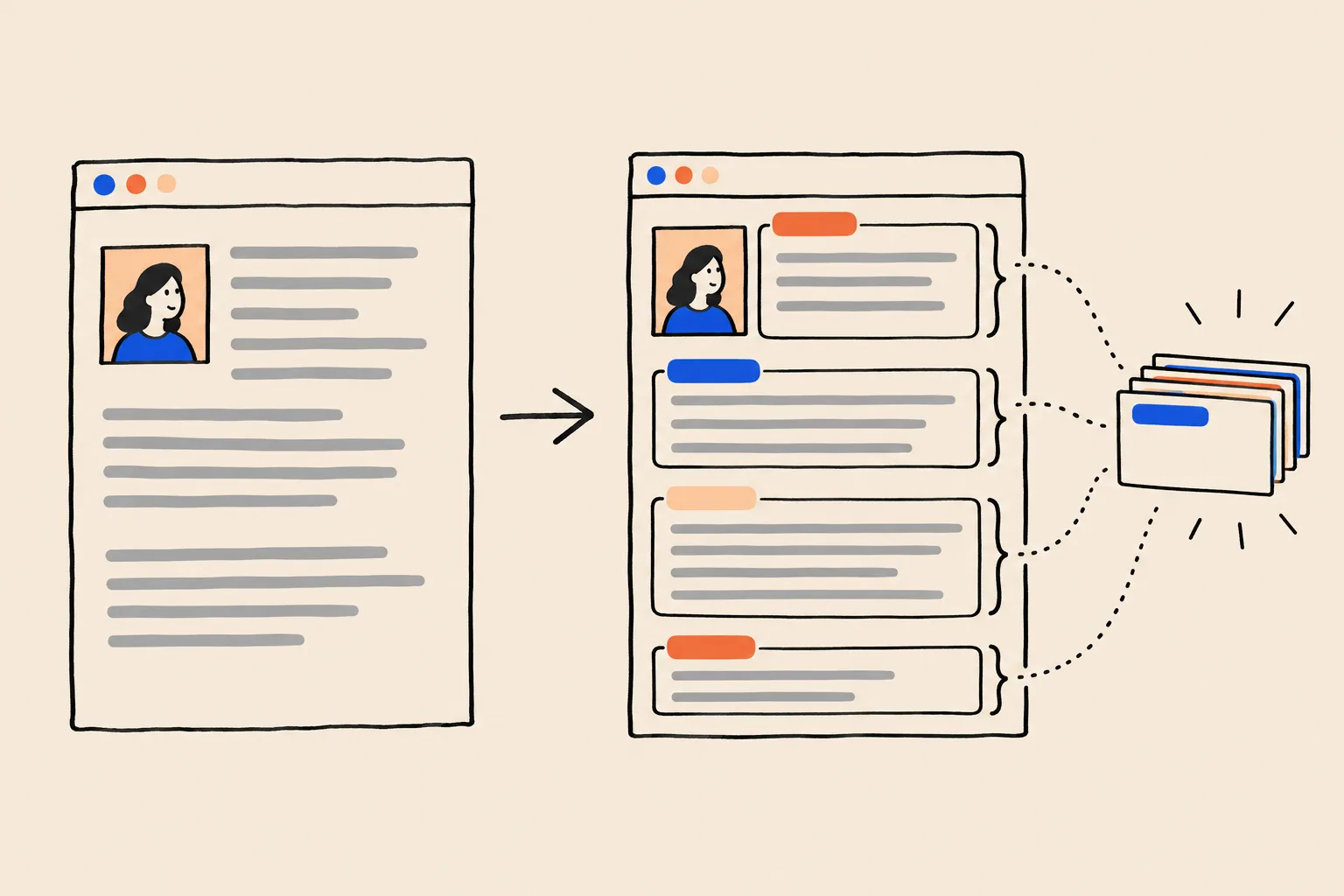
Two things are worth knowing from the start. First, the code is invisible to visitors. It changes nothing about your design. Second, Google expects the code to describe what’s already on the page1. It’s a label for your content, not a place to add claims your page doesn’t make.
Why Google asks for it
Google gives structured data two jobs. The first is understanding: explicit clues about what a page means1. The second is presentation: some types of markup make a page eligible for richer search results, such as recipes with star ratings or events with dates.
Google publishes a handful of brand case studies about that second job, rich results. They are worth seeing, with an important caveat.
25%
higher click-through rate reported by Rotten Tomatoes on 100,000 pages with structured data
35%
more visits reported by Food Network after enabling search features on 80% of its pages
82%
higher click-through rate reported by Nestlé for pages shown as rich results
These are case studies from individual brands, reported by those brands and published by Google, about markup that earned visible rich results in search. They are not about Person markup or knowledge panels, and they aren’t averages. Read them as proof that Google really does read this code, not as a forecast for your About page.
For an expert whose name is the business, the first job matters more. Person markup has no rich result of its own. Google’s gallery of supported search features lists 25 types, and Person isn’t one of them3. What Person markup does is tell Google, in a format it trusts, which person a page is about and which other profiles belong to the same person. Google has listed structured markup from site owners among the sources that feed its Knowledge Graph, alongside open databases and licensed data4. That graph is what your knowledge panel is built from.
Organization markup is similar. Google says it helps tell your organisation apart from others and can influence details such as the logo shown in search and what appears in a knowledge panel5.
What it doesn’t do
This is where a lot of advice goes wrong, so it’s worth being blunt.
Adding schema markup will get me a knowledge panel.
Google says it does not guarantee that structured data will show up in search results, even when the code is valid.
Google’s general guidelines are explicit: passing a test doesn’t guarantee anything will appear, and Google may show a different feature or a plain result instead6. Its Organization documentation repeats the point5. Markup is one clear, well-formed signal. Whether Google shows a panel still depends on whether the rest of the web agrees with it.
More markup is better, so add everything you can think of.
Markup has to describe what readers can actually see on the page. Hidden or misleading markup breaks Google’s rules.
Google’s quality rules say not to mark up content that isn’t visible to readers, not to use markup that misrepresents the page, and not to impersonate people or organisations6. If your About page doesn’t mention your degree, don’t add alumniOf. Add the sentence to the page first.
If the code passes a test, it’s working.
A test confirms the code is readable. It can’t tell you whether Google trusts the facts or will act on them.
There’s also a cost to getting it wrong. Google can apply a manual action for structured data that breaks its guidelines. That removes the page’s eligibility for rich results, though Google says it doesn’t affect ranking6.
Features also come and go. In November 2025 Google said it was phasing out lesser-used search features to simplify the results page, and that it would drop some structured data types from Search Console from January 20267. Markup written to chase a particular visual feature can lose its payoff overnight. Markup that accurately describes who you are keeps its value, because understanding doesn’t go out of fashion.
Structured data won’t make Google believe you. It makes it easy for Google to check you.
JSON-LD: the format Google recommends
Structured data comes in three formats. Google supports all of them, and says each is fine as long as it’s valid1.
| Format | How it works | Who it suits |
|---|---|---|
| JSON-LD | A self-contained script block, separate from the visible text | Almost everyone. Google’s recommendation |
| Microdata | Extra attributes woven into your existing HTML tags | Developers templating large sites |
| RDFa | A different set of attributes woven into HTML tags | Mostly legacy and publishing systems |
Source: Google Search Central1
Google recommends JSON-LD because it’s the easiest to implement and maintain at scale, which in its words makes it less prone to user errors1. For a non-developer the advantage is simpler still: it’s one block you paste in, and if it’s wrong you replace one block. You never have to edit your page’s design to fix it.
A JSON-LD block always has the same skeleton. It opens with @context, which says “I’m using the schema.org vocabulary”, and @type, which says what kind of thing is being described. Everything after that is a property and its value, written as "property": "value", separated by commas. Text goes in straight double quotes. Lists go in square brackets. A thing inside a thing, such as the company you work for, goes in its own curly brackets.
Most errors come from three slips: a missing comma between lines, an extra comma after the last line, and curly “smart” quotes pasted in from a word processor. Write markup in a plain text editor, never in Word or Google Docs.
A minimal Person, line by line
Here is the smallest Person markup worth publishing, for the fictional coach we used in our knowledge panel guide. Every name and URL is a placeholder.
{
  "@context": "https://schema.org",
  "@type": "Person",
  "name": "Jordan Ellis",
  "jobTitle": "Executive Leadership Coach",
  "url": "https://www.example.com/about"
}
Five lines of substance. Here’s what each one tells Google.
| Property | Plain English | Jordan’s value |
|---|---|---|
@context | “These labels come from schema.org.” | https://schema.org |
@type | “This describes a person.” | Person |
name | The name you want to be known by, exactly as it appears on the page | Jordan Ellis |
jobTitle | Your role, in the same words you use everywhere else | Executive Leadership Coach |
url | The page that is the definitive statement of who you are | Your About page |
Source: schema.org definitions2
The job title deserves a second look. Google is trying to work out what you do, and it compares your own description with every other mention of you. If your markup says “Executive Leadership Coach”, your LinkedIn says “Founder & CEO” and your speaker bio says “Organisational Psychologist”, the markup is outvoted. Pick one primary title and use it word for word everywhere. We go into how Google weighs your role in how Google reads your LinkedIn headline.
The fuller version: sameAs, worksFor and alumniOf
The minimal version states who you are. The fuller version connects you to everything else that proves it.
{
  "@context": "https://schema.org",
  "@type": "Person",
  "@id": "https://www.example.com/about#person",
  "name": "Jordan Ellis",
  "alternateName": "Jordan A. Ellis",
  "jobTitle": "Executive Leadership Coach",
  "description": "Jordan Ellis is an executive leadership coach who helps first-time founders build and lead their teams, and the author of The First Hundred Hires (2025).",
  "url": "https://www.example.com/about",
  "image": "https://www.example.com/images/jordan-ellis.jpg",
  "worksFor": {
    "@type": "Organization",
    "@id": "https://www.example.com/#organization",
    "name": "Ellis Leadership Partners",
    "url": "https://www.example.com/"
  },
  "alumniOf": {
    "@type": "CollegeOrUniversity",
    "name": "Example State University"
  },
  "knowsAbout": [
    "Executive coaching",
    "Leadership development",
    "Startup hiring"
  ],
  "sameAs": [
    "https://www.linkedin.com/in/example-jordan-ellis",
    "https://www.youtube.com/@examplejordanellis",
    "https://x.com/example_jellis"
  ]
}| Property | Plain English | What to put there |
|---|---|---|
@id | A permanent name tag for this description of you, so other markup on your site can point to it | Your About page address plus #person |
alternateName | Other versions of your name people use | A middle initial, maiden name or well-known short form |
description | Your one-sentence bio | The same sentence that opens your About page |
image | A photo of you | A clear, current headshot that also appears on the page |
worksFor | The organisation you work for, described as its own thing | Your firm’s name, home page and @id |
alumniOf | A school or university you attended | Only if the page mentions it |
knowsAbout | Topics you’re known for | Three to five subjects, matching how you describe your work |
sameAs | Pages elsewhere that unambiguously identify you | Your genuine profiles: LinkedIn, YouTube, X, a Wikidata item if one legitimately exists |
Why sameAs matters most
If you only add one property beyond the minimum, make it sameAs. schema.org defines it as the URL of a reference page that unambiguously indicates the item’s identity8. In plain English, it’s you pointing at your other profiles and saying “that’s me too”.
That’s exactly the question Google is trying to answer when it decides whether your website, your LinkedIn and a podcast page all describe one person. sameAs lets you answer it yourself. Two rules keep it honest. List only profiles that are really yours and really about you, not your firm’s page or a profile you abandoned years ago. And make sure each of those profiles links back to your About page, so the claim runs both ways.
Google uses the same idea for article authors. Its Article documentation says it can use either url or sameAs to tell authors apart9.
Why worksFor and @id matter
worksFor ties you to your firm, and the firm gets its own description. The @id lines are what make that tie precise. Your home page can describe Ellis Leadership Partners with the identifier https://www.example.com/#organization, and your About page can point to the same identifier. The two pieces of markup then state outright that they describe one organisation, rather than two that happen to share a name.
An @id looks like a web address, but nothing has to load there. It’s simply a unique label. Pick one per person and one per organisation, and never change them.
Wrapping it in a ProfilePage for your About page
Your About page is a page about one person. schema.org has a type for exactly that: ProfilePage, a kind of web page whose main subject is a profile10. Google documents it too. It says the page’s primary focus must be a single person or organisation connected to the site, and it lists blog “About Me” pages, news author pages and employee pages on a company website among the valid examples11.
The structure is simple. The ProfilePage describes the page. Its mainEntity is the Person you’ve already written. Here’s the whole thing as it would sit on Jordan’s About page.
<script type="application/ld+json">
{
  "@context": "https://schema.org",
  "@type": "ProfilePage",
  "url": "https://www.example.com/about",
  "name": "About Jordan Ellis",
  "dateCreated": "2024-03-04T09:00:00+00:00",
  "dateModified": "2026-09-10T14:30:00+01:00",
  "mainEntity": {
    "@type": "Person",
    "@id": "https://www.example.com/about#person",
    "name": "Jordan Ellis",
    "jobTitle": "Executive Leadership Coach",
    "description": "Jordan Ellis is an executive leadership coach who helps first-time founders build and lead their teams, and the author of The First Hundred Hires (2025).",
    "image": "https://www.example.com/images/jordan-ellis.jpg",
    "worksFor": {
      "@type": "Organization",
      "@id": "https://www.example.com/#organization",
      "name": "Ellis Leadership Partners",
      "url": "https://www.example.com/"
    },
    "alumniOf": {
      "@type": "CollegeOrUniversity",
      "name": "Example State University"
    },
    "sameAs": [
      "https://www.linkedin.com/in/example-jordan-ellis",
      "https://www.youtube.com/@examplejordanellis",
      "https://x.com/example_jellis"
    ]
  }
}
</script>| Property | Required? | Plain English |
|---|---|---|
mainEntity | Required | The person (or organisation) the page is about |
mainEntity.name | Required | Their name. Google accepts alternateName if there’s no name |
dateCreated | Recommended | When the profile page was first published |
dateModified | Recommended | When the profile was last meaningfully edited by a person |
mainEntity.description, image, sameAs | Recommended | A short bio, a photo and links to the person’s other profiles |
Source: Google Search Central, Profile page11
A word on expectations. Google built its ProfilePage feature for sites where creators share first-hand perspectives, such as forums and publishers with author pages11. A coach’s About page qualifies as a valid profile page, but don’t expect a special search feature from it. The value is the same as Person markup on its own: a clear statement of who the page is about. If you write articles on your site, Google also recommends that each article’s author link points to a profile page marked up this way9.
Keep dateModified honest. Change it when you genuinely update the profile, not every time the site rebuilds.
Your firm and your site name, on the home page
Person markup belongs on your About page. Your home page is where you describe the firm and the website itself. Google recommends putting Organization markup on the home page or a single page about the organisation5, and it reads WebSite markup on the home page to choose the site name it shows in results12.
<script type="application/ld+json">
{
  "@context": "https://schema.org",
  "@graph": [
    {
      "@type": "WebSite",
      "name": "Ellis Leadership Partners",
      "alternateName": ["Ellis Leadership", "ELP"],
      "url": "https://www.example.com/"
    },
    {
      "@type": "Organization",
      "@id": "https://www.example.com/#organization",
      "name": "Ellis Leadership Partners",
      "url": "https://www.example.com/",
      "logo": "https://www.example.com/images/elp-logo.png",
      "founder": { "@id": "https://www.example.com/about#person" },
      "sameAs": ["https://www.linkedin.com/company/example-ellis-leadership"]
    }
  ]
}
</script>
@graph just means “here are several things at once”. The founder line points back to Jordan’s @id, which closes the loop: the About page says Jordan works for the firm, and the home page says the firm was founded by Jordan. Google lists no required properties for Organization, and asks that a logo be at least 112 by 112 pixels5. For WebSite, only name and url are required, and the markup belongs on the home page alone12.
Where to paste it
The code is the same everywhere. What changes is where your website builder lets you put it. Google accepts JSON-LD in either the page’s head or its body1, but the head is the tidiest choice where you have it.
| Platform | Where it goes | Watch for |
|---|---|---|
| Hand-built or developer-managed site | Inside the page’s head, wrapped in a script tag of type application/ld+json | Template changes that strip it out |
| Squarespace | The About page’s settings, Advanced, Page Header Code Injection | Available on Core, Plus, Advanced and some legacy plans |
| Wix | Pages & Menu, the page’s More Actions, SEO basics, Advanced SEO, Structured Data Markup | JSON-LD only, under 7,000 characters, up to five blocks per page |
| WordPress with an SEO plugin | Yoast SEO: Settings, Site representation, choose Person and add your profiles | Plugins can output their own Person markup, so avoid adding a duplicate by hand |
| WordPress.com | Script tags only on plugin-enabled plans with hosting features activated | On other plans, rely on built-in SEO settings |
Source: Squarespace, Wix, WordPress.com and Yoast help pages13141516
On Squarespace, the per-page field matters. The site-wide Code Injection header puts the code on every page13, and your Person markup should live on one page, not all of them. On Wix, the Advanced SEO panel accepts only JSON-LD, so paste the code block itself rather than any other format14. On WordPress, check what your SEO plugin already outputs before adding anything. Yoast, for example, builds Person or Organization markup from its Site representation settings16, and two competing Person descriptions on one page are worse than one.
Write the bio on the page first
Your name, title, one-sentence bio, photo and profile links should all be visible on your About page before any markup describes them.
Copy the ProfilePage example into a plain text editor
Swap every example.com address and every Jordan Ellis detail for your own. Delete any property your page doesn’t support.
Paste it into your platform’s field
Use the per-page option for your About page. Use the home page for Organization and WebSite markup.
Publish, then test the live page
Run the live address through the Schema Markup Validator and the Rich Results Test, as described below.
Ask Google to recrawl
In Search Console, inspect the URL and request indexing so Google sees the change sooner.
How to test it, and the tool that no longer exists
Plenty of older guides, including some that still circulate as PDFs, tell you to check your code in Google’s Structured Data Testing Tool. You can’t. Google retired it.
July 2020
Rich Results Test leaves beta
Google says the older Structured Data Testing Tool will be deprecated.17
15 December 2020
A change of plan
After feedback, Google says the tool will move to schema.org, check markup against schema.org standards and stop checking Google’s rich result types.17
11 May 2021
Schema Markup Validator announced
schema.org announces the new home of the old tool, still under development.17
9 August 2021
The old tool redirects
The validator is declared stable and Google sends visitors of the old tool to a page that helps them pick the right one.17
Today there are two tools, and they answer different questions18.
Schema Markup Validator
- At validator.schema.org
- Checks any schema.org markup, including Person and ProfilePage
- Tells you if the code is well formed and uses real properties
- No Google-specific warnings
- Best first check for Person markup
Rich Results Test
- Google’s own tool
- Checks which Google rich results a page is eligible for
- Previews how those results might look
- Person isn’t a Google rich result type, so for Person-only markup it may report little or nothing (our inference; Google doesn’t say)
- Useful for Organization, ProfilePage and article author markup
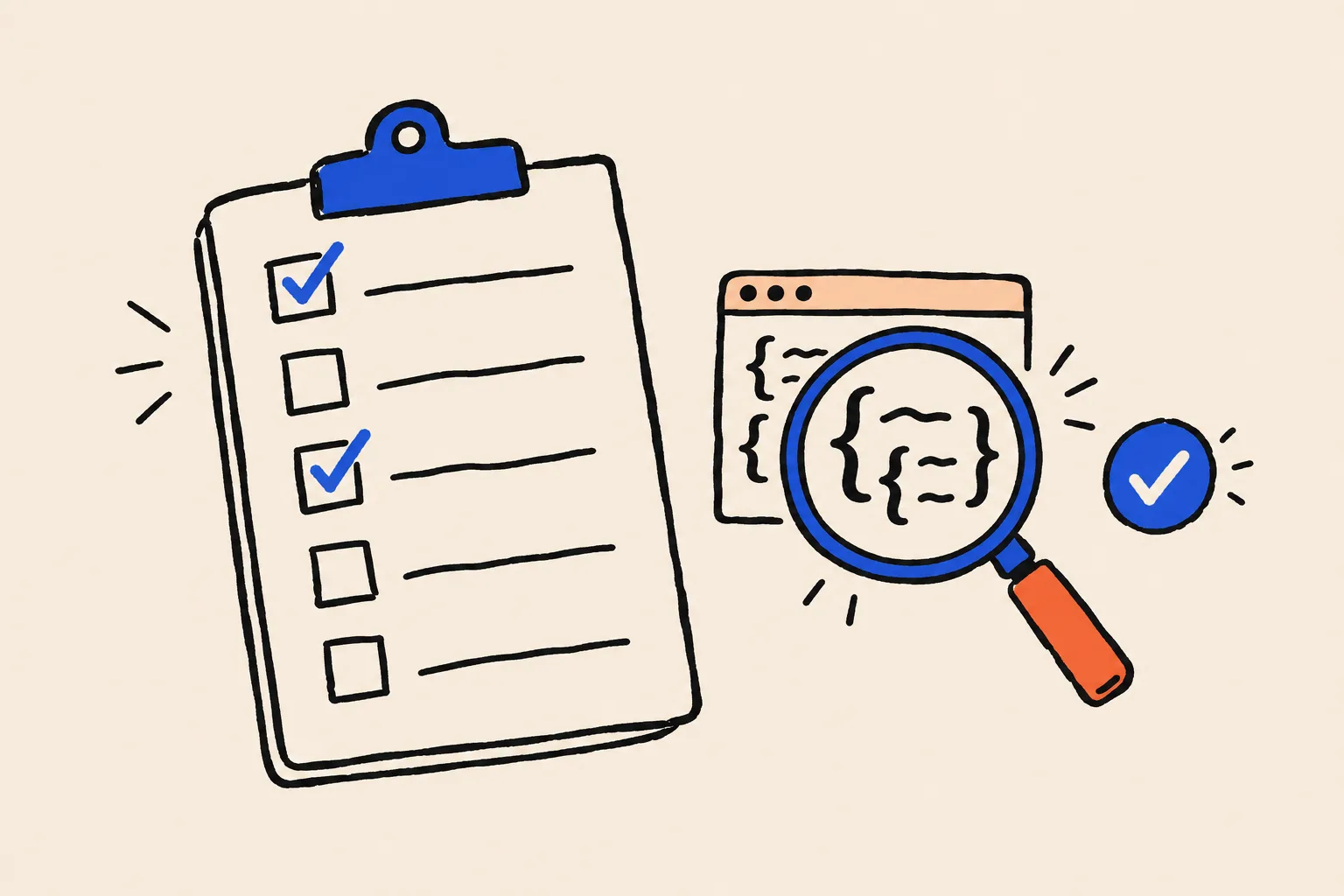
Use the validator first. It will show your Person, with each property listed underneath, and flag any typo or unknown property. Then run the Rich Results Test, which also confirms Google can fetch the page and read the code. Google’s guidelines recommend the Rich Results Test and the URL Inspection tool in Search Console for catching technical errors6.
What the results won’t tell you
A clean result means the code is readable. It doesn’t mean Google believes it, and it won’t produce a panel by itself6. If your markup says one thing and your LinkedIn, your speaker bios and your firm’s team page say another, the markup is one voice against several. Our name search checklist is a quick way to hear what those other voices say.
The mistakes we see most often
These come up again and again when experts add markup themselves.
- Markup that describes a different page. A Person block copied onto every page of the site, or left on a home page that’s really about the firm. Put Person markup on the page about the person6.
- Facts the page doesn’t show. An award, a degree or a job title in the markup that appears nowhere on the page. Google’s rules require markup to describe visible content6.
- A job title that doesn’t match anywhere else. The markup is the last place to experiment with a new title. Change it everywhere at once, or not at all.
- sameAs pointing at the wrong things. Your firm’s company page, a profile you no longer control or a namesake’s account. Each sameAs link is a claim that the page is you.
- Two Person blocks on one page. Usually a plugin’s markup plus a hand-added block, each with slightly different details.
- Stale facts. A role you left, a firm you sold or a headshot from ten years ago. Google won’t show a rich result for time-sensitive content that’s no longer relevant6, and out-of-date identity facts work against you.
- Smart quotes and stray commas. The validator catches these. Run it every time you edit.
Where to start
Structured data is the plainest thing you can give Google: your own facts, in labelled boxes, on the page that’s about you. It won’t earn a knowledge panel on its own, and anyone who promises it will is overselling. What it does is remove ambiguity on the one page you fully control, so that when Google compares your About page with the rest of the web, your version is clear and easy to match.
Start with the page, not the code. Make your About page say who you are in one clear sentence, with your title, photo and profile links visible. Then add the ProfilePage markup above, test it and keep it in step with every profile you own. If you want to know whether Google already recognises you, run your name through the free Knowledge Panel Checker. And if you’d rather have someone review your markup and the signals around it, book a free audit.
Frequently asked questions
What is structured data, in one sentence?
It’s a small block of code on a web page that states facts about the page in a standard format, such as who the person is, what they do and which profiles are theirs, so search engines don’t have to guess.
Will adding structured data get me a knowledge panel?
Not on its own. Google says it doesn’t guarantee that structured data will lead to any search feature. Person markup helps Google understand who you are, which supports a panel, but the decision still rests on what the rest of the web says about you.
Which format should I use?
JSON-LD. Google supports JSON-LD, Microdata and RDFa, and recommends JSON-LD because it’s the easiest to add and maintain. It sits in its own script block, so it doesn’t touch your page design.
Where does Person markup go?
On the one page that is the definitive statement of who you are, usually your About page. Firm-level Organization and WebSite markup goes on your home page.
Do I need a developer?
Usually not. Squarespace has a page header code injection field, Wix has a structured data panel in each page’s Advanced SEO settings, and WordPress SEO plugins can output Person markup from a settings screen. A developer helps if your site is custom-built.
How do I check my markup is right?
Paste the page address into the Schema Markup Validator at validator.schema.org to check the code itself, and use Google’s Rich Results Test and Search Console to see what Google can read. The old Structured Data Testing Tool has been retired.
Can structured data hurt me?
Markup that describes things readers can’t see, or that misleads, breaks Google’s guidelines and can lead to a manual action that removes rich result eligibility. Accurate markup that matches the page carries no such risk.
Sources
- 1Introduction to structured data markup in Google SearchGoogle Search Central · Updated 10 Dec 2025↩
- 2Personschema.org · V30.1, 16 Sep 2026↩
- 3Structured data markup that Google Search supports (search gallery)Google Search Central · Updated 16 Oct 2026↩
- 4A reintroduction to our Knowledge Graph and knowledge panels (Danny Sullivan)Google blog · 20 May 2020↩
- 5Organization structured dataGoogle Search Central · Updated 8 Sep 2026↩
- 6General structured data guidelinesGoogle Search Central · Updated 10 Jul 2026↩
- 7Here’s an update on our efforts to simplify the search results page (John Mueller)Google Search Central Blog · 5 Nov 2025↩
- 8sameAsschema.org · Accessed 19 Oct 2026↩
- 9Article structured dataGoogle Search Central · Updated 8 Sep 2026↩
- 10ProfilePageschema.org · V30.1, 16 Sep 2026↩
- 11Profile page (ProfilePage) structured dataGoogle Search Central · Updated 8 Sep 2026↩
- 12Provide a site name to Google SearchGoogle Search Central · Updated 10 Dec 2025↩
- 13Using code injectionSquarespace Help Center · Updated 16 Sep 2026↩
- 14Adding structured data markup to your site’s pagesWix Help Center · Accessed 19 Oct 2026↩
- 15Add code to your siteWordPress.com Support · Accessed 19 Oct 2026↩
- 16Yoast SEO settings: Site representationYoast · Accessed 19 Oct 2026↩
- 17An update on the Structured Data Testing Tool (Ryan Levering)Google Search Central Blog · 15 Dec 2020, updated 9 Aug 2021↩
- 18Test your structured dataGoogle Search Central · Accessed 19 Oct 2026↩
Keep reading
 Knowledge PanelsWhat Is a Google Knowledge Panel, and Why Do Some People Get One?Shobin K Jose · 19 Oct 2026 · 23 min read
 GuidesHow Google Reads Your LinkedIn HeadlineShobin K Jose · 29 Sep 2026 · 15 min read
 Knowledge PanelsHow to Claim and Edit Your Knowledge PanelShobin K Jose · 22 Sep 2026 · 17 min read