
The Name Search Checklist: 12 Things Prospects See Before They Call
Run this check on yourself in ten minutes, the same way a prospect would. Twelve things to look at, what good looks like, and where to start fixing.
Before a prospect books a call, they type your name into Google. Then they read whatever comes back: your website, an old speaker bio, a review site, a photo from six years ago, a news story about somebody else with your name. In a minute or two they have formed an opinion, and you weren't in the room.
Most experts haven't looked at that page properly in years. This checklist gives you a way to do it in about ten minutes, the same way a prospect would, with a clear test for each of the twelve things they see.
You don't need any SEO knowledge. You need a browser, your phone, and a notepad to mark each check as fine, needs work or wrong.
Why your name search is the first meeting
Referrals still bring in a lot of work for professionals. But a referral rarely goes straight to a phone call. In between, the person checks you out.
The Hinge Research Institute asked 1,028 buyers of professional services how they check out a provider before hiring. Only 0.7% said they don't. About 81% looked at the provider's website and 63% searched for them online, and the average buyer used more than three methods1. That study dates from 2014, before AI answers and before most people searched on a phone. We know of no recent survey that measures the same thing, but nothing suggests the habit has faded.
It isn't confined to big corporate purchases. Back in 2010, a Pew Research Center survey of US adults found that 44% of those online had searched for information about someone whose services or advice they were seeking2. And in Martindale-Avvo's 2019 survey of people hiring a lawyer, among those who already had a personal referral, 46% still read the lawyer's reviews and 45% looked at the lawyer's or firm's website before getting in touch3.
So the referral gets you considered. The search decides whether the prospect's first impression matches what the referrer said about you. When it does, they call. When it's thin, confusing or out of date, some of them quietly move on, and you never find out why. That last part is judgement rather than measurement, since nobody tracks the calls that didn't happen, but it's the most likely explanation when a warm referral goes quiet.
A referral gets you considered. The search decides whether they call.
Before you start: search like a stranger
Your own Google results aren't a fair test. When you're signed in, Google can personalise results based on your activity, which can change the order of results and which blocks appear on the page4. You visit your own website and profiles often, so your results can look friendlier than a stranger's.
Google's help page on personalisation also points out that location, language and device type change results even with personalisation turned off4. A prospect in another city, searching on a phone, may see a slightly different page from you. You can't recreate every version, but you can get close.
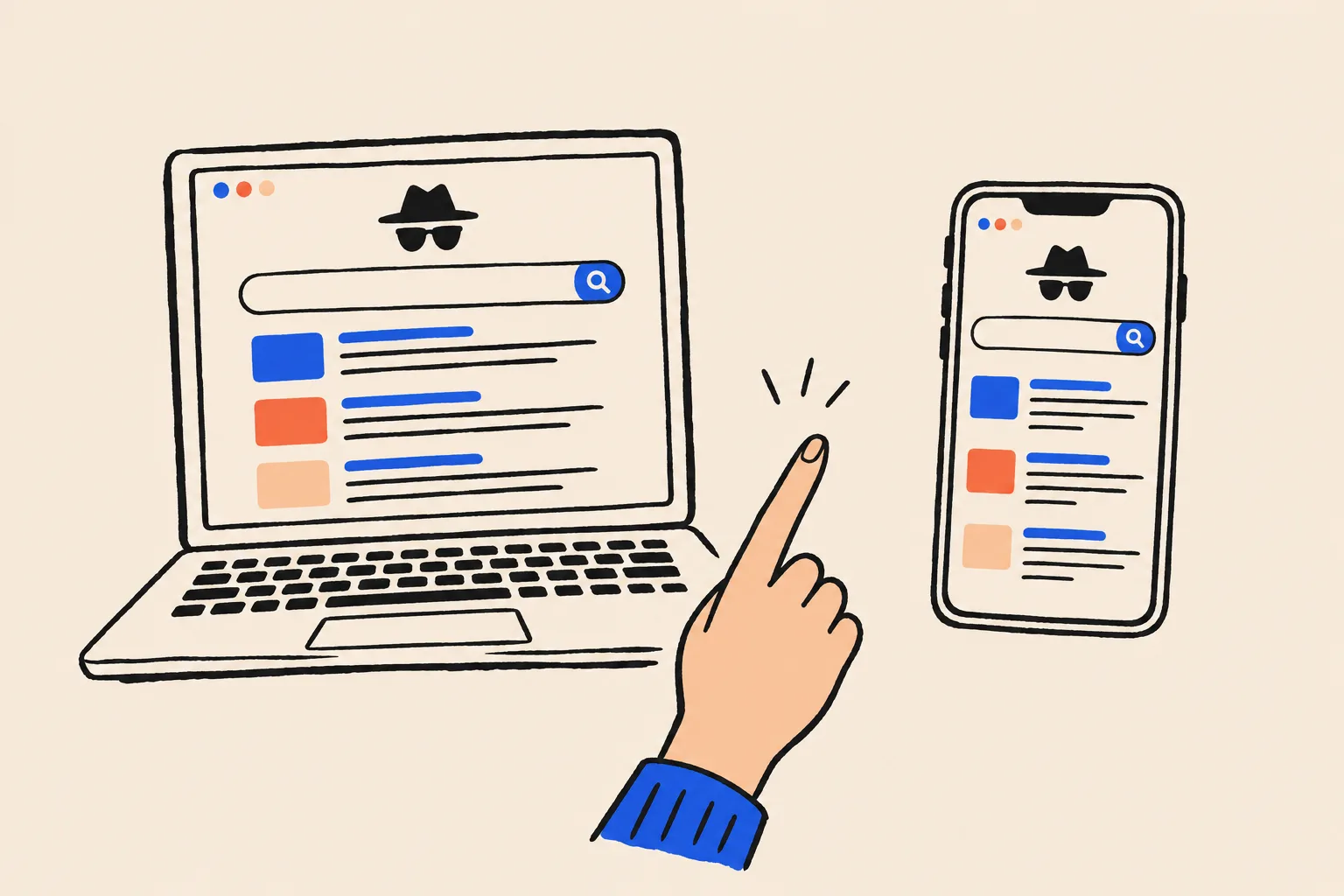
Open a private window
Use Incognito in Chrome, a Private window in Safari or Firefox, or an InPrivate window in Edge. Make sure you are not signed in to Google.
Search your name exactly as a prospect would
Start with the version on your business card. Then try the version people actually say, such as Kate rather than Katherine.
Add context
Search your name plus your profession, then your name plus your city or firm. Prospects who don’t find you straight away often try this next.
Repeat on your phone
Plenty of prospects will search on a phone, where the page is laid out differently and some results may not appear in the same order.
Take screenshots
Capture page one for each search. You’ll want a before picture when you start fixing things.
If you'd rather stay signed in, Google sometimes shows a “Try without” link on the results page, which shows you an unpersonalised version without changing your settings4. The private window is still the simplest habit to build.
The 12 checks at a glance
Here's the whole list on one page. Give each check a mark as you go: fine, needs work or wrong. The times add up to ten minutes for a first look. Running every search variation on both desktop and phone adds a few minutes, and fixing what you find comes later.
| # | Check | What good looks like | Time |
|---|---|---|---|
| 1 | Page one | Most results are about you, and you control several of them | 1 min |
| 2 | Your website’s title and snippet | Your name, your role and your site name read clearly in the result | 30 sec |
| 3 | Knowledge panel | A panel about you, with the right role, photo and links, or at least no one else’s panel | 30 sec |
| 4 | Image results | Recent, professional photos of you, not of a namesake | 30 sec |
| 5 | People Also Ask | Questions about your name, if any, are ones your own pages answer | 30 sec |
| 6 | News | Recent coverage is yours and accurate, and old stories have newer context nearby | 30 sec |
| 7 | Reviews | Ratings on the sites your clients use are current and replied to | 1 min |
| 8 | Social profiles | Your main profiles rank and show a current headline and photo | 1 min |
| 9 | Consistency | Name, role, firm, photo and bio match across everything you’ve seen | 1 min |
| 10 | Namesakes | A prospect can tell which results are you in a few seconds | 30 sec |
| 11 | Outdated details | No old job titles, firms, addresses or phone numbers on page one | 1 min |
| 12 | AI answers | AI tools describe you accurately, or at least not wrongly | 2 min |
Now the detail behind each one.
The top of the page: checks 1 to 3
These are the results a prospect sees before they scroll. They do most of the work in forming a first impression.
1. Page one: how much of it is yours?
Count the results on the first page that are about you, and how many of those you control. “Control” means you can edit them: your website, your LinkedIn, your firm's team page, your YouTube channel, your author page.
A good result is a page one that is mostly you, with your own website at or near the top. A weak result is a page where you appear once, in fourth place, between a directory listing you've never seen and somebody else's obituary. If your own website isn't in the top three for your name, note that first. It's usually the quickest thing to improve.
2. Your website’s title link and snippet
Look at how your website appears in the results. The blue headline is what Google calls a title link, the grey text underneath is the snippet, and above both sits the site name.
Google writes all three itself. Title links come mostly from your page's title tag, but Google also looks at your main heading, other prominent text and links pointing to the page, and may swap in something else if your title is vague, outdated or boilerplate5. Snippets are drawn mainly from the page content and can change with the search; your meta description is used only when Google thinks it describes the page better6. The site name comes from your home page and from how the rest of the web refers to your site7.
So check that the result reads like a sensible introduction. Does the title say who you are, or just “Home”? Does the snippet describe what you do now, or is it a cookie notice or a line from an old testimonial? Is the site name your name or your firm's, rather than a hosting platform's?
If it's wrong, the fix is on your page rather than in Google: a clear title tag, a matching main heading and a plain first paragraph that says who you are and who you help. Our guide to structured data in plain English covers the WebSite markup Google treats as its strongest site name signal7.
3. Knowledge panel
On desktop, look to the right of the results. On mobile, look for a profile card near the top. A knowledge panel is the summary box Google generates automatically for people and organisations it holds in its Knowledge Graph8.
There are four possible outcomes. You have a panel and it's right. You have a panel with something wrong, such as an old job title or the wrong photo. There's no panel at all. Or there's a panel for a different person with your name, which is the one to worry about most, because it tells prospects Google thinks that person is “the” you.
If you're not sure whether Google holds an entity for you at all, run your name through our free Knowledge Panel Checker. For the full background on how panels are earned, read What Is a Google Knowledge Panel, and if yours exists but needs correcting, see how to claim and edit your knowledge panel.
The features around the links: checks 4 to 7
Google mixes other blocks into the page: image strips, question boxes, news carousels and review stars. Each one can help you or quietly undercut you.
4. Image results
Click the Images tab, or look at the image strip on the main results page. Prospects use photos to confirm they've got the right person, and to judge whether you look like the professional they expect.
Good looks like recent, professional photos of you, ideally the same headshot you use everywhere. Watch for an outdated photo, a casual picture from an event page, a namesake's photos mixed in with yours, or images of something unrelated.
Google works out what an image shows from its alt text, the words around it on the page and its own image recognition9. So the photo on your About page, with descriptive alt text that includes your name, is the one you most want Google to understand. Use the same headshot on your main profiles so the signals agree.
5. People Also Ask
Some name searches show a box of related questions, often labelled “People also ask”. Google can fill the answers with short extracts from websites it judges to answer the question well10. Google doesn't document how it chooses the questions themselves.
If a box appears, read the questions. They show what searchers wonder about you or your name. Questions like “Is [your name] still with [old firm]?” or “What happened to [your name]?” are a signal to publish a clear, current answer on your own site. If the answers come from someone else's page about a namesake, note it under check 10.
6. News
Click the News tab. Most professionals will find nothing, which is fine. Look for three things: coverage of you that you didn't know about, coverage of a namesake that a prospect might mistake for you, and old stories that now give the wrong impression, such as an announcement of a job you left years ago.
You can't edit a news article, but you can give it context. A current press page or “In the media” section on your site, listing recent coverage, gives prospects the up-to-date version.
7. Reviews
Reviews show up as star ratings beside some results, in a business profile, or on sites specific to your field. Doctors, lawyers, financial advisors and accountants often have profiles on directories they never set up.
Search your name plus “reviews”. Check the rating, how recent the newest review is and whether anyone has replied. A 4.8 with no reviews since 2021 tells a prospect something, and so does an angry review sitting unanswered. If you work in a regulated field, check your professional body's rules on testimonials and replying before you act. This isn't legal or compliance advice.
The person they think you are: checks 8 to 10
By now the prospect has a picture of you. These checks test whether it's one clear picture or several blurry ones.
8. Social profiles
Which of your profiles appear on page one, and what do they say in the result itself? LinkedIn often ranks well for a person's name, and its headline often appears as the snippet. In Hinge's 2014 survey, buyers who used social media to check out a provider mostly turned to LinkedIn1.
Check that your main profiles appear, that the headline reflects what you do today, and that the photo is current. A profile you abandoned years ago, still ranking with an old employer, is worth updating or closing. Our post on how Google reads your LinkedIn headline goes into that one in detail.
9. Consistency
Now step back and compare everything you've opened so far. Is your name written the same way? Is your job title the same, or at least compatible? Does the same firm appear? Is the photo the same? Does the one-line description of what you do match?
Inconsistency is one of the most common problems in a name search, and it's also one prospects notice without realising. A “Managing Director” on your website, a “Founder” on LinkedIn and a “Senior Consultant” on an old conference page make a reader pause. They also make it harder for Google to be sure all those pages describe one person.
Reads as one person
- The same version of your name everywhere
- One current role, worded the same way
- The same headshot across profiles
- Every profile links to your website
Reads as several people
- Kate on one site, Katherine A. on another
- Three different job titles
- A different photo on every profile
- Profiles that link nowhere, or to an old firm
10. Namesakes
If you share your name with someone else, decide honestly how long it takes a stranger to work out which results are yours. If the answer is more than a few seconds, it's a real problem, especially if the other person is better known or has a story you wouldn't want attached to you.
You can't remove a namesake's results. What you can do is make yours unmistakable. Pick one version of your name and use it everywhere, consider adding a middle initial if it helps, and pair your name with your profession and city in your titles and bios. Then repeat your search with “name + profession” and see whether that version of page one is clearly you, because that's what a confused prospect will try next.
Stale and new: checks 11 and 12
The last two checks look backwards and forwards: details that have gone out of date, and the AI answers that increasingly sit above the links.
11. Outdated details
Scan everything on page one for anything that's no longer true: old firms, old titles, old office addresses, old phone numbers, a book described as “forthcoming” that came out three years ago, a bio that lists you as “recently qualified”.
Each one is small. Together they suggest a prospect is reading about someone who has stopped paying attention. Fix the ones you control first, then ask the owners of other pages (event organisers, associations, former employers) to update theirs.
If you find your home address, personal phone number or personal email in the results, Google's Results about you tool lets you request removal of those results and set up alerts for new ones11. Google generally won't remove results from news, government or education sites, and it doesn't delete the information from the original site11.
12. AI answers
Prospects increasingly see an AI-written summary before any links. Google's AI Overviews only appear when Google decides they add value, and they draw on pages that are indexed and eligible to show in Search; there's no separate way to opt in12.
That summary matters more than its size suggests. In Pew Research Center's analysis of the real browsing data of 900 US adults in March 2025, people clicked an ordinary search result in 8% of visits to a Google page with an AI summary, against 15% of visits without one13. That study covered searches of every kind, not name searches in particular, but it suggests that if a summary describes you, it may be all many prospects read.
Search your name and see whether an AI Overview appears. Then ask ChatGPT, Gemini or Perplexity “Who is [your name], [your profession] in [your city]?” and read the answer critically. Is it accurate? Is it about you? Does it say nothing at all? Our free AI Mention Checker runs this across several AI tools at once.
AI answers only matter if you're famous.
AI tools answer questions about ordinary professionals every day, and when they're unsure they can guess or blend people together.
The better your own pages state who you are, the less an AI answer has to guess.
How to score what you found
You should now have twelve marks. Here's how to read them.
| Mark | What it means | What to do |
|---|---|---|
| Wrong | Something false, outdated or about someone else is on page one | Fix first, this month |
| Needs work | Accurate, but thin, unclear or inconsistent | Fix next, in order of how visible it is |
| Fine | Accurate, current and clearly you | Leave it, and recheck next quarter |
As a rough guide, a page one where every check is fine or needs work is in reasonable shape. Any “wrong” on checks 1, 3, 10 or 12 deserves attention first, because those are the ones most likely to make a prospect think they've found the wrong person, or decide you're not who they were told you were.
What to fix first
Not every fix is equal. This order puts the changes that prospects notice most at the top.
Correct anything wrong that you control
Old titles, old firms, old photos and contact details on your own site and profiles. This is usually an afternoon’s work.
Make your own website the clear home of your identity
A plain About page with your full name, current role, who you help, a current headshot and links to your genuine profiles. Give it a title tag and opening line that say exactly that.
Line up your main profiles
Same name, same role, same photo and the same one-line bio on LinkedIn and the two or three other profiles that rank for your name.
Ask other sites to update
Former employers, event pages, associations and directories. A short, polite email with the corrected text attached gets most of these done.
Add context where you can’t remove
A current media page, an FAQ answering the questions People Also Ask raises, and clear profession-plus-city wording if you have a namesake.
Check your knowledge panel and AI answers again
These update more slowly than the links. Give them a few weeks after the fixes above, then rerun checks 3 and 12.
Different professions tend to trip on different checks. Doctors and lawyers tend to find old directory profiles and review sites they never set up. Founders find press about a previous company. Authors and speakers find years of event pages with outdated bios. Our pages for lawyers, doctors and specialists and speakers and authors cover the sources that matter most in each field.
Make it a quarterly habit
Your name search isn't fixed. New pages appear, old ones rise and fall, and AI answers change as the tools update. Running this checklist once a quarter catches most problems before a prospect does.
Put a reminder in your calendar, keep last quarter's screenshots, and compare. Also run it whenever something changes: a new role, a new firm, a new headshot, a book launch or a burst of press. Those are the moments old and new information are most likely to clash. If you've set up alerts in Results about you, Google will also tell you when new results show your personal contact details11.
Where to start
Open a private window now and search your name. Look at page one with a stranger's eyes, mark the twelve checks, and fix anything that's wrong before anything that's merely thin.
For a quick read on the two areas that are hardest to judge by eye, run the free Knowledge Panel Checker and the AI Mention Checker. And if you'd like us to run the whole checklist with you and turn it into a plan, book a free audit.
Frequently asked questions
Why should I search my own name in a private window?
Signed-in Google results can be personalised from your own search activity, so what you see may not match what a stranger sees. A private window, signed out of Google, gets you closer to a prospect's view. Location, language and device still affect results, so check on your phone too.
How often should I run a name search check?
Once a quarter is enough for most professionals, plus any time you change role, firm, title or headshot, publish a book, or get press coverage. Those are the moments old and new information are most likely to clash.
Can I change the title and description Google shows for my website?
Not directly. Google generates title links and snippets automatically, mostly from your page itself. Writing a clear title tag, a matching main heading and a factual opening paragraph is the most reliable way to influence what appears.
What if someone with the same name outranks me?
You can't remove a namesake's results, and you shouldn't try. Make your own results unmistakable: use the same version of your name everywhere, pair it with your profession and city, and make sure your own site clearly states who you are.
Can I get an unflattering or outdated result removed from Google?
Usually not, unless it breaks a Google policy or exposes personal details such as your home address, phone number or email. Google's Results about you tool handles those. For everything else, update the source where you can and publish newer, accurate pages that outrank it.
Do AI answers about me matter if prospects still use Google?
Yes. Google's AI Overviews now appear on many searches. In Pew Research Center's study of US adults' browsing in March 2025, people clicked an ordinary result in 8% of visits when an AI summary appeared, against 15% when one didn't. What the summary says may be all a prospect reads.
Does DotVisible offer a done-for-you version of this check?
Yes. The free audit covers your name search, knowledge panel status and AI mentions, and tells you which fixes matter most for your situation.
Sources
- 1Beyond Referrals: How Today’s Buyers Check You Out (Lee Frederiksen; report figure 2)Hinge Research Institute · 17 Feb 2014↩
- 2Reputation Management and Social Media (Mary Madden and Aaron Smith)Pew Research Center · 26 May 2010↩
- 3How Do Clients Research and Find Their Attorneys? (citing Hiring an Attorney 2019)Martindale-Avvo · 9 Jan 2020↩
- 4Personalization & Google Search resultsGoogle Search Help · Accessed 19 Oct 2026↩
- 5Influencing your title links in search resultsGoogle Search Central · Updated 10 Dec 2025↩
- 6Control your snippets in search resultsGoogle Search Central · Updated 20 Apr 2026↩
- 7Provide a site name to Google SearchGoogle Search Central · Updated 10 Dec 2025↩
- 8About knowledge panelsGoogle Knowledge Panel Help · Accessed 19 Oct 2026↩
- 9Google image SEO best practicesGoogle Search Central · Updated 2 Mar 2026↩
- 10How Google’s featured snippets workGoogle Search Help · Accessed 19 Oct 2026↩
- 11Remove results about you from Google Search (Results about you)Google Search Help · Accessed 19 Oct 2026↩
- 12AI features and your websiteGoogle Search Central · Updated 10 Dec 2025↩
- 13Google users are less likely to click on links when an AI summary appears in the resultsPew Research Center · 22 Jul 2025↩
Keep reading
 Knowledge PanelsWhat Is a Google Knowledge Panel, and Why Do Some People Get One?Shobin K Jose · 19 Oct 2026 · 23 min read
 GuidesHow Google Reads Your LinkedIn HeadlineShobin K Jose · 29 Sep 2026 · 15 min read
 Knowledge PanelsHow to Claim and Edit Your Knowledge PanelShobin K Jose · 22 Sep 2026 · 17 min read