Online Reputation Management for Lawyers: Avvo, Justia, Reviews and AI Answers
Clients look you up even when a friend sent them. Here’s what they find on Google, Avvo, Justia, Martindale and in AI answers, how to ask for reviews and answer bad ones within the ethics rules, and what you can and can’t get removed.

Online reputation management for lawyers means looking after what a client finds when they search your name: Google reviews, your Avvo, Justia and Martindale profiles, your bar profile, your firm bio and the answers AI tools give about you. Most of it is unglamorous work: claim and complete your profiles, ask every client for an honest review, and answer criticism without breaking client confidentiality. The ethics rules shape every step, so the playbook used by restaurants and plumbers doesn’t transfer as it is.
What does online reputation management mean for a lawyer?
For a lawyer, online reputation management is the job of making your own name search accurate, complete and fair. A firm can have a reputation, but clients hire a person, and the person is what they type into Google.
Most reputation advice aimed at lawyers is law-firm marketing: review generation, review responses, defamation and lists of reputation management companies. Very little of it starts with the individual attorney or explains how the directory ratings that sit beside your name are worked out.
That gap matters because the work is different for a person. A firm worries about its Google Business Profile. You also have an Avvo profile you may never have claimed, a Justia listing, perhaps a Martindale rating, a public bar record and whatever ChatGPT says when someone asks about you.
Repair-first ORM
- Starts after something goes wrong
- Focuses on pushing down or removing results
- Often relies on volume tactics for reviews
- Treats each platform separately
Name-first ORM
- Starts with what your name search shows today
- Claims and completes the profiles that already exist
- Asks every client for an honest review
- Keeps the same facts on every page, so Google and AI tools agree
What do clients check before they hire you?
Clients check reviews and they check you online, even after a referral. Recent figures come from Scorpion, a company that sells marketing to law firms, so read them as a vendor survey. In its 2025 Law Firm Search Trends Report, based on 3,000 responses, 74% of legal clients said they research law firms online after a personal recommendation, and 57% chose online reviews, rather than word of mouth, as their top deciding factor1.
74%
research a law firm online after a personal recommendation
57%
say online reviews are their top deciding factor
Over half
won’t choose a firm rated below four stars
The report says more than half of respondents won’t choose a firm with fewer than four stars1. The published summary doesn’t describe how respondents were selected, so treat the exact numbers with care. The direction is consistent with common sense: a referral gets your name onto the shortlist, and the search that follows decides who gets the call. If you want the full version of that search for lawyers, SEO for lawyers walks through the bar profile, firm bio and markup side of it.
Which profiles shape a lawyer’s reputation?
Six kinds of page usually shape a lawyer’s reputation online: Google reviews, Avvo, Justia, Martindale, your bar profile and your firm bio, with AI answers summarising all of them. You control some of these fully, some partly and some not at all.
| Place | Reviews? | Rating? | What you control |
|---|---|---|---|
| Google Business Profile | Yes, from Google users | Star average | Profile details; replies once verified; reports of policy-breaking reviews |
| Avvo | Yes, from people who hired or consulted you | Avvo Rating, 1 to 10 | Claim and complete the profile; respond within the rules |
| Justia | Not covered in its FAQ | No | Free full profile once claimed |
| Martindale-Hubbell | Client reviews | Peer Review Ratings from other lawyers | Your profile; the rating comes from peers |
| State bar profile | No | No | Only optional extras in some states |
| Your firm bio | Only what you publish | No | Everything, subject to your firm and Rule 7.1 |
| AI answers | Summarise all of the above | No | Only indirectly, through the sources |
Source: DotVisible summary of the platform and bar pages cited in this article
Avvo
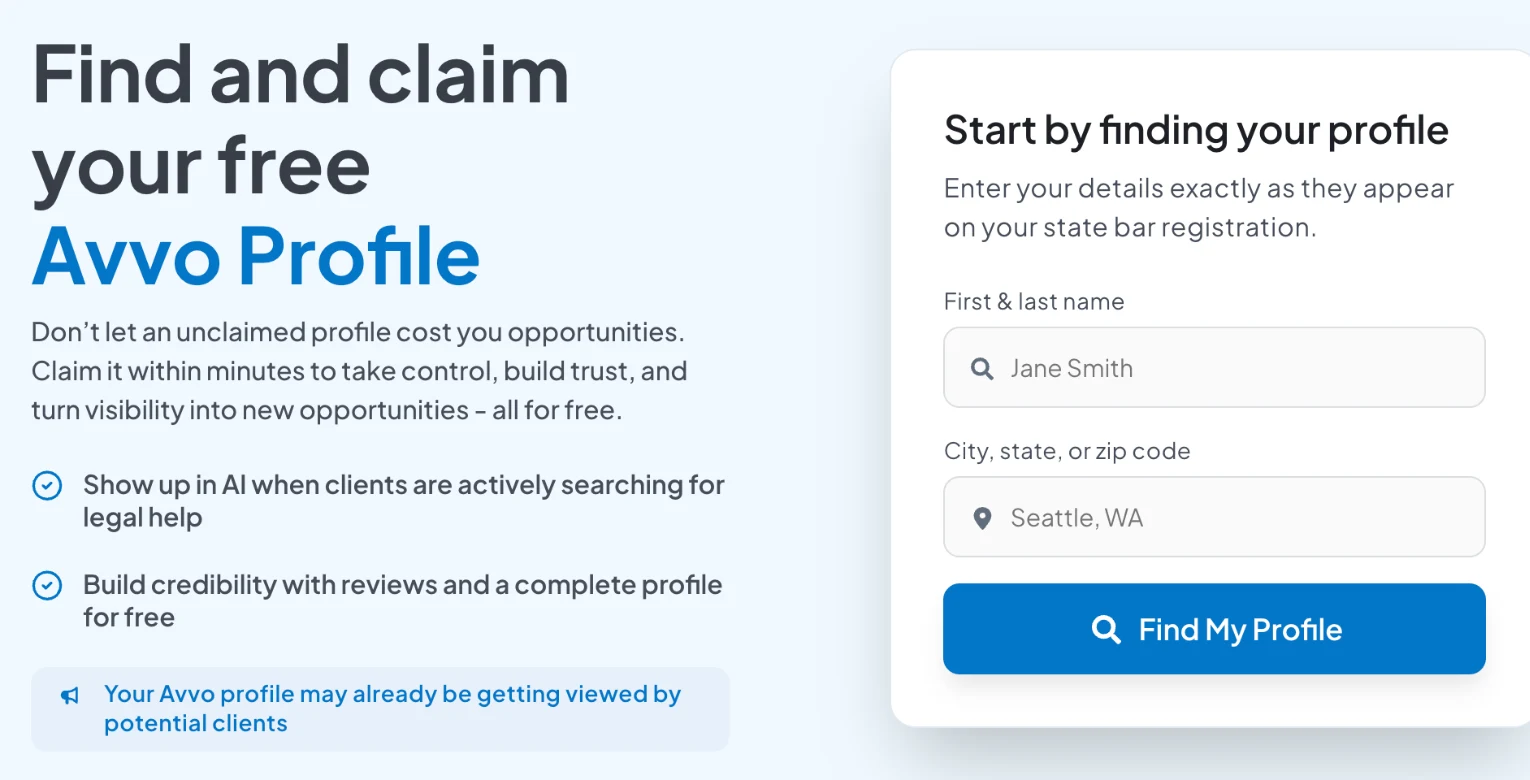
Avvo says it has profiles for over 97% of licensed US attorneys, based on the ABA’s lawyer population figures, built partly from public records held by state bars, regulators and courts2. So the question usually isn’t whether to be on Avvo. It’s whether the profile under your name is complete. Claiming it is free3.
The Avvo Rating is the part lawyers most often misunderstand. Avvo says it runs from 1.0 to 10.0 and draws on three things: your experience and credentials, your recognition (awards, publications, speaking and peer endorsements) and your disciplinary history4. Client reviews are not a direct input. Avvo keeps them separate, says advertising and paid products don’t change the rating, and generally doesn’t show a rating at all on unclaimed profiles4. In practice, then, a thin unclaimed profile hides your rating, and filling in your work history, publications and talks is how the rating gets its information.
Avvo also says only people who hired or consulted a lawyer may post a review, and that it published more than 72,000 new attorney reviews in the past year2.
Justia and Martindale
Justia says any US-licensed attorney can have a free, full profile in its Lawyer Directory. If one already exists, you claim it by email or phone verification, or by fax with proof of identity and licence, and Justia won’t change unclaimed profiles on request5. That last point is a good reason to claim it yourself.
Martindale-Hubbell works differently. Its Peer Review Ratings come from other lawyers, who assess your legal ability and ethical standards through a secure online survey, and the levels are AV Preeminent, Distinguished and Notable6. Separately, its Client Champion awards are based on client reviews: Platinum needs at least 10 reviews averaging 4.5 or higher, Gold at least 6 averaging 4.2, and Silver at least 3 averaging 4.06.
Your bar profile
Your bar profile is the most authoritative page about you, and the one you can change least. Some states let you add to it. The State Bar of California, for example, lets attorneys expand their public profile with a photo, languages spoken, self-designated practice areas and a link to their own or their firm’s website7. Check what your own bar allows, and make sure every other profile matches its record of your name and admission.
How should you ask clients for reviews?
Ask every client, the same way, and offer nothing in return. Google’s policies require both, and the ABA Model Rules point in the same direction, though your state’s rules and opinions have the final word.
Google lets businesses ask for reviews with a link or QR code8. Its rules then draw some firm lines. Offering free or discounted goods or services in exchange for a review is “strictly prohibited”, and so is any incentive to change or remove a negative review8. Its content policy adds that businesses may not discourage negative reviews or selectively ask only happy customers, a practice known as review gating, and that reviews based on a conflict of interest, such as from employees, family members or competitors, aren’t allowed9. Incentivised or biased reviews are removed, and Google says its actions against a business can range from suspending account privileges to closing the account9.
The ethics rules point the same way. ABA Model Rule 7.2(b) says a lawyer shall not give or promise anything of value to a person for recommending the lawyer’s services, with five exceptions, one of which allows nominal gifts that are neither intended nor reasonably expected as payment for a recommendation10. Whether your state treats a review as a “recommendation” is a question for its own rules and opinions. Google forbids review incentives either way, so the simple answer is to offer none.
What you say in your own marketing about reviews matters too. The ABA’s comment on Rule 7.1 notes that truthful reports of results for past clients can still mislead if they create an unjustified expectation that others will get the same result, and that a disclaimer may help11. Some states have specific rules on testimonials, so check before you quote a review on your website.
Ask at a natural close
When a matter ends, or at a milestone the client is pleased about, send one short message with your Google review link. Ask every client in the same way, not only the ones you expect to be happy.
Make it easy, not leading
Ask for an honest account of working with you. Don’t suggest wording, star ratings or what to mention.
Offer nothing in return
No discounts, gifts or prize draws tied to a review. Google bans review incentives, and Rule 7.2(b) limits giving anything of value for a recommendation.
Mind confidentiality in the ask
A client may not want it known that they hired a lawyer. Make the request private and easy to ignore.
Spread reviews where they help
Google is the obvious place to start. If your Avvo or Martindale profile has few reviews, you can point clients there too.
How should you respond to a negative review?
Slowly, briefly and without client information. The clearest national guidance is ABA Formal Opinion 496, “Responding to Online Criticism”, issued by the ABA’s ethics committee on 13 January 202112.
The opinion starts from Model Rule 1.6(a): a lawyer “shall not reveal information relating to the representation of a client” unless the client consents, the disclosure is impliedly authorised, or an exception applies12. That duty covers information whatever its source, including what’s already in the public record12. The exception lawyers usually reach for, the self-defence exception in Rule 1.6(b)(5), doesn’t help here. The committee concluded that “a negative online review, alone, does not meet the requirements for permissible disclosure” under that rule12.
Its practical advice is short:
- Consider not responding. The opinion says lawyers should give serious consideration to not responding at all, because any response frequently brings further responses from the original poster12. The ABA’s own summary adds that a reply may draw more attention to the post, that an unanswered post may move down the search results over time, and that a back-and-forth can do the opposite13.
- Take it offline. You may contact the client or former client privately to try to resolve it13.
- If you reply publicly, say very little. You can invite the person to contact you, or say that professional considerations prevent a response. The opinion’s sample reads: “Professional obligations do not allow me to respond as I would wish.”12
- If the poster was never your client, you may say so. But if the post is from an opposing party, opposing counsel or a client’s relative about a real matter, the same confidentiality limits apply12.
If a review is false, I’m entitled to set the record straight with the facts of the case.
Under ABA Formal Opinion 496, a negative review alone doesn’t permit disclosing client information, even information that’s already public.
Rules vary by state, and some are narrower than the ABA model. The California Lawyers Association noted in 2021 that California’s exceptions to confidentiality are much narrower than the ABA’s, that the State Bar had no formal opinion on the subject, and that county bar opinions in Los Angeles (2012) and San Francisco (2014) had addressed it14.
Google’s own rules for replies line up with this. You need a verified Business Profile to reply, Google checks each reply against its content policies (usually within 10 minutes, sometimes up to 30 days), and the reviewer is notified and can still edit their review15. Google also says never to share a reviewer’s private information in a reply8.

A review is one person’s account. Your reply is a public record of how you handle confidences.
Can you get a bad review removed?
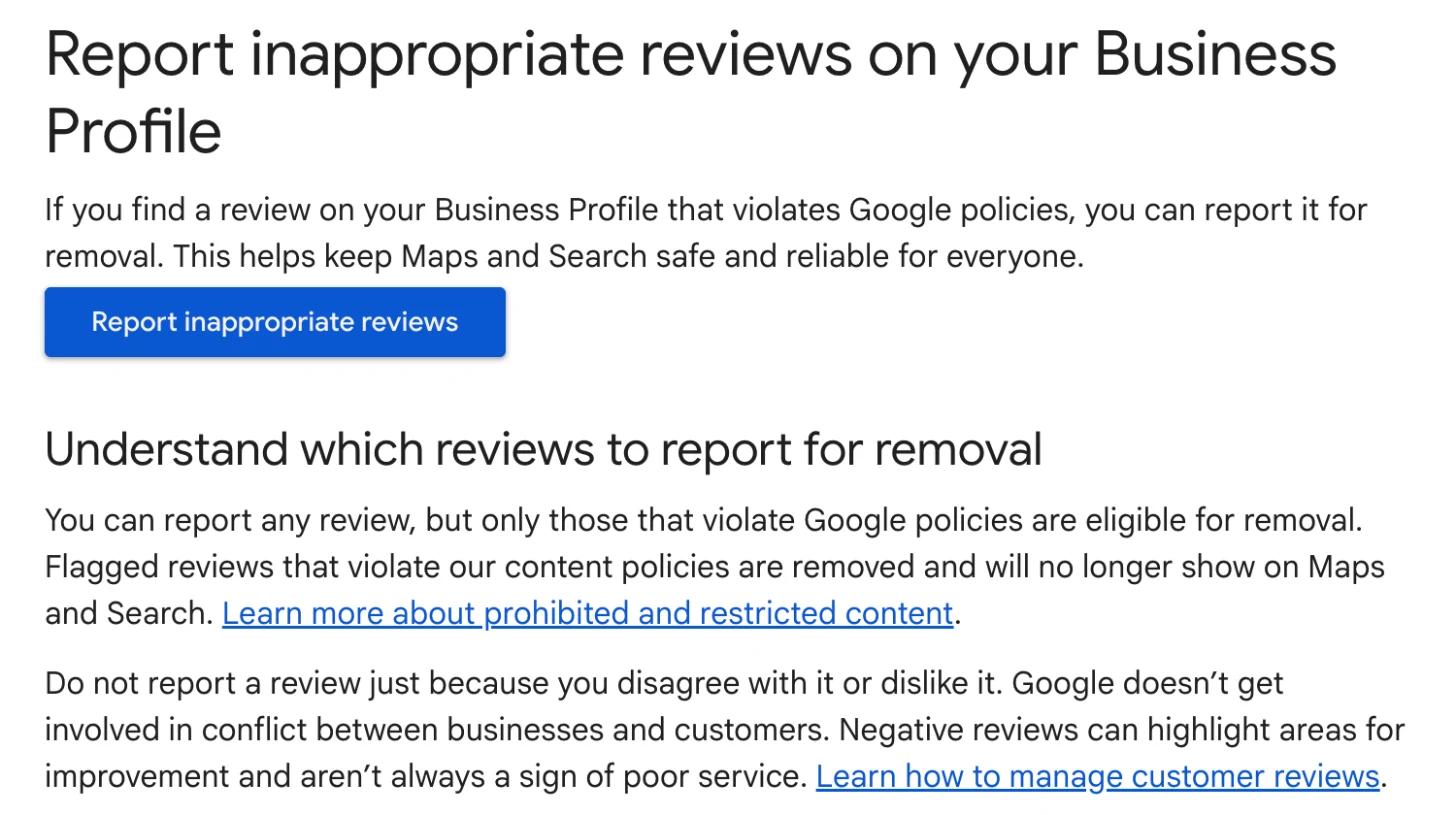
Only when it breaks the platform’s rules. Google tells businesses not to report a review just because they disagree with it, says it doesn’t get involved in conflicts between businesses and customers, and makes clear that only reviews that break its policies, such as spam, are eligible for removal16. A report alone doesn’t remove anything.
The process is straightforward. You report the review from your Business Profile or through Google’s Reviews Management Tool, and evaluation typically takes several days. If Google finds no violation, you can appeal once per review, selecting up to 10 reviews in one appeal, and you get the result by email16.
Opinion 496 confirms that a lawyer may ask the website host or search engine to remove a post. In doing so you may say the post is inaccurate or that you never represented the person, but you still may not reveal client information without consent12.
Search results are a separate matter. Google’s “Results about you” tool lets you ask it to remove results showing your phone number, home address or email address, though it generally won’t remove results from news, government or educational sites17. Its wider removal policy covers things like doxxing and confidential ID or bank numbers, but not content about important or newsworthy topics18. In every case, Google is clear that removing a result from Search doesn’t remove the page from the internet17.
How do AI answers describe your reputation?
AI answers describe your reputation by summarising the pages they find about you. Google says AI Overviews and AI Mode may use “query fan-out”, running several related searches across subtopics and sources to build a response, and that they show links to supporting pages19. ChatGPT search gives answers with links to web sources and may send searches to providers such as Bing20.
So a question like “Is [your name] a good divorce lawyer?” is answered from whatever is out there: review snippets, directory profiles, your firm bio, an old news story. Google says there are no special requirements to appear in its AI features beyond being indexed and eligible for a snippet, and suggests keeping Business Profile information up to date and making sure structured data matches the visible page19.
Directories know this and are marketing it. Avvo’s page for lawyers claims that “86% of AI-generated legal answers cite the Martindale-Avvo directory network”, from what it describes as a study of 130,000 legal searches21. Avvo doesn’t publish the method, so treat the number as a sales claim. The underlying point is reasonable, though: directory profiles are some of the most structured pages about a lawyer, and AI tools can read them.

If an AI tool already gets you wrong, what to do when ChatGPT is wrong about you covers tracing the bad fact to its source and correcting it there. Our free AI Mention Checker shows what AI tools say about you today. Nobody, including us, can guarantee that an AI tool will mention or recommend you.
Where does a Google Knowledge Panel fit?
A Google Knowledge Panel is the box Google sometimes shows beside the results for a person it holds in its Knowledge Graph. Google says panels are generated automatically from sources across the web and updated as information on the web changes, and that the person a panel describes, or an official representative, can claim it and suggest changes22. It’s not the same as a Google Business Profile, which Google describes as specific to businesses serving customers at a location or in a service area22.
For reputation, a panel helps in two ways. It gives a searcher a clean summary of who you are at the top of the page, and it shows that Google has matched your bar record, firm bio and directory profiles to one person. That second part also helps when you share a name with another lawyer or a public figure. Knowledge Panel or Google Business Profile? sets the two side by side.
Google alone decides whether a panel appears. At DotVisible, Shobin K Jose’s team builds personal Google Knowledge Panels for professionals, with a guarantee that the panel appears within 150 days of onboarding, or the client chooses a deposit refund or free continued work. How it works explains the process, and the lawyers page covers what’s different for attorneys.
A quick reputation check for your own name
You can do most of the diagnosis yourself in an afternoon. Work through it in this order.
Search your name in a private window
Try your name alone, then with “lawyer” or “attorney” and your city. Note what fills page one, any reviews shown, and any results that belong to someone else.
Read your bar profile
Check your name, admission date and status exactly as the bar shows them. That record is the reference every other profile should match.
Find and claim your Avvo profile
It probably exists already. Claim it, add your work history, education, publications and talks, and check how your name is spelled.
Claim Justia and check Martindale
Claim your free Justia profile. On Martindale, check your profile details and any client reviews.
Review your Google Business Profile
Make sure it follows Google’s rules for practitioners, read every review, and note any that clearly break Google’s policies.
Draft a review request you can send to everyone
One short, neutral message with your review link and no incentive. Check it against your state’s rules.
Write a standard reply line for criticism
Agree it with your firm in advance so you never improvise in anger. Keep client information out of it.
Ask ChatGPT and Google about yourself
Note what the answers say and which pages they link to. Any wrong fact usually traces back to one of those pages.
For a broader self-audit, our name search checklist covers the general version, and the lawyers’ Knowledge Panel playbook goes deeper on profiles and markup. More guides like this sit in the name search hub and the guides for lawyers.
When to get help
Get help when the problem is bigger than profiles and reviews: a namesake who dominates your results, a Google Knowledge Panel that shows someone else, or AI answers that keep repeating an old error. Be careful with anyone who promises guaranteed removals, top rankings or reviews in bulk. Those promises can lead you into breaches of Google’s policies and your own ethics rules, and that can do more damage than a three-star review.
Frequently asked questions
What is online reputation management for lawyers?
It is the work of keeping what people find when they search your name accurate, complete and fair. For a lawyer that usually means Google reviews, directory profiles on Avvo, Justia and Martindale, your state bar profile, your firm bio and, more and more, what AI tools such as ChatGPT and Google’s AI Overviews say about you.
Can a lawyer respond to a negative online review?
Usually yes, but carefully. ABA Formal Opinion 496 (13 January 2021) says a negative review alone does not allow a lawyer to reveal confidential client information, and that as a best practice lawyers should consider not responding at all. If you do reply, keep client information out of it. State rules vary, so check your own state’s rules and ethics opinions.
Can I get a bad Google review removed?
Only if it breaks Google’s policies, for example spam, a conflict of interest or fake engagement. Google tells businesses not to report reviews just because they disagree with them, and says it doesn’t get involved in conflicts between businesses and customers. You can report a review and, if Google finds no violation, appeal once.
Can I offer clients something in return for a review?
Google’s policies prohibit offering free or discounted goods or services in exchange for reviews. ABA Model Rule 7.2(b) also bars lawyers from giving anything of value to a person for recommending them, with narrow exceptions. Ask for honest reviews from every client and offer nothing in return.
Do Avvo reviews affect my Avvo Rating?
Not directly, according to Avvo. It says the rating runs from 1 to 10, is based on experience, recognition and disciplinary history, keeps client reviews separate, and cannot be bought. Avvo generally does not show a rating on unclaimed profiles.
How do AI answers affect a lawyer’s reputation?
Google’s AI Overviews and AI Mode and ChatGPT search build answers from web pages they find, and they show links to those sources. Whatever is out there about you, including reviews, directory profiles and old pages, is their raw material. Keeping your public facts accurate and consistent is the part you control. Nobody can guarantee an AI tool will mention you.
Should I hire an online reputation management company?
Start by checking your own name search, because much of the work is claiming and completing profiles and asking clients for reviews. If you hire help, be wary of anyone who promises removals, guaranteed rankings or reviews in bulk, which can breach Google’s policies and your ethics rules.
Sources
- 1Scorpion Uncovers How Consumers Find Lawyers in 2025Localogy · 2 Oct 2025↩
- 2About AvvoAvvo · accessed 17 Nov 2026↩
- 3Claim your profileAvvo · accessed 17 Nov 2026↩
- 4The Avvo Rating: What lawyers should knowAvvo Support · accessed 17 Nov 2026↩
- 5Justia Lawyer Directory FAQJustia · accessed 17 Nov 2026↩
- 6AV Peer Review Ratings & Client Review AwardsMartindale-Hubbell · accessed 17 Nov 2026↩
- 7Expanded profile frequently asked questionsState Bar of California · accessed 17 Nov 2026↩
- 8Tips to get more reviewsGoogle Business Profile Help · accessed 17 Nov 2026↩
- 9Prohibited & restricted contentGoogle Business Profile Help · accessed 17 Nov 2026↩
- 10Model Rule 7.2American Bar Association · accessed 17 Nov 2026↩
- 11Comment on Rule 7.1American Bar Association · accessed 17 Nov 2026↩
- 12Formal Opinion 496: Responding to Online CriticismABA Standing Committee on Ethics and Professional Responsibility (copy hosted by the Colorado Bar Association) · 13 Jan 2021↩
- 13ABA guidance on responding to online criticismABA News, YourABA · 8 Feb 2021↩
- 14Ethics Spotlight: Dealing With Negative Comments on Social MediaCalifornia Lawyers Association · 23 Feb 2021↩
- 15Manage customer reviewsGoogle Business Profile Help · accessed 17 Nov 2026↩
- 16Report inappropriate reviews on your Business ProfileGoogle Business Profile Help · accessed 17 Nov 2026↩
- 17Find and remove personal contact info in Google Search resultsGoogle Search Help · accessed 17 Nov 2026↩
- 18Remove my private info from Google SearchGoogle Search Help · accessed 17 Nov 2026↩
- 19AI features and your websiteGoogle Search Central · updated 10 Dec 2025↩
- 20ChatGPT searchOpenAI Help Center · accessed 17 Nov 2026↩
- 21Avvo for lawyersAvvo · accessed 17 Nov 2026↩
- 22About knowledge panelsGoogle Knowledge Panel Help · accessed 17 Nov 2026↩
Keep reading
 Name searchSEO for Lawyers: Rank for Your Own Name FirstShobin K Jose · 17 Nov 2026 · 19 min read
 Name searchFive Signs Your Online Presence Is Costing You ReferralsShobin K Jose · 29 Oct 2026 · 17 min read
 Name searchThe Name Search Checklist: 12 Things Prospects See Before They CallShobin K Jose · 29 Oct 2026 · 19 min read