What Is a Google Knowledge Panel, and Why Do Some People Get One?
Google shows a panel for some people and not others, and fame has less to do with it than most assume. Here's how Google decides, what it looks for and what you can do about it.
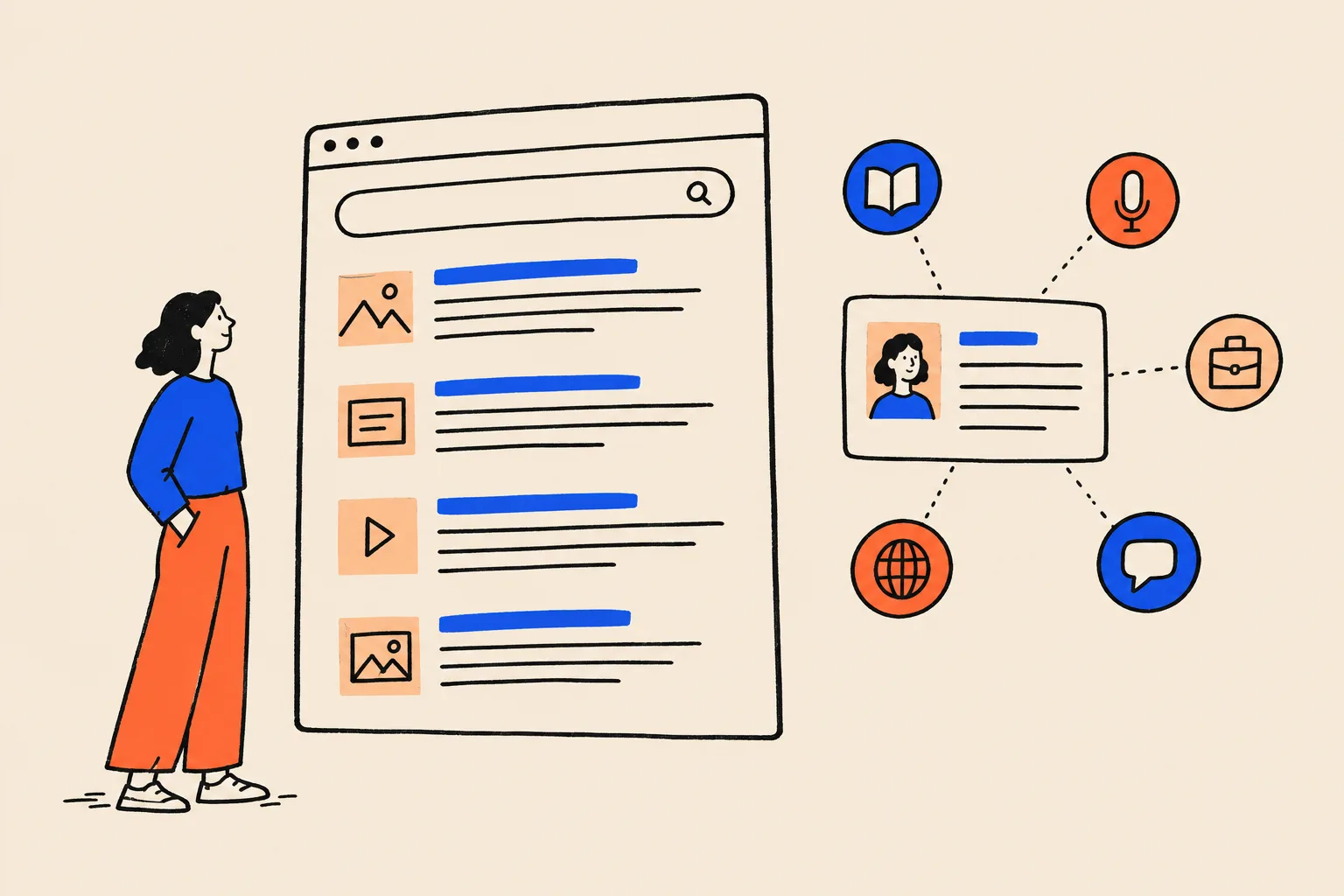
Search your own name on Google. For some people, a box appears beside the results with their photo, a one-line role, a short bio and links to their profiles. For others there’s only a list of links. And for a few unlucky ones, there’s a box about somebody else with the same name.
That box is a knowledge panel. Google builds it automatically from what it knows about a person, place or organisation1. Nobody writes their own.
If you’re a coach, consultant, founder, doctor, lawyer or author, your name does a lot of commercial work. Prospective clients look you up before they get in touch. A panel shows them, at a glance, that Google recognises you as a distinct, real professional. Without one, they’re left piecing you together from whatever links happen to rank.
The test Google applies has far less to do with fame than most people assume. This guide explains what a panel is, where its information comes from, how Google decides who gets one and what you can realistically do about yours.
What is a Google Knowledge Panel?
A knowledge panel is the information box Google shows when you search for something it holds in its Knowledge Graph: a person, a place, an organisation or a thing1. On desktop it usually sits to the right of the search results. On mobile, the same information is split into one or more cards among the results2.
For a person, a typical panel shows a name, a short subtitle such as “Author” or “Entrepreneur”, one or more photos, a brief description with a link to its source, a few key facts and icons linking to social profiles. We’ll take it apart piece by piece further down.
Google generates panels automatically and updates them as information on the web changes1. It also weighs input from the person the panel is about and feedback from users. There’s no application form and no approval queue.
The Knowledge Graph: the database behind every panel
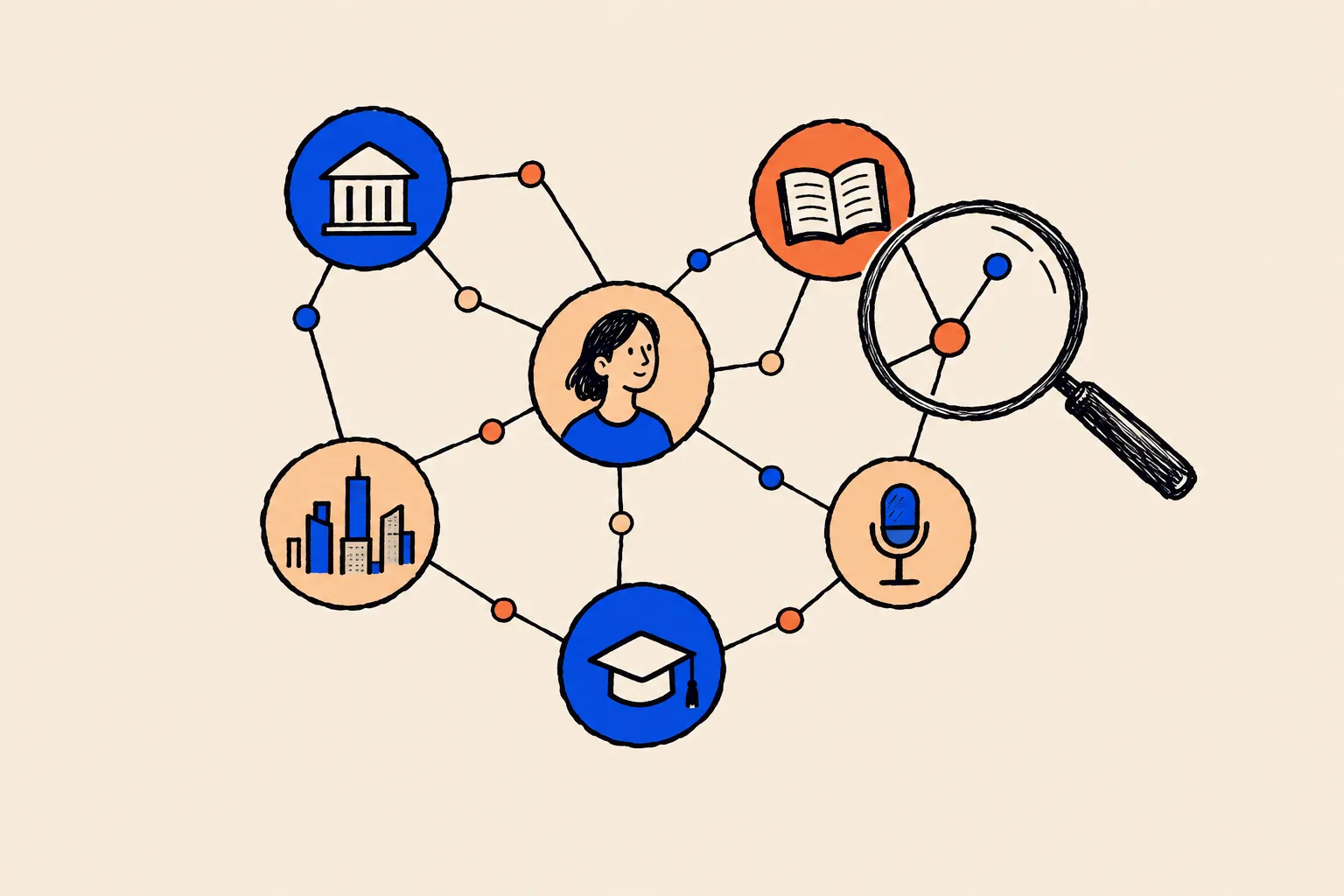
Every panel is a window onto one entry in Google’s Knowledge Graph. That’s Google’s database of things (it calls them entities) and the facts and relationships connecting them.
Google launched it on 16 May 2012 under the slogan “things, not strings”3. The idea was that Search would understand which thing you meant, rather than just matching the letters you typed. Google’s own example was “Taj Mahal”, which could mean a monument, a musician or a casino.
An entity is any single, distinct thing Google can identify and describe. You are one. So is your company, your book and your podcast. Panels belong to entities, which means that if Google doesn’t hold you as an entity, there’s nothing for a panel to describe.
At launch, the graph held more than 500 million objects and over 3.5 billion facts about them, drawn from sources including Freebase, Wikipedia and the CIA World Factbook3. Within seven months it had reportedly grown to 570 million entities and 18 billion facts, and by 2016 reports put it at 70 billion facts4.
The last size figure Google itself published came in May 2020: more than 500 billion facts about 5 billion entities2. Anything newer comes from outside Google. Kalicube, the firm run by knowledge panel specialist Jason Barnard, estimated about 54 billion entities and 1.6 trillion facts as of around May 20245. Google hasn’t confirmed that estimate, and counting methods differ, so read it as a sense of scale rather than a precise count.
One early source is worth knowing about. Google announced on 16 December 2014 that it would close Freebase, an open database it had relied on, and helped move that data to Wikidata, the free structured database run by the Wikimedia Foundation6. That history is one reason Wikidata still comes up whenever people talk about panels.
500M+
Objects in the Knowledge Graph at launch, May 2012 (Google)3
70B
Facts in the Knowledge Graph by 2016, as reported at the time4
500B+
Facts about 5 billion entities: Google’s most recent official figure, May 20202
1.6T
Facts across about 54 billion entities: Kalicube’s estimate, c. May 2024, not confirmed by Google5
A short history, from 2012 to AI answers
The graph has changed a great deal since launch. In June 2018, Google opened verification to any person with a panel7. In July 2023, Kalicube’s tracking recorded the number of Person entities in the graph tripling in three days8. AI Overviews reached everyone in the US on 14 May 20249, and AI Mode followed in March 2025, drawing on the Knowledge Graph10. Then, in June 2025, Kalicube recorded Google deleting more than 3 billion entities in a single week11.
16 May 2012
The Knowledge Graph launches
Google introduces “things, not strings” in the US, starting with more than 500 million objects and 3.5 billion facts.3
December 2012
Rapid early growth
The graph expands into more languages and reportedly reaches 570 million entities and 18 billion facts.4
16 December 2014
Freebase closes
Google announces it will shut Freebase, one of its early sources, and helps move the data to Wikidata.6
22 June 2018
Verification opens up
Google opens verification to people, organisations, sports teams, events and media properties that have panels.7
20 May 2020
Google’s last official size figure
Google reports more than 500 billion facts about 5 billion entities, and says Wikipedia is one of hundreds of sources.2
July 2023
A big update for people
Kalicube’s tracking shows Person entities tripling in three days and more Writer and Author subtitles appearing.8
14 May 2024
AI Overviews roll out
AI-generated summaries reach everyone in the US, backed by what Google calls a knowledge base of billions of facts.9
5 March 2025
AI Mode arrives
Google announces AI Mode and names the Knowledge Graph among the real-time sources it draws on.10
June 2025
The clarity cleanup
Kalicube records the graph shrinking by 6.26%, with more than 3 billion entities removed in one week.11
How Google decides, and why you might not have one yet
Google doesn’t publish an eligibility checklist. Between what Google has said and what practitioners have observed over many years, though, the process is reasonably well understood. It runs roughly like this.
Google holds you as an entity
Panels are tied to entities in the Knowledge Graph. If Google hasn’t recognised you as a distinct entity, there is nothing for a panel to describe.
It gathers facts from many sources
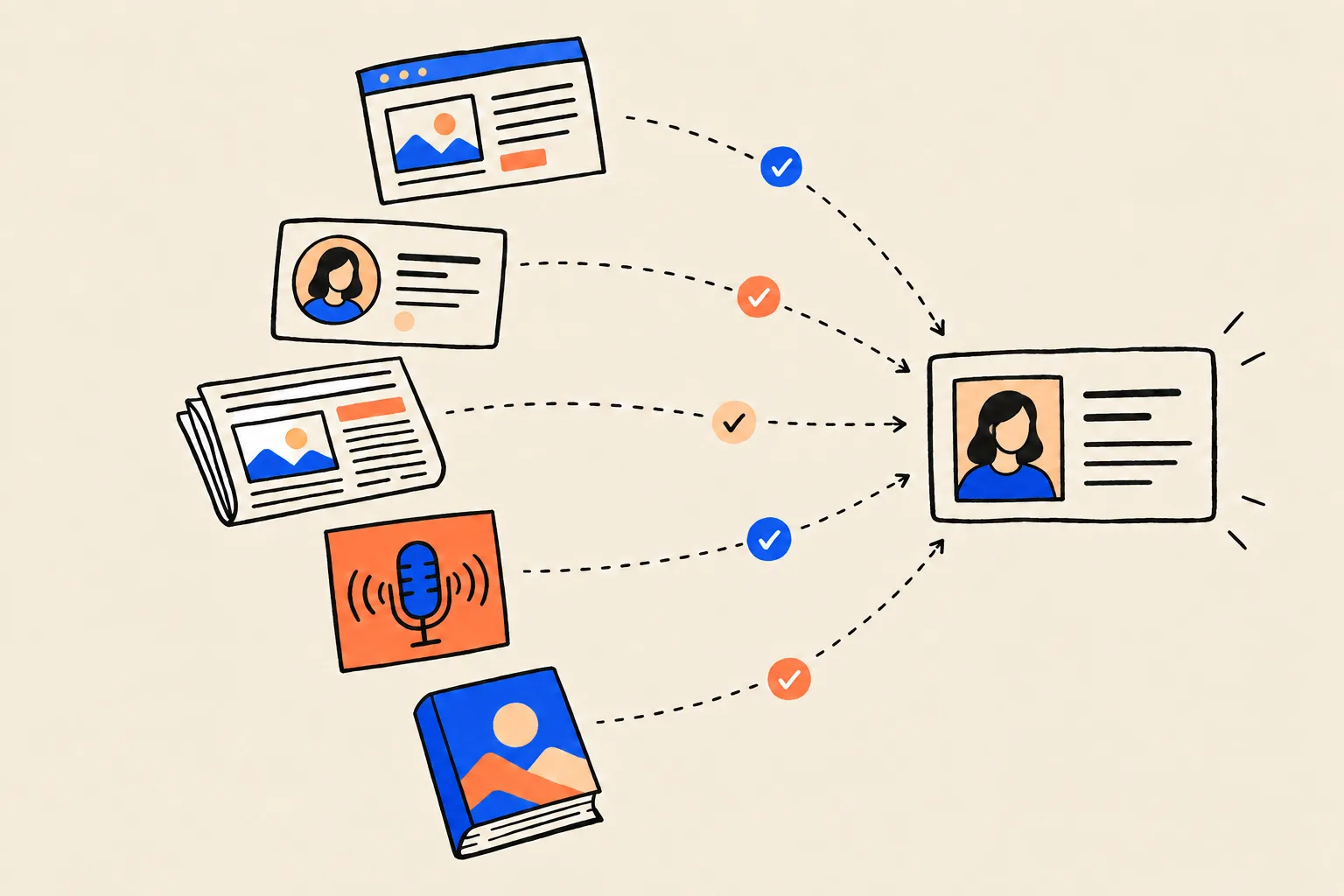
Your website, your profiles, press coverage, open databases such as Wikidata, licensed data and structured markup all feed in. Wikipedia is only one source among many.
It works out that they all describe one person
Google has to match your site, your LinkedIn, a podcast page and a news article to the same individual. Consistent names, roles and descriptions make that easy. Contradictions make it hard.
It has to be confident
A panel appears when Google is sure of the facts and judges that a short factual summary will help the person searching.
The search has to be about you
The query needs to point clearly at one entity. A distinctive name, or a name plus a profession or a city, makes that easier.
It keeps checking
Panels update automatically as the web changes, and large Knowledge Graph updates can add, reshape or remove entities in bulk.
The first, second and last of those steps come straight from Google. Panels are tied to Knowledge Graph entities and change automatically as information on the web changes1. Wikipedia is one of hundreds of sources, alongside material shared across the web, open databases, licensed data for areas such as music and sport, and structured markup from site owners2.
The middle steps are practitioner explanation. Barnard frames the decision as confidence plus usefulness: Google shows a panel when it trusts the facts and believes a factual summary helps the searcher12. That fits Google’s own stated aim of showing the most relevant and popular information about a topic2.
Step five is simply how search works. “John Smith” could be thousands of people. “Dr Priya Raman, cardiologist, Leeds” points to one. If you share a common name, the context around it does a lot of the work.
Put all of that together and the picture is fairly consistent. Google isn’t asking whether you’re famous. It’s asking whether it’s sure who you are. Consistent with that, Google’s 2018 verification update set no celebrity threshold7.
The real tests are whether you’re identifiable, corroborated and unambiguous.
Why you might not have one (or have the wrong one)
If you’ve searched your name and found nothing, or found a panel that isn’t quite you, one of these is usually the reason.
- Google doesn’t see you as a distinct entity yet. Your information exists, but it’s scattered and nothing ties it together.
- Your details don’t agree. One profile says “consultant”, another says “managing director”, your old speaker bio lists a job you left years ago. Practitioners most often point to inconsistency like this as the reason panels fail to appear12.
- Nobody else is vouching for you. If the only pages describing you are pages you wrote, Google has little to corroborate them against.
- You share a name. Google may blend your details with a namesake’s, or show the more prominent person’s panel when someone searches your name.
- Google tidied you away. Large Knowledge Graph updates add, retype and delete entities in bulk. Kalicube’s tracking suggests major updates can affect 60 to 80% of entities, with smaller shifts every two to three weeks8. Google hasn’t confirmed those figures, but they explain why panels sometimes vanish while nothing changed on your side.
The June 2025 “clarity cleanup” shows how sharp those swings can be. After a year in which the graph grew by 2.79%, Kalicube recorded it shrinking by 6.26% across updates on 13 and 20 June, with some entity types cut far harder than others11.
| Item | Value |
|---|---|
| Whole Knowledge Graph | 6.26% |
| Thing entities | 15.27% |
| Event entities | 76.91% |
Source: Search Engine Land11
Five myths that stop experts from trying
Most of the professionals who assume a panel isn’t for them are working from one of these beliefs.
You have to be famous to get a knowledge panel.
Google needs an entity it can identify with confidence. Verification is open to anyone who has a panel, with no fame threshold.
Google’s 2018 update covered organisations, sports teams, events and media properties as well as people7. Panels follow Knowledge Graph entities, not celebrity1.
You need a Wikipedia page.
Wikipedia is one of hundreds of sources Google uses, and its role in triggering panels for people has shrunk.
Google said as much in 20202. Kalicube’s tracking found that Wikipedia’s share as the triggering source for Person entities fell from 40.9% in June 2023 to 12.44% in September 20238. And please don’t write a Wikipedia article about yourself. Barnard calls creating a page that doesn’t already exist generally a bad idea, because Wikipedia’s notability and conflict-of-interest rules mean self-created pages are often deleted12.
You can pay Google for one.
Google generates panels automatically. It doesn’t sell them, and it doesn’t create them by hand.
Google says panels are generated automatically and that, under its current policy, it doesn’t manually create or delete them13. Its Search documentation adds that Google doesn’t accept payment to crawl a site more often or rank it higher14.
Once you claim your panel, you control it.
Claiming lets you suggest changes. Google still decides what appears, and its algorithms can override edits it has accepted.
Even verified people can’t write a custom subtitle or description, reorder their social profiles or add a photo where none exists13.
Adding schema markup to your site gets you a panel.
Structured data helps Google understand you, but Google says it doesn’t guarantee that any feature will appear.
Google’s structured data documentation is explicit that markup doesn’t guarantee that the features using it will show up15. Treat markup as one clear signal among many, not a switch.
The anatomy of a person’s panel
Knowing where each part of a panel comes from tells you which parts you can influence and which you can’t. Here’s a typical panel for a person, labelled.
Jordan Ellis
Executive leadership coach
Jordan Ellis is an executive leadership coach who helps first-time founders build and lead their teams. example.com
- Education
- Example State University
- Books
- The First Hundred Hires
- Organization
- Ellis Leadership Partners
Profiles
People also search for
- Name and subtitleTitle: generated automatically from the entity. Subtitle: generated from the role or type Google sees most often.
- ImagesA featured image chosen by a verified claimant, or previews from Google Images.
- DescriptionOften Wikipedia, otherwise a trusted page such as your own About page. The website link beside it is the official website Google associates with you.
- Key factsKnowledge Graph facts from web sources, open databases and licensed data.
- ProfilesProfiles Google associates with you, helped by sameAs markup on your site. Some panels also add tabs or carousels (not shown here) for linked entities such as your books, podcasts or videos.
- People also search forSearch behaviour and relationships between entities.
- Claim this knowledge panelThe link a person uses to claim the panel. Claiming lets you suggest changes, but Google still decides what appears.
The table below sets out where each part usually comes from and how much say a verified person has over it.
| Part | Where it usually comes from | Can a verified person change it? |
|---|---|---|
| Title | Generated automatically from the entity | Only with substantial evidence that another name is more representative |
| Subtitle | The role or type Google sees as dominant | No custom subtitles. You can show the current one is inaccurate, and Google may pick another |
| Images | A claimant’s featured image, or previews from Google Images | You can suggest a replacement, but only if an image already exists |
| Description | Often Wikipedia, otherwise a trusted page12 | No direct edits. Fix the source page instead |
| Key facts | Web sources, open databases, licensed data | Suggest changes with public evidence, or ask to omit personal details |
| Social profiles | Profiles Google associates with you | Suggest additions or edits, but you can’t change the order |
| People also search for | Search behaviour and relationships | Removed only if an item breaks policy |
Two parts need more explanation. The description is the one people most want to change, and it’s the one you can’t edit directly. When it isn’t drawn from Wikipedia, practitioners commonly see the person’s own About page quoted12, which is a strong argument for making that page clear and factual.
The subtitle is the other. It’s generated from how Google understands your main role, and it can shift during updates. In Kalicube’s tracking of the July 2023 update, the share of Person entities with a subtitle fell from 57.1% to 16.58%, while the number carrying “Writer” or “Author” subtitles rose by 21%8. The practical lever is describing your role in the same words everywhere.
Claiming your panel: what verification gives you
Verification is for people who already have a panel. You can’t claim a panel that doesn’t exist, and not every panel can be claimed straight away. Google suggests checking back periodically for the option16.
When the option is there, the process is short:
- Sign in to a Google Account.
- Search your name and find your panel.
- Click “Claim this knowledge panel” at the bottom of the panel (it sometimes sits under the “About” section).
- Review the information Google shows you.
- Sign in to an official profile Google already associates with you. The options Google lists are YouTube, Search Console, X (formerly Twitter) and Facebook. If Google can’t find a linked profile, it asks for more information to confirm who you are16.
- Once you’re verified, you can add other people as owners, managers or contributors.
After that, a “Suggest edits” option appears on your panel when you’re signed in with the verified account and Web & App Activity is turned on. Flag each fact separately, describe the change and link to publicly accessible pages that confirm it. Google says it reviews verified feedback “within a few days”, though it can take longer13.
Here’s what verification does and doesn’t let you do.
| You want to... | Can you? | How |
|---|---|---|
| Correct a fact | Suggest it | Flag the fact and link to public pages that confirm the right version |
| Change the featured photo | Suggest it, if a photo already exists | Provide a direct image URL. You can’t add one where none exists |
| Add or fix a social profile | Suggest it | Use “Suggest edits”. You can’t change the order profiles appear in |
| Remove personal details | Ask for it | Date of birth, relationships, children, marital status and relationship-based subtitles |
| Change the title | Only with substantial evidence | Show that a different name represents you better |
| Write your own description or subtitle | No | Fix the source pages Google draws from |
| Remove “People also search for” | Only for policy violations | Report the specific item |
| Have Google create or delete a panel | No | Google says it doesn’t do this manually under current policy |
Source: Google Knowledge Panel Help13
One caveat from practice: an edit Google accepts today can be undone later if the rest of the web keeps saying something different12. Correct the panel, then correct the sources too. The full walkthrough, including how to word an edit request, is in How to Claim and Edit Your Knowledge Panel.
Knowledge panels and AI answers
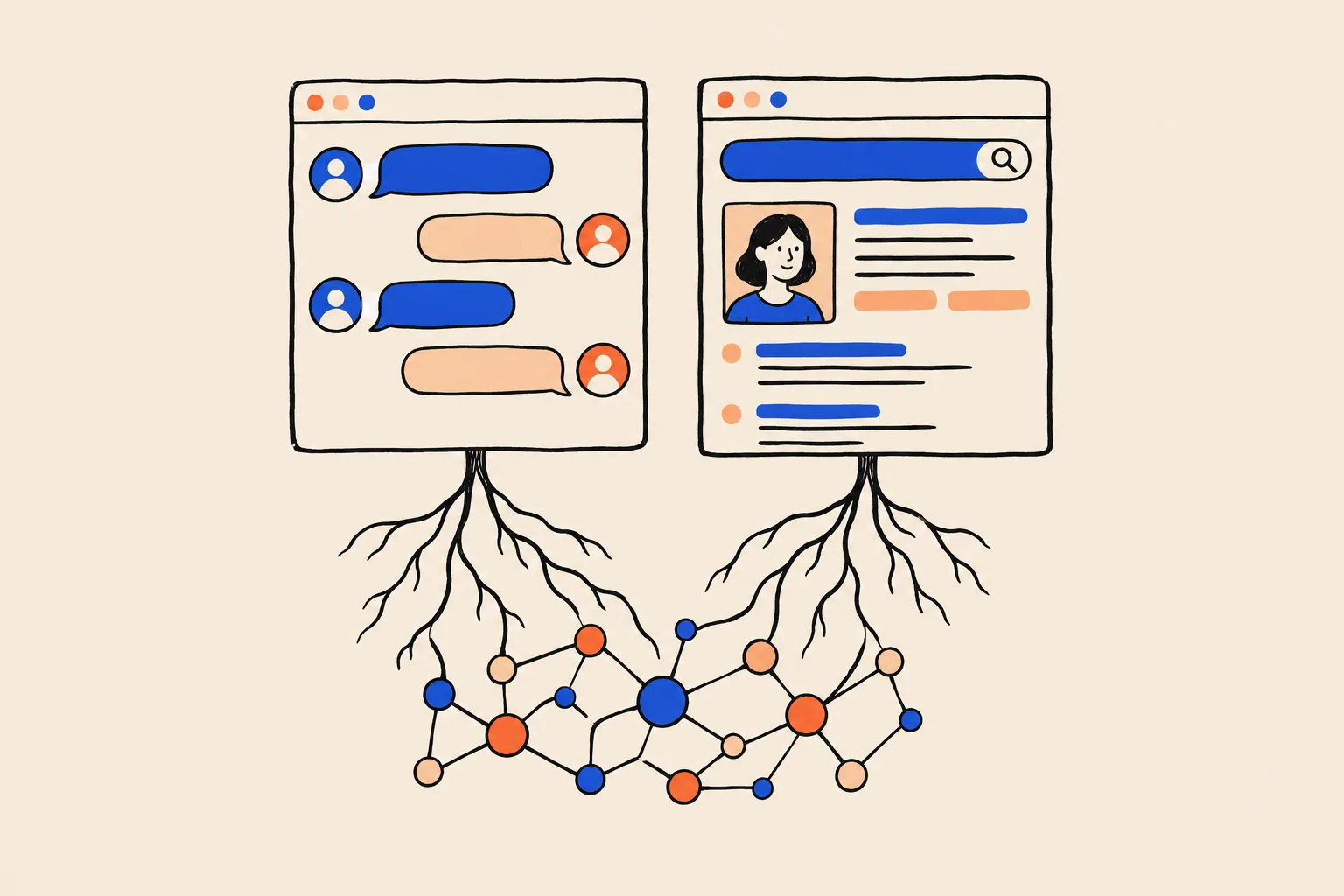
The Knowledge Graph that powers your panel is also one of the fact sources behind Google’s AI features.
What Google has confirmed
AI Overviews rolled out to everyone in the US on 14 May 2024, with Google aiming to reach more than a billion people by the end of that year. Google described them as backed by a knowledge base of billions of facts about people, places and things9.
Google’s own explainer says AI Overviews use a customised Gemini model that works alongside its Search systems, including the Knowledge Graph17. When Google announced AI Mode, it said the feature taps “fresh, real-time sources like the Knowledge Graph”10.
Google also says there’s no special markup or extra requirement for appearing in these AI features. A page needs to be indexed and eligible to show a snippet in normal Search18.
So being a clear, well-understood entity in Google’s graph plausibly helps Google’s AI describe you accurately. It doesn’t guarantee that an AI answer will mention you.
What’s interpretation, not fact
Barnard argues that the June 2025 cleanup was intended to give AI Overviews and AI Mode a leaner, higher-confidence dataset11. It’s a plausible reading. Google hasn’t said so.
What’s overstated
Some guides claim your Google panel feeds ChatGPT or Microsoft Copilot. There’s no evidence that OpenAI or Microsoft have access to Google’s Knowledge Graph. Those systems build their own understanding of people from web data, their own search indexes and partners.
What is true is that the habits that earn a panel (a consistent bio, independent sources that agree, accurate structured data) are things every system reading the open web can pick up. That’s a reasonable expectation, not a measured result. No published study has shown that having a panel causes more AI mentions. For what OpenAI does say about how ChatGPT picks names, see How ChatGPT Decides Which Coaches to Recommend.
The practical path to a panel
You can’t apply for a panel, but you can make it easy for Google to understand you. It starts with knowing where you stand.
Start by checking where you stand
Search your name in a private browser window, so your own history doesn’t colour the results, and check on both desktop and mobile. Then try your name with your profession, and your name with your city.
As you look, ask four questions. Is there a panel? Is it about you? Is the information right? Is someone else’s panel showing up for your name?
Separately, Google’s public Knowledge Graph Search API returns the entities Google holds for a name, along with their IDs and types such as Person. Google notes that the API isn’t suitable as a production-critical service19, so treat it as a useful check, not the final word on what Google knows.
Build the signals, step by step
Choose one home page for your identity
Make your About page, or your homepage, the definitive statement of who you are. Avoid relying on a social profile or an employer’s page as the main source.
Write one clear, factual bio
Open with “[Name] is a [role] who [does what] for [whom].” Put the present first and work back. List credentials, books, awards and affiliations. Keep a master version and reuse it.
Use the same details everywhere
Same name, title, photo and short bio on LinkedIn, X, YouTube, speaker pages, podcast guest pages, association directories and your firm’s team page.
Link both ways
Every profile should link to your home page, and your home page should link out to every genuine profile.
Add Person structured data
Mark up your home page with JSON-LD so machines can read who you are. There is an example below.
Get your home page indexed
Submit it in Google Search Console so Google finds it sooner.
Earn independent mentions
Interviews, podcast appearances, conference speaker pages, bylined articles, awards and memberships. Pages mostly about you, written by someone else, carry the most weight. Quality beats volume.
Use the directories that matter in your field
The medical register for doctors, bar listings for lawyers, Crunchbase for founders, Goodreads or Amazon Author Central for authors. Skip mass directory submissions.
Claim it when it appears, then keep it current
Verify your panel, keep the facts up to date and check it regularly.
These steps follow the method practitioners have refined over years, most fully set out in Barnard’s knowledge panel checklist12. Two points from that work are worth underlining. Inconsistency is the blocker practitioners cite most, so step three matters more than it looks. And piling up low-quality directory profiles tends to work against you, so a few credible sources in your field beat dozens of spammy ones12.
Add Person markup to your home page
Structured data is a small block of code that describes you in a format machines read reliably. Google recommends the JSON-LD format for structured data in general21. Here’s a complete example for a fictional coach, Jordan Ellis. Every name and URL in it is a placeholder. If the idea is new to you, Structured Data in Plain English explains it from the start.
{
  "@context": "https://schema.org",
  "@type": "Person",
  "@id": "https://www.example.com/about#person",
  "name": "Jordan Ellis",
  "alternateName": "Jordan A. Ellis",
  "jobTitle": "Executive Leadership Coach",
  "description": "Jordan Ellis is an executive leadership coach who helps first-time founders build and lead their teams, and the author of The First Hundred Hires (2025).",
  "url": "https://www.example.com/about",
  "image": "https://www.example.com/images/jordan-ellis.jpg",
  "worksFor": {
    "@type": "Organization",
    "name": "Ellis Leadership Partners",
    "url": "https://www.example.com"
  },
  "alumniOf": {
    "@type": "CollegeOrUniversity",
    "name": "Example State University"
  },
  "knowsAbout": [
    "Executive coaching",
    "Leadership development",
    "Startup hiring"
  ],
  "sameAs": [
    "https://www.linkedin.com/in/example-jordan-ellis",
    "https://www.youtube.com/@examplejordanellis",
    "https://x.com/example_jellis"
  ],
  "subjectOf": {
    "@type": "Article",
    "headline": "Interview: Jordan Ellis on hiring your first team",
    "url": "https://news.example.org/interview-jordan-ellis"
  }
}
On your site, this goes inside a <script type="application/ld+json"> tag on your About page. Here’s what each property does, using the definitions on schema.org22:
- @context and @type say this uses the schema.org vocabulary and describes a Person. @id gives that person a stable identifier other markup on your site can refer to.
- name and alternateName state your name and any variant people use, so Google can connect mentions of either.
- jobTitle states your role in the same words you use everywhere else.
- description is your one-sentence bio, matching the master version on the page.
- url and image point to your home page and a clear, current headshot.
- worksFor names your firm or employer as an Organization with its own URL.
- alumniOf and knowsAbout add your education and areas of expertise.
- sameAs lists your genuine profiles on other sites. schema.org defines it as a reference page that unambiguously indicates the item’s identity23. List only profiles that really are yours12. If you have a legitimate Wikidata item, its URL belongs here too.
- subjectOf points to an article about you, such as an interview, which ties independent coverage back to you.
Check the code at validator.schema.org. Barnard recommends it over Google’s Rich Results Test, which only checks types that produce rich results12. And keep expectations straight: markup helps Google understand you, but Google doesn’t guarantee it will change how you appear15.
How long it takes
There’s no official timeline, and anyone who gives you a firm date is guessing. Practitioner estimates vary widely. Barnard’s manual puts it anywhere from a few days to a year12, and Kalicube’s site suggests three weeks to six months for verification24. The clearer and better corroborated your presence already is, the shorter the wait tends to be.
Where to start
A knowledge panel is Google’s summary of what it’s confident it knows about you. Fame has very little to do with it. Clarity, consistency and independent corroboration have a great deal to do with it, and those are things an established expert can build.
Start by finding out what Google sees today. Run your name through the free Knowledge Panel Checker. Then compare your bio, job title and photo across every profile you own, and fix anything that disagrees. If you’d like a second pair of eyes on what’s helping and what’s holding you back, book a free audit.
Frequently asked questions
Do I need to be famous to get a Google knowledge panel?
No. Google shows panels for entities it holds in its Knowledge Graph, and it lets any person with a panel get verified. What matters is that Google can clearly identify you and confirm facts about you from several sources.
Do I need a Wikipedia page?
No. Google says Wikipedia is one of hundreds of sources it uses, and Kalicube’s tracking found Wikipedia’s role in triggering panels for people fell sharply in 2023. Writing a Wikipedia article about yourself is generally a bad idea, because such pages are often deleted.
Can I pay Google to get one?
No. Google generates panels automatically and says it doesn’t create or delete them manually. Its Search guidance also says it doesn’t accept payment to rank sites. Be wary of anyone selling a guaranteed panel.
How do I claim my knowledge panel?
Search your name, click “Claim this knowledge panel” and sign in to an official profile Google already links to you, such as YouTube, Search Console, X or Facebook. If Google can’t find one, it will ask for more information.
Can I edit what my panel says?
Partly. Once verified, you can suggest fact changes, a new featured image if one already exists and profile links, and ask Google to remove some personal details. You can’t write your own description or subtitle. Google says it reviews verified feedback within a few days.
Why did my knowledge panel disappear or change?
Panels update automatically as the web changes, and Google periodically makes large Knowledge Graph updates that add, reshape or remove entities in bulk. Kalicube recorded billions of entities removed in a single week in June 2025.
How long does it take to get a knowledge panel?
Google doesn’t give a timeline. Practitioner estimates range from a few days to a year, depending on how clear, consistent and well corroborated your presence already is.
Does a knowledge panel help me show up in AI answers?
Google says AI Overviews and AI Mode draw on the Knowledge Graph, the same database behind panels, so being clearly understood helps Google’s AI describe you. Nobody can guarantee AI mentions, and there is no evidence that ChatGPT or Copilot use Google’s graph.
Sources
- 1About knowledge panelsGoogle Knowledge Panel Help · Accessed 19 Oct 2026↩
- 2A reintroduction to our Knowledge Graph and knowledge panels (Danny Sullivan)Google blog · 20 May 2020↩
- 3Introducing the Knowledge Graph: things, not strings (Amit Singhal)Google blog · 16 May 2012↩
- 4Knowledge Graph (Google), citing CNET (Dec 2012) and The Verge (Oct 2016)Wikipedia · Accessed 19 Oct 2026↩
- 5The Knowledge Graph in Google SearchKalicube · Updated 29 Aug 2024↩
- 6Freebase (database)Wikipedia · Accessed 19 Oct 2026↩
- 7Get verified to manage your presence on Google (Lauren Clark)Google blog · 22 Jun 2018↩
- 8Google Knowledge Graph algorithm updates and volatilityKalicube · 29 Dec 2023, updated 5 Sep 2024↩
- 9Generative AI in Search: Let Google do the searching for you (Elizabeth Reid)Google blog · 14 May 2024↩
- 10Expanding AI Overviews and introducing AI Mode (Robby Stein)Google blog · 5 Mar 2025↩
- 11Google’s great clarity cleanup: 3 shifts redefining the Knowledge Graph and its AI future (Jason Barnard)Search Engine Land · 18 Aug 2025↩
- 12Your Instruction Manual for Google Knowledge Panels (Jason Barnard)Kalicube Academy · c. 2022-23↩
- 13Submit feedback on content about youGoogle Knowledge Panel Help · Accessed 19 Oct 2026↩
- 14In-depth guide to how Google Search worksGoogle Search Central · Updated 18 Dec 2025↩
- 15Organization structured dataGoogle Search Central · Updated 8 Sep 2026↩
- 16Get verified on GoogleGoogle Knowledge Panel Help · Accessed 19 Oct 2026↩
- 17AI Overviews and AI Mode in SearchGoogle · May 2025↩
- 18AI features and your websiteGoogle Search Central · Updated 10 Dec 2025↩
- 19Knowledge Graph Search APIGoogle for Developers · Updated 26 Apr 2024↩
- 20Wikidata:NotabilityWikidata · Accessed 19 Oct 2026↩
- 21Introduction to structured data markup in Google SearchGoogle Search Central · Updated 10 Dec 2025↩
- 22Personschema.org · Accessed 19 Oct 2026↩
- 23sameAsschema.org · Accessed 19 Oct 2026↩
- 24How long does it take for Google to verify a knowledge panelKalicube · Accessed 19 Oct 2026↩
Keep reading
 Knowledge PanelsHow to Claim and Edit Your Knowledge PanelShobin K Jose · 22 Sep 2026 · 17 min read
 GuidesThe Name Search Checklist: 12 Things Prospects See Before They CallShobin K Jose · 6 Oct 2026 · 18 min read
 AI searchHow ChatGPT Decides Which Coaches to RecommendShobin K Jose · 9 Oct 2026 · 14 min read