First-Time Authors: Set Up Your Search Presence Before Launch Day
Readers search your name the week your book comes out. Here’s what they should find, and the 12-week plan that gets it in place before launch day.
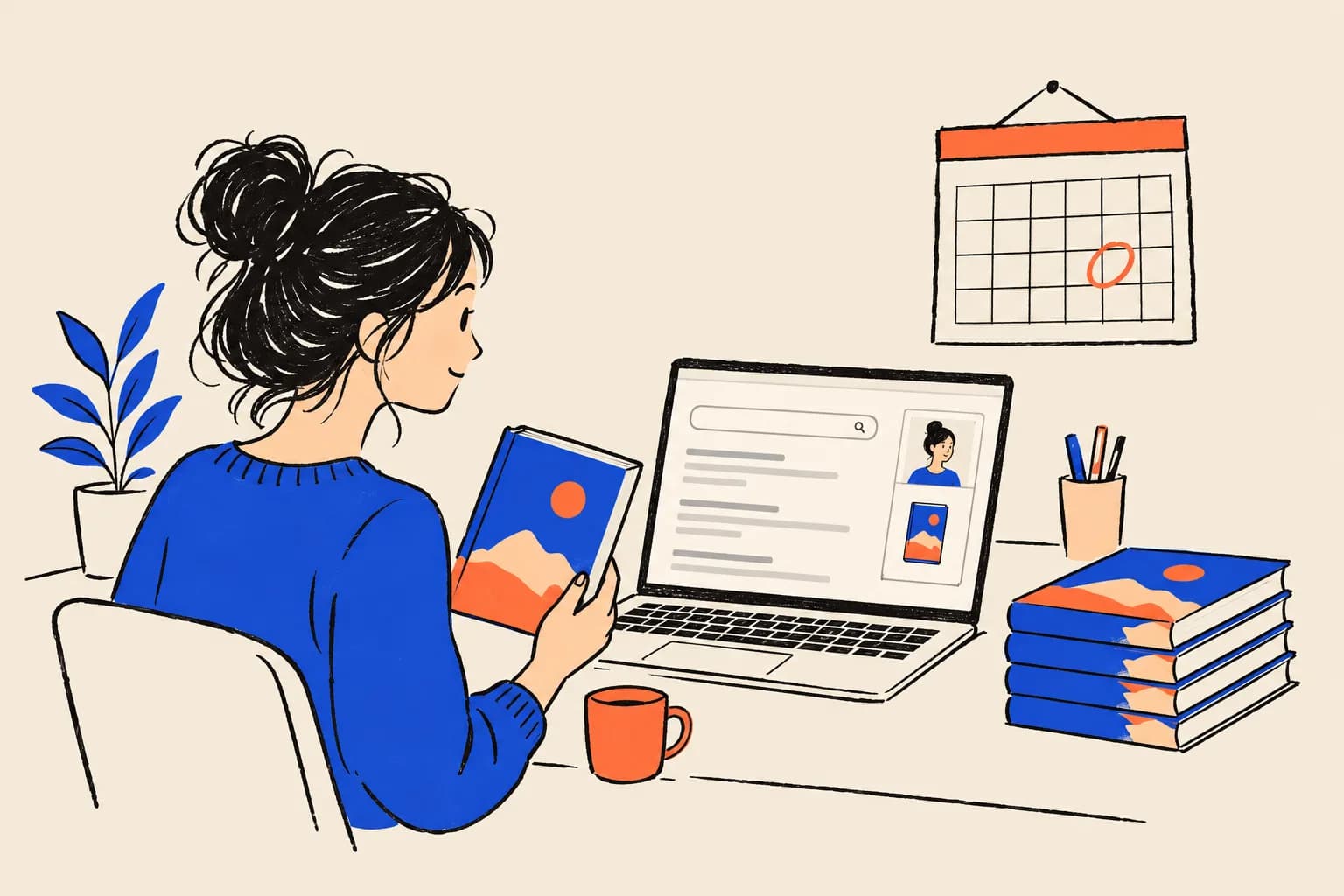
Picture the week your book comes out. A podcast host who has you on next month looks you up. So does a bookshop events manager, a journalist writing a round-up and a reader who heard you on the radio and can’t remember the title. They all type the same thing into Google: your name.
What they find is mostly settled weeks before launch day. ISBNs take time to register, retailer profiles need a live book record to attach to, reader sites have approval queues, and Google can take anywhere from several days to several weeks to crawl a new page. If you start in launch week, readers will meet whatever happens to rank: an old LinkedIn profile, a namesake, or nothing at all.
This guide is for first-time authors, whether you’re traditionally published, self-published or somewhere between. It covers what readers should find, the platforms that shape it, and a 12-week timeline and checklist to get it all in place.
What readers should find when they search your name
When someone searches a new author’s name, the ideal first page answers three questions in seconds: is this the right person, what is the book, and where can I get it or get in touch?
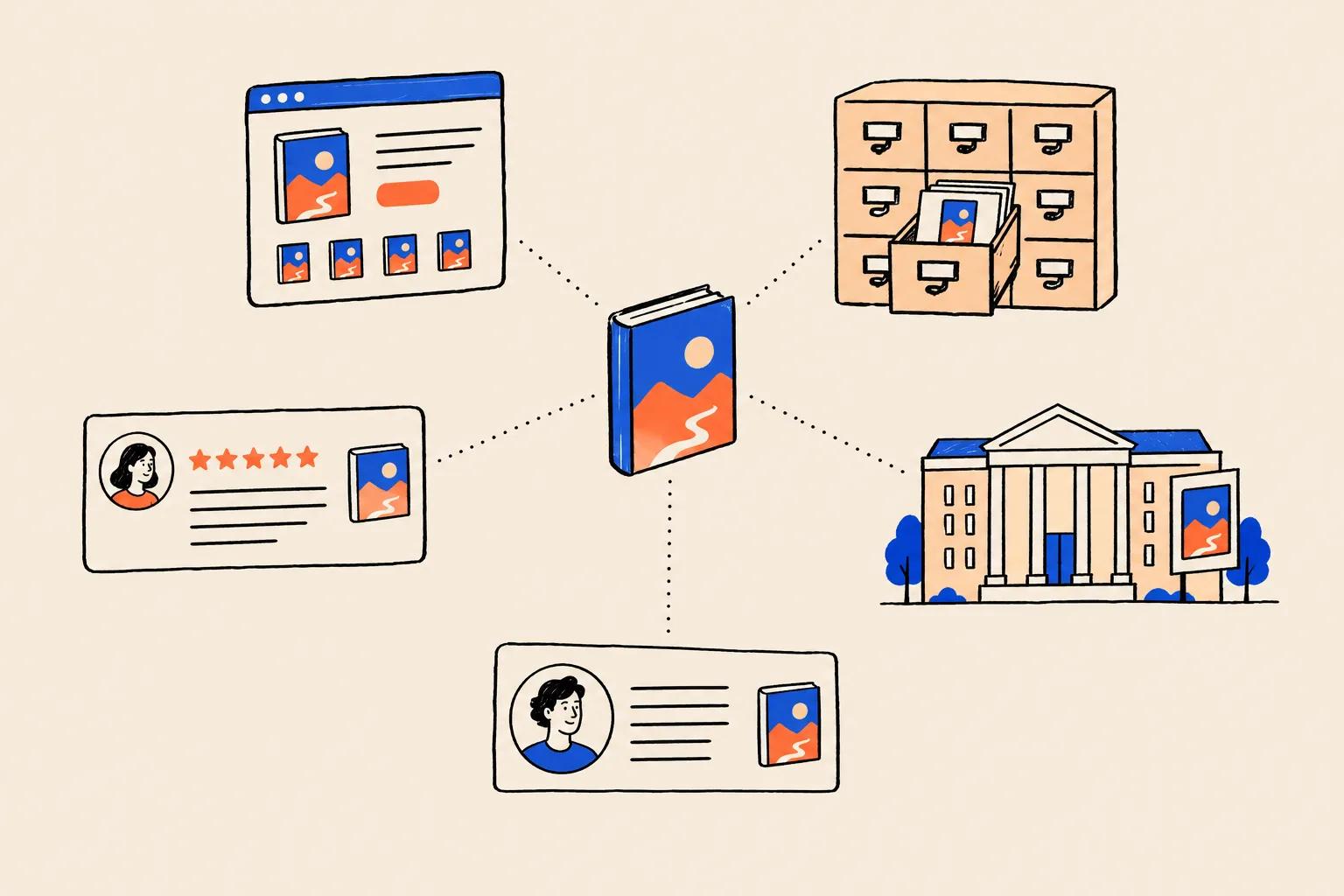
In practice, that means your own author website ranking first, followed by your book’s retailer pages, your Amazon Author Page, your Goodreads profile, your publisher’s page about you and a couple of social profiles. If you’re lucky and well prepared, there may also be a knowledge panel: the box Google builds automatically from what its Knowledge Graph holds about a person1. If that idea is new to you, our guide to what a Google knowledge panel is explains how it works.
Books help here. Kalicube, a consultancy that specialises in knowledge panels, claims a Google Books listing will always trigger a panel for a published author, but argues that the author’s own site makes a far better reference point, because it’s the only place where the author controls the information completely2. In its own tracking of a July 2023 Knowledge Graph update, Kalicube also recorded a 21% rise in the number of person entities carrying a “Writer” or “Author” subtitle3. Both come from Kalicube’s data and experience, not from Google, but they point the same way: a book gives Google something concrete to attach your name to, and you want that attachment to land on you.
Start with one home for your author name
Before any platform, build or tidy your own author website. Kalicube ranks the options for an author’s main reference point in order: your official author site first, then an active social profile, then a publisher or agent page, and Google Books last2. Your publisher’s page can change or disappear when imprints restructure or your editor moves on. Retailers control their pages. Your own domain stays put.
It doesn’t need to be elaborate. A clean site on your own domain, ideally your author name, with these pages covers almost everything:
- Home. Your name, a one-line description (“Novelist and former nurse” or “Leadership author and coach”), the book cover and clear buy links.
- About. A factual bio written in the third person, starting in the present and working back. Search engines and AI tools are likely to lean on this page, so keep it plain.
- Book page. One page per book: cover, title and subtitle exactly as published, publication date, publisher or imprint, formats with their ISBNs, a description, early praise and links to every retailer.
- Press or media page. Your press kit, covered below.
- Contact. A form or an email address for media, events and rights enquiries.
- Links out. Your Amazon Author Page, Goodreads profile, publisher page and genuine social profiles, in the footer or on the About page.
Then do the dull but important part: write one master bio in three lengths (about 50, 150 and 300 words), choose one headshot, and use them everywhere. Pick the exact words for your role and stick to them. If your site says “novelist”, your Amazon bio says “writer and teacher” and your old speaker page says “marketing manager”, you’ve given Google three people to reconcile.
Readers forgive a simple website. Search engines struggle with an inconsistent one.
Get your book metadata right before it spreads
Metadata is the set of facts about your book that travels from your publisher or self-publishing dashboard into retailers, libraries, Google Books and reader sites: title, subtitle, contributor names, format, ISBN, publication date, description and categories. Once it has spread to dozens of places, errors are slow to fix. So get it right at the start.
ISBNs: one per format
Since 1 January 2007 every ISBN has had 13 digits, and the International ISBN Agency says each product form, such as a paperback, an EPUB or a PDF, should be identified separately4. ISBNs are issued by national agencies. The UK & Ireland ISBN Agency covers publishers across the British Isles, Canada has separate English-language and French-language agencies, and the US agency is R.R. Bowker56. Find yours through the international agency’s directory rather than a reseller.
If you’re traditionally published, your publisher handles ISBNs. If you’re self-publishing, there’s a decision to make. Amazon KDP offers free ISBNs for paperbacks and hardcovers, but they can only be used on KDP and your imprint will show as “Independently published”7. If you buy your own, you’re listed as the publisher under your own imprint and can use the same number with any distributor. KDP also says each print format needs its own ISBN, an ISBN can’t be reused for a substantially changed edition, and ISBNs are optional for ebooks there7.
| Format | Needs its own ISBN? | Notes |
|---|---|---|
| Paperback | Yes | Free KDP ISBNs work only on KDP |
| Hardback | Yes | A different ISBN from the paperback |
| Ebook | Optional on KDP | Other stores and distributors set their own rules |
| Audiobook | Check with your distributor | Rules vary by platform |
| Revised edition | Yes, if the changes are substantial | KDP won’t let you reuse the old ISBN |
The details that must match everywhere
Google’s Play Books Partner Center requires a genre, a title and an identifier for each book, and encourages you to fill in every field, because more data helps readers discover your books8. It asks for series names with exactly the same spelling and punctuation on every book, and warns that if your publisher sends metadata by ONIX feed, the next feed overwrites edits made by hand8. That last point catches people out: fix errors at the source, not on each retailer.
Google doesn’t require an ISBN to list or sell a book on Google Play. Books without one get an internal identifier9. Google also runs a free Preview Program for publishers and authors, and an ebook needs a Google Books preview before it can be sold on Google Play10.
Before your metadata goes out, check these against each other: your author name (including middle initial and punctuation), the exact title and subtitle, series name and number, publication date, publisher or imprint name, and the short description. Then check your contributor bio in the publisher’s system matches your master bio.
Claim your retailer and reader profiles
Three profiles do most of the work for a new author on retail and reader sites. Each one needs a live book record before you can claim it, which is another reason to start early.
Amazon Author Central
Author Central is Amazon’s free tool for creating an Author Page. Self-published authors reach it from the Marketing page in KDP. You join for free, search for your book by ISBN, ASIN or author name, and confirm you wrote it11. Once claimed, you can add your books and a biography (in more than one language), see your Best Sellers Rank and reviews, and in the US add editorial reviews and view BookScan sales data. Author Central currently runs on six Amazon sites (.com, .co.uk, .de, .fr, .co.jp and .com.br). Amazon also creates Author Pages on six more sites, including .ca, .com.au and .in, but these take their content from the US page and currently can’t be edited11.
Readers can follow you from your Author Page or a book page, and Amazon may notify followers about new releases or eligible pre-orders11. If you’re self-publishing an ebook, KDP lets you set a pre-order release date up to 18 months ahead for pre-orders created on or after 2 September 2026 (12 months for earlier ones). The final manuscript must be uploaded at least 72 hours before release; miss that and the pre-order is cancelled, and repeat misses can cost you pre-order privileges12. Pre-orders on KDP are for ebooks only.
Goodreads Author Program
Goodreads says any author, anywhere, can join its Author Program free, as long as a published or soon-to-be-published book is in its database13. To join, sign in, search for your book by ISBN, ASIN or title, click your author name, scroll to the bottom of the author profile and choose “Is this you? Let us know!”. Goodreads says it sends approval emails within two business days13.
Once approved, you can update your photo and bio, correct your book listings, run giveaways, connect a blog and answer reader questions through Ask the Author13. Use the same bio and headshot you use on your site, and link back to your site.
Google Books and your publisher’s page
If you’re traditionally published, your publisher’s metadata feeds Google Books for you. Check the listing once it appears and ask your publisher to correct anything wrong at the source. If you’re self-publishing, the Play Books Partner Center is how you add the book and its preview yourself10. Either way, ask your publisher or imprint to make its author page match your master bio and link to your website. It’s one of the most credible pages about you, and it’s written by someone else.
Open Library and Wikidata, with care
Two open databases also describe books, and both feed other systems. They need a lighter touch.
Open Library lets anyone edit pages that show an edit button. You can add a book through the “Add a Book” option and edit an author page by following the author link on one of their books, including adding pen names as alternate names14. If your book is missing or your name is garbled, it’s reasonable to correct the facts. Stick to facts, and leave promotion out.
Wikidata models books in two layers: a work item for the book as a creative work, and edition items for each published version, with the ISBN-13 recorded on the edition and the author on the work15. It also has a notability rule: an item needs to be clearly identifiable with serious, publicly available references16.
Every new author should create a Wikidata item and a Wikipedia page.
Both have notability rules, and items that read as self-promotion risk deletion.
A first book with limited independent coverage may not meet those rules yet. If you do edit Wikidata about yourself or your book, disclose the conflict of interest and stick to facts with sources. A deleted item helps nobody. It’s usually better to let coverage of the book build first. And skip pseudo-wikis that offer paid “profiles”.
Mark up your site with Person and Book schema
Structured data is a small block of code that states facts in a vocabulary machines read reliably. For an author, two types matter. A Person describes you, and schema.org’s Book type adds properties such as isbn, bookFormat, numberOfPages, bookEdition and illustrator, and inherits author, datePublished, publisher and workExample (for listing each edition)17.
On your About page, mark yourself up as a Person18, with sameAs links to your genuine profiles. schema.org defines sameAs as a page that unambiguously indicates the item’s identity19, so your Amazon Author Page, Goodreads profile and publisher author page belong there. On each book page, add a Book whose author points back to the same Person. Here’s an example for a fictional author. Every name, URL and ISBN in it is a placeholder.
{
  "@context": "https://schema.org",
  "@graph": [
    {
      "@type": "Person",
      "@id": "https://www.example.com/about#person",
      "name": "Maya R. Example",
      "jobTitle": "Author",
      "description": "Maya R. Example is a novelist and former ICU nurse whose debut novel, The Night Ward, is published in 2026.",
      "url": "https://www.example.com/about",
      "image": "https://www.example.com/images/maya-example.jpg",
      "sameAs": [
        "https://www.amazon.com/author/example",
        "https://www.goodreads.com/author/show/0000000.Maya_R_Example",
        "https://www.examplepublisher.com/authors/maya-r-example"
      ]
    },
    {
      "@type": "Book",
      "@id": "https://www.example.com/books/the-night-ward#book",
      "name": "The Night Ward",
      "author": { "@id": "https://www.example.com/about#person" },
      "publisher": { "@type": "Organization", "name": "Example Press" },
      "datePublished": "2026-09-10",
      "url": "https://www.example.com/books/the-night-ward",
      "image": "https://www.example.com/images/the-night-ward-cover.jpg",
      "workExample": [
        {
          "@type": "Book",
          "bookFormat": "https://schema.org/Hardcover",
          "isbn": "9780000000002"
        },
        {
          "@type": "Book",
          "bookFormat": "https://schema.org/EBook",
          "isbn": "9780000000019"
        }
      ]
    }
  ]
}
Two clarifications save time. First, Google’s own “Book actions” markup isn’t meant for author sites. It’s a data feed for book providers with large catalogues, who apply through an interest form20. Second, Google’s ProfilePage markup does cover an “About Me” page on a blog, with a Person as its main entity21, so you can wrap your About page in it if you like.
Keep expectations straight. Google says structured data doesn’t guarantee that any feature will appear22. Markup is one clear signal, and it works best when the visible page says the same thing. For a fuller walk-through, see our guide to structured data in plain English.
Build a press kit that does the work for you
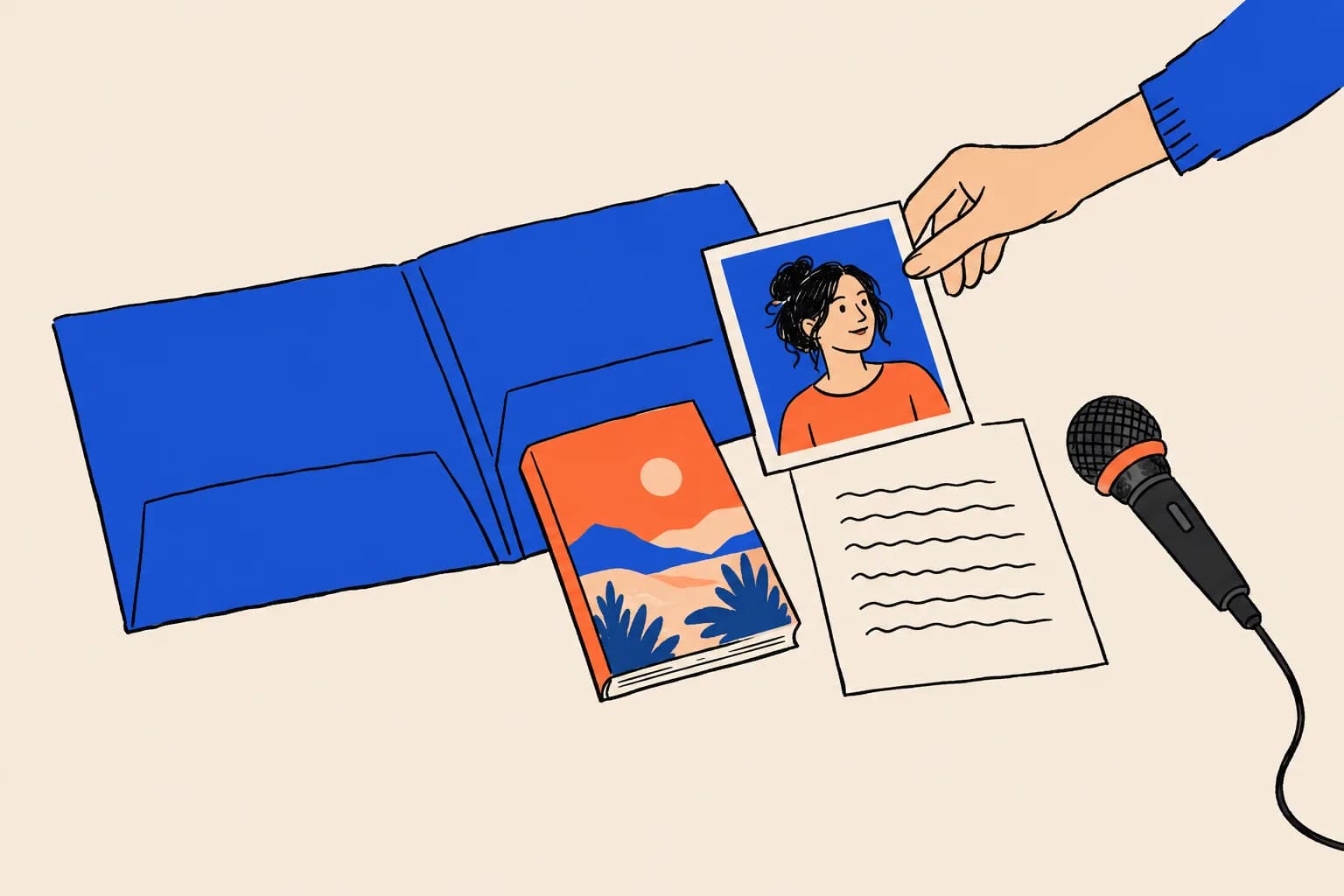
A press kit (or media page) is a page on your site with everything a journalist, host or events organiser needs to feature you without emailing first. It also gives everyone the same facts, photo and spelling of your name, which is exactly what you want repeated across the web.
Include:
- Bios in short and long versions, in the third person, matching your About page.
- Headshots in high resolution, landscape and portrait, with a photo credit if needed.
- Cover image in high resolution.
- Book facts: title and subtitle, publisher or imprint, publication date, formats, ISBNs and page count.
- A one-paragraph description and a one-line pitch.
- Topics and sample questions you can speak to, which make a host’s preparation easier.
- Early praise from named reviewers or authors, with permission.
- Contact details for you, your agent or your publicist.
Make files downloadable without a sign-up, give images sensible file names that include your name, and add alt text. If you speak about the book’s subject, a short list of past talks and appearances helps event bookers. Our page for speakers and authors covers how this ties into a wider presence.
Your 12-week launch timeline
Here’s a realistic order of work, counted back from publication day. Traditionally published authors can skip the ISBN and retailer-listing steps their publisher handles, but should still check every result.
12 weeks out
Decide your name and build your home
Settle the exact form of your author name. Register the domain, build the author site and write your master bio in three lengths. Choose one headshot.
10 weeks out
Lock the metadata
Confirm ISBNs for each format, then check title, subtitle, series, contributor names and description against each other. Remember that publisher feeds overwrite manual edits elsewhere.8
8 weeks out
Get the book listed
Once retailer records exist, claim your Amazon Author Page and apply to the Goodreads Author Program, which accepts soon-to-be-published books.1113
6 weeks out
Add markup and get indexed
Add Person and Book structured data, then request indexing of your key pages with the URL Inspection tool in Google Search Console. Crawling can take several days to several weeks.23
4 weeks out
Publish the press kit
Put the media page live, update your publisher’s author page and refresh LinkedIn and other social profiles with the same bio, photo and link.
2 weeks out
Run a full name search
Search your name in a private window on desktop and mobile, with and without the book title. Fix any profile that disagrees with your site.
Launch week
Check, don’t build
Confirm buy links work, retailer pages show the right author, Goodreads and Amazon show your bio and photo, and your site ranks for your name.
After launch
Collect and connect coverage
Add reviews, interviews and podcast episodes to your press page, link to them from your site, and claim a knowledge panel if one appears.
Allow more time if you’re self-publishing and buying ISBNs yourself, or if your name is common. If you’re reading this with only a fortnight to go, prioritise the author site, the Amazon Author Page and a consistent bio. Everything else can follow.
The launch-week checklist
Run through this in the days before publication. It’s a check, not a build, because by now everything should already be in place.
Search your name in a private window
Try your name alone, your name plus ‘author’, and your name plus the book title, on desktop and mobile. Note what ranks first and whether any namesake appears.
Check your author site
It should rank for your name, load fast on a phone and show the cover, buy links and contact details on the first screen.
Check every retailer page
Confirm the author name, title, subtitle, series, format and publication date match your site, and that each format links to the others.
Check Amazon and Goodreads
Your bio, photo and all formats should appear on your Amazon Author Page and Goodreads profile, both linking to your site.
Check your markup
Paste your About and book pages into validator.schema.org, and inspect them in Google Search Console.
Check the press page
Download every file to make sure it works, and confirm the bio matches your About page word for word.
Update social profiles
Same name, photo, one-line description and website link on every profile you actively use.
Brief your publisher and publicist
Send them your preferred bio, headshot and author name so their materials match yours.
Helps in launch week
- One author name, used identically everywhere
- An author site that states the facts plainly
- Claimed Amazon and Goodreads profiles with matching bios
- A press kit hosts can use without emailing you
Hurts in launch week
- Different bios and job titles on different sites
- Buy links that only work in one country
- A headshot that changes from profile to profile
- Self-written Wikipedia or paid pseudo-wiki pages
After launch, keep it current
The work doesn’t stop on publication day, but it gets lighter. As coverage arrives, add it to your press page and link to it from your site. Independent pages about you, such as reviews, interviews, podcast episodes and festival listings, are the kind of independent corroboration that helps Google connect your name to your work. When you receive an award, a new edition or a translation, update your site first, then your Amazon and Goodreads profiles, then everything else.
If a knowledge panel appears for you, Google lets you claim it by clicking “Claim this knowledge panel” and signing in to an official profile it already links to you, such as YouTube, Search Console, Twitter (X) or Facebook24. Not every panel can be claimed straight away. Our guide to claiming and editing your knowledge panel covers what you can change once you’re verified. And when your second book comes along, the groundwork is already done. You’ll add a page, a record and a few links rather than starting from scratch.
If you’d like to see what readers will find before they do, run your name through the free Knowledge Panel Checker, work through our name search checklist, or book a free audit and we’ll show you what’s helping and what needs fixing before launch day.
Frequently asked questions
When should a first-time author start on their search presence?
About 12 weeks before publication is a comfortable start. ISBNs, retailer listings, profile approvals and Google’s crawling all take time, and most of it has to be done before readers start searching in launch week.
Do I need my own author website if I have an Amazon author page?
Yes. Your Amazon Author Page, Goodreads profile and publisher page are useful, but you control none of them. Your own site is the one place where you state the facts about yourself and your book, and practitioners recommend making it the main reference point Google uses for you.
Do I need a separate ISBN for the ebook, paperback and hardback?
Generally, yes. The International ISBN Agency says each product form should be identified separately, and Amazon KDP says paperback and hardcover each need their own ISBN. ISBNs are optional for ebooks on KDP and on Google Play Books.
Can I join Goodreads as an author before my book is out?
Yes. Goodreads says any author can join its Author Program free, as long as a published or soon-to-be-published book is in its database. Goodreads says approval emails go out within two business days.
Will a new book get me a Google knowledge panel?
Possibly, but nobody can promise it. Google generates panels automatically when it is confident about who someone is. A book with clean metadata, an author site that states the facts and profiles that agree with each other all help Google make that connection.
Should I create a Wikipedia or Wikidata page for my book?
Be careful. Wikidata items need serious, publicly available references, and items that read as self-promotion risk deletion. If you edit anything about yourself, disclose the conflict of interest. Wikipedia has stricter notability rules still.
What should go in an author press kit?
A short and a long bio, high-resolution headshots, the cover image, book details including the ISBN, publication date and publisher, a one-paragraph description, a few interview questions or topics, any early praise, and contact details for you or your publicist.
Sources
- 1About knowledge panelsGoogle Knowledge Panel Help · Accessed 19 Oct 2026↩
- 2The 3 step process to getting a knowledge panel for an authorKalicube · 26 Sep 2021, updated 9 May 2025↩
- 3Google Knowledge Graph algorithm updates and volatilityKalicube · 29 Dec 2023, updated 5 Sep 2024↩
- 4What is an ISBN?International ISBN Agency · Accessed 19 Oct 2026↩
- 5Find an agencyInternational ISBN Agency · Accessed 19 Oct 2026↩
- 6United States: R.R. Bowker, LLC – US ISBN AgencyInternational ISBN Agency · Accessed 19 Oct 2026↩
- 7ISBNsAmazon Kindle Direct Publishing Help · Accessed 19 Oct 2026↩
- 8Book metadata & informationGoogle Play Books Partner Center Help · Accessed 19 Oct 2026↩
- 9ISBNsGoogle Play Books Partner Center Help · Accessed 19 Oct 2026↩
- 10Google Books Partner ProgramGoogle Play Books Partner Center Help · Accessed 19 Oct 2026↩
- 11Author CentralAmazon Kindle Direct Publishing Help · Accessed 19 Oct 2026↩
- 12Pre-order eBooksAmazon Kindle Direct Publishing Help · Accessed 19 Oct 2026↩
- 13Goodreads Author ProgramGoodreads · Accessed 19 Oct 2026↩
- 14Editing FAQOpen Library · Accessed 19 Oct 2026↩
- 15WikiProject BooksWikidata · Accessed 19 Oct 2026↩
- 16Wikidata:NotabilityWikidata · Accessed 19 Oct 2026↩
- 17Bookschema.org · Accessed 19 Oct 2026↩
- 18Personschema.org · Accessed 19 Oct 2026↩
- 19sameAsschema.org · Accessed 19 Oct 2026↩
- 20Book actions (Book) structured dataGoogle Search Central · Updated 10 Dec 2025↩
- 21Profile page (ProfilePage) structured dataGoogle Search Central · Updated 8 Sep 2026↩
- 22Introduction to structured data markup in Google SearchGoogle Search Central · Updated 10 Dec 2025↩
- 23Ask Google to recrawl your URLsGoogle Search Central · Updated 10 Dec 2025↩
- 24Get verified on GoogleGoogle Knowledge Panel Help · Accessed 19 Oct 2026↩
Keep reading
 Knowledge PanelsWhat Is a Google Knowledge Panel, and Why Do Some People Get One?Shobin K Jose · 19 Oct 2026 · 23 min read
 GuidesStructured Data in Plain EnglishShobin K Jose · 18 Sep 2026 · 18 min read
 Knowledge PanelsHow to Claim and Edit Your Knowledge PanelShobin K Jose · 22 Sep 2026 · 17 min read