
The Ultimate Knowledge Panel Playbook for Real Estate Agents
Most sellers call one agent, and they look that agent up first. This playbook shows you, click by click, how to make Google and AI tools confirm who you are before the listing appointment.
A homeowner on the east side of town has decided to sell. She got your name from the neighbor who sold last spring, and she liked what she heard. That evening, before she calls anyone, she types your name into Google.
What she sees in the next ten seconds decides whether she calls you, calls the agent whose face she keeps seeing on yard signs, or asks ChatGPT who the best listing agent in her neighborhood is.
If she finds a clear page about you, your license, your brokerage, your recent sales, your reviews and a tidy box on the right with your photo and the words “Real estate agent”, she picks up the phone. If she finds your Zillow profile with three other agents beside it, a team roster page where you are one face among forty, an old listing from your previous brokerage and someone in another state who shares your name, she might still call. Or she might not, and you will never know she searched.
This playbook is about those ten seconds. It shows you how to make Google, and the AI tools your sellers and buyers now use, recognize you, describe you correctly and send people your way. It is long because the job has many small parts. Every step is written for someone who has never touched a line of code.
Who this playbook is for
This is for you if you are a residential agent, a team lead, a luxury or niche specialist, or a broker who is the face of your own firm, and your name does the selling. Your business comes from referrals, past clients, your sphere, signs, open houses and the portals. In almost every case, somebody looks you up before they get in touch.
It is also for you if you have changed brokerages and watched your online presence scatter, if a namesake keeps outranking you, or if you have a Knowledge Panel that shows an old photo or the wrong job.
It is not the right guide if:
- a panel already shows somebody else’s facts mixed with yours in a way you can’t trace (that needs specialist help);
- you want a panel for your brokerage or team as a company (this playbook covers a person);
- you want a shortcut that bends the rules. We explain why those backfire in Part 4.
Three ways to use it
- Ten minutes tonight. Do the Quick Check below. It tells you where you stand.
- One weekend. Work through Parts 2 and 3 and the first two chapters of Part 4. You will finish with a locked fact sheet, a bio ladder and a plan for your own home page.
- Ninety days and beyond. Follow the roadmap in Part 6 at a pace of about two hours a week.
The 10-minute Quick Check
Do this now, on your phone or laptop, before you read anything else. You need ten minutes and a notepad.
Step 1: open a private window
A private window stops Google from tailoring results to you. On Chrome, open the three-dot menu at the top right and choose New Incognito window. On Safari, choose File, then New Private Window. On a phone, open Chrome, tap the three dots, then New Incognito tab. On an iPhone in Safari, tap the tabs button, then Private.
Step 2: run six searches
Type each one, press Enter and look at the first page only. Write down what you see.
Your name in quotes
Type "Your Name" with the quote marks. Look at the right-hand side on a laptop, or near the top on a phone. Is there a box with your photo and a short label under your name? That box is a Knowledge Panel.
Your name plus realtor
Try Your Name realtor, and Your Name real estate agent. Which page comes first: yours, Zillow, Realtor.com, Homes.com or your brokerage roster?
Your name plus your city
Type Your Name and your city. Does anyone else with your name appear? Is your city correct everywhere?
Your name plus reviews
Type Your Name reviews. Where do your reviews live, and do they all say the same brokerage and city?
Who is your name
Type who is Your Name. Does Google show an AI Overview at the top? Does it describe you, someone else, or nobody?
Your best listing search
Type the search a seller would type, such as best listing agent in [your neighborhood]. Are you anywhere on the page?
Step 3: ask three AI tools
Open ChatGPT, Gemini and Perplexity (all have free versions). Ask each one, word for word:
- “Who is [Your Name], the real estate agent in [City]?”
- “Who are the best listing agents in [Neighborhood or City] for [your specialty, such as older homes or condos]?”
- “What do reviews say about [Your Name], realtor?”
Write down whether each answer is accurate, wrong or silent, and which websites it names as sources.
Step 4: score yourself
| Check | Green | Amber | Red |
|---|---|---|---|
| Knowledge Panel | A panel shows your correct photo and role | A panel exists but is thin, old or only shows sometimes | No panel |
| First result for your name | A page you own | Your brokerage bio | A portal profile or someone else |
| Name plus city | Only you | You plus one namesake | Mostly other people |
| Reviews | One clear source, current brokerage | Several sources that disagree | Few or none you can find |
| AI “who is” answer | Accurate | Partly wrong or out of date | Silent or about someone else |
| AI “best agent” answer | You are named | A source about you is cited | Not mentioned |
Source: DotVisible self-assessment. This is a guide, not a Google metric.
If you scored red on three or more rows, start with Part 2. If you are mostly amber, Parts 3 and 4 will move you fastest. If you are mostly green, jump to Part 5 to protect what you have.
Part 1: Why your name search decides the listing
How sellers and buyers really choose an agent
You already know referrals drive this business. The numbers back it up. In NAR’s 2025 Profile of Home Buyers and Sellers, 66% of recent sellers used an agent who was referred to them or one they had worked with before1. Thirty-seven percent were referred by a friend, neighbor or relative.
Eighty percent of those sellers contacted only one agent before finding the one they worked with1. Most buyers did the same: 76% of repeat buyers and 67% of first-time buyers interviewed just one agent1.
So sellers rarely line up three agents for competing listing presentations. Usually there is one call, and the competition for it happens earlier, in the search box, between the referral and the phone call.
Zillow’s research points the same way. In its 2025 Consumer Housing Trends Report for Agents, 59% of sellers and 47% of buyers hired the first agent they spoke with, and 36% of sellers found their agent through online channels, up from 15% in 20182. Zillow’s own summary is blunt: the hiring decision often happens before the first call2.
80%
of sellers contacted only one agent before choosing (NAR)
35%
of sellers said the agent’s reputation was the most important factor (NAR)
59%
of sellers hired the first agent they spoke with (Zillow)
Reputation is checked in the search box
When NAR asked sellers for the single most important factor in choosing their agent, 35% said the agent’s reputation and 22% said honesty and trustworthiness1. Only 2% said the agent’s association with a particular firm1.
Sellers hire the agent far more than the firm. Yet for most agents, the name search is dominated by pages that belong to someone else: the portal, the franchise, the team. Reputation is a word-of-mouth thing, but in practice it gets checked on a screen. A seller hears “call Dana, she was brilliant” and then goes looking for proof.
The three ways people research you
It helps to separate three kinds of research, because each needs slightly different work.
- Direct research. Someone types your name, or asks an AI tool “Who is Dana Whitlock?” This is the referral check, the relocation check and the past-client “what was her name again?” search.
- Topic research. Someone searches for a need, such as “best agent for mid-century homes in Sacramento” or “realtor who knows East Sacramento”, and you either show up or you don’t.
- Background research. AI assistants describe and compare agents inside other tools: a chatbot summarizing “top agents near me”, an email assistant drafting “who should we list with?”, a relocation app suggesting names.
This playbook fixes direct research first, because if Google and AI tools can’t describe you correctly when asked by name, they will not recommend you when asked about a topic.

What sellers find, and what it tells them
Here are the things that usually come up when someone searches an agent’s name, and what each one tells a seller.
- Your Zillow, Realtor.com or Homes.com profile first. It says you’re listed, which is fine. It also puts competing agents in the sidebar and sponsored slots, and it tells the seller nothing about your story or your method.
- A brokerage roster page. It says you’re one of many. On a forty-agent team page, you are a thumbnail.
- An old brokerage page or an old listing. It says you move around, or that nobody is keeping your information up to date.
- Three different job titles. “Realtor” here, “Luxury property advisor” there, “Team lead” somewhere else. It says the seller is not sure what you do.
- A namesake. Another agent with your name in a different state, or a dentist, or a high-school athlete. It says “keep looking”.
- Nothing much. It says you are newer, smaller or less established than the agent who came up first.
- An AI answer that names someone else. It says another agent is the safe choice.
None of these is fatal on its own. Together they create doubt. A seller who has never met you fills that doubt with the agent whose search looks clearer.

Why the portals are not your friend in a name search
Agents complain about this more than almost anything else. You built your reviews and your sales history on Zillow or Realtor.com, and now that profile ranks first for your own name. That feels like a win until you look at the page through a seller’s eyes.
Portal business models depend on connecting consumers with agents, and agents pay for that attention. Many agents report that buyer inquiries on the big portals are shared or routed to paying agents unless the consumer has a direct relationship with one agent. Homes.com markets a different principle it calls “Your Listing, Your Lead”, sending listing inquiries to the listing agent15. Policies change, so check each portal’s current terms. The general point stays the same: a portal page is a shop window in someone else’s mall. Your name brings shoppers to it, and the mall decides what else they see.
You don’t need to abandon the portals. They are useful sources of proof, and Google expects to find agents there. You need a page you own to rank above them, describe you better than they do, and have the portals agree with it.
What changed after the NAR settlement
Since 17 August 2024, buyers working with an MLS participant must sign a written agreement before touring a home, and offers of compensation can no longer appear on the MLS13. For buyer’s agents, that means explaining your value and your fee up front, in writing, often before the client has seen what you can do.
When the conversation about value happens earlier, the evidence that supports it has to be easier to find. A buyer who is asked to sign an agreement with you will look you up first. If your name search shows a clear specialist with verified sales, real reviews and a story that matches what you told them, the agreement feels safe to sign. If it shows a thin portal profile, the fee feels like a leap.
The silent loss
Nobody calls you to say, “I searched your name and went with someone else.” Those people never reach your CRM. So the cost of a weak name search is easy to ignore. You can put a number on it with your own figures. This is an example calculation, not an industry statistic.
| Your number | Example | Yours |
|---|---|---|
| People who search your name each month after hearing about you (referrals, signs, past clients) | 8 | |
| Share who choose someone else because the search raised doubt | 1 in 8 | |
| Lost conversations per year (8 × 12 ÷ 8) | 12 | |
| Share of those conversations you would normally turn into a signed client | 1 in 3 | |
| Lost transactions per year | 4 | |
| Your average gross commission income per side | $9,000 | |
| Example annual cost | $36,000 |
Source: Example calculation. Replace every number with your own.
| Item | Value |
|---|---|
| 1 in 20 drop off | 14,400 USD |
| 1 in 12 drop off | 24,000 USD |
| 1 in 8 drop off | 36,000 USD |
| 1 in 5 drop off | 57,600 USD |
Source: Illustration using the example numbers above, not industry data.
Your numbers will differ. Even so, the exercise shows that even a small, invisible drop-off adds up to more than most agents spend on marketing in a year.
What good looks like
When an agent’s name search is working, a seller who types the name sees:
- a Knowledge Panel with the agent’s photo, the label “Real estate agent” or similar, and a link to a website the agent owns;
- that website as the first result, with a clear About page;
- portal profiles, a license record and a brokerage page that all agree on name, brokerage, city and specialties;
- reviews and recent sales that are easy to find;
- a local news story, a podcast episode or a neighborhood video;
- AI answers that describe the agent correctly and, over time, name them for the right neighborhood questions.
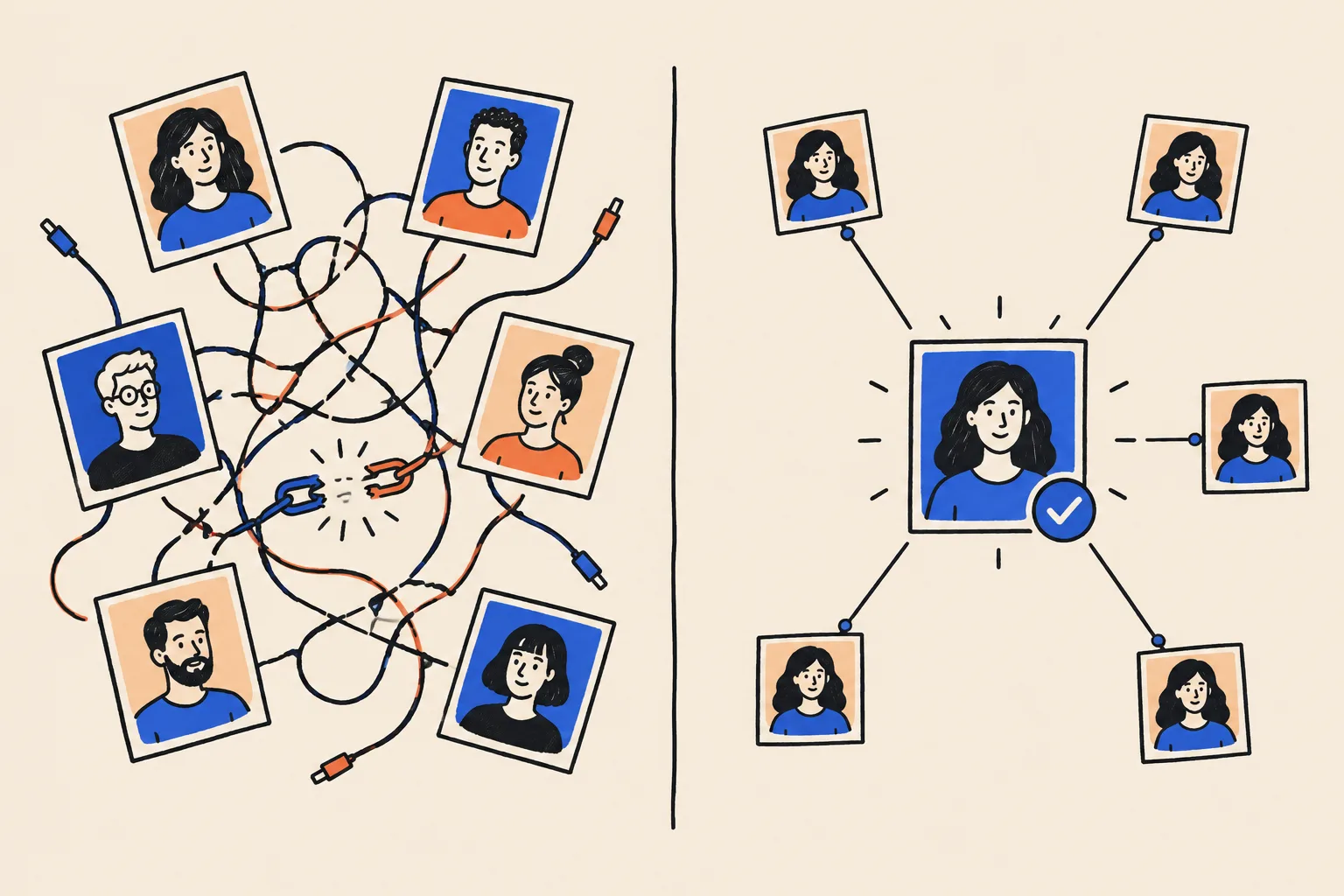
How this ties to what you want
Most agents we talk to want some version of the same things. A strong name search supports each of them.
- More listing appointments from referrals. Referrals already trust the referrer. A clean search stops the doubt that sneaks in between the recommendation and the call.
- Holding your commission. It is easier to defend your fee when the seller has already seen proof that you are the specialist.
- A brand that survives a brokerage move. A home page on your own domain, and a Knowledge Panel tied to it, travel with you.
- Standing out as a team lead or luxury specialist. The panel’s subtitle and description are where Google states what you are known for.
- Media, podcasts and speaking. Producers and editors search you before they book you. A clear search makes the yes easier.
- Recruiting. Agents considering your team search you too.
- Relocation clients. Someone moving from another state can’t meet you first. They choose on what they find.
- AI recommendations. You can’t be recommended until you can be described.
What a Knowledge Panel is, and what it isn’t
A plain definition
A Knowledge Panel is the information box Google shows when you search for a person, place, organization or thing that it holds in its Knowledge Graph4. On a laptop it usually sits on the right of the results. On a phone it appears near the top, split into cards.
Think of it as Google’s summary card about you, like the fact box on the back of a book jacket, written by Google rather than by you. Google generates it automatically and updates it as information on the web changes4. There is no application form, and nobody can buy one.
The parts of a panel
The panel below is real. It belongs to Shobin K Jose, DotVisible’s founder, and it shows the parts you will be working towards.
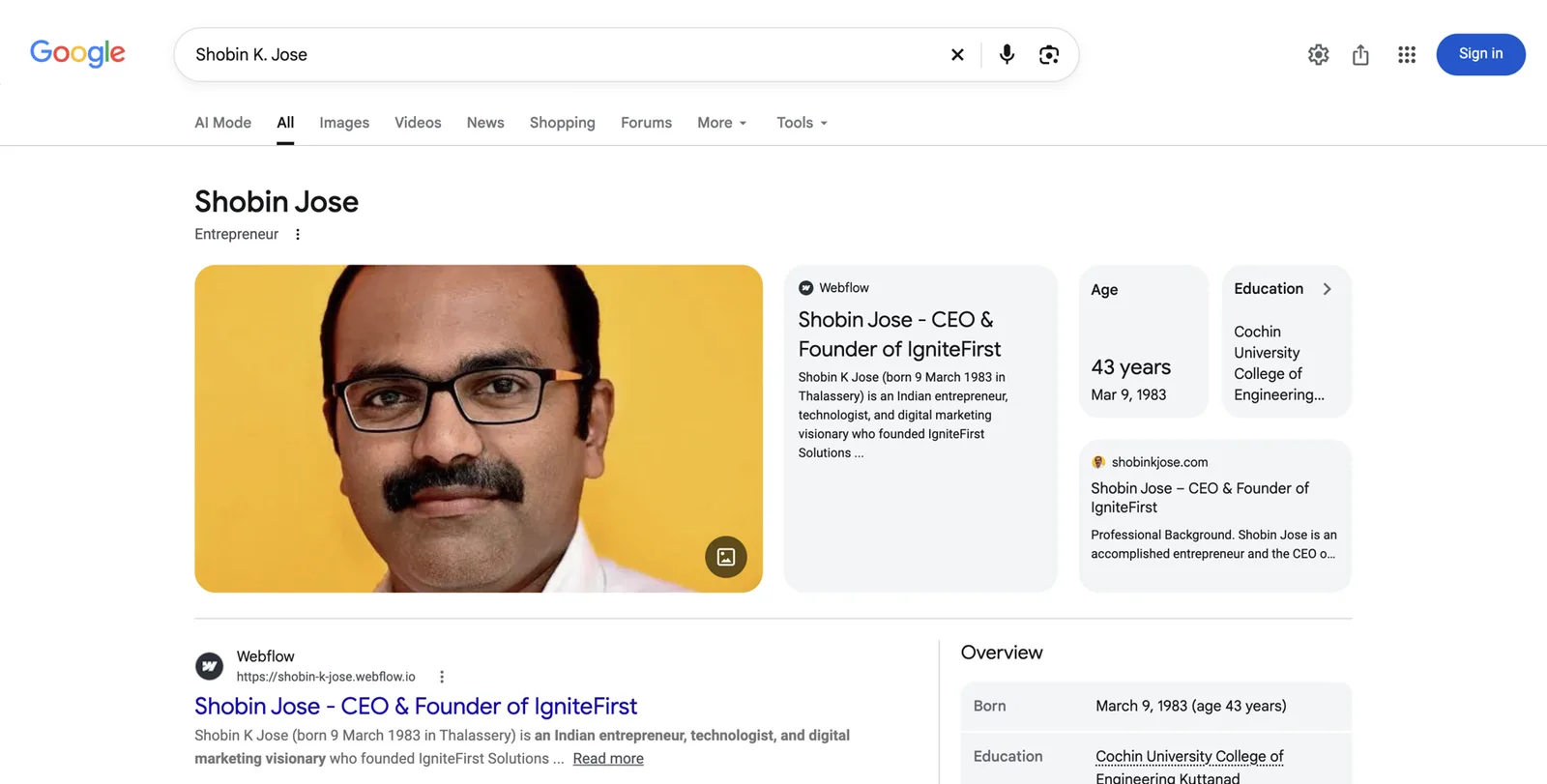
From top to bottom:
- Name. The version of your name Google is most confident about. In this case Google shows “Shobin Jose”, even though the search was for “Shobin K Jose”.
- Subtitle. The short label under the name, here “Entrepreneur”. For an agent, the aim is something like “Real estate agent” or “Realtor”. Google chooses it from what your sources say first and most often.
- Photo. Usually the image Google finds most consistently attached to you.
- Description and source. A short paragraph with a link to where it came from. Here it comes from a page on Webflow.
- Website card. A link to the site Google treats as your official home, here shobinkjose.com.
- Key facts. Age, education and similar. For an agent this might be the brokerage, a book or an education record.
- Overview and more. Further down: profiles, related people and, once claimed, the option to suggest edits.
Knowledge Panel vs Google Business Profile
This trips up more agents than anything else, because many of you already have a Google Business Profile.
A Google Business Profile is a listing you create and manage. It shows on Google Maps and in the local “map pack”. Google allows individual practitioners, and it names real estate agents specifically, to have their own profile if they work in a public-facing role and can be contacted directly at the verified location during stated hours6. If you are the only public-facing agent at a branded office, Google says you share one profile with the office, named in the style “Brand: Your Name”6. If several agents work at the same location, the office gets its own profile, and each agent’s profile uses only the agent’s name6.
A Knowledge Panel is about you as a person. Google builds it. You can’t create it, and you can only suggest changes once you have claimed it4.
Google Business Profile
- About a business or a practitioner at a location
- You create it and edit it
- Shows on Maps and in local results
- Reviews are left directly on it
- Tied to an address or service area
- Can be suspended for breaking guidelines
Knowledge Panel
- About you as a person
- Google creates it automatically
- Shows when someone searches your name
- Built from many sources that agree
- Not tied to an office address
- You can claim it and suggest edits, not write it
You can have both, and the best-known agents often do. Your Business Profile helps when someone searches “realtor near me”. Your Knowledge Panel helps when someone searches your name. The two feed each other when the facts on both match.
Other things that look like a panel but aren’t
- A featured snippet that happens to sit on the right.
- Your LinkedIn or Zillow result with a photo next to it.
- An AI Overview at the top, written by Google’s AI from several pages.
- A “See results about” box, which means Google knows several people share your name and isn’t sure which one you mean.
- A Business Profile on the right when someone searches your name plus “realtor”. That is your local listing, not a panel about you.
The machinery behind it, in plain words
- Knowledge Graph. Google’s giant database of things and the facts that connect them. Think of a card catalog where every card is a person, place or company, and strings join cards that are related.
- Entity. Any single thing Google can identify. You are one. So is your brokerage, your team and your book.
- KGMID. Your ID number in that catalog, something like
/g/11abc.... Google can hold an ID for you long before it shows a panel. - Entity Home. The one page Google treats as your official account of yourself. You will build it in Part 4.
- Corroboration. Other trusted sources saying the same things about you.
Being in the Knowledge Graph and having a visible panel are two different stages. Many agents are already in the graph and don’t know it, because Google is not yet confident enough to show the card.
Myths agents hear
Only celebrity agents with TV shows get a panel.
Google needs confidence, not fame. Plenty of local professionals have panels.
Fame helps because famous people are written about a lot. A local agent with a clear home page and consistent, credible sources can give Google the same confidence on a smaller scale.
You need a Wikipedia page.
You don’t. Kalicube, a firm that tracks panels, reports that most panels for realtors are not based on Wikipedia.
Wikipedia’s notability rules mean very few agents qualify, and paying someone to write one usually ends in deletion. Part 4 explains the safer route.
My Google Business Profile is my Knowledge Panel.
They are separate. One is a local listing you manage. The other is Google’s summary of you as a person.
The good news: the work you do to keep your Business Profile accurate also helps your panel, as long as the facts match.
Once I have a panel, it’s mine forever.
Panels change and sometimes disappear when Google updates its Knowledge Graph or loses a source it relied on.
Part 5 covers how to protect a panel once you have one.
How AI tools choose which agents to name

People are already asking
A 2026 Bank of America survey reported by NAR found that 20% of prospective buyers and current homeowners had used AI tools or chatbots for home-buying research, and a separate 2026 Cotality survey found 55% of buyers use generative AI tools at least once a month3. Most of that use is about affordability, neighborhoods and the process. Some of it is “who should I call?”
When someone asks ChatGPT, Gemini, Perplexity, Microsoft Copilot or Google’s AI Mode for the best listing agent in a neighborhood, the answer usually names two to five people. Those names are the new first page.
How the tools decide
Simplified, AI answers about people come from three places:
- What the model learned in training. A snapshot of the web from some months or years ago.
- Live web search. Many tools search the web as they answer and cite the pages they used.
- Knowledge graphs. Structured databases of facts. Google says its AI features, AI Overviews and AI Mode, are built on the same systems as Search18. Other companies use their own data.
All three draw on the same web pages you are about to clean up. When those pages agree about who you are, what you sell and where, the tools can identify you, describe you correctly and treat you as a safe name to mention.
What a clean footprint does for AI, and what it doesn’t
It helps AI tools find the right person when someone asks by name. It helps them describe you correctly: your brokerage, your neighborhoods, your specialty. It gives them sources to cite. Over time, it makes you more likely to appear when the question is about a topic you are genuinely known for.
It does not guarantee a recommendation. Nobody can promise that ChatGPT will name you for “best agent in Scottsdale”. There is also no evidence that ChatGPT reads Google’s Knowledge Panel directly, despite what some sellers of AI visibility claim. What we know is that the same consistent sources help both.
How Google decides to show you a panel
Three conditions
For Google to show a panel when someone searches your name, three things need to be true:
- Google understands who you are. It has a record of you as a distinct person with facts attached.
- Google is confident that understanding is right. Several trusted sources agree.
- Google judges you are the person the searcher most probably means. If there are five agents called Michael Chen, Google needs reason to think the searcher wants you. This is often local: you might show a panel in Sacramento and not in Seattle.

How Google learns, like a new neighbor
Imagine a new neighbor trying to work out who you are. First they hear it from you: “I’m Dana, I sell homes in East Sacramento.” Then they hear it from people they trust: the HOA newsletter mentions you, the coffee shop has your flyer, a friend says you sold her house. If everyone says the same thing, they are sure. If one person says you are a mortgage broker and another says you moved to Reno, they hold back.
Google works the same way. It starts with your own explanation, checks it against sources it trusts, gains confidence through repetition and holds back when sources contradict each other.
The method: home, proof, loop
Everyone who does this work well uses the same three-part method:
- An Entity Home. One page you control, where you state the facts about yourself clearly.
- Corroboration. Trusted sources that repeat those facts: your license record, the portals, your brokerage, your board, a ranking, local press.
- A loop. Your home page links out to those sources, and those sources link back to your home page.
Structured data, called schema, ties the loop together in a language machines read. You will build all of this in Part 4.
Three kinds of source
- First party: pages you own, such as your website.
- Second party: profiles you control on someone else’s platform, such as Zillow, Realtor.com, LinkedIn, YouTube and your brokerage bio.
- Third party: pages written by others, such as a state license record, a RealTrends ranking, a local news article or a podcast episode page.
Independent sources carry the most weight. Each extra profile you create adds less than the one before. Ten matching, relevant sources beat a hundred thin ones.
Why consistency beats volume
The most common reason agents don’t get a panel is inconsistency. In real estate it looks like this:
- “Dana Whitlock” on your site, “Dana M. Whitlock” on Zillow, “Dana Whitlock-Reyes” on your license.
- “Realtor” on LinkedIn, “Luxury advisor” on Instagram, “Team lead” on the brokerage site.
- Your old brokerage on Realtor.com, your new one on Zillow.
- Sacramento on one profile, Elk Grove on another, “Northern California” on a third.
- A different headshot on every platform.
Each one is small. Together they tell Google it might be looking at several people, so it waits.
What slows agents down
- A common name, or a famous namesake.
- Brokerage moves that leave old pages saying old things.
- A team brand that shares your name, such as “The Whitlock Group”, which makes it hard for Google to tell the person from the team.
- A social profile or portal acting as your home, because you don’t control it.
- Old, wrong information Google has already joined to you.
How long it takes
Google publishes no timeline. Practitioners report anything from a few weeks to a year for a first panel, and longer for it to settle. The spread depends on how much clean information already exists, how common your name is and how quickly your sources update. Nobody can give you a date, and you should be wary of anyone who does.
Part 2: Diagnose what sellers see
The name-search audit
The Quick Check gave you a feel. This is the full version. Set aside an hour and use the worksheet at the end of this section.
Set-up
- Open a private window on your laptop (see the Quick Check for how).
- Go to google.com. If you are outside the US, add
?gl=usto the end of the address if you want to see what US searchers see. - Have your phone ready. You will repeat the top three searches on mobile, because most sellers search on their phones.
- Open bing.com in a second tab. Bing results feed some AI tools, so it is worth seeing what it shows.
The searches to run
Run each of these and record the first ten results:
Your Name"Your Name"(with quote marks, which tells Google to match the exact phrase)Your Name realtorandYour Name real estate agentYour Name [city]andYour Name [main neighborhood]Your Name [brokerage]and, if you have moved,Your Name [old brokerage]Your Name reviewsYour Name teamif you lead or belong to a teamwho is Your Name- any variant people use: a middle initial, a maiden name, a nickname such as “Jim” for “James”
What to write down for each search
- Panel: yes or no. If yes, what is the subtitle, which photo, which description and from what source, which website link?
- Position 1 to 10. For each result: is it about you, about someone else, or about a namesake? Is it accurate? Is it current?
- “People also search for”. Which names appear? Competitors? Your team members? People from another state?
- “See results about”. If Google shows this box, it means it thinks several entities share your name.
- Old or wrong results. An old brokerage, an expired listing, an old title.
- Anything negative. A complaint, a lawsuit, a disciplinary record. Note it calmly. Part 5 covers what you can and can’t do.
Check whether Google already holds an ID for you
If you have a panel, click the share icon or the three dots on the panel and copy the link. Paste it into a note. Look for kgmid=/g/ or kgmid=/m/ in the address. The part after kgmid= is your Knowledge Graph ID. Keep it safe: you will put it in your schema later.
If you don’t have a panel, Google may still hold an ID. You can check with DotVisible’s free Knowledge Panel Checker, which searches Google’s Knowledge Graph for your name.
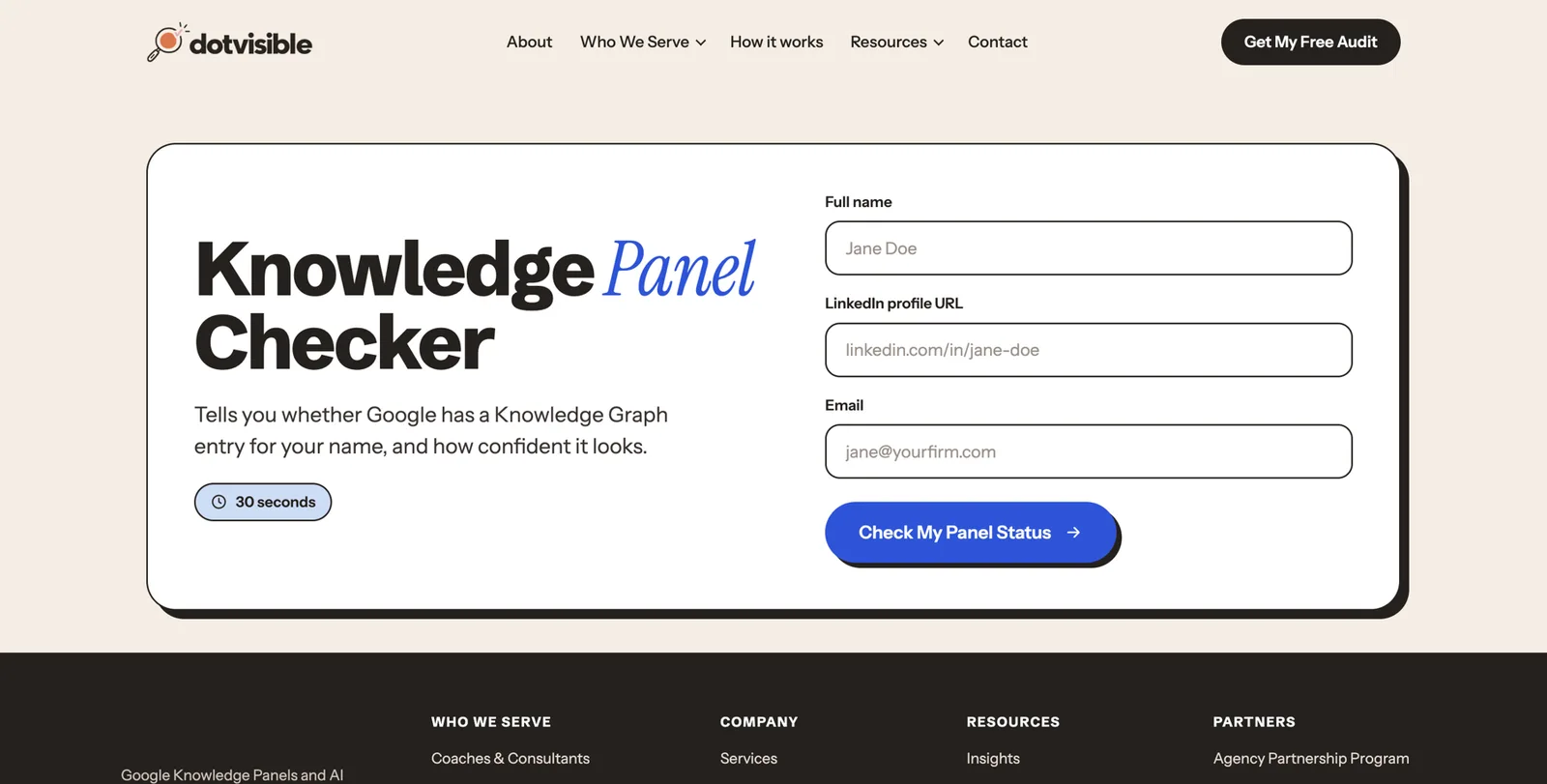
If the checker finds more than one ID that looks like you, that is important. It means Google thinks there are several of you. Write down every ID.
A1. Name-search audit
One row per search. Fill in what you see on page one.
| Search | Panel? Subtitle and photo | Result 1 | Results 2 to 5 | Namesakes or errors | Notes |
|---|---|---|---|---|---|
| Dana Whitlock realtor | No panel | Zillow profile | Brokerage roster, Realtor.com, old brokerage page, Instagram | Dana Whitlock, dentist, Ohio | Old brokerage still on Realtor.com |
Inventory your digital footprint
Now turn what you found into one list of every place your name lives online. Most agents are surprised by how long it is.
Where to look
Search each of these with your name and note every page you find:
- Pages you own: your website, any old websites, landing pages from past campaigns.
- Portals: Zillow, Realtor.com, Homes.com, Redfin (if you are a partner agent), Trulia (now part of Zillow), local portals.
- Brokerage and team pages: current and every previous brokerage, team site, franchise directory.
- Official records: your state license lookup, your board or association member directory, MLS public roster if your MLS has one.
- Social: LinkedIn, Facebook (personal profile and business page), Instagram, YouTube, TikTok, X, Threads, Pinterest.
- Reviews: Google Business Profile, Zillow reviews, Realtor.com reviews, RateMyAgent, Yelp, Facebook recommendations.
- Rankings and awards: RealTrends, local business journal lists, franchise awards.
- Media: local news, community magazines, podcast episodes, YouTube interviews, panel events.
- Everything else: chamber of commerce, charity boards, school foundations, sports sponsorships, data broker sites.
A quick trick: search "Your Name" -site:zillow.com -site:realtor.com to hide the big portals and see what else is out there.
The “how much is this about me?” rule
Not every page matters equally. Sort each page by how much of it is about you:
- Mostly about you (80% or more): your website, your portal profiles, your license record, a profile interview. These are core sources.
- Partly about you (20% to 80%): a team page that features you, a podcast episode with three guests. Summarize these on your press page.
- Barely about you (under 20%): a roster with forty names, a mention in a long article. Note them and move on.
Field-by-field consistency check
For every core source, check these fields against each other:
- name (exact spelling, middle initial, suffix)
- title (realtor, real estate agent, broker, broker associate, team lead)
- brokerage (current, spelled exactly as licensed)
- team name, if any
- city and neighborhoods served
- license number and state
- specialties (listings, first-time buyers, luxury, condos, relocation, new construction, land)
- headshot
- short bio
- website link
- years in business
- designations (CRS, ABR, SRES, GRI, CLHMS and so on)
- languages
Rate each problem
| Severity | Example | Points to deduct |
|---|---|---|
| Critical | Someone else’s photo on your profile, or your profile merged with a namesake | 20 |
| High | Old brokerage still showing on a portal or on your license-linked pages | 10 |
| Medium | Bios that describe you differently, a missing specialty | 5 |
| Low | Formatting, a dead link | 2 |
Source: DotVisible self-assessment scale. Not a Google metric.
Start at 100 and deduct points for each problem. The score is just for you. It helps you see progress, and it shows you which fixes matter most.
The usual agent problems
These come up again and again when we audit agents:
- The brokerage-move trail. Two or three old brokerages still listed somewhere, each with a different bio.
- The team swallowing the person. A team site that ranks first, where you are one card among many.
- The portal pile-up. Four portal profiles, each with a different headshot and a different count of reviews.
- The licensing name mismatch. Your license is under your full legal name; your marketing uses a nickname.
- The neighbor namesake. Another agent with your name in a nearby market.
- The abandoned site. A website from 2019 on a template the old brokerage provided, still live, still saying the old things.
- The deactivated account. An Instagram you closed, still appearing as a broken link.
Sort by control
Group every source into three piles:
- Direct control: your site, your social accounts.
- Partial control: portal profiles, brokerage bio (you can usually request changes), Google Business Profile.
- No control: news articles, rankings, other people’s podcasts.
Fix them in that order.
A3. Footprint inventory
One row per page. Use the severity scale above.
| Source and URL | Party (1st, 2nd, 3rd) | % about you | Fields that disagree | Severity | Control | Fixed? |
|---|---|---|---|---|---|---|
| Realtor.com profile | 2nd | 100% | Old brokerage, old photo | High | Partial | No |
Record your AI baseline
Before you change anything, record what AI tools say today. In three months you will want to compare.
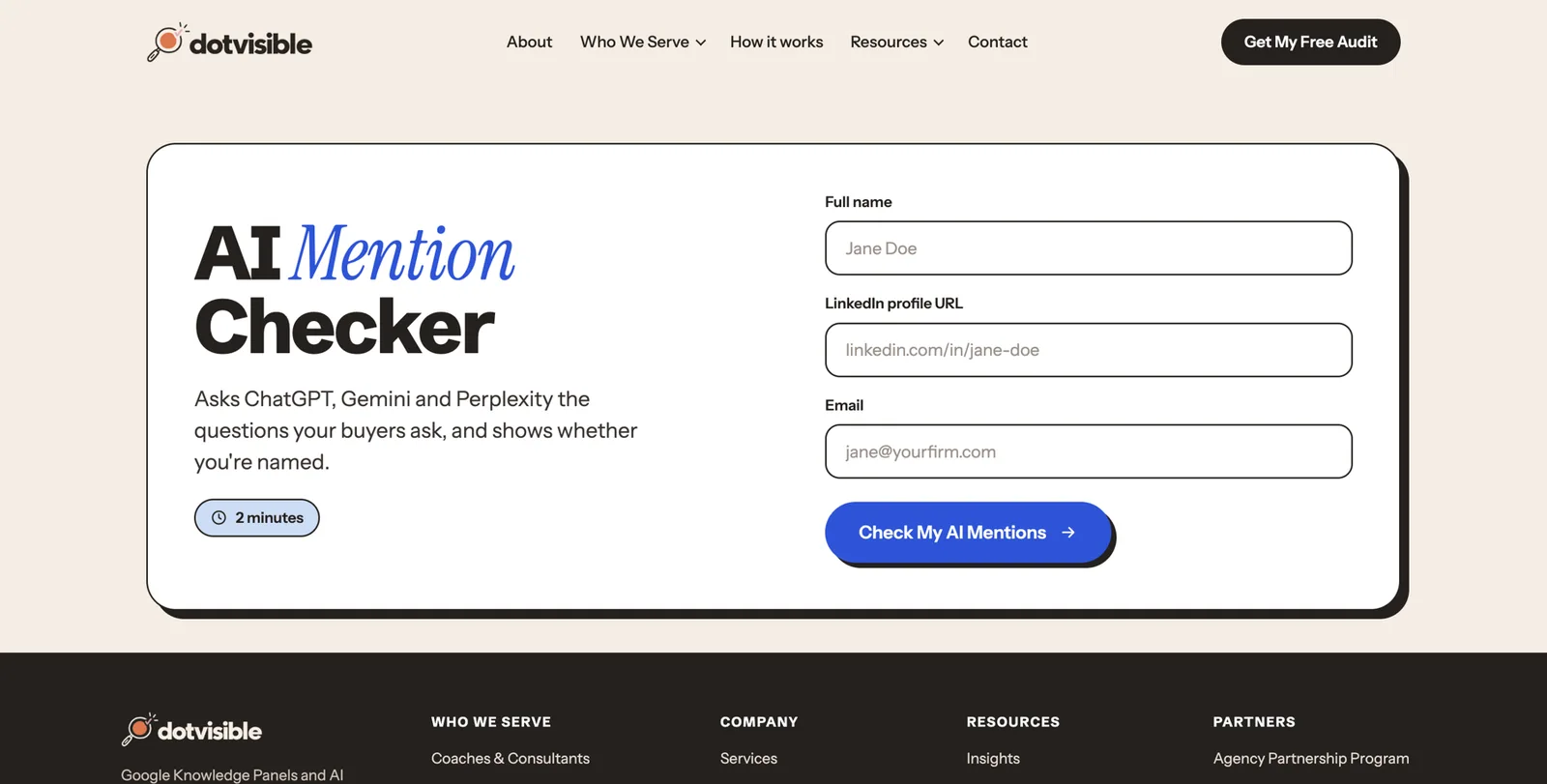
Ask each of these tools, in a fresh chat, the four prompts below: ChatGPT, Gemini, Perplexity, Microsoft Copilot, Claude, and Google (look at the AI Overview on a normal search, and try the AI Mode tab).
- “Who is [Your Name]?”
- “Who is [Your Name], the real estate agent with [Brokerage] in [City]?”
- “Who are the best [listing agents / luxury agents / condo specialists] in [Neighborhood or City]?”
- “What do clients say about [Your Name], realtor in [City]?”
For each answer, record Accurate, Inaccurate or Absent, and copy the sources the tool lists.
A2. AI answer baseline
Repeat monthly. Keep the prompts exactly the same each time.
| Tool | Prompt | Accurate / Inaccurate / Absent | What it said (short) | Sources it cited |
|---|---|---|---|---|
| Perplexity | Best listing agents in East Sacramento | Absent | Named three agents from two big teams | Zillow, a local magazine list, a brokerage blog |
Which situation are you in?
Use your audit to place yourself in one of these situations. Each points you to the right part of the playbook.
| Situation | What it usually means | Start here |
|---|---|---|
| No panel, little online presence | Google has little to go on | Parts 3 and 4 in full |
| No panel, plenty of presence | Your sources disagree or don’t link together | Part 3, then cleaning up and closing the loop in Part 4 |
| A panel exists but rarely shows | Google holds an ID but isn’t confident | Part 4, then tracking in Part 5 |
| A panel shows the wrong brokerage, photo or title | Old sources still dominate | Fix the sources, then suggest edits (Part 5) |
| The panel disappeared | A source was lost or Google updated its graph | Troubleshooting in Part 5 |
| More than one ID | Google thinks you are several people | Troubleshooting in Part 5 |
| The panel is about someone else entirely | A namesake dominates | Get specialist help; this is beyond DIY |
Part 3: Decide exactly who you are online
Choose your primary identity
This is the most important decision in the playbook. Google shows one short subtitle under your name. You want it to be the thing sellers hire you for.
One label
Pick one label and use it as the first description of you everywhere. Good options for agents:
- Real estate agent
- Realtor (only if you are a member of NAR; REALTOR® is a registered membership mark)
- Real estate broker (if you hold a broker license)
- Real estate team leader (only if leading the team is what you want to be known for)
Google seems to prefer labels it can verify and that many sources repeat. “Real estate agent” is widely used and easy to confirm against a license record. “Luxury lifestyle curator” is not. Put the color into your description, not your label.
Where you put the label decides the subtitle
Google tends to pick the role it sees first and most often. So the first sentence of every bio should follow the same shape:
[Name] is a [label] with [brokerage] in [city], specializing in [specialty].
For example (fictional): “Dana Whitlock is a real estate agent with Riverbend Hearth Realty in Sacramento, California, specializing in older homes in East Sacramento and Land Park.”
If you are several things
Many agents are also team leads, brokers, investors, authors or podcast hosts. Choose one primary identity and treat the rest as secondary facts. If your bio says “investor, coach, author, podcaster and realtor”, Google may pick “Author” or nothing at all. Lead with the role that pays your bills and wins your listings.
If you changed careers
If you were a teacher, nurse or engineer before real estate, old pages may still describe you that way, and Google may keep showing the old role. Don’t try to delete the past. Update what you can, lead with your new identity everywhere, join your local board’s directory and build new sources. The sign of success is the subtitle changing.
Settle your name once
Use one exact form of your name everywhere you can. Decide it once.
- If your license is under your legal name and you market under a nickname, check your state’s rules. Many states allow a nickname alongside the licensed name; some require the licensed name in ads. Ask your broker.
- If your name is common, add something that separates you: a middle initial (“Dana M. Whitlock”), a full middle name, or the city alongside your name in bios.
- List other forms you’ve used (maiden name, nickname) as alternate names on your own page and in your schema. Don’t delete them from the world; link them to you.
- Don’t name your team exactly after yourself if you can avoid it. “Dana Whitlock” the person and “Dana Whitlock” the team look like the same entity to a machine. “The Whitlock Group” is clearer, and in Texas team names must end in “team” or “group” anyway10.
- A name change is a full rebrand that takes months to settle. If you change your name (marriage, for example), update your license first, then your home page and schema the same day, then every portal and profile within a week. Keep the old name as an alternate name.
Define your ideal client in words machines can match
Write two or three sentences about who you serve and where. Specific beats general.
- Vague: “I help buyers and sellers in the greater Sacramento area.”
- Specific: “I list and sell 1920s to 1950s homes in East Sacramento, Land Park and Curtis Park, and help buyers moving from the Bay Area find their first Sacramento home.”
The specific version gives Google and AI tools neighborhoods, property types and a client group to match against questions like “agent for older homes in Land Park”.
Build your source-of-truth profile
This is one document, a fact sheet, that holds every fact about you. Every bio, profile and page copies from it. When a fact changes, you change it here first.
The fields
Use the worksheet below. At minimum, record:
- full licensed name, the public name you use, and any alternate names
- primary label (from above)
- license type, license number and state(s)
- current brokerage, exactly as licensed, and its address
- team name and your role, if any
- city, county and neighborhoods served
- specialties and property types
- years licensed (from your license record, not memory)
- designations and certifications, with year earned (CRS, ABR, SRES, GRI, CLHMS and so on)
- board and association memberships
- verified production figures, only if published by a credible source (see below)
- awards and rankings, with the link to each
- education
- languages
- media: articles, podcasts, videos, with links
- community roles: boards, charities, sponsorships
- every profile URL
- your main headshot and two backup images
- the short bio and long bio (you will write these next)
The evidence ladder
Not every fact is equally provable. Rank your evidence, strongest first:
- Official records: your state license lookup, your board or association directory, designation directories.
- Your own home page and verified profiles.
- Institutional pages: your brokerage, your franchise, a ranking body such as RealTrends.
- Independent editorial coverage: a local newspaper or business journal article.
- Directories and portals.
- Paid press releases and self-published reposts. Weakest.
Label every fact
Give each fact one of four states:
- Verified: you can link to an official or independent source.
- Partly verified: a source exists but says something slightly different. Fix the source.
- Self-reported: true, but only you say it. Fine on your own page; don’t expect Google to rely on it.
- Exclude for now: you can’t prove it yet.
Never invent or round up
These are the facts agents most often get wrong, and the ones that cause the most trouble:
- Production numbers. “$150 million in career sales” needs a source. Under NAR Standard of Practice 12-7, only the listing broker or a cooperating broker may claim to have “sold” a property7. Team totals are not your personal totals.
- Rankings. “Top 1% agent” needs to say top 1% of what, by whom, in what year. A paid “Top Agent” plaque from a marketing company is not an award.
- Years in business. Use your license date.
- Designations. Only list designations you hold and are current on. NAR’s Standard of Practice 12-13 says members may use only credentials they are entitled to7.
- Media. “As seen in” needs a real link to a real article.
- Reviews. Real, from real clients, unedited in meaning.
Compliance: what you can and can’t say

NAR Code of Ethics, Article 12
If you are a REALTOR®, Article 12 of the Code of Ethics says you must be honest and truthful in your real estate communications and present a true picture in your advertising, marketing and other representations, and that your status as a real estate professional must be readily apparent7. Several Standards of Practice under it matter directly for your online presence7:
- 12-5: your firm’s name must appear in a reasonable and readily apparent way in advertising. A team name alone doesn’t meet this8.
- 12-7: only the listing broker or a cooperating broker may claim to have “sold” a property.
- 12-8: information on your website must be kept current. Old listings and old brokerage details are an ethics issue as well as a search issue.
- 12-9: your website must show your firm’s name and the state(s) where you are licensed.
- 12-10: no deceptive content, metatags or misleading use of others’ content on your sites.
- 12-12: no domain names that present less than a true picture.
- 12-13: use only the designations and credentials you are entitled to.
Article 15 adds that you must not make false or misleading statements about other real estate professionals7. Comparison content (“why list with me instead of a discount broker”) needs care.
State license law
Every state has its own advertising rules, and they apply online and on social media. A few examples to show the range:
- California requires solicitation materials, which can include websites and social posts, to show the licensee’s name, their DRE license number and the responsible broker’s name9.
- Texas requires the broker’s name in ads, at least half the size of the largest agent or team contact information, and team names to end in “team” or “group”. Texas law does not let TREC require license numbers in ads10.
- Other states require “clear and conspicuous” brokerage disclosure, the broker’s phone number, or specific wording on social profiles.
For your Entity Home, the safe design is: your name, your license type and number, your brokerage name and office address, and the state(s) you are licensed in, all visible on the page, in the footer and on the About page. That satisfies most state rules and gives Google the exact facts it needs to match you to your license record.
Reviews and testimonials
The FTC’s rule on consumer reviews and testimonials (16 CFR Part 465) bans fake reviews, reviews by people who didn’t have the experience, buying reviews conditioned on being positive, undisclosed insider reviews and suppressing negative reviews12. For agents, that means:
- Ask every client for a review, not just the happy ones.
- Don’t offer gifts or discounts only for positive reviews.
- Don’t post reviews from your spouse, your team members or your transaction coordinator without disclosure.
- Don’t write a review “for” a client, even if they say “just write something and I’ll approve it”.
- Quote testimonials accurately on your site, with the client’s permission and the platform they came from.
Some states and brokerages add rules on testimonials in advertising. Check yours.
Fair Housing in every bio and post
We covered this above, but it applies to every page in Part 4: describe properties and services, not the kind of people you prefer to work with or who “fit” a neighborhood. Avoid words about schools, safety or a neighborhood’s character that could signal a preference for or against a protected group. Link to official school district information rather than describing schools yourself.
Write your bio ladder
You need the same story in several lengths. Writing it once, carefully, saves you hours later and gives Google the repetition it needs.
The core sentence
Start with a 20 to 50 word summary that you will paste, word for word, wherever it fits. It opens with your identity sentence:
Fictional example: Dana Whitlock is a real estate agent with Riverbend Hearth Realty in Sacramento, California. She lists and sells older homes in East Sacramento, Land Park and Curtis Park, and has been licensed in California since 2013.
The ladder
- Headline (for LinkedIn and social bios): “Real estate agent, Riverbend Hearth Realty · Older homes in East Sacramento”
- One-liner (about 150 characters): the first sentence of the core summary.
- Short bio (about 50 words): the core summary plus one line of proof.
- Standard bio (100 to 150 words): for portals and your brokerage page.
- Full bio (300 to 500 words): for your About page, in sections.
- Spoken intro (about 30 seconds): for podcasts and events, written to be read aloud.
Plus: your website title, the description that shows in Google under your link (about 155 characters), and the alt text for your headshot (“Dana Whitlock, real estate agent in Sacramento”).
The full bio, built as modules
Write the long bio as an upside-down life story: today first, background last. Give each module its own heading on your About page.
- What you do today, where and for whom
- How you work (your listing method, your buyer process, your fees philosophy if you share it)
- Neighborhoods and property types
- Verified track record (rankings, published production, awards with links)
- Designations, license and memberships
- Media, podcasts, talks, a book
- Community roles
- Background and earlier career
Writing rules
- Short sentences. Subject, verb, object.
- Proper names capitalized and spelled exactly: your brokerage, your board, your designations.
- Your city and state in the first two sentences.
- Name the organizations you are connected to: brokerage, board, university, charities. Those connections help Google place you.
- No superlatives you can’t prove (“best”, “#1”, “top”) unless a named source says so and you link to it.
- Third person on your home page, portals and directories. First person where the platform expects it (Instagram, LinkedIn About can go either way).
Three worked examples (all fictional)
A listing specialist (fictional). “Dana Whitlock is a real estate agent with Riverbend Hearth Realty in Sacramento, California. She lists and sells older homes in East Sacramento, Land Park and Curtis Park. Licensed since 2013 (DRE #00000000), she holds the CRS designation and is a member of her local association of REALTORS®.”
A luxury agent (fictional). “Marco Ellery is a real estate agent with Saguaro Crest Properties in Scottsdale, Arizona, specializing in desert contemporary homes above $2 million in North Scottsdale and Paradise Valley. He holds the CLHMS designation from the Institute for Luxury Home Marketing.” The designation needs a qualifying track record, and Marco can link to his member listing as proof23.
A team lead (fictional). “Priya Raman is a real estate broker and the founder of The Raman Group at Lakeline Brick Realty in Charlotte, North Carolina. Her team of eight agents helps relocating families and first-time buyers in south Charlotte and Ballantyne.” Note the label is “real estate broker”, the team is named separately and the brokerage appears in the first sentence.
A6. Bio ladder
Write each version from your fact sheet. Keep the first sentence identical.
| Version | Target length | Where it goes | Your text |
|---|---|---|---|
| Core summary | 20 to 50 words | Everywhere it fits | Dana Whitlock is a real estate agent with... |
| Headline | Up to 220 characters | LinkedIn, Instagram, YouTube | |
| Standard bio | 100 to 150 words | Zillow, Realtor.com, Homes.com, brokerage | |
| Full bio | 300 to 500 words | Your About page | |
| Spoken intro | 30 seconds | Podcasts, events | |
A4. Source-of-truth fact sheet
One row per fact. The source column is what makes a fact usable.
| Field | Exact wording | Source link | Status (verified / partly / self-reported / exclude) |
|---|---|---|---|
| License | California real estate salesperson, DRE #00000000 | DRE public license lookup | Verified |
| Brokerage | Riverbend Hearth Realty, 1200 J Street, Sacramento | Brokerage agent page | Verified |
| Designation | CRS, earned 2019 | CRS member directory | Verified |
| Career sales | Not stated | None | Exclude |
Part 4: Build the foundation Google trusts
Your Entity Home

Your Entity Home is the page Google treats as your own account of who you are. Think of it as your listing sheet for yourself: one page, all the facts, accurate and current. Every other source will point to it.
Where it should live, best first
- An About page on a domain in your name, such as
danawhitlock.com/about. This is the strongest option. - The home page of a personal site in your name.
- A page about you on a team site you own, if the team domain is yours and you will keep it when you move.
Avoid these as your Entity Home:
- Your brokerage bio page. It belongs to the brokerage. If you leave, it disappears or changes, and the anchor Google relied on goes with it.
- A website on a brokerage subdomain or template, such as
dana.bigbrokerage.com. Same problem. NAR’s own guidance on agent websites points out that an agent who leaves must rebuild from scratch when the site belongs to the brokerage. - Zillow, Realtor.com or any portal. You don’t control them.
- LinkedIn, Instagram or Facebook. Strong profiles, never a home.

Check your brokerage agreement first
Some brokerages have policies on agent websites, domains and IDX feeds. Read your independent contractor agreement or ask your broker before you buy a domain or launch a site. Most allow a personal site as long as it carries the brokerage disclosures required by the state.
The minimum version
You don’t need a big site. Two pages are enough to start: a home page and an About page. If you already have an IDX website from a vendor, check that the domain is registered in your name, not the vendor’s, and that you can add a proper About page.
To buy a domain:
- Go to a domain registrar such as Cloudflare, Namecheap, Squarespace Domains or GoDaddy.
- Search for your name as a
.com. If it is taken, try adding your middle initial, “realtor” or your city (danawhitlockrealtor.com,danawhitlocksacramento.com). Check NAR Standard of Practice 12-12 and your state rules before using “realtor” in a domain. - Register it in your own name with your own email, not a brokerage email you will lose.
- Turn on auto-renew. A lapsed domain can be bought by someone else.
Simple builders like Squarespace, Wix, WordPress.com and Webflow are all fine.
The page blueprint
Your About page should contain these parts, in this order.
Page title and main heading
Use your name: "About Dana Whitlock". Set the page title (the blue link in Google) to something like "Dana Whitlock, Real Estate Agent in Sacramento | Riverbend Hearth Realty".
Identity sentence first
The very first sentence on the page is your core summary from the bio ladder, word for word.
Your main headshot near the top
The same photo you use everywhere else, at least 1200 by 1200 pixels, with a file name like dana-whitlock-realtor-sacramento.jpg and alt text naming you and your role.
Modular sections
Short sections with their own headings, in the order of your full bio: what you do, how you work, neighborhoods, track record, designations and license, media, community, background.
License and brokerage block
License type, number and state(s), brokerage name, office address and phone. Put it on the page and in the footer.
Proof with links
Rankings, awards, articles and podcast episodes, each with a link to the source.
Find me elsewhere
A short list of links to your license record, portal profiles, LinkedIn, YouTube, Google Business Profile and brokerage page.
Contact
How to reach you, plus your brokerage contact as required by your state.
Last updated date
A line such as "Updated October 2026". It helps readers and it reminds you to keep it current, which Standard of Practice 12-8 expects.
Choose your Entity Home before Google chooses for you
If Google already shows a website link for you, perhaps your old brokerage page, it has picked a home. Changing it later is slow. If the page Google picked is one you control, build on it. If it is one you don’t, start your own now and make it the clear, current, best-linked page about you.
Your photo matters more than you think
Google tends to keep the first image it trusts for a person. Choose your main headshot now and use it everywhere from day one. A friendly, recent, well-lit headshot with your face clearly visible works best. No logos over the image, no group shots, no illustrations.
Verify the site in Google Search Console
Google Search Console is a free tool that shows how Google sees your website24. It is also one of the sign-in options Google offers when you later claim a Knowledge Panel5.
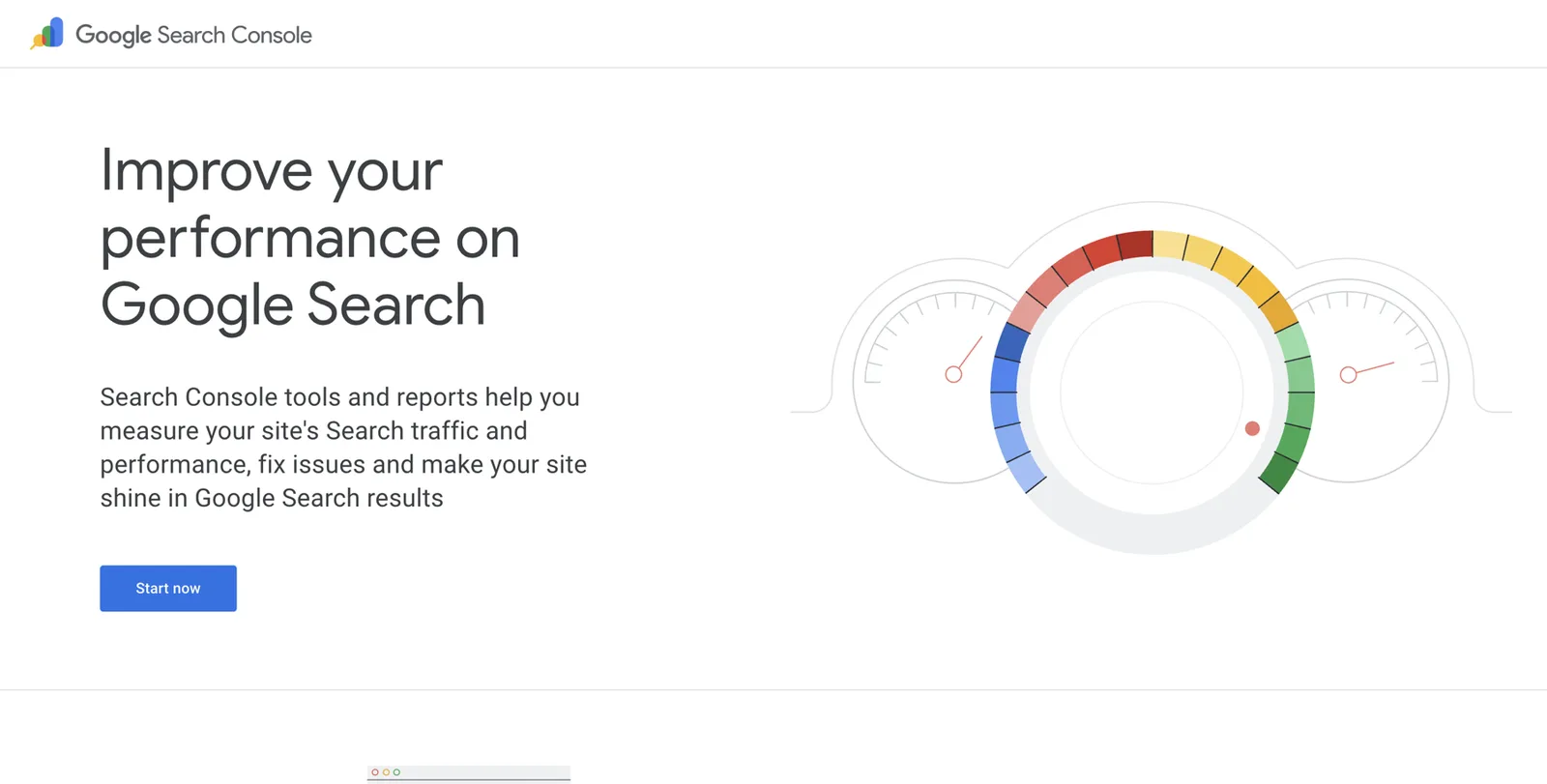
- Go to search.google.com/search-console and click Start now.
- Sign in with the Google account you want to own your panel long term. Use a personal account, not a brokerage account.
- Choose Domain and type your domain without
https://orwww. - Google gives you a line of text (a TXT record). Copy it.
- In another tab, log in to your domain registrar, open the DNS settings, add a new TXT record and paste the text.
- Go back to Search Console and click Verify. It can take a few minutes, sometimes longer.
- Once verified, open URL inspection, paste your About page address and click Request indexing.
Person schema in plain English
Schema is a short block of code that sits on your About page, invisible to readers, that tells machines: “This page is about this person, here are the facts, and here is where to confirm them.” If your About page is the listing sheet, schema is the MLS data entry behind it: the same facts, in fields a machine can read.
Google explains structured data as a standard format for giving information about a page and classifying its content19. The vocabulary comes from schema.org, which has a “Person” type with a long list of properties20.
Where it goes
On your Entity Home only. Not every page of your site.
The properties that matter for an agent
@id: a permanent label for you, usually your About page address plus#person.nameandalternateName: your public name and any other forms.url: your About page.image: your main headshot.description: your core summary.jobTitle: your primary label.worksFor: your brokerage, as an organization.memberOf: your team, your board or association.hasCredential: your license, and designations.addressorhomeLocation(city and state only), andareaServed.knowsAbout: your specialties.award: awards you can link to.alumniOf: your school, if you want it shown.sameAs: links to profiles that are mostly about you.subjectOf: articles, podcast episodes and videos about you.- Your Knowledge Graph ID, once you have one, also goes in
sameAsas a Google search link.
A full example for a fictional agent
Every name, number and link below is fictional. Replace each one with your own facts from your fact sheet. The .example addresses are deliberately not real.
{
  "@context": "https://schema.org",
  "@graph": [
    {
      "@type": "Person",
      "@id": "https://danawhitlock.example/about#person",
      "name": "Dana Whitlock",
      "alternateName": ["Dana M. Whitlock"],
      "url": "https://danawhitlock.example/about",
      "image": "https://danawhitlock.example/images/dana-whitlock-realtor-sacramento.jpg",
      "description": "Dana Whitlock is a real estate agent with Riverbend Hearth Realty in Sacramento, California. She lists and sells older homes in East Sacramento, Land Park and Curtis Park.",
      "jobTitle": "Real estate agent",
      "worksFor": { "@id": "https://riverbendhearth.example/#organization" },
      "memberOf": [
        { "@type": "Organization", "name": "National Association of REALTORS" }
      ],
      "hasCredential": [
        {
          "@type": "EducationalOccupationalCredential",
          "name": "California real estate salesperson license",
          "credentialCategory": "license",
          "identifier": "DRE 00000000",
          "recognizedBy": {
            "@type": "GovernmentOrganization",
            "name": "California Department of Real Estate"
          }
        },
        {
          "@type": "EducationalOccupationalCredential",
          "name": "Certified Residential Specialist (CRS)",
          "credentialCategory": "designation"
        }
      ],
      "address": {
        "@type": "PostalAddress",
        "addressLocality": "Sacramento",
        "addressRegion": "CA",
        "addressCountry": "US"
      },
      "areaServed": ["East Sacramento", "Land Park", "Curtis Park", "Sacramento, California"],
      "knowsAbout": ["Residential real estate", "Historic homes", "Home selling", "Sacramento housing market"],
      "sameAs": [
        "https://www.linkedin.com/in/danawhitlock-example",
        "https://www.zillow.com/profile/danawhitlock-example",
        "https://www.realtor.com/realestateagents/dana-whitlock-example",
        "https://www.youtube.com/@danawhitlock-example",
        "https://riverbendhearth.example/agents/dana-whitlock"
      ],
      "subjectOf": [
        {
          "@type": "NewsArticle",
          "headline": "What older homes are selling for in East Sacramento",
          "url": "https://localnews.example/2026/older-homes-east-sacramento"
        },
        {
          "@type": "PodcastEpisode",
          "name": "Selling a 1920s bungalow, with Dana Whitlock",
          "url": "https://podcast.example/episodes/dana-whitlock"
        }
      ]
    },
    {
      "@type": "RealEstateAgent",
      "@id": "https://riverbendhearth.example/#organization",
      "name": "Riverbend Hearth Realty",
      "url": "https://riverbendhearth.example",
      "address": {
        "@type": "PostalAddress",
        "streetAddress": "1200 J Street",
        "addressLocality": "Sacramento",
        "addressRegion": "CA",
        "postalCode": "95814",
        "addressCountry": "US"
      }
    }
  ]
}
Two details matter. You are a Person and your brokerage is a separate node of type RealEstateAgent (which, confusingly, is schema.org’s type for a real estate business). Keeping the person and the business apart helps Google tell you from your firm, and makes a brokerage move a one-line change. And every sameAs link points to a profile that is mostly about you.
Rules for schema
- Mirror the page. Every fact in the schema should also be visible on the page.
- Only accurate, current links. Don’t list a profile until you have fixed it. If in doubt, leave it out.
- Don’t overload it early. Start with name, image, description, job title, brokerage, license and five strong
sameAslinks. Add more as you earn them. - Watch for duplicates. SEO plugins like Yoast and Rank Math add their own schema. If yours creates a second “Person”, Google sees two of you. Use the plugin’s settings to describe the site as a person, or ask your web person to merge them.
- Revalidate after every change.
How to add it
You wrap the JSON above in a script tag and add it to your About page only:
<script type="application/ld+json">
  ...paste the JSON here...
</script>- WordPress: add a Custom HTML block at the bottom of the About page and paste it in, or use a header-and-footer plugin that allows per-page code.
- Squarespace: open the About page settings, choose Advanced, then paste into Page Header Code Injection.
- Wix: open Settings, then Custom Code, add the code, and set it to load on the About page only.
- Webflow: open the About page settings and paste into Before body tag under custom code.
- IDX vendor sites: many have a custom code or tracking code field per page. If not, ask their support to add it.
How to check it
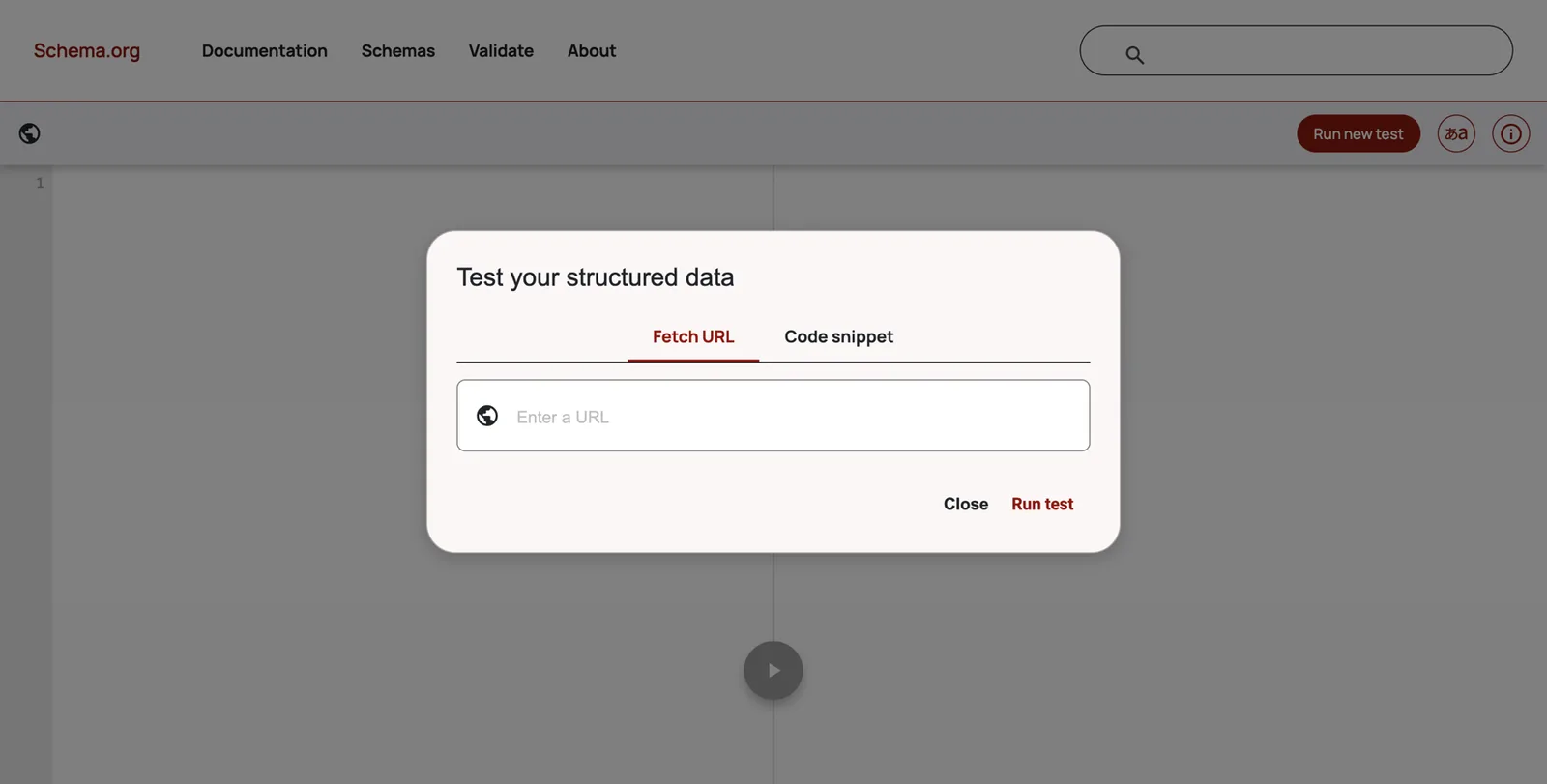
- Go to validator.schema.org.
- Click Fetch URL, paste your About page address and click Run test.
- You want to see your Person and your organization detected with zero errors.
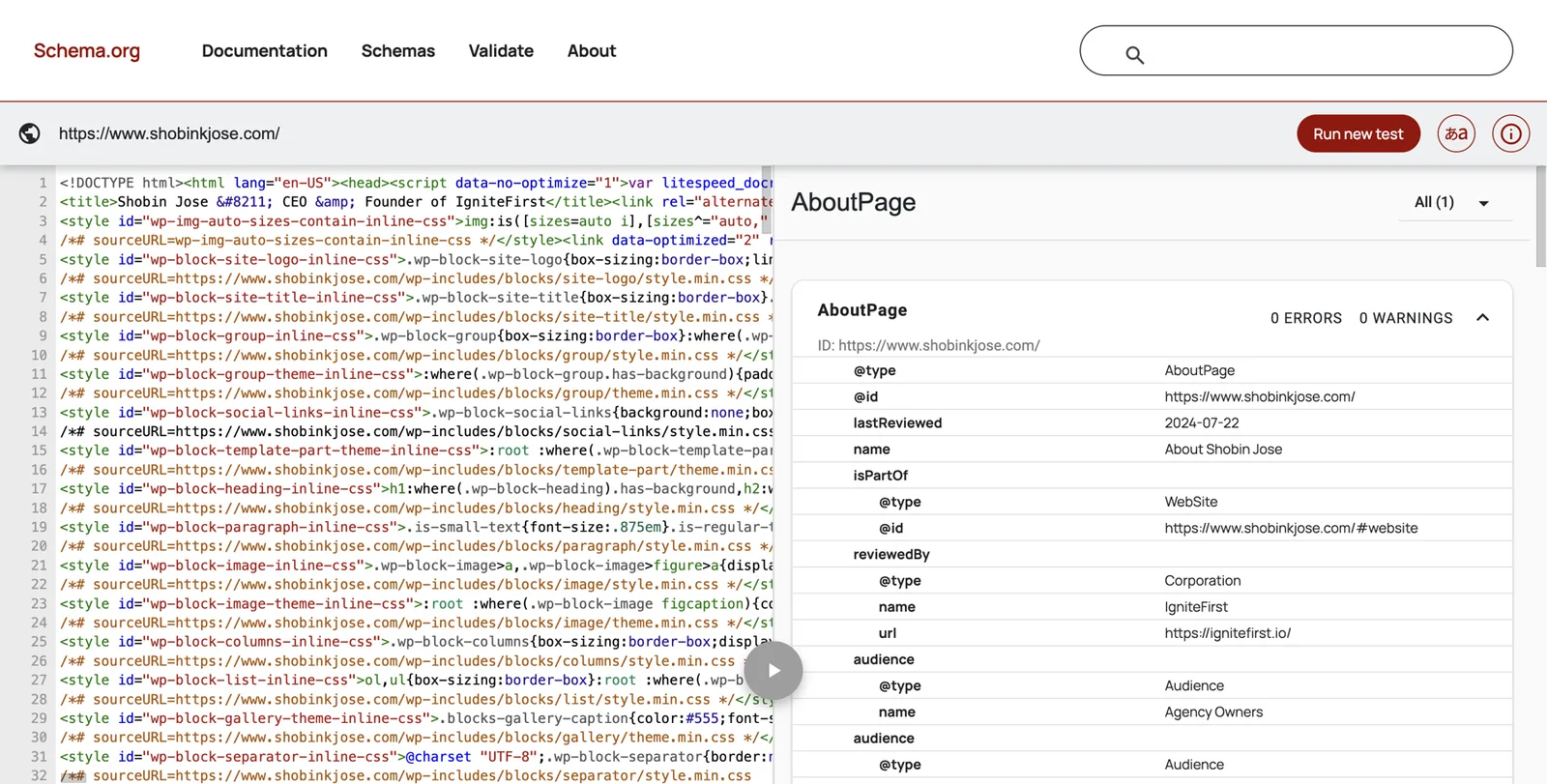
Google’s Rich Results Test is useful for checking syntax, but a Person won’t show as a “rich result”, so don’t be alarmed if it says nothing is eligible. Google’s old Structured Data Testing Tool has been retired; ignore old guides that mention it.
Clean up everything you already own
This is usually the biggest quick win. Work in this order: your own site, then the profiles that already rank for your name, then the rest you control, then third-party pages you can ask to update.
LinkedIn ranks well for most names, and Google trusts it.
- Click your photo, then View profile.
- Name: match your fact sheet exactly.
- Headline: your headline from the bio ladder (“Real estate agent, Riverbend Hearth Realty · Older homes in East Sacramento”).
- About: paste your standard bio.
- Experience: make your current brokerage the current role, with your title. End-date old brokerages. Spell the brokerage exactly as licensed and connect it to the brokerage’s LinkedIn page if one exists.
- Contact info: add your website, pointing to your About page.
- Featured: add your About page, a recent article or video, and your best review page.
- Photo: your main headshot.
- Custom URL: click Edit public profile & URL and set it to your name.
Zillow
Zillow’s agent finder lets consumers search by location or by name, so your profile is often the first thing a seller sees.
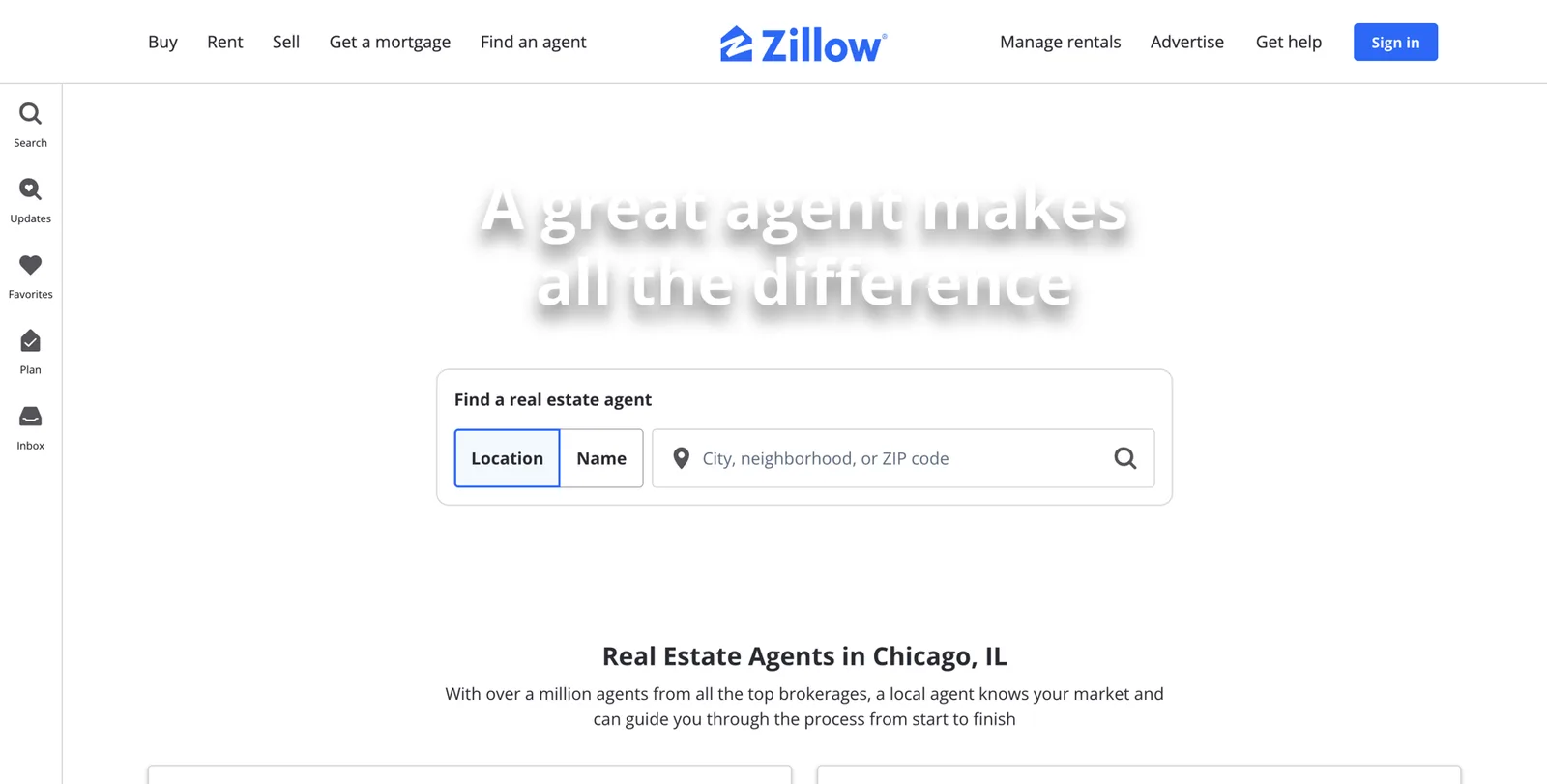
- Sign in to your Zillow agent account and open your profile settings.
- Set your name exactly as on your fact sheet, and your brokerage exactly as licensed.
- Upload your main headshot.
- Paste your standard bio and lead with your identity sentence.
- Set your service areas and specialties to match your fact sheet.
- Add your website link if the profile allows it.
- Check that your past sales are attached. Zillow has connected listing history to agent profiles using the email address on the listing data, so make sure the email on your MLS record matches your Zillow account.
- Ask recent clients for reviews (all of them, not just the happy ones).
Realtor.com
Realtor.com agent profiles can show past sales from the MLS, ratings, reviews and recommendations, and once claimed they pull in NAR designations automatically14. To update yours:
- Go to realtor.com and find the agent sign-in for professionals (realtor.com Pro). Sign in or create your agent account.
- Claim your profile if it isn’t already linked to you.
- Update name, brokerage, photo and bio to match your fact sheet.
- Set your service areas and specialties.
- Check that past sales are showing. Agents can’t upload sold data themselves; it comes from the MLS14.
- Request reviews from recent clients through the dashboard. Recommendations from people who know you are a separate section.
Homes.com
Homes.com offers free agent profiles to agents whose listings feed to it, and promotes a policy of sending listing inquiries to the listing agent15. If your listings appear there:
- Look for the welcome email or the “Homes.com for agents” sign-in, and claim your profile.
- Match name, brokerage, photo, bio and service areas to your fact sheet.
- Add your website, awards and videos where the profile allows.
Your brokerage bio
Email your broker or marketing coordinator with your updated standard bio, your main headshot and a request to link to your website if their policy allows. Ask them to use your name exactly as on your fact sheet.
Google Business Profile
If you have your own profile (see the guidelines summarized in “What a Knowledge Panel is”), make sure:
- the name follows Google’s rules for practitioners: your name, or “Brand: Your Name” if you are the only public-facing agent at a branded office6;
- the primary category is “Real estate agent”;
- the website link goes to your own site;
- the description opens with your identity sentence;
- your headshot is the profile photo.
Other socials
- Facebook: check both your personal profile’s intro and any business page. Same name, same headshot, website link.
- Instagram: bio line with your label, brokerage and city (for example “Real estate agent · Riverbend Hearth Realty · Sacramento”), and your website in the link. Many states require brokerage disclosure on social profiles.
- YouTube: channel name, description with your identity sentence, and links to your site.
- TikTok, X, Threads, Pinterest: same rules if you use them. If you don’t, don’t create them just for this.
Old pages
For every old page you found in Part 2:
- Old brokerage bios: email the old brokerage and ask them to remove the page or redirect it. Be polite; they are not obliged to.
- Old websites you own: redirect the domain to your new About page, or update it. Don’t just let it lapse.
- Old listings with your name: usually leave them. Sold listings are history, and they show your track record.
- Dead social accounts: update them to point to your current site, or close them after you have updated everything else.
One headshot set
Pick one main headshot and use it on every profile. If you want variety, choose one or two alternatives with the same look and use them deliberately. At least 1200 by 1200 pixels. Name the file with your name and role. Retire every old photo.
Asking others to update their pages
Use this short email template for hosts, editors, associations and old brokerages.
Add the sources Google expects for an agent
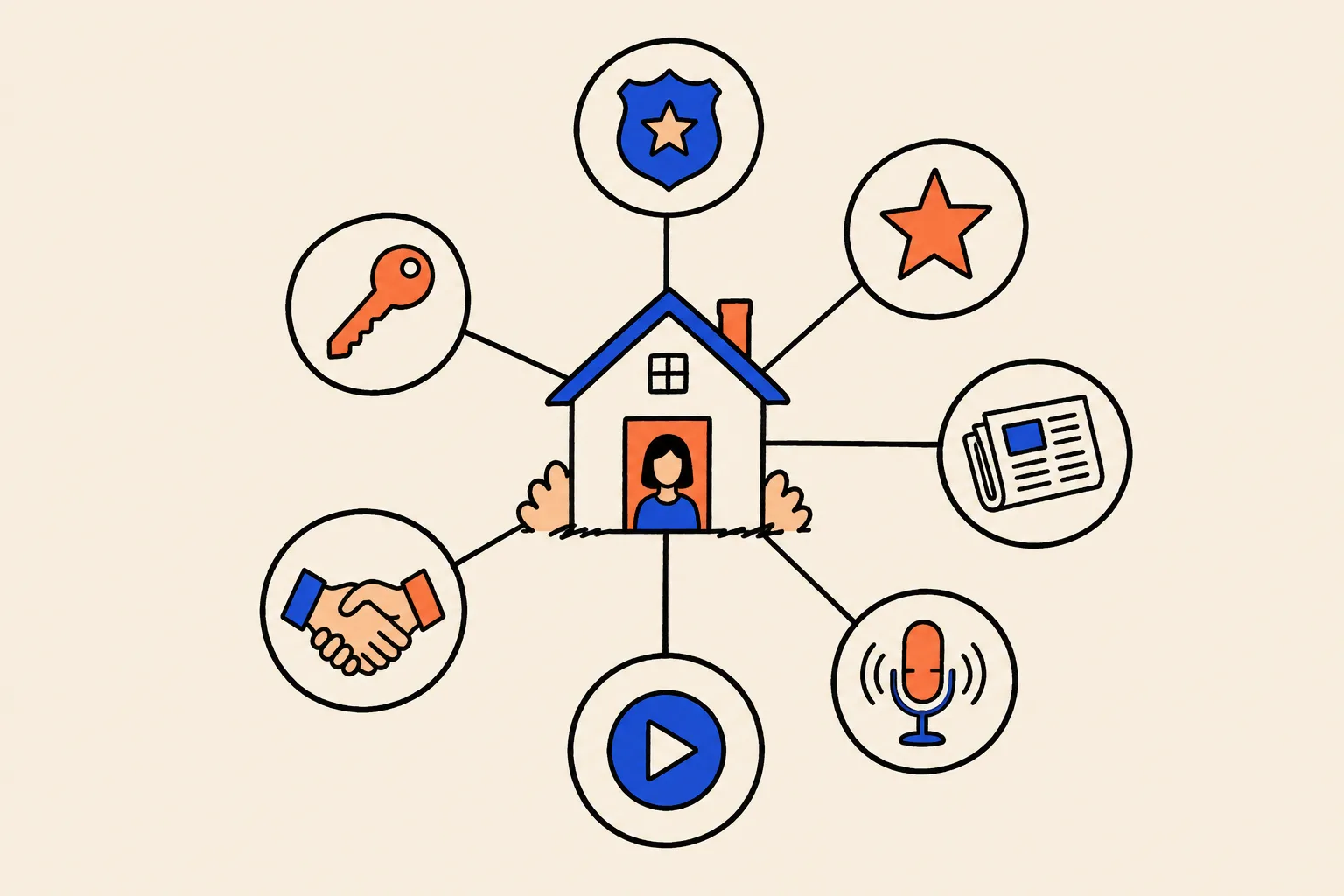
Google seems to trust the sources it expects for your kind of professional, in your field and your area. For agents, that means licensing records, the major portals, your board, credible rankings and local media. Kalicube, which studies Knowledge Panels, lists Realtor.com among the typical sources behind realtor panels22.
Kalicube also observes that people without Wikipedia or Wikidata entries tend to need roughly 20 to 30 consistent, relevant sources before a panel appears. That is their observation, not a rule from Google. Use it as a sense of scale.
The agent source menu, by tier
| Tier | Source | Why it helps | Notes |
|---|---|---|---|
| 1. Official | Your state license lookup | Proves you are licensed, under what name, with which brokerage | Make sure your public name and brokerage on file are current |
| 1. Official | ARELLO license verification | A central license database run by license law officials | Covers 44 participating jurisdictions17 |
| 1. Official | Your board or association member directory | Confirms membership and office | Ask your association how listings appear |
| 1. Official | Designation directories (CRS, ABR, CLHMS and others) | Confirms credentials | Only designations you hold and keep current |
| 2. Industry | Zillow agent profile | Sales history and reviews | Match your fact sheet exactly |
| 2. Industry | Realtor.com agent profile | MLS sales, reviews, NAR designations | Claim it through realtor.com Pro |
| 2. Industry | Homes.com agent profile | Listings and profile | Available when your listings feed there |
| 2. Industry | Your brokerage bio page | Confirms where you work | Ask for a link to your site |
| 2. Industry | Google Business Profile | Local listing, reviews | Follow the practitioner rules |
| 2. Industry | RealTrends Verified | Independent, verified production ranking with agent profile pages | Opt-in; 2025 thresholds were 25 sides or $10 million for individuals16 |
| 3. Professional | Strong, trusted profile | Never your home | |
| 3. Professional | YouTube channel | Home tours, market updates, neighborhood guides | Same name, links to your site |
| 3. Professional | RateMyAgent or other dedicated review sites | Reviews that name you and your specialty | One or two, not ten |
| 4. Media | Local newspaper, business journal, community magazine | Independent editorial coverage | Earned, not paid |
| 4. Media | Real estate trade press (Inman, HousingWire, RISMedia, Real Estate News) | Expert quotes and features | Harder to earn; strong when you do |
| 4. Media | Podcast episode pages | Independent page mostly about you | Local business and real estate podcasts |
| 4. Media | Event speaker pages | Confirms expertise | Board events, chamber events, first-time buyer seminars |
| 5. Community | Chamber of commerce, charity boards, school foundations | Ties you to your city | Only real roles |
| 5. Knowledge bases | Wikidata | Strong signal for those who qualify | Only if you meet notability (see below) |
Source: DotVisible research, October 2026. Check eligibility and rules for each before you start.
Luxury and niche specialists
If you sell luxury homes, add sources that confirm the niche: luxury network directories your brokerage belongs to, the Institute for Luxury Home Marketing member directory if you hold CLHMS23, luxury real estate publications and regional magazines that cover high-end homes. If you specialize in relocation, condos, new construction, land, waterfront or a language community, look for the directories and associations that serve that niche.
Teams
If you lead a team, the team needs its own consistent presence: one team page on a domain you control, one name used everywhere, and the brokerage named alongside it (a team name never replaces the brokerage name in ads8). On your personal pages, describe the team as something you lead, not as who you are.
What not to add
- Platforms that have nothing to do with you.
- Pages that list hundreds of agents with no detail.
- Old pages you can’t fix.
- Pseudo-wikis and “profile blasts” (more on these below).
- Paid “Top Agent” plaques and magazine features you bought.
A10. Corroboration tracker
Add each source once it is fixed. Check the links every quarter.
| Source | URL | Party | Matches fact sheet? | Links to your site? | Your site links to it? | Last checked |
|---|---|---|---|---|---|---|
| Realtor.com | realtor.com/realestateagents/... | 2nd | Yes | Yes | Yes | Oct 2026 |
Close the loop
A loop means your Entity Home links out to each source, and each source links back to your Entity Home.
- On your About page, add a “Find me elsewhere” section with links to your license record, portal profiles, LinkedIn, YouTube, Google Business Profile, brokerage page, rankings and media.
- On each profile, put your About page address in the website field or bio link.
- Put the same profile links in your schema’s
sameAslist.
Link wording
When you link, use your name or plain descriptions: “Dana Whitlock on Realtor.com”, “Dana’s interview on the Capital Homes podcast”. Don’t stuff keywords like “best Sacramento realtor” into link text.
Link hygiene
- Never link from your home page to a profile you haven’t fixed yet. You’d be sending Google to the old facts.
- Link to the final address, not a shortened or redirected one.
- Check every link once a quarter.
When a platform won’t allow a link
Some portals and directories don’t allow outside links. Mention your website in the text if they allow that, and make sure the facts match. Agreement is still useful even without a link.
Wikidata, Wikipedia and the shortcuts that backfire
Wikipedia
Very few agents qualify for a Wikipedia article. Wikipedia requires significant coverage in several independent, reliable sources, and it has strict rules about writing about yourself or paying someone to do it. Articles about agents created for marketing are usually deleted, and a deletion leaves a public record. Don’t pay anyone to write one.
Wikidata
Wikidata is a free, structured database of facts that Google and others use. An entry can help, but only if you meet its notability policy: it generally needs to refer to a clearly identifiable entity that can be described using serious, publicly available references21.
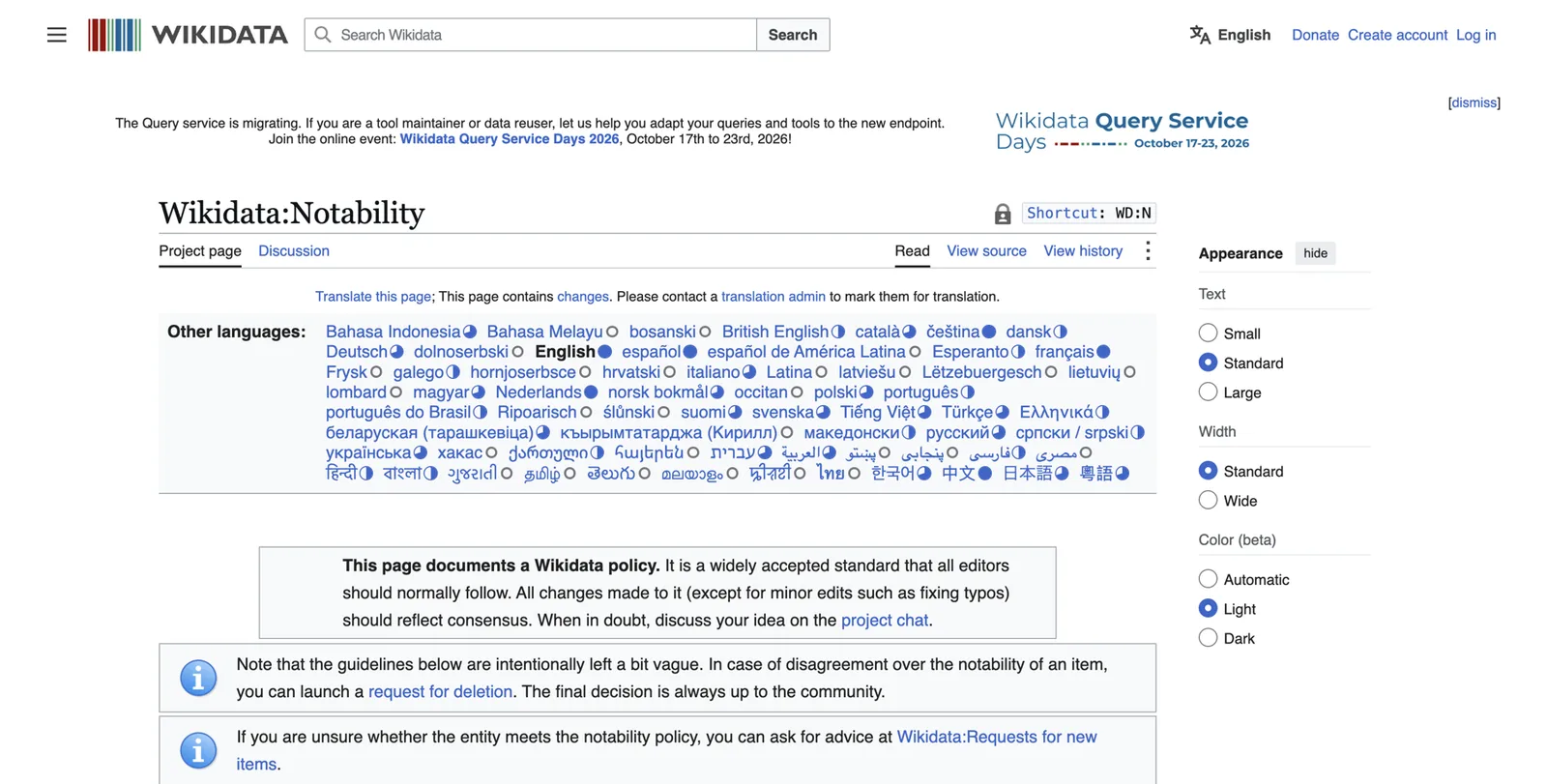
If you have independent coverage, such as articles about you in recognized publications, an entry may be acceptable. It must be neutral, fully sourced and free of promotion. Never buy one. Entries that get deleted send a bad signal, and recreating a deleted entry to get around the rules makes it worse.
The shortcuts to avoid
- Pseudo-wikis such as EverybodyWiki and Wikitia. Anyone can write on them and many charge for it. Google treats them as low trust, and panels built on them tend to be removed.
- Mass profile creation. “We’ll build 100 profiles for you” packages create pages that go stale, contradict each other and look like spam.
- Mass press releases. A wire release is paid distribution, not independent coverage. One honest release about real news (a new office, a charity event) is fine. Twenty releases to trigger a panel are spam.
- Paid “Top Agent” awards and magazine covers. If you paid for the honour, it isn’t independent proof, and advertising it may raise “true picture” questions under Article 12.
- Fake or bought reviews. Illegal under the FTC rule, and damaging when found12.
- “Panel in two weeks, guaranteed.” Nobody can guarantee what Google does. These offers usually rely on the shortcuts above.
Each of these can set you back by a year or more, because Google remembers the bad sources it has already seen.
Earn third-party proof as an agent
Independent sources carry the most weight, and agents can earn them without paying for them.

Local media
Local reporters need sources for housing stories every month: prices, inventory, mortgage rates, first-time buyers, a new development. You know the local market better than anyone they can call.
- Make a list of the reporters who cover housing or business at your local paper, TV station, business journal and community magazines.
- Send each a short email: who you are, the neighborhoods you know, two or three questions you can answer with data from your MLS, and your phone number.
- When they quote you, thank them, share the piece and add it to your press page.
- Check with your broker on media policy, and make sure anything you say is accurate and fair to other agents (Article 15)7.
HARO, the old journalist-request service, has closed. Look for current journalist request platforms, and remember that your local relationships are usually worth more.
Podcasts
Local business podcasts, community shows, real estate investor shows and niche shows (for example, about old houses, relocation or a specific profession you serve) all need guests.
Your podcast guest kit:
- one consistent spoken intro (from your bio ladder);
- one link to give: your About page;
- your standard bio and main headshot for the show notes;
- three topics you can talk about with real stories;
- your license and brokerage line, if your state requires it on solicitation materials.
Change the angle from show to show. Keep the message the same.
Speaking
Your board, the chamber of commerce, libraries, employers’ HR teams and community groups run events: first-time buyer seminars, downsizing workshops, market updates. Each one can give you a speaker page that names you and links to your site. Ask for it.
Rankings
If your production qualifies, submit to RealTrends Verified, which ranks agents and teams on verified data and gives ranked agents a profile page16. Local business journals often run their own lists. Only use rankings that verify data and don’t require payment for inclusion.
Video
YouTube neighborhood tours, market updates and “what $600,000 buys in Land Park” videos build a channel that ranks for your name and your areas. Name the channel after you, link to your site, and keep Fair Housing in mind: describe homes and places, not people.
A book
A short, useful book (a seller’s guide, a relocation guide, a history of your neighborhood’s homes) gives you an author page on Amazon and Goodreads and a reason to be invited onto podcasts. It is a big project. Only do it if you will write something genuinely helpful.
Past clients and partners
Past clients are your best source of reviews. Lenders, inspectors, stagers and attorneys you work with often publish “trusted partner” pages or blog posts. A short, accurate mention with a link to your site is worth asking for.
Your press page
Create a “Press and media” page on your site. Give each strong piece a short summary and a link. List lighter mentions below. This page also helps AI tools find independent sources about you.
Part 5: Index, claim, grow and protect your panel
Get found, then track progress
Indexing
“Indexed” means Google has stored a page and can show it in results. A page that isn’t indexed doesn’t count.
- In Search Console, open URL inspection, paste your About page address and click Request indexing. Do the same for your press page and any important new page.
- To check a profile page is indexed, search
site:followed by its address, for examplesite:realtor.com/realestateagents/dana-whitlock-example. If nothing appears, it isn’t indexed yet. - Not everything gets indexed, and that’s normal. Make sure your most important pages are linked from your About page; that helps Google find them.
- Avoid paid “indexing services” that promise to force pages into Google. They don’t add trust.
A progress ladder
Panels rarely appear overnight. These are the stages agents usually move through. Check monthly and tick off what you see.
A14. Progress ladder
- Google holds a Knowledge Graph ID for youCheck with the Knowledge Panel Checker.
- Your name autocompletes in Google when you type the first few letters
- Your About page ranks first for your name
- A “See results about” box appears with your name and role
- A panel appears for your name plus city, or your name plus realtor
- A panel appears for your name alone
- The panel shows your chosen photo
- The subtitle says real estate agent (or your chosen label)
- The panel links to your website
- Profiles appear in the panel
- A description appears, ideally from your own site
- AI tools describe you accurately when asked by name
- AI tools mention you for neighborhood or specialty questions
Rhythm
- Weekly name searches for the first three months, then monthly.
- Monthly AI prompts from your baseline worksheet.
- Don’t panic at daily swings. Google refreshes its knowledge in cycles, and panels can flicker in and out while confidence builds.
Your panel appears: the first 30 days
Step 1: record it
Screenshot it on desktop and mobile. Copy the share link and note the kgmid ID. Write down the date. Add the ID to your schema sameAs list as a Google search link (https://www.google.com/search?kgmid=/g/...).
Step 2: claim it
Claiming tells Google you are the person in the panel. It gives your suggested changes more weight. Google’s current steps are5:
- Sign in to the Google account you want to own the panel long term (the same one you used for Search Console is ideal).
- Go to Google Search and search for your name. Find your panel.
- At the bottom of the panel, click Claim this knowledge panel. You may find it in the “About” section. On a phone, tap the three-dot menu, then Claim this knowledge panel.
- Review the information.
- Sign in to one of the official sites or profiles Google lists. The help page currently lists YouTube, Search Console, Twitter (now X) and Facebook.
- If Google can’t find a site connected to you, it asks for more information, which can include a photo of you with an ID.
- Google emails you once you are verified.
Not every panel can be claimed straight away. If the option isn’t there, check again in a few weeks.
When to wait before claiming
If your panel is very thin, or if it seems to be built on weak sources, keep strengthening your sources first. A claim brings attention to the panel, and weak panels sometimes disappear after review.
What claiming gives you, and what it doesn’t
It lets you suggest changes, which Google reviews with more weight5, and it stops anyone else claiming the panel. It does not let you write your own description or subtitle, and Google still decides what appears.
Suggesting a change
- Search your name while signed in to the verified account.
- Click Suggest edits on the panel.
- Click the fact you want to change.
- Write the change, one sentence of context, and at least two supporting links, one of them independent (for example, your license lookup and your new brokerage page).
- Submit once. Don’t resubmit repeatedly.
Fix the sources too. Google’s systems can undo a manual edit if the sources still say the old thing.
What usually can’t be changed by request
Your displayed name, your subtitle and the “People also search for” list are generally driven by the sources. Change those through your sources: your first sentence everywhere, your license record, your portals.
Enrich the panel
Once your panel is stable, keep adding verified facts: a book, a designation, education, a ranking, video. Each must appear on your Entity Home first.
Don’t stop
New panels are fragile. Kalicube reports that Google removes a meaningful share of Knowledge Graph IDs each year (their figure is about 15%). That is their observation, not Google’s, but the lesson is sound: keep your sources fresh.
Troubleshooting
| Problem | Likely cause | What to do |
|---|---|---|
| A panel exists but doesn’t show for your name | Not confident enough, or a namesake competes | Search your name plus city or plus realtor; strengthen independent sources; use the same name form everywhere |
| Shows in your city but not elsewhere | Google judges you are the most likely match locally | Normal for local professionals; build more independent sources if you need wider reach |
| Wrong subtitle, such as your old career | Old sources still lead with the old role | Change the first sentence everywhere to your label; wait a cycle |
| Old brokerage shown | Old pages and profiles still say it | Update every portal, license-linked page and your schema; ask the old brokerage to remove your page; suggest the edit with your license lookup as proof |
| Wrong or old photo | Google trusts an image it saw first | Use your chosen headshot everywhere, on your site first; suggest the edit once claimed |
| Description from a portal or old bio | That source is the clearest summary Google found | Make your About page’s first paragraph the clearest summary of you |
| A namesake dominates | Another person is better documented | Go local first; add a middle initial; build independent sources |
| Two or more IDs | Google thinks there are several of you | Make every fact consistent, link the sources together, list each ID in your schema; Google often merges them over time |
| Panel disappeared | Knowledge Graph update, a lost source, or a review | Check what changed (a deleted page, a closed account); rebuild those sources; be patient, rebuilding takes longer |
| A competitor appears in your panel | A source mixes you up, often a team or roster page | Find the source and ask for a fix |
| The panel shows someone else entirely | A namesake owns the panel | Specialist case; get help |
When there’s something negative about you
A complaint, a review you disagree with or a disciplinary record in a public license lookup can appear in your name search. You can’t remove accurate public records, and trying to bury them with spammy content backfires. What helps is more accurate, current, independent information about your work, so the search gives a fuller picture. If something is false, contact the publisher with evidence. If it’s a legal matter, talk to a lawyer.
Show up in AI answers
The path from AI to a new client goes in stages: an AI tool cites a page about you, then names you, then recommends you clearly enough that the seller calls. Each stage needs the one before it.
Fix explicit first
Make sure AI tools describe you correctly when asked by name. Rerun your baseline prompts every month.
Make your expertise easy to quote
Open your main pages with a short, factual summary. Build clear pages for each service and each neighborhood you serve. Add an FAQ that answers the 5 to 10 questions sellers really ask you. Show a "last updated" date.
Publish real neighborhood knowledge
Market updates with your MLS data, guides to older-home inspections, what sold this quarter and why. Facts and numbers get quoted; slogans don’t.
Earn mentions where AI looks
Local news, credible lists, podcast pages, association pages. Track which sources AI tools cite for your area and pursue those.
Collect reviews that name your specialty
Ask clients to mention the neighborhood and the type of home, honestly and without scripting. "Dana sold our 1928 bungalow in East Sacramento" is more useful than "Great agent!".
Keep one message everywhere
If every podcast and article describes you the same way, AI tools learn one clear story.
Don’t block the bots
Make sure your site is not hiding content behind pop-ups or blocking search engines. Ask your web person to check robots.txt and that your About page loads without a login.
Track the topic questions
Every month, ask the same topic prompts: “best listing agent in [neighborhood]”, “who should I call to sell a [type of home] in [city]”, “realtor for relocating to [city] from [place]”. Log who gets named and which sources are cited. Then go after those sources: if a local magazine’s “agents to know” list is cited every time and it is editorially chosen, that is worth earning.
When AI says nothing or gets it wrong
- Fix the source data first. Most errors trace back to an old profile or an old bio.
- Use the tool’s feedback option (a thumbs-down or “report” button) to flag a wrong answer.
- Be patient. AI tools update their data on their own schedules.
Keep it working
A16. Maintenance routine
- The day a fact changes, update your Entity Home and schema firstNew brokerage, new designation, new team, new city, new headshot.
- Within the same week, update every portal, profile and your license recordThen ask third parties to update their pages.
- Monthly (30 minutes): name search, AI prompts, add new press, refresh one profile
- Quarterly: check every link on your About page, revalidate schema, look for new inconsistencies
- Yearly: review your positioning, update the full bio and your headshot if it is more than a few years old
- Keep your fact sheet as the single source of truth
The brokerage-move checklist
Brokerage moves are the most common way agents lose ground. Use this on move day.
Brokerage move day
- Update your state license record with the new brokerage (as your state requires)
- Update your Entity Home, footer disclosures and schema (the worksFor brokerage)
- Update Zillow, Realtor.com and Homes.com profiles; check past sales stay attached
- Update LinkedIn experience: end the old role, start the new one
- Update or move your Google Business Profile, following Google’s practitioner rules
- Update your board or association record
- Ask your old brokerage to remove or redirect your bio page
- Ask the new brokerage to link your bio to your site
- Update every social bio and your email signature
- Send a short update to podcast hosts and editors who have published your bio
Part 6: Your roadmap and next steps

The roadmap
10 minutes
Quick Check
Six searches, three AI prompts, a traffic-light score.
One weekend
Foundation
Full audit, footprint inventory, primary label, fact sheet, bio ladder, Entity Home plan, LinkedIn update.
Days 1 to 30
Build
Domain and About page live, schema added and validated, Search Console verified, portals and brokerage bio updated, first 10 sources fixed and linked.
Days 31 to 90
Corroborate
10 to 20 more relevant sources, local media and podcast outreach, speaker pages, loop checks, monthly tracking.
Months 4 to 12
Grow and protect
Claim the panel if it appears, suggest edits, enrich it, work on AI topic answers, maintain monthly.
Weekly time budget
- Light plan: about two hours a week. Expect the foundation to take a month or two and corroboration to run through the year.
- Heavier plan: five to six hours a week for the first two months, then an hour a week.
Do it yourself, or have it done for you
An honest tally of the work
Done properly, this involves:
- dozens of searches across Google, Bing and five or six AI tools;
- sorting 50 to 200 web pages that mention you;
- reconciling a fact sheet of 25 to 30 fields against every source;
- writing bios in six lengths and keeping them compliant with your state’s rules;
- building and maintaining an Entity Home with valid schema;
- fixing or building 20 or more profiles by hand;
- outreach to editors, hosts and old brokerages;
- judgement calls on Wikidata and on what not to do;
- months of monitoring.
Plenty of agents do it themselves, and this playbook gives you everything you need. It suits you if you enjoy this kind of work, have a few hours a week and are patient.
It suits you less if your time is better spent on listing appointments, if you have a common name or a messy brokerage history, or if you’d rather have someone experienced make the judgement calls.
Questions to ask any provider
- Do you build an Entity Home on a domain I own?
- Will I own every account and login you create?
- What sources will you use, and can I see the list?
- How do you handle my state’s advertising rules and my brokerage’s policies?
- What happens if the panel doesn’t appear?
Red flags: a guaranteed panel in days, a Wikipedia promise, pseudo-wikis, “100 profiles”, no Entity Home, accounts kept in their name, and no help with claiming.
How DotVisible helps

DotVisible does this work for experts whose name is their business, including real estate agents. Our done-for-you service is called The Authority Magnet. It covers your Google Knowledge Panel and your AI visibility.
What’s included:
- a footprint audit of your name search, profiles and AI answers;
- Search Signature: the Entity Home and profile work described in Parts 3 and 4, done for you;
- the first 90 days of Referred by AI: features and mentions on the sources AI tools draw from.
Your time: about 20 minutes. You return your details and approve content within 5 business days each, and make the two link updates we ask for. We do the rest. See how it works.
Price: the launch price is $1,997 for the first 10 clients ($2,997 after launch). You start with a $500 refundable deposit. The $1,497 balance is due only when your Knowledge Panel is live and you can find it yourself. After the first 90 days, Referred by AI continues monthly at $497 if you choose.
Guarantee: if your Knowledge Panel isn’t live within 150 days of your onboarding call, you choose: a full refund of everything you paid, or we keep working at no charge until it appears. “Live” means it shows your correct name, photo and profession in an ordinary Google search for the agreed name in the agreed country, confirmed with three checks across 14 days. AI recommendations are not guaranteed. The details are in our refund policy.
Timing: most clients with a reasonable existing presence see their panel within about 60 days. AI visibility usually shows meaningful change around day 60.
Proof: the panel in the screenshot near the start of this playbook belongs to our founder, Shobin K Jose. Search his name to see it live.
DotVisible is independent and is not affiliated with or endorsed by Google.
Toolkit: worksheets and checklists
The worksheets A1 to A6 and A10 appear in the chapters where you use them. The remaining tools are collected below.
A5. Identity picker
A5. Identity picker
Write your options, then circle one primary label.
| Question | Your answer |
|---|---|
| Primary label (what sellers hire you as) | Real estate agent |
| Secondary facets (team lead, author, podcast host) | Team lead |
| Exact public name | Dana Whitlock |
| Alternate names | Dana M. Whitlock |
| City and state | Sacramento, California |
| Neighborhoods | East Sacramento, Land Park, Curtis Park |
| Specialty | Older homes, 1920s to 1950s |
A7. Entity Home pre-launch checklist
Before your About page goes live
- Domain registered in your name, with auto-renew on
- Page heading is your name
- First sentence is your core summary, word for word
- Main headshot near the top, named with your name, with alt text
- License type, number and state(s) shown (as your state requires)
- Brokerage name and office contact shown, as your state and NAR Standard of Practice 12-9 require
- Proof section with links to rankings, articles and podcasts
- Find me elsewhere links, only to fixed profiles
- Person schema added, validated with 0 errors
- Search Console verified and indexing requested
- Updated date shown
- Broker has seen it, if your brokerage requires approval
A8. Schema checklist
Schema check
- Only one Person on the page
- name, image, description and jobTitle match what is visible
- Brokerage is a separate organization node linked with worksFor
- License in hasCredential, with the number only if it is shown on the page
- sameAs lists only profiles that are mostly about you and already fixed
- subjectOf lists real articles and episodes
- Validator shows 0 errors
- Revalidated after the last change
A11. Podcast and media guest kit
Guest kit
- Spoken intro, 30 seconds, from your bio ladder
- Standard bio for show notes
- Main headshot, high resolution
- One link: your About page
- Three topics with a real story each
- License and brokerage line, if your state requires it
- A thank-you note template that asks for the link to your site
A13. Suggest-an-edit template
A15. Troubleshooting order
Find the source
Which page is Google repeating? Look at the panel’s description link and at the first results for your name.
Fix it at the source
Update the page you control, or ask the owner of the page you don’t.
Update your Entity Home and schema
Make sure your own page states the correct fact clearly.
Suggest the edit
Once claimed, suggest the change with two links, one independent.
Wait a cycle
Give Google a few weeks before trying again.
Glossary
- AI Overview: the AI-written summary Google shows at the top of some searches.
- AI Mode: Google’s conversational search mode, with follow-up questions.
- Brand SERP: the page of results for your name. SERP stands for search engine results page.
- Corroboration: other trusted sources confirming the same facts about you.
- Entity: any distinct thing Google can identify, such as you, your brokerage or your team.
- Entity Home: the one page you own that Google treats as your own account of yourself.
- Google Business Profile: a local listing you manage, shown on Maps and in local results.
- Indexing: Google storing a page so it can appear in results.
- KGMID: your Knowledge Graph ID, such as
/g/11abc.... - Knowledge Graph: Google’s database of entities and the facts that connect them.
- Knowledge Panel: the summary box Google shows about an entity it knows well.
- Namesake: another person with the same name.
- sameAs: a schema property listing other profiles about the same person.
- Schema (structured data): code that describes a page’s facts in a format machines read.
- Search Console: Google’s free tool showing how Google sees your website.
- subjectOf: a schema property listing articles and episodes about you.
- Subtitle: the short label under the name in a panel.
- Wikidata: a free, structured database of facts run by the Wikimedia Foundation.
Myths in one place
What helps
- A home page on a domain you own
- One label and one name everywhere
- Your license record, portals and brokerage agreeing
- Independent local coverage and podcast pages
- Real reviews from real clients
- Schema that matches the page
- Patience and monthly checks
What doesn’t
- Using your brokerage page or Zillow as your home
- Paid Wikipedia or Wikidata entries
- Pseudo-wikis and profile blasts
- Mass press releases
- Paid awards presented as honours
- Fake or incentivized positive reviews
- Anyone guaranteeing a panel in days
Frequently asked questions
Frequently asked questions
Is a Knowledge Panel the same as my Google Business Profile?
No. A Google Business Profile is a listing for a business location or a public-facing practitioner that you create and manage yourself, and it shows on Maps and in local results. A Knowledge Panel describes you as a person. Google builds it automatically from what it knows about you, and you cannot create or edit it directly. Many agents have a Business Profile and no Knowledge Panel.
Do I need to be a top producer or famous to get a Knowledge Panel?
No. Google needs to be confident about who you are, and that confidence comes from clear, consistent information on your own site that independent sources back up. Sales volume helps only when it is published somewhere credible, such as a verified ranking or local press.
My Zillow profile ranks first for my name. Is that a problem?
It is not a disaster, but it means the first thing a seller sees about you is a page you do not own, with other agents a click away. The fix is to build a page you own that ranks first and describes you better, and to make the portals agree with it and link to it where they allow.
What happens to my Knowledge Panel if I change brokerages?
If your home page sits on your own domain, the panel is about you, not the firm, so it can survive a move. You update the brokerage on your own page, your schema and your profiles in the same week, and Google catches up. If your only home is a page on the old brokerage site, a move can break the link Google relies on.
Can I put my license number and brokerage on my own website?
You should, and in many states you must. NAR Standard of Practice 12-9 asks agents to show their firm name and state of licensure on their websites, and states such as California require the license number and responsible broker on solicitation materials. Check your state commission and your broker.
Can my team have a Knowledge Panel as well as me?
A team can be described as an organization and may earn its own panel over time, but a personal panel belongs to a person. Decide which identity leads. Most team leads are better served by a personal panel that names the team and the brokerage as related organizations.
Will a Knowledge Panel make ChatGPT recommend me for listings?
Nobody can guarantee that. A clean, consistent footprint helps AI tools identify and describe you correctly, which is the first step before any recommendation. Google says AI Overviews and AI Mode draw on the same systems as Search. There is no evidence that ChatGPT reads Google’s panel directly.
Can I use client reviews and testimonials on my own site?
Yes, if they are real, from real clients, not conditioned on being positive and clear about any relationship. The FTC rule on consumer reviews bans fake and insider reviews, and your state and broker may add rules. Never write reviews for clients or post them under other names.
How long does it take to get a Knowledge Panel as an agent?
Google gives no timeline and nobody can promise one. Practitioners see anything from a few weeks to many months, depending on how clear and consistent your presence already is. Doing the work in this playbook raises the odds; it does not set a date.
Should I pay someone who guarantees a Wikipedia page or a panel in two weeks?
No. Paid Wikipedia articles about agents are usually deleted for lack of independent coverage, and quick-panel schemes often rely on pseudo-wikis or mass profiles that Google later removes. Both can set you back by a year or more.
What does the free DotVisible audit include?
You enter your name, LinkedIn URL and email. Within one business day you receive a report showing your name search, whether Google’s Knowledge Graph recognizes you, where your profiles disagree, and whether AI tools mention you. It is free, with no call and no card.
Sources
- 12025 Profile of Home Buyers and SellersNational Association of REALTORS® · 2025↩
- 2Zillow report: Online research now shapes how most agent relationships begin (2025 Consumer Housing Trends Report for Agents)Zillow · 30 December 2025↩
- 3AI becomes early step in homebuying journeyNAR REALTOR® News · 30 June 2026↩
- 4About knowledge panelsGoogle Knowledge Panel Help · accessed October 2026↩
- 5Get verified on GoogleGoogle Knowledge Panel Help · accessed October 2026↩
- 6Guidelines for representing your business on Google (individual practitioners)Google Business Profile Help · accessed October 2026↩
- 7Code of Ethics and Standards of Practice (effective 1 January 2026)National Association of REALTORS® · 2026↩
- 8Advertising: No team is an islandREALTOR® Magazine↩
- 9New standards in advertising (California license law)California Association of REALTORS®↩
- 10Frequently asked questions (advertising)Texas Real Estate Commission · accessed October 2026↩
- 1124 CFR 100.75: Discriminatory advertisements, statements and noticeseCFR↩
- 1216 CFR Part 465: Use of consumer reviews and testimonialseCFR↩
- 13What the NAR settlement means for home buyers and sellersNational Association of REALTORS®↩
- 14Realtor.com rolls out changes to its profiles and agent searchNAR REALTOR® News↩
- 15Your listing, your lead: the principle driving Homes.com’s agent-friendly portalHousingWire↩
- 16RealTrends Verified 2026Redfin · 2026↩
- 17License verificationARELLO · accessed October 2026↩
- 18AI features and your websiteGoogle Search Central · accessed October 2026↩
- 19Introduction to structured data markup in Google SearchGoogle Search Central · accessed October 2026↩
- 20PersonSchema.org↩
- 21Wikidata: NotabilityWikidata · accessed October 2026↩
- 22Knowledge Panel for a real estate agentKalicube↩
- 23About the CLHMS designationInstitute for Luxury Home Marketing↩
- 24Google Search ConsoleGoogle↩