The Ultimate Knowledge Panel Playbook for CEOs & Founders
Investors, senior hires, enterprise buyers and journalists search your name before they commit. This playbook shows you, one click at a time, how to make Google and AI confirm who you are, separately from your company.
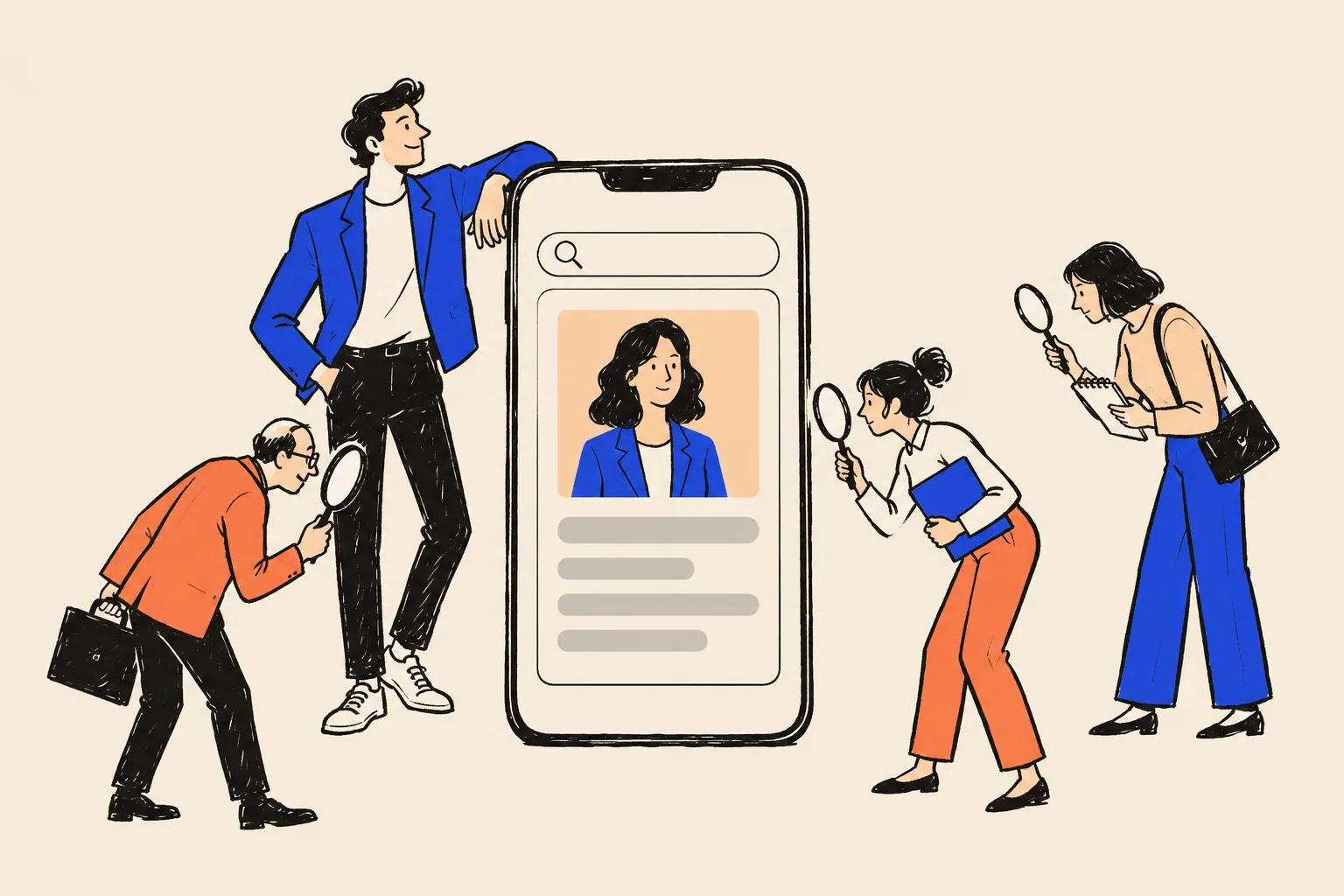
It’s 7:40 on a Monday morning. A partner at a fund has just read a warm intro to you from someone she trusts. Before she replies, she opens a new tab and types your name.
What she sees in the next ten seconds shapes the email she writes. Maybe a box on the right of the page shows your photo, the word “Entrepreneur”, your company and a link to your own site. Maybe there’s a Crunchbase page that still lists the job you left in 2021, a team page from your last company, and a news story about a property investor in another city who happens to share your name. She doesn’t tell you which version she found. She just replies, or she doesn’t.
The same search happens on Wednesday night, when the VP of Engineering you most want to hire reads up on you before the second interview. It happens on Friday, when an enterprise buyer’s procurement team runs its supplier checks. It happens when a journalist decides whether to quote you, when a conference picks its speakers, when a board looks for a new director, and when an acquirer’s advisers start their management diligence. Increasingly, it happens inside ChatGPT, Gemini, Perplexity or Google’s AI Mode, where the person asks “Who is [your name]?” and reads whatever the machine says back.
This playbook is about that search. It shows you how to make Google, and the AI tools that read the same web, confirm who you are: your current role, the company you lead, the companies you founded, and the background that makes you credible. The visible sign that Google is confident about you is a Knowledge Panel, the information box that appears beside the results for recognised people. We’ll explain exactly what it is, how Google decides to show one, and every step you can take yourself to earn one, claim it and keep it.

Who this playbook is for
It’s for you if your name does commercial work, and most founders’ names do. In particular:
- Startup and scale-up founders who raise money, hire senior people and sell to larger companies.
- Owner-CEOs of established private companies, including second-generation family business leaders, whose name is known in their industry but barely visible online.
- Founders of B2B businesses where the buyer wants to know who stands behind the contract.
- Second-time founders, operators turned investors, and founders after an exit, whose search results still describe who they used to be.
It isn’t the right guide if Google already shows a panel for somebody else under your exact name and you need it untangled (that’s specialist work), or if you want a panel for your company. We touch on company panels only where they connect to yours. And it isn’t for anyone hoping for a shortcut that bends Google’s rules. We’ll explain why those shortcuts backfire.
The honest part
Google decides whether and when a Knowledge Panel appears. Nobody can make it show one, and anyone who promises a panel “in two weeks” is guessing or gaming something that will come back to bite. Timelines run from a few weeks to many months. What this playbook gives you is the work that reliably improves the odds, in the order that matters, explained so that someone with no technical background can do it.
How to use it
You can read it three ways:
- Ten minutes. Do the Quick Check below. It tells you where you stand.
- One weekend. Work through Parts 2, 3 and the first half of Part 4. You’ll finish with an audited name search, one locked fact sheet about yourself, bios in every length, a personal home page and a cleaned-up LinkedIn and Crunchbase.
- Ninety days and beyond. Follow the roadmap in Part 6. It spreads the remaining work into a couple of hours a week.
The worksheets and checklists are inline, where you need them, and gathered again in the Toolkit at the end. Copy them into a spreadsheet or a notes app and fill them in as you go.
The 10-minute Quick Check
Before anything else, find out what an investor or candidate sees today. You need a phone, a computer and ten minutes. Don’t skip this. It decides which parts of the playbook matter most for you.

Step 1: Search like a stranger
Your browser remembers what you click, so your own results are flattering. A private window hides that history.
Open a private window
In Chrome, click the three dots at the top right and choose “New Incognito window”. In Safari, choose File, then “New Private Window”. On a phone, open your browser and look for “Private” or “Incognito” in the tabs menu.
Go to google.com
Type google.com in the address bar and press Enter.
Type your full name, the way you use it professionally
For example: Nadia Ferreira. Press Enter.
Look at the right-hand side of the page first
On a computer, a Knowledge Panel sits to the right of the results. On a phone it appears near the top as a card with your photo. Note whether there is one, and whether it is you.
Then read the first ten results, top to bottom
For each one, ask: is this me, is it current, and would I be happy for an investor to read it?
Step 2: Run five more searches
Repeat the search with each of these, still in the private window:
your name+founderyour name+your company nameyour name+CEOwho is your nameyour company name+founder
The last one matters more than most founders expect. When people search a company, Google often shows a company panel with a “Founders” line, and the names in that line can be clickable links to the founders’ own panels. If your company has a panel and your name isn’t in it, or isn’t clickable, Google hasn’t yet joined you to the company with confidence.
Step 3: Ask three AI tools about yourself
Open ChatGPT (chatgpt.com), Gemini (gemini.google.com) and Perplexity (perplexity.ai). You can use them without paying. In each one, type:
Who is [your name]?Who founded [your company]?Who are the leading [your category] companies in [your country or region]?(for example, “Who are the leading supply chain software companies for mid-sized manufacturers in Canada?”)
Read each answer slowly. Is your title current? Is your company right? Is anything invented? Does your company appear in the category answer at all?
Step 4: Score yourself
| Check | Green | Amber | Red |
|---|---|---|---|
| Knowledge Panel for your name | Shows, and it’s you | Shows only with your company name added | None, or it’s someone else |
| Your own site in the top three | Yes, a page about you | Only the company site | No |
| Current title and company everywhere on page one | All consistent | One or two out of date | Old roles dominate |
| Namesakes on page one | None | One or two | Most results are other people |
| Old or negative results | None | Old but harmless | Something you’d hate an investor to read |
| Company search shows you as founder | Yes, clickable | Name shows, not clickable | You’re missing |
| AI answer to “Who is [name]?” | Accurate | Vague or partly wrong | Wrong person, invented facts or “I don’t know” |
| AI answer to “Who founded [company]?” | You’re named | Named with errors | Not named |
If you scored red on three or more lines, start with Part 2 and work through in order. If you’re mostly amber, you have a foundation and the biggest wins are in Parts 3 and 4: consistency, your own home page and the links between your profiles. If you’re mostly green, jump to Part 5 to claim, enrich and protect what you have.
Part 1: Why your name matters as much as your company’s
The background check you never see
Founders spend weeks on a pitch deck and minutes on their name search. Yet almost every important relationship in a company’s life starts with somebody looking the founder up. Here is who does it, and what each of them is trying to find out.
Investors. Venture investors say the team matters more than almost anything else. In a large survey of almost 900 venture capitalists, the management team was named as an important factor by 95% of firms and as the most important factor by 47%1. Before a first meeting, a partner or analyst will search you, read your LinkedIn and check a database such as Crunchbase or PitchBook. Practitioner diligence guides describe the same routine for later rounds: confirm titles, tenures and education, look for court filings and old controversies, then call people who worked with you. Crunchbase now tells founders directly that investors, customers, potential employees and partners “may research your company before contacting you”, and publishes a checklist to work through before fundraising2.
Senior hires. Your first-choice VP is deciding whether to bet several years of their career on you. In a Brunswick study summarised by the Institute for Public Relations, 82% of employees said they research a CEO’s online presence when considering joining a company3. That sample was employees of large companies, so treat it as a signal rather than a precise figure for startups, but the behaviour is easy to recognise. Candidates look for a founder with a clear record and a story that adds up.
Enterprise buyers. Larger customers check the supplier, and in a founder-led business the supplier is partly you. In Gartner’s 2025 survey of 632 business buyers, 61% said they prefer a buying experience without a sales rep, and 69% reported inconsistencies between a supplier’s website and what its sellers told them5. Buyers who prefer to research on their own will find your name search whether you like it or not. Inconsistency is exactly what they notice.
Journalists. Reporters vet sources more carefully than they used to. In 2025 Press Gazette reported that a widely quoted UK “expert” placed through journalist-request services turned out not to exist; several stories were pulled, and editors began phoning sources and asking for a bio, photo and LinkedIn or website link before quoting anyone7. A founder whose identity is easy to verify gets quoted. One who looks thin gets skipped.
Event organisers and podcast hosts. Before they offer a stage or a slot, they want to know you’ll draw an audience and won’t embarrass them. A confident name search with your talks, interviews and company in one place makes the yes easy.
Board recruiters and companies looking for advisers. Directors are chosen for judgement and reputation. A search that shows a scattered or outdated career raises questions you never get to answer.
Acquirers. In an acquisition, the buyer’s advisers look closely at the leadership team: litigation, regulatory history, reputation and whether the key people will stay. What they find about you becomes part of how they price the risk.
There’s one more group, and it’s growing fast: AI assistants doing the research on someone’s behalf. Google said in May 2026 that AI Mode “has surpassed one billion monthly users”12. When an investor asks an assistant to “summarise this founder’s background before my call”, the assistant searches, reads and paraphrases. If your sources are thin or contradictory, so is the summary.
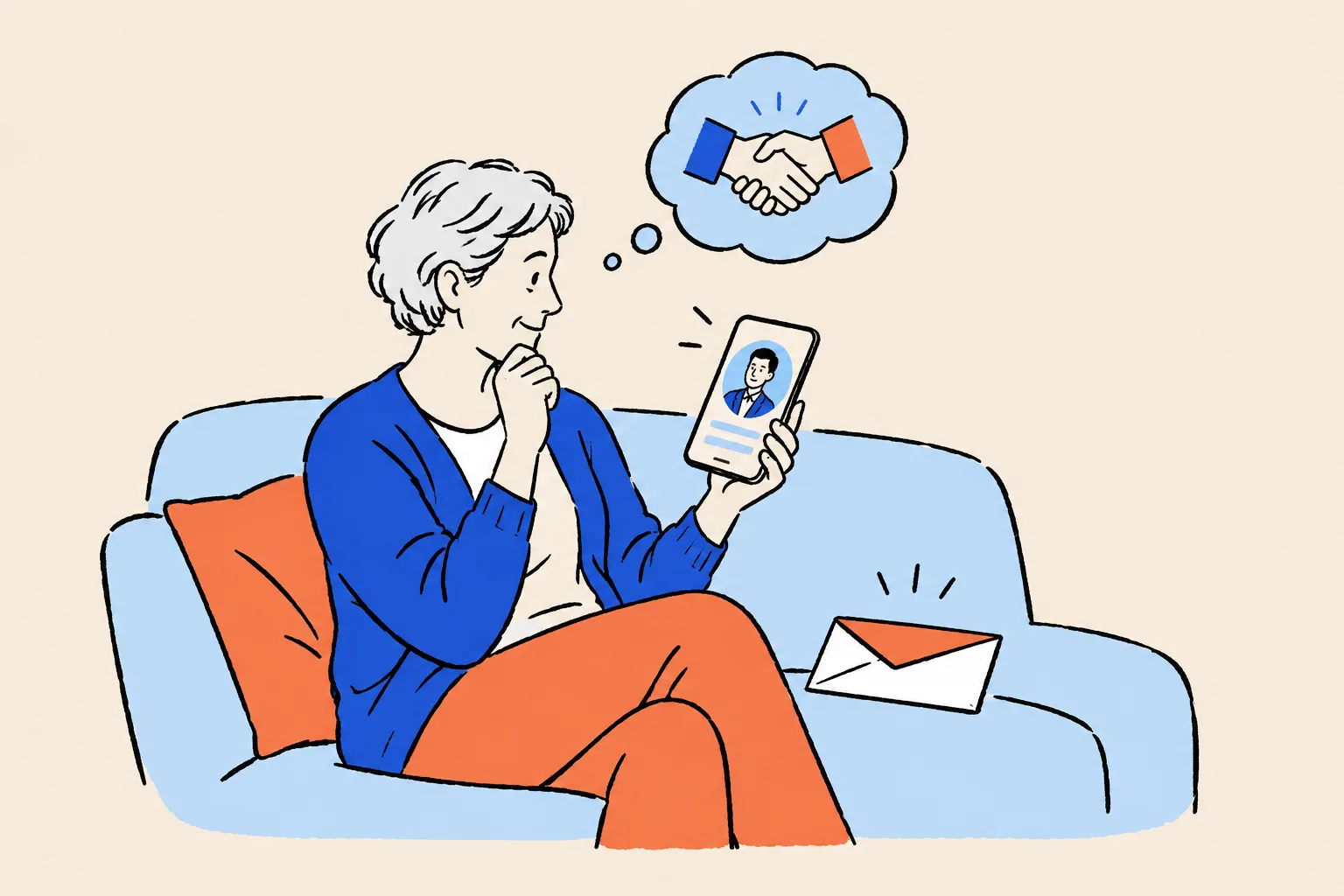
The three kinds of research about you
Knowledge Panel specialist Jason Barnard describes three ways people encounter you through search. They map neatly onto a founder’s life.
- Explicit research. Someone types your name, or asks an AI “Who is Nadia Ferreira?” This is the investor before the meeting and the candidate before the offer. It’s the search that matters most, because the person already cares.
- Implicit research. Someone researches your space and you either appear or you don’t: “best supply chain software for mid-sized manufacturers”, “who are the leading founders in climate fintech in Europe?”, “female founders in B2B SaaS to follow”. Here you’re competing with other companies and other founders for a mention.
- Ancillary research. AI tools describe you inside other products: the assistant drafting an email to you, the sidebar summarising a document that mentions you, the meeting tool briefing someone before your call. Nobody “searches” at all, yet the machine still has to decide who you are.
All three draw on the same pool of information. Fix the explicit search first, because if Google and AI can’t describe you correctly when asked by name, they won’t mention you when somebody asks about your category.
What they find, and what it tells them
Here are the results founders most often discover when they run the Quick Check, and what each one signals to the person reading it.
| What appears | What the searcher may conclude |
|---|---|
| A Crunchbase or PitchBook page with your old title | “Is this person still at that company? Did something go wrong?” |
| Your last employer’s team page ranking above your current company | “They’re better known for a job they left than for what they’re building.” |
| Only your company’s site and press releases, with one line about you | “I can’t tell who this founder actually is.” |
| A namesake’s results mixed with yours | “Which one is the person I’m meeting?” |
| An eight-year-old interview or a negative story | “Is this still relevant? Is there more?” |
| Three different job titles on three profiles | “Something about this story doesn’t add up.” |
| Nothing at all | “Are they as experienced as the intro said?” |
| An AI answer giving your old role or someone else’s background | A wrong fact, repeated with total confidence |
Most of these aren’t disasters. They’re small frictions. But due diligence is a process of accumulating small doubts, and founders rarely find out which doubt tipped the decision.
Your goals, and where your name search comes in
Every founder wants slightly different things from the next few years. Here’s how a clear, confirmed identity serves the goals founders mention most.
| Goal | What the searcher needs to see | What this playbook builds |
|---|---|---|
| Raise the next round | Current role, company, track record, credible coverage | A panel or clean page one that matches the intro; an accurate Crunchbase |
| Hire senior people | A founder with a clear record and visible standing in the industry | A personal home page, consistent profiles, interviews and talks linked together |
| Win enterprise contracts | A real, stable leader behind the supplier | Your role and company confirmed across independent sources |
| Be quoted in the press | A verifiable expert with a bio, photo and links | An Entity Home and press page journalists can check in seconds |
| Speak at conferences and guest on podcasts | Evidence you’ve spoken before and know the topic | Speaker pages and episode pages that point back to you |
| Join boards or advise companies | Judgement, experience and a clean reputation | A full, current career record that leads with what matters |
| Publish a book | An author identity tied to your expertise | A book linked to your panel through publisher and author pages |
| Sell the company, or start the next one | An identity that isn’t borrowed from the company | A personal home on your own domain that survives the exit |
| Invest as an angel | Founders checking you as much as you check them | An “investor” facet in your story that doesn’t replace “founder” |
The research backs up the commercial value of a visible, credible leader, with an important caveat: most of it comes from large companies. In Weber Shandwick’s 2020 study of 2,227 executives at companies with revenue of $250 million or more, executives attributed on average 58% of their company’s reputation to the reputation of its leader, and 67% said it was important for the CEO to have a visible public profile6. And in Edelman and LinkedIn’s 2024 survey of 3,484 business decision-makers, 73% said an organisation’s thought leadership is a more trustworthy basis for judging its capabilities than its marketing materials, while 60% said good thought leadership makes them willing to pay a premium4. Neither study measures Knowledge Panels. Both show that buyers judge the company partly by the person and the ideas behind it.

The silent loss: an example calculation
The cost of a confusing name search is hard to see because nobody fills in a form to say “I searched you and changed my mind.” The investor just doesn’t take the second meeting. The candidate takes the other offer. So instead of quoting an industry statistic, which doesn’t exist in a reliable form, here is a way to estimate your own exposure with your own numbers.
Hiring example. Say you’re hiring a VP of Sales on a $180,000 salary through a recruiter who charges 20%. The fee is $36,000. If your first-choice candidate drops out after reading up on you and the search restarts, you lose weeks of pipeline and possibly pay for a second search. Even if a confusing name search only tipped one senior hire in five over the next two years, ask yourself what one lost first-choice hire costs your company in time, fees and momentum.
Fundraising example. Count the warm investor intros you expect in the next twelve months. Estimate, honestly, how many go quiet after the first exchange. Now ask: of those, how many might have searched, found an outdated or confusing picture, and moved on? You don’t need a precise number. If the answer is even one or two serious investors, the work in this playbook costs less than the risk.
Your silent-loss estimate
Fill in your own numbers. Keep it rough. The point is to see the size of the risk, not to forecast it.
| Situation | How many a year | Value of one | Share you think a weak search could lose | Rough exposure |
|---|---|---|---|---|
| Senior hires | 3 | $36,000 recruiter fee plus lost months | 1 in 5 (your guess) | About one lost hire every two years |
| Warm investor intros | 40 | Access to a round | 2 in 40 (your guess) | Two serious conversations |
You are not your company
When people search you today, they often find your company: its website, its funding news, its product pages. That feels fine while you run it. But your company and you are different “things” in Google’s eyes, with different futures. Companies get renamed, pivot, merge, get acquired or close. Founders step back, hand over to a CEO, sell, or start again. If the only place on the internet that explains who you are is a team page on the company website, your identity is borrowed from the company, and you can lose it on the day the company changes hands.
Kalicube, the agency Barnard runs, puts it bluntly: a founder who uses a company bio page as their main page leaves it behind on exit, and losing control of that page means losing control of your story on Google, which “can take years” to get back34. Acquired companies’ websites are frequently redirected to the buyer or stripped down. When Apple bought the weather app Dark Sky, for example, its blog deleted every post except the acquisition announcement32. Team pages, founder bios and the links that pointed to them can disappear overnight.
The fix costs very little: a home page about you, on a domain in your own name, that you control for life. Your company website then links to it from your bio, and it links back to the company. We’ll build it in Part 4.

What good looks like
When a founder’s name search is working, the person searching sees:
- A Knowledge Panel with your name, a sensible subtitle such as “Entrepreneur” or “Businessperson”, your photo and a link to your own site.
- Your own site at or near the top, with your current role and company in the page title.
- Consistent profiles below it: LinkedIn, Crunchbase, your company’s leadership page, perhaps X or YouTube, all giving the same title, company and story.
- Independent proof: interviews, podcast episodes, conference speaker pages and articles about you.
- No confusion with namesakes, or at least a clear separation.
- A company search that names you as founder, with your name linking through to your own panel.
- AI answers that get the basics right: who you are, what you lead, what you did before.
What a Knowledge Panel is, and what it isn’t
A plain definition
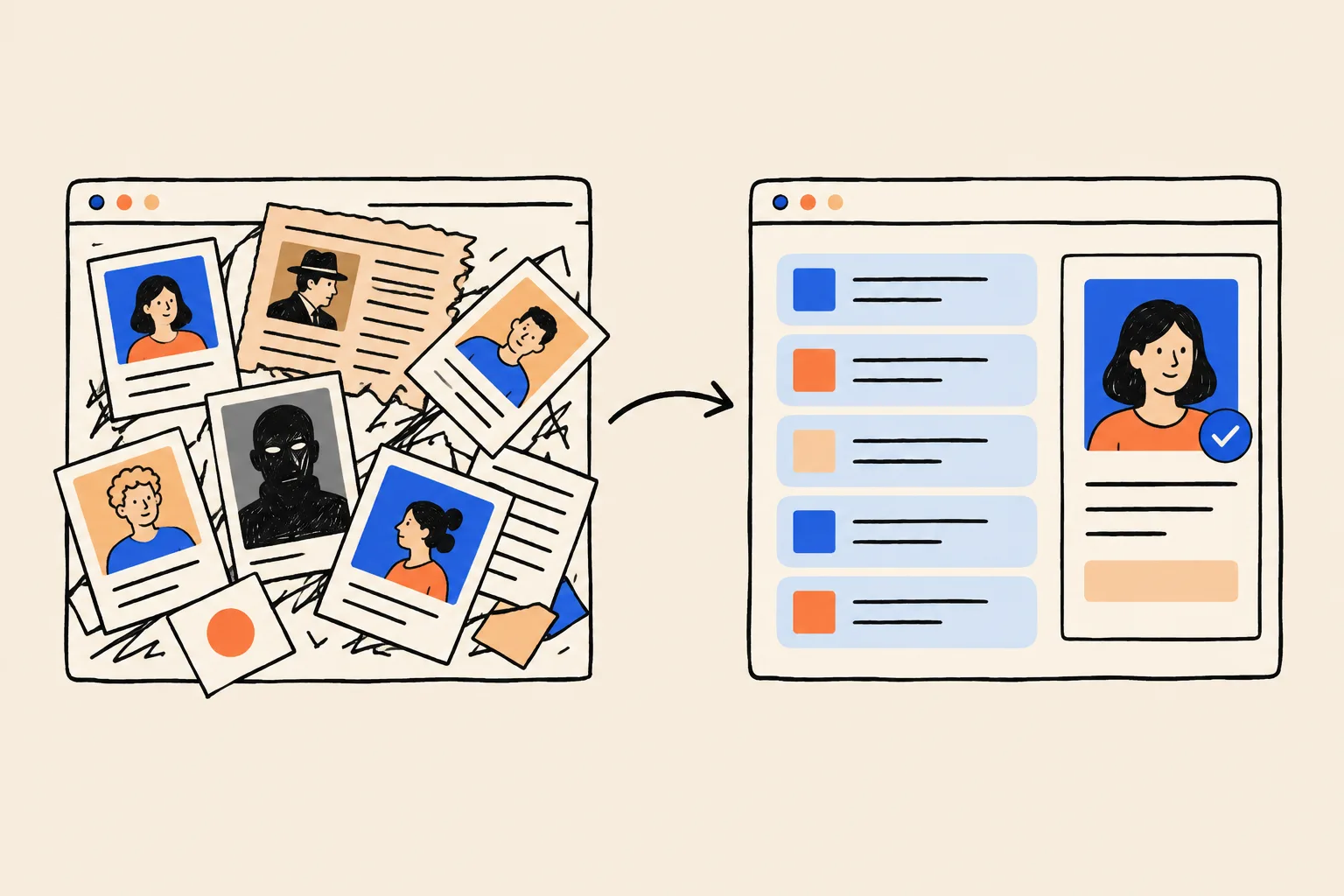
A Knowledge Panel is the information box Google shows when you search for something it holds in its Knowledge Graph. On a computer, it sits to the right of the results. On a phone, it appears as one or more cards near the top. Google says panels are generated automatically, and that the information “comes from various sources across the web”9.
Think of the Knowledge Graph as Google’s giant card index. Each card is an entity: one distinct thing Google can identify, such as a person, a company, a book or a city. Each card has an ID number and a list of facts and relationships. You are one entity. Your company is another. Your book, your podcast and your old company are each separate entities too. A Knowledge Panel is simply Google showing a card from that index to a searcher, because it’s confident the card is right and that it’s the one the searcher means.
Anatomy of a founder’s panel
Here is a real example: the panel Google shows for Shobin K Jose, the founder of DotVisible and of IgniteFirst. It’s a typical founder panel.
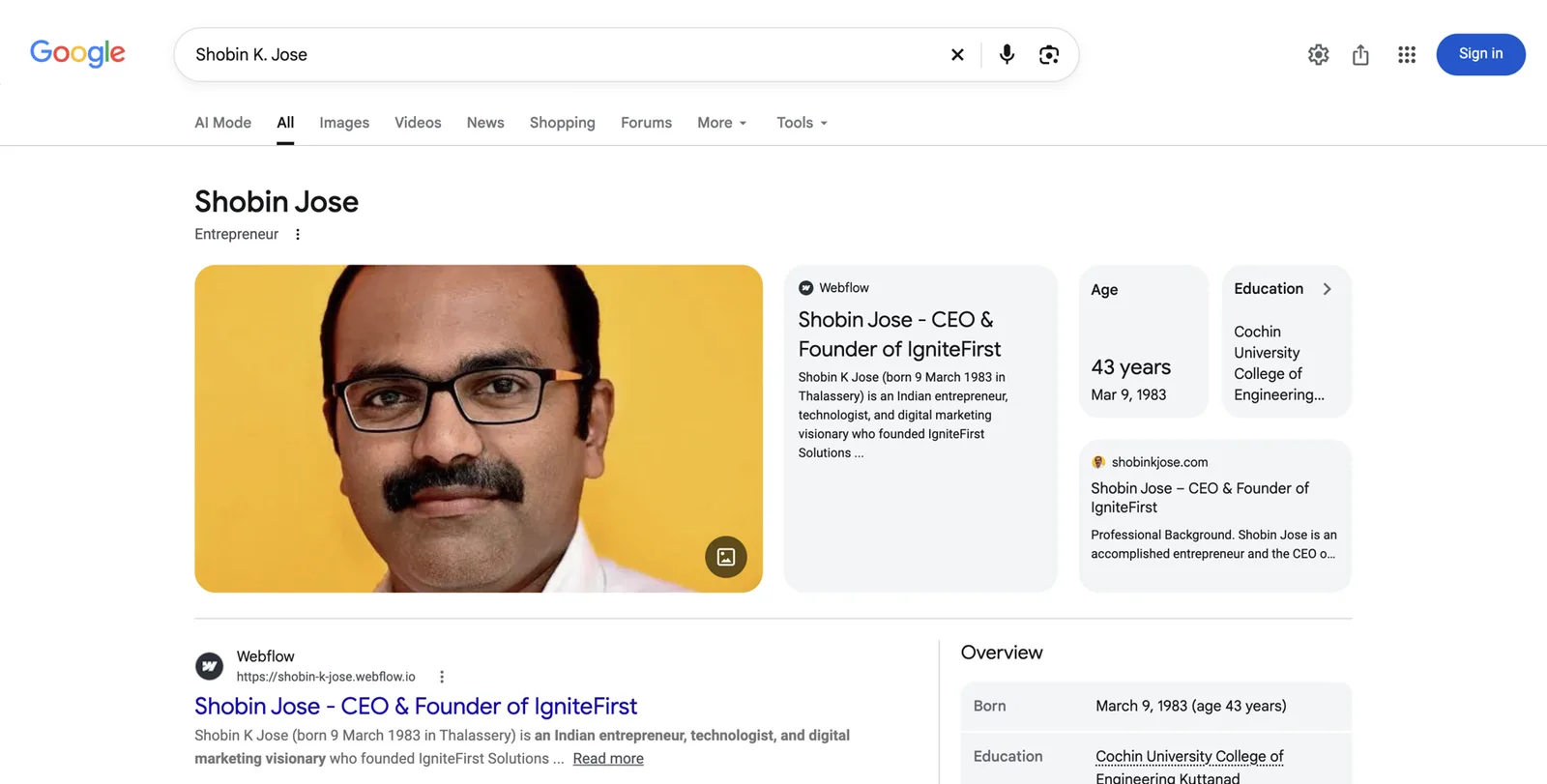
Reading it from top to bottom:
- The name. Google shows “Shobin Jose”, a shorter form of the name searched. Panels often settle on the form of your name that most sources use. That’s one reason to choose one form and use it everywhere (Part 3).
- The subtitle. “Entrepreneur.” This one word is Google’s summary of what you are. It’s chosen by Google from a set of labels it recognises, and it comes mainly from how your own site and other sources describe you in their first sentence. For founders, common subtitles include “Entrepreneur”, “Businessperson”, “Chief executive officer” and “Investor”.
- The photo. Google picks an image it associates with you. It tends to stick with an image it found early, which is why your headshot plan matters.
- The website cards. Two cards link to sites that describe him as “CEO & Founder of IgniteFirst”. One of them is the personal domain, shobinkjose.com. This is the Entity Home at work: Google has found pages that are clearly about this person and uses them as its anchor.
- Facts. Age, birth date and education. For founders, panels can also show “Organisations founded”, which links your panel to your company’s.
- Overview and further results. Below, the ordinary results continue, ideally led by your own pages and profiles.
Other elements you may see on founder panels include a short description with a source link (often from your own site, LinkedIn, Crunchbase or Wikipedia), social profile icons, books, a “People also search for” row of related people, filter tabs such as Overview, Books or Videos, and, when you’re signed in, a “Claim this knowledge panel” link.
Your panel and your company’s panel
Founders often have two panels in play, and it helps to see how they relate.
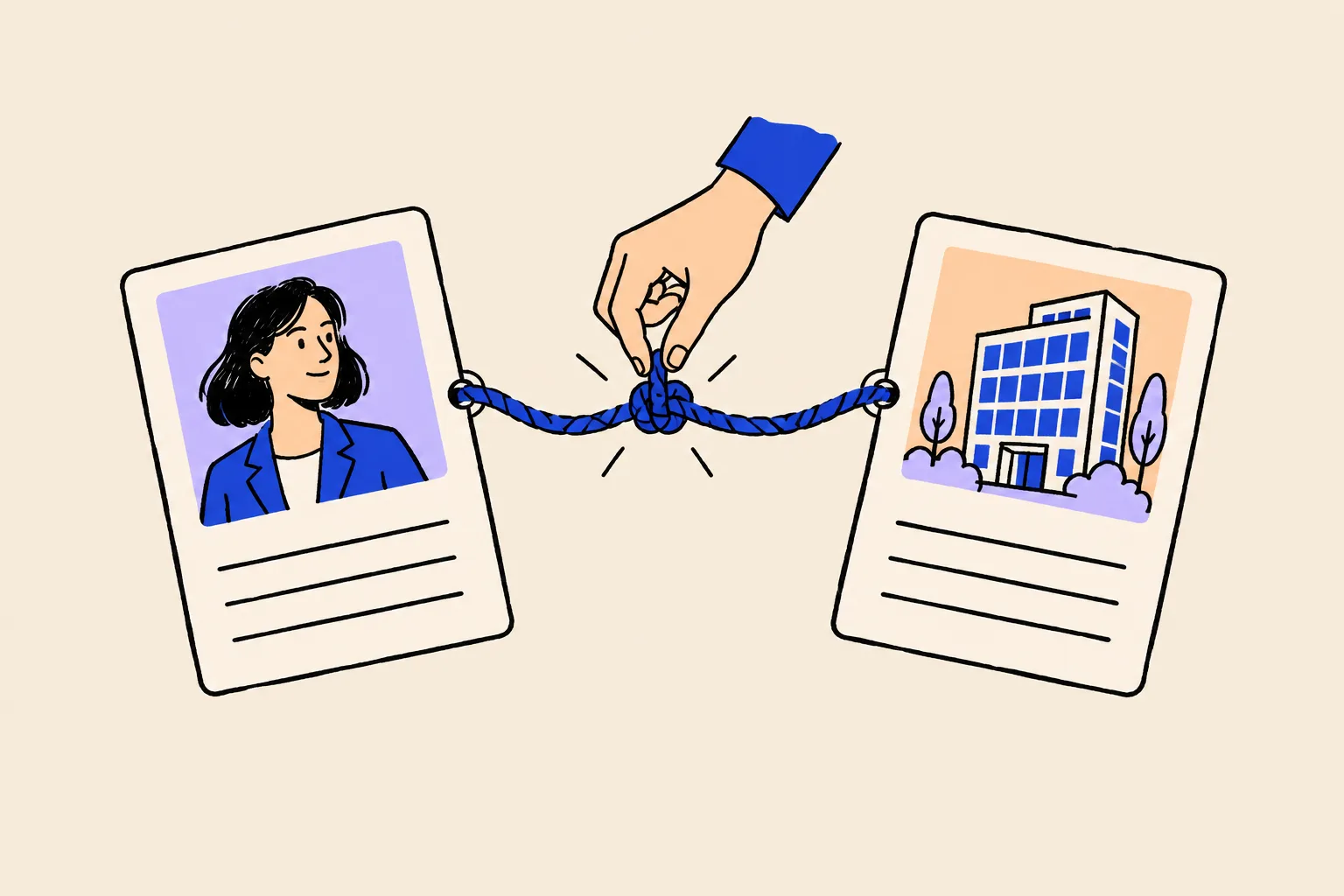
Your personal panel
- About you, the person
- Subtitle such as Entrepreneur or Businessperson
- Your photo
- Links to your own site and profiles
- Can list organisations you founded
- Moves with you if you leave or sell
Your company’s panel
- About the business
- Subtitle such as Software company
- The company logo
- Links to the company site and profiles
- Can list founders and the CEO
- Belongs to the company and its future owners
The two are joined by relationships. On the company panel, Google may show “Founders” and “CEO”, and those names can link to the people’s own panels. On your panel, Google may show “Organisations founded”. Both depend on Google being confident about the relationship, which you can make explicit with consistent wording (“founder and CEO of Quillstone”) and with structured data on both websites, which we cover in Part 4.
Two warnings. First, the most common founder problem isn’t a missing personal panel but a merged identity: when your company and you share a name, or your only home is the company site, Google may struggle to treat you as separate. Kalicube notes that naming a company exactly after its founder confuses both audiences and AI, and can reduce the company’s value if you ever sell it. Second, don’t try to make your personal panel do the company’s job. Investors searching the company want the company. Investors searching you want you.
What a Knowledge Panel isn’t
Several things on a results page look similar but aren’t panels:
- A Google Business Profile. The box with a map, opening hours, reviews and a “Directions” button. It describes a business location, and the owner manages it directly through Google Business Profile. A company can have one; it’s separate from both the company’s Knowledge Panel and yours. If your company’s office shows a Business Profile, it can make the company look like a small local business to someone searching from another country, which is a reason to strengthen the company’s main panel over time. It doesn’t affect your personal panel.
- Your LinkedIn result. Even when it shows your photo, it’s just a search result.
- An AI Overview. The AI-written summary at the top of some results. It may draw on the Knowledge Graph but isn’t a panel.
- A “See results about” box. A small box offering a choice between entities with similar names. It means Google has your entity in mind but isn’t confident you’re the one the searcher wants. It’s often a good sign that a panel is close.
The machinery, in four plain words
You’ll see these terms throughout. Each has a plain meaning.
- Knowledge Graph. Google’s database of entities and the facts and relationships between them.
- Entity. One distinct thing Google can identify. You. Your company. Your book.
- KGMID (Knowledge Graph machine ID). Your entity’s ID number in Google’s database, which looks like
/g/11abc1234x(older ones start with/m/). It’s like a passport number: the name can change, the number stays. - Sprout. Kalicube’s term for a thin entity: Google has an ID for you but very few facts, so a panel rarely shows. A sprout is a normal starting point.
Being in the Knowledge Graph and having a visible panel aren’t the same thing. Google may hold an entity for you for months before it’s confident enough to show a panel for your name.
Myths founders believe
Only famous founders get a panel.
Google needs confidence, not fame.
Google lets any person with a panel get verified10. What triggers a panel is clear, consistent information that independent sources back up.
You need a Wikipedia article.
Most person entities in Google’s graph have no Wikipedia page.
Kalicube’s tracking found that after Google’s July 2023 Knowledge Graph update, the share of person entities triggered by Wikipedia fell sharply, and Google began relying more on sources such as Crunchbase, LinkedIn and theorg.com35. That’s Kalicube’s observation, not a Google statement, but it matches what practitioners see.
The company’s panel covers me.
You and your company are separate entities.
The company panel can name you as founder, but it describes the business. If the company is sold, renamed or closed, it stops describing you at all.
You can buy one, or someone can create one for you.
Google generates panels itself.
Google says panels are generated automatically9. Anyone selling a guaranteed panel is selling either a guess or a shortcut that can get the panel removed.
Once you have it, it’s permanent.
Panels need upkeep.
Kalicube reports that Google deletes a meaningful share of Knowledge Graph IDs every year, around 15% in its own tracking36. Treat that as Kalicube’s figure, but take the lesson: a new panel is fragile until the sources behind it are strong.
How AI answers decide what to say about you
Why founders should care now
An investor preparing for your call might never open Google. They might ask an assistant: “Give me a two-paragraph background on Nadia Ferreira, founder of Quillstone, before my 3pm.” A candidate might ask, “What’s it like to work for the CEO of Quillstone?” A journalist might ask, “Who are the founders building supply chain software for manufacturers?” The answers sound authoritative, and most people don’t check them.
Those answers can be wrong in ways that matter. Author Josh Bernoff asked ChatGPT for his own biography in 2023 and counted 14 false statements in 142 words: an invented degree, a made-up university link, bestseller claims for books that weren’t bestsellers, and articles he never wrote8. He traced the errors to old speaker bios and loose associations that the model had blended into “facts”. Founders see the same pattern: an old title from a previous company, the background of someone with the same name, or a confident “co-founder” credit for a company you never worked at.
Suing the AI company is rarely a remedy. In May 2025, a Georgia court granted OpenAI summary judgment in a defamation case brought by radio host Mark Walters over a false ChatGPT output, partly because a reasonable reader wouldn’t treat the output as established fact given ChatGPT’s warnings31. This isn’t legal advice, and the law is still developing, but the practical lesson is clear: fix the sources the machines read.
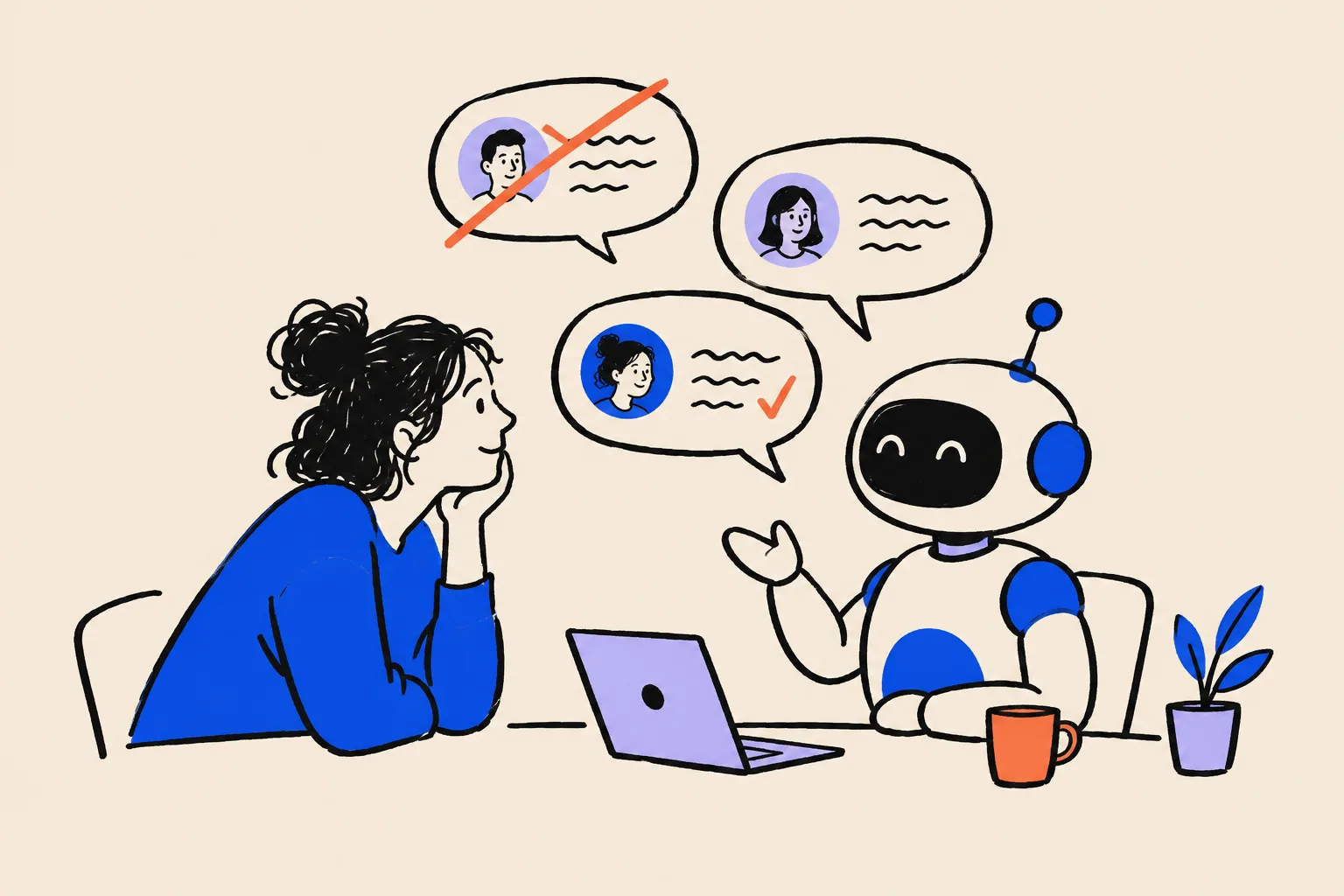
The three ingredients behind an AI answer
You don’t need to understand how language models work. You need to know where their facts come from, in plain terms.
- What the model learned in training. Large AI models are trained on huge amounts of public text, collected at a point in time. If your old title was everywhere when that happened, the model may “remember” it. This is slow to change and you can’t edit it directly.
- Live web results. When an assistant searches the web before answering, it reads current pages and usually shows where it got them. ChatGPT’s search can include inline citations and a “Sources” list16. Perplexity searches the web in real time and gives answers with numbered citations to the original pages15. This is the part you can influence fastest, because it reads the same pages that make up your Google results.
- Knowledge graphs. Google says its AI Overviews and AI Mode are built on its search systems, including its Knowledge Graph14. So when Google is confident about you as an entity, its AI features have a reliable source to draw on. Other companies have their own data sources; there is no public evidence that ChatGPT or Copilot read Google’s Knowledge Graph directly, and you should be wary of anyone who says they do.
All three draw on the same public web. A founder with one clear home page, consistent profiles and real third-party coverage gives every one of these systems the same accurate story.
What a clean footprint does for AI, and what it doesn’t
A consistent footprint helps AI tools:
- identify you as a distinct person, separate from your company and from namesakes;
- describe you accurately, with your current role and history;
- treat you as a safe name to mention when someone asks about your field, because several independent sources agree about you.
It doesn’t:
- guarantee that an assistant will recommend you or your company;
- remove old training data overnight;
- work the same way in every tool, or stay the same as the tools change.
Google itself says there are no special requirements for appearing in its AI features beyond ordinary good practice for Search: pages that can be crawled and indexed, helpful content, and accurate information13. The founder version of that advice is this playbook.
Explicit first, then the category
The order matters. If an assistant can’t describe you correctly when asked by name, it has no solid basis to name you when asked “Who are the best founders in climate fintech?” So the first job is the explicit answer: “Who is [your name]?” and “Who founded [your company]?” Once those are right, the work in Part 5 helps you appear in category answers too.
How Google decides to show you a panel
Three conditions
Practitioners who study panels describe the same three conditions:
- Google understands who you are. It has found facts about you: name, role, company, background.
- Google is confident those facts are right. Several sources it trusts say the same thing.
- Google judges you’re the person the searcher most probably means. If three people share your name, it shows a panel only for the one it thinks most searchers want, and that judgement can depend on where the searcher is. You may be the obvious “Nadia Ferreira” in Austin and not in Lisbon.
Whether a panel shows for a founder’s name, Kalicube notes, depends on how unique the name is, where the searcher is, how much Google understands and how confident it is33.
Google learns like a careful new analyst
Imagine a sharp new analyst joins an investment firm and is told to write a one-page profile of you. They’ve never met you. What do they do?
- They start with your own explanation: your website, your bio.
- They check it against sources they trust: LinkedIn, Crunchbase, the company website, news articles, conference pages, official registers.
- If everything agrees, they write the profile confidently.
- If your website says “founder and CEO”, LinkedIn says “Head of Product at Tessellate Labs” and an article mentions a property investor with your name, they hesitate. They might write nothing at all, or hedge.
Google behaves much the same way. Repetition and consistency build confidence. Contradictions make it stay silent.
The three-part method
Everyone serious in this field uses some version of the same method, which Barnard calls the Kalicube Process and which this playbook follows:
- An Entity Home. One page, on a website you control, that Google can treat as the authoritative statement of who you are. For a founder, ideally an About page on a domain in your name.
- Corroboration. Other pages, especially independent ones, that state the same facts: profiles, registries, articles, podcast pages, speaker pages.
- A loop of links. Your Entity Home links out to each corroborating source, and each source links back to your Entity Home. Google can then travel between them and confirm they’re all about the same person.
Schema markup, a small block of code on your Entity Home that labels the facts for machines, ties it together. We explain it in plain English in Part 4.
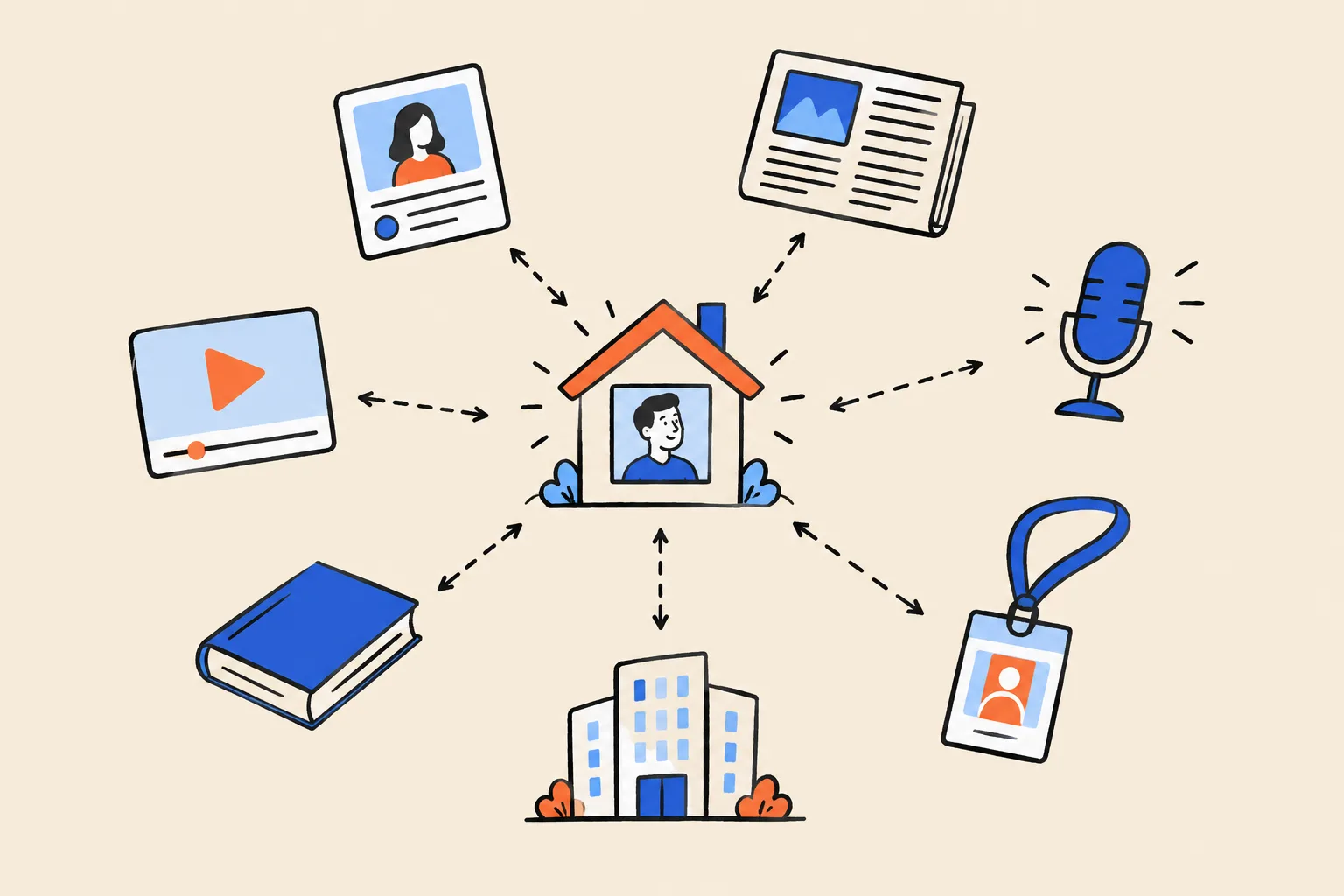
Three kinds of source
- First party: sites you own. Your personal site, your company site. They tell Google what you claim. Repeating the same fact on a second or third site you own adds very little.
- Second party: profiles you control on someone else’s platform. LinkedIn, Crunchbase, X, YouTube, Wellfound. The platform vouches for you a little. Each extra profile adds less than the one before.
- Third party: pages about you that you don’t control. Articles, interviews, podcast episode pages, conference speaker pages, official registries, award listings. These carry the most weight, because someone independent chose to say it.
For founders there’s a fourth, useful category in between: official records. A UK company’s officer listing at Companies House, a US Form D filing on the SEC’s EDGAR system, or a state business registry entry all name you in connection with your company. They aren’t glamorous, but they’re hard to fake, which is exactly why they help.
Why consistency beats volume
Kalicube and other practitioners agree: inconsistency is the most common reason a panel doesn’t appear. Founders are especially prone to it, because founder stories change. The pitch evolves, the title shifts from “co-founder” to “CEO” to “executive chair”, the company pivots, and old profiles never get updated.
A typical founder mess looks like this:
| Source | What it says |
|---|---|
| Personal site | Founder and CEO, Quillstone |
| LinkedIn headline | Building the future of manufacturing ops |
| Crunchbase | Head of Product, Tessellate Labs |
| Old conference page | Product leader and angel investor |
| Podcast show notes | Serial entrepreneur and supply chain nerd |
With five versions of the story, Google can’t tell which is current, so it waits. Making all five say “Nadia Ferreira is the founder and CEO of Quillstone” does more than adding fifty new profiles.
What slows founders down
- A common name. The more people share it, the more evidence Google needs.
- A famous namesake. A celebrity or a better-known executive with your name can dominate for years.
- Old information already joined together. If Google has already linked you to an old employer, a pivoted product or the wrong photo, it takes consistent new evidence to change its mind.
- A company page or social profile acting as your home. Google ends up describing the company, or LinkedIn, instead of you.
- A company named after you. It blurs two entities into one.
- Privacy by absence. Founders who publish nothing leave Google with nothing to be confident about.
How long it takes
Google publishes no timeline. Practitioner estimates for a first personal panel range from a few weeks to a year, and many put the typical range at two to six months when the work is done carefully, with more time needed before it’s stable. What drives the spread:
- how clear and consistent your presence already is;
- how much independent coverage exists;
- how common your name is;
- how quickly you fix contradictions;
- Google’s own update cycles, which run on their schedule, not yours.
Part 2 Diagnose: see what investors see
The Quick Check told you roughly where you stand. This part turns it into a record you can work from. Set aside an hour, open a spreadsheet, and keep it. In three months you’ll want to compare.
Step 1: The name-search audit
Set up
Use a private window on a computer
As in the Quick Check: Chrome’s Incognito window or Safari’s Private Window. This stops your own history colouring the results.
Repeat on your phone
Mobile results look different and many investors read them on the go. Open a private tab in your phone’s browser.
Repeat on Bing
Go to bing.com. Bing powers Copilot and other assistants, and its results often show which sources it trusts for you.
Note your location
Results change by city and country. If investors or customers are mostly elsewhere, ask a colleague there to run the same searches and send screenshots.
The searches
Run each of these and take a screenshot of the first page. On a computer, press Shift+Command+4 on a Mac, or Windows key+Shift+S on Windows, then drag across the page.
Your NameYour Name founderYour Name CEOYour Name+CompanyYour Name+citywho is Your NameYour Name interviewandYour Name podcastCompany founderandwho founded Company- Every variant of your name people actually use: with and without a middle initial, a nickname, a maiden name, the name you used at a previous company.
What to record
For each search, write down:
- Panel: yes or no. If yes, who is it about?
- Subtitle, photo and description: what do they say, and where does the description come from? (The source is the small link under the description.)
- Website link in the panel, if any.
- Profiles shown in the panel.
- “People also search for” names, which tell you who Google thinks you’re related to.
- “See results about” boxes.
- Positions 1 to 10: for each result, is it you or someone else? Is it current? Is it accurate?
- Old roles, previous companies and pivoted products that still rank.
- Anything negative or embarrassing.
- Namesakes on page one.
- The company panel, if your company has one: does it list you as founder, and is your name a clickable link?
A1. Name-search audit
One row per search. Copy this into a spreadsheet and keep it. You’ll repeat it every month.
| Search | Device | Panel? Whose? | Subtitle / photo | Top 3 results | Wrong or old results | Namesakes |
|---|---|---|---|---|---|---|
| Nadia Ferreira | Desktop | No | None | LinkedIn, quillstone.example/team, Crunchbase | Crunchbase says Head of Product, Tessellate Labs | A Lisbon architect on result 4 |
| Quillstone founder | Phone | Company panel, founder not listed | Logo only | Company site, TechCrunch article, LinkedIn page | Article names her as “co-founder” | None |
Step 2: Check whether Google already knows you
Google may already hold an entity for you, even without a visible panel. There are three easy ways to check.
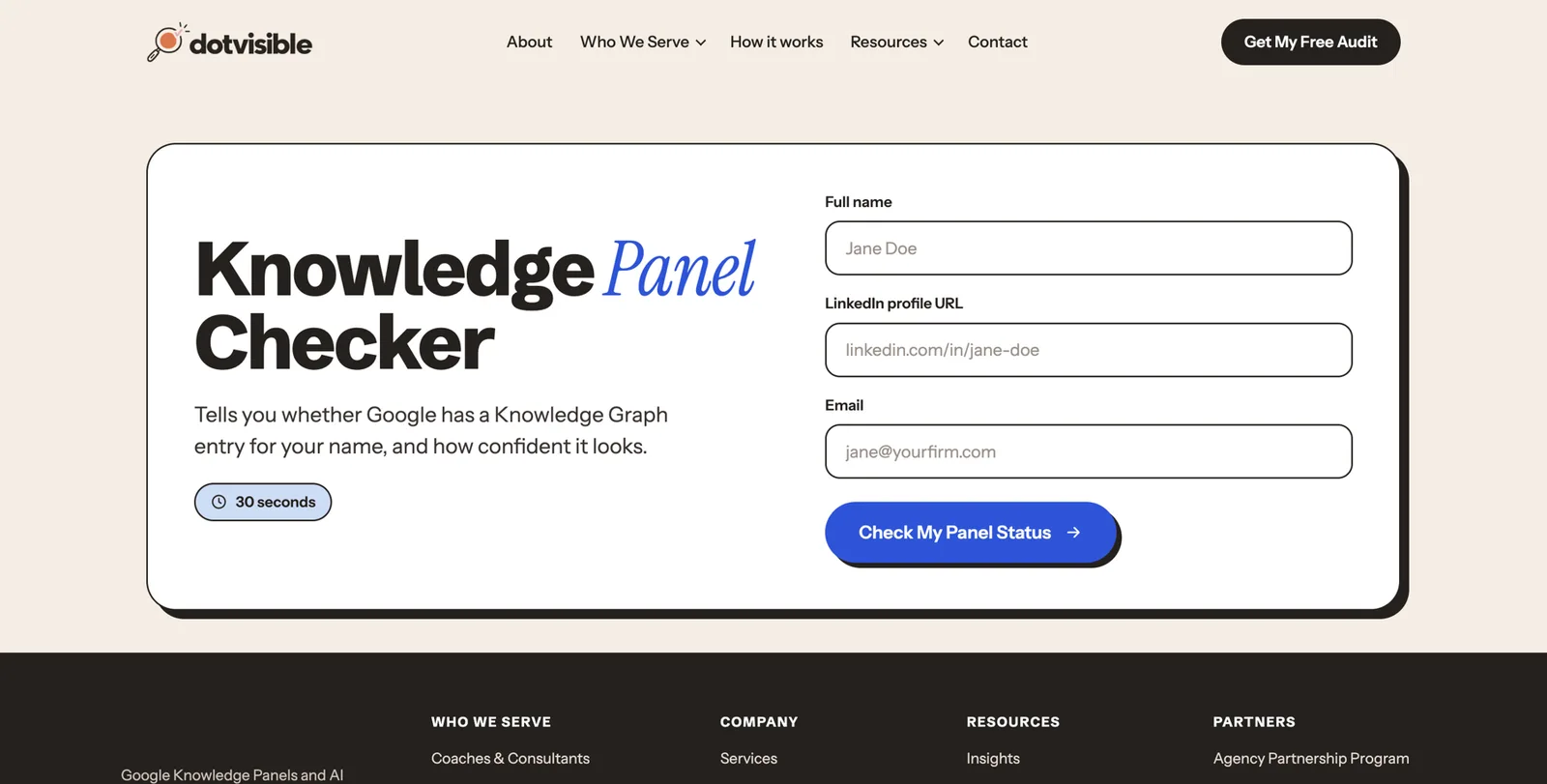
The free checker. Our Knowledge Panel Checker looks your name up in Google’s Knowledge Graph and tells you what it finds, in about a minute.
The share link (if you have a panel). Click the three dots or the share icon on your panel and choose “Share”. Copy the link and paste it somewhere you can read it. It contains kgmid= followed by an ID such as /g/11abc1234x. That ID is your entity. Write it down. You can open the panel directly at any time with google.com/search?kgmid=/g/11abc1234x (using your own ID). Kalicube suggests a useful test: if the page that ID opens matches your normal name search, Google’s understanding of you is solid; if they differ, Google is still unsure37.
More than one ID? If different searches show different panels for you, or the checker finds several entities with your name and your details, Google may think you’re two people: often one from your own site and another from Crunchbase, a book, or an old employer. Write down every ID. We’ll deal with merging in Part 5.
Step 3: The deep sweep (optional, but founders benefit)
Founders tend to have more scattered records than other professionals, because databases build profiles about companies and their leaders automatically. These searches find them. Type each one into Google exactly as shown, with your name in quotes.
| Family | Searches |
|---|---|
| Startup databases | site:crunchbase.com "Your Name" · site:pitchbook.com "Your Name" · site:wellfound.com "Your Name" · site:dealroom.co "Your Name" · site:cbinsights.com "Your Name" |
| Org charts and contact databases | site:theorg.com "Your Name" · site:zoominfo.com "Your Name" · site:rocketreach.co "Your Name" · site:owler.com "Company" |
| Social and identity | site:linkedin.com/in "Your Name" · site:x.com "Your Name" · site:youtube.com "Your Name" · site:github.com "Your Name" · site:producthunt.com "Your Name" |
| Press and authority | "Your Name" site:techcrunch.com · "Your Name" interview · "Your Name" founder story · site:muckrack.com "Your Name" · site:wikidata.org "Your Name" |
| Speaking and podcasts | "Your Name" speaker · "Your Name" keynote · "Your Name" podcast episode · site:podchaser.com "Your Name" |
| Official records | UK: search your name in Companies House’s officer search. US: search the SEC’s EDGAR full-text search for your name (Form D filings list executive officers and directors). Your state’s business registry. site:opencorporates.com "Your Name" |
| Past lives | "Your Name" "Previous Company" · your old job title plus your name · your name plus the city you used to live in |
| Structured data | "Your Name" on schema-reading tools (we cover these in Part 4) |
You will probably find profiles you didn’t know existed. Crunchbase, The Org and many contact databases build pages from public information and community contributions without asking you23. That’s normal. You can’t stop being listed, but you can make sure the listings are accurate and point to your home.
Step 4: Your AI baseline
Now record what AI tools say. Do it once now, carefully, so you can measure progress.
Open each tool in a private window, logged out if you can
ChatGPT (chatgpt.com), Gemini (gemini.google.com), Perplexity (perplexity.ai), Microsoft Copilot (copilot.microsoft.com), Claude (claude.ai), and Google itself, looking at any AI Overview and at AI Mode (the “AI Mode” tab on google.com).
Ask the same prompts in each
Use the prompt card below, word for word, so results are comparable month to month.
Score each answer
Accurate, Inaccurate or Absent. Note exactly what’s wrong.
Record the sources
Perplexity, ChatGPT search, Copilot and Google show links. Write down which sites they cite. These are the sources AI trusts about you, and the ones to fix or strengthen first.
A2. AI answer test card
Six tools, five prompts. Mark each answer Accurate (A), Inaccurate (I) or Absent (X), and list the sources cited.
| Prompt | ChatGPT | Gemini | Perplexity | Copilot | Claude | Google AI | Sources cited |
|---|---|---|---|---|---|---|---|
| Who is Nadia Ferreira? | I (old title) | X | A | I (wrong person) | X | A | LinkedIn, Crunchbase |
| Who founded Quillstone? | A | A | A | X | X | A | quillstone.example, TechCrunch |
Use these five prompts:
Who is [Your Name]?Who is [Your Name], the founder of [Company]?Who founded [Company]?What is [Your Name]'s professional background?Who are the leading [category] companies for [customer type] in [region]?
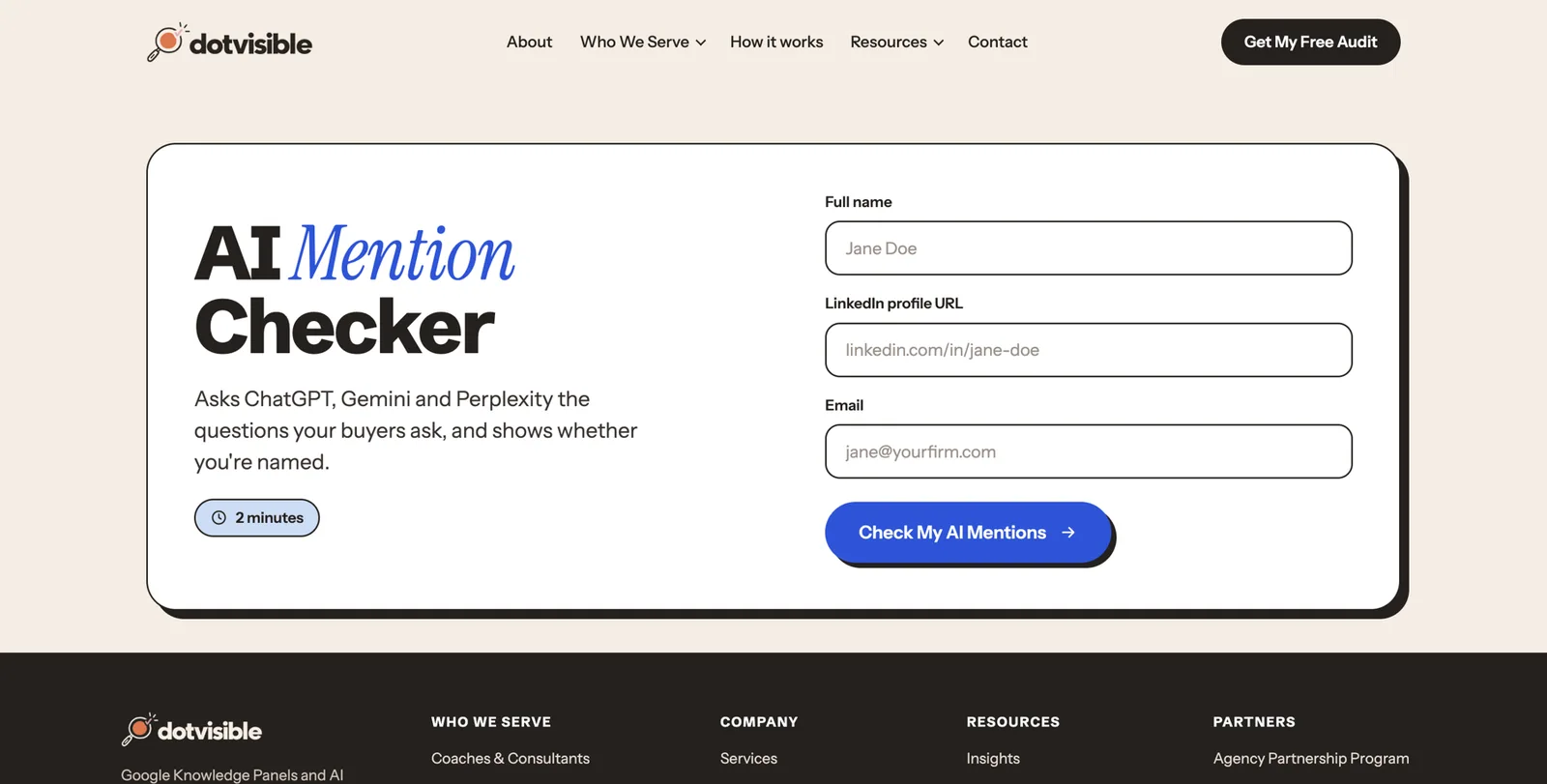
The free AI Mention Checker runs a version of this check for you.
Step 5: Inventory your footprint
Now turn everything you found into one list: every place your name appears. This becomes your to-do list for Part 4.
Sort by priority
- P1: the core. Your personal site (if any), your company’s leadership or team page, LinkedIn, Crunchbase, X, any Wikidata or Wikipedia entry.
- P2: databases and directories. PitchBook, Wellfound, Dealroom, CB Insights, The Org, Bloomberg profile, ZoomInfo, accelerator portfolio pages, investor portfolio pages, alumni pages.
- P3: earned coverage. Articles, interviews, podcast episodes, conference speaker pages, award listings, book pages.
- P4: everything else. Old forum posts, event listings, data brokers.
The “how much is about you” rule
For each page, estimate how much of it is about you:
- 80% or more: a core source. It’s mainly about you, so it can corroborate you. Fix it, and link to it from your home page.
- 20% to 80%: useful supporting evidence. Mention it on your press page with a short summary.
- Under 20%: a passing mention. Leave it.
Check consistency, field by field
For every P1 and P2 source, compare these fields with what you want to be true:
- name (exact form)
- current title
- current company
- previous companies and titles
- location
- photo
- short bio
- website link
- education
- founding dates
- board and advisory roles
Rate each problem
| Severity | Example | Deduct |
|---|---|---|
| Critical | Someone else’s photo on your profile, a profile merged with a namesake, a profile you didn’t create claiming to be you | 20 |
| High | Old title or old company shown as current; wrong founding role (for example, listed as employee instead of founder) | 10 |
| Medium | Bios that tell different stories; missing current company; achievements missing | 5 |
| Low | Formatting, old photo, inconsistent name format | 2 |
| Info | Facts you could add, such as a board seat or a talk | 0 |
Start at 100 and deduct points for each problem. A score under 60 means consistency is your main job. Over 85 means your foundation is fairly sound and the work is mostly about adding strong third-party sources. This score is only a way to prioritise. Google has no such number.
A3. Footprint inventory and inconsistency log
One row per source. Sort by priority, then by how much control you have.
| Source / URL | Priority | % about you | Control (direct / partial / none) | What’s wrong | Severity | Fixed? |
|---|---|---|---|---|---|---|
| crunchbase.com/person/nadia-ferreira | P1 | 100% | Partial | Current job shows Tessellate Labs | High | |
| tessellatelabs.example/team | P2 | 10% | None | Lists her as Head of Product | High | |
| podcast episode page, 2022 | P3 | 90% | Partial | Says “serial entrepreneur”, no link | Medium | |
Typical founder problems
If you recognise these, you’re in good company:
- The previous job outranks the current company. Common for operators who became founders.
- Crunchbase is years out of date, or lists you as an employee rather than a founder.
- Co-founder confusion. Articles, the company site and Crunchbase disagree about who founded the company, or leave a co-founder out.
- The company site is your only home, with one line about you on a team page.
- Pivot debris. Old product names, old company names and old taglines still rank.
- After an exit, the acquired company’s site has gone, and with it the bio and links that described you.
- A namesake with more coverage than you.
- Several headshots, years apart.
- The Org, ZoomInfo or similar sites showing an org chart you never approved.
- Investor or press bios written by others, each with a slightly different description of you.
Work in order of control
Group every fix by how much control you have:
- Direct control: your site, your company site, LinkedIn, X, YouTube. Fix these first, this week.
- Partial control: Crunchbase, Wellfound, PitchBook, The Org, podcast and speaker profiles you can edit or request changes to.
- No control: articles, old employers’ pages, other people’s sites. You can only ask politely, and you should ask only after your own sources are fixed.
Step 6: Which situation are you in?
| Your situation | What it usually means | Where to focus |
|---|---|---|
| No panel, very little online | Google has little to work with | Parts 3 and 4 in full, in order |
| No panel, lots of results | Plenty of information, but it disagrees | Consistency (Part 3), cleanup and the loop (Part 4) |
| A panel shows only with your company name added | Google knows you but isn’t sure you’re the main person with your name | Disambiguation and confidence (Parts 3 and 4, then Part 5 troubleshooting) |
| A panel with old details (old title, old company) | Google formed its view before your current role | Fix the sources, then suggest edits (Parts 4 and 5) |
| A panel that disappeared | Lost confidence or a lost source | Recovery steps in Part 5 |
| More than one panel or ID for you | Google thinks you’re several people | Merging steps in Part 5 |
| Company panel exists, you’re not listed as founder | The founder relationship isn’t clear | Organization and Person schema, Crunchbase, About pages (Part 4) |
| A panel that shows someone else entirely | A serious identity mix-up | Specialist help; beyond this playbook |
Part 3 Define: decide who you are to machines
Most founders skip this part and go straight to editing profiles. That’s how the five-different-stories problem starts. An hour spent deciding exactly what’s true and how to say it saves weeks of fixing later.
Choose your primary identity
Google gives each person one short subtitle. You can’t write it, but you can strongly influence it, because it tends to come from how your own site and other sources describe you in their first sentence.
The labels founders usually end up with
Google appears to pick subtitles from a set of roles it recognises. For founders and CEOs, the ones commonly seen are:
- Entrepreneur: the most common for founders, and broad enough to survive a sale or a new venture.
- Businessperson: often for owner-CEOs and executives of established companies.
- Chief executive officer, sometimes “Chief executive officer of [Company]”: ties you closely to one company, which is great while you’re there and awkward after.
- Investor: for founders who have moved into investing.
- Engineer, Computer scientist, Author: when that’s how most sources describe you first.
Kalicube saw Google change a great many subtitles in its July 2023 update, replacing labels it couldn’t verify with ones it could, such as “Writer” instead of “Author”40. The practical lesson for founders: pick a label that many independent sources can confirm, and that your investors, customers and peers would use.
The identity sentence
Every bio you write will open with one sentence in this shape:
[Name] is a [label] and the [role] of [Company], [what the company does] for [who].
For example (fictional): “Nadia Ferreira is an entrepreneur and the founder and CEO of Quillstone, which makes supply chain software for mid-sized manufacturers.”
The first noun after “is a” is the one Google tends to pick. “Nadia Ferreira is an engineer and entrepreneur” is likely to read as engineer. Put your chosen label first.
The identity order
After the first sentence, every bio follows the same order, most important first:
- Primary identity and the company you founded or lead.
- Location and who the company serves.
- What the company does, and its main milestones (funding, customers you’re allowed to name, products).
- Your credibility: previous companies and exits, board roles, awards, books, talks, media.
- Background: earlier career and education.
Google reads from the top down and gives most weight to what comes first. Think of it as your life story told backwards.
If you have several hats
Founders often juggle CEO, investor, board member, author and podcast host. Pick one primary identity and treat the rest as secondary facets that appear lower in every bio. Mixing them equally (“founder, investor, author, speaker, podcaster”) confuses machines as much as people.
If you’ve pivoted, sold or moved on
If your search results still describe who you used to be, Kalicube’s phrase captures the problem: every opportunity starts with a credibility gap. The approach that works, based on Kalicube’s repositioning work with a former company president who became an investor:
- Update old references rather than deleting them. Your past is evidence. “Formerly VP Product at Tessellate Labs” helps; a deleted history looks suspicious.
- Lead with the new identity everywhere, from the first sentence.
- Join the new peer group: the publications, events and databases where people in your new role appear.
- Measure success by the subtitle. When the panel subtitle changes to match the new role, Google has caught up.
Separate your name from your company’s
If your company is named after you (“Ferreira Analytics”), Google and AI tools may treat the two as one. If you’re early enough, consider a distinct company name. If not, make the distinction explicit everywhere: the company’s About page says “Ferreira Analytics was founded in 2019 by Nadia Ferreira”, and your page says “Nadia Ferreira is the founder of Ferreira Analytics”. Never use the company’s logo as your personal photo, or your photo as the company logo.
Decide your name, once
Choose the exact form of your name you’ll use everywhere, and stick to it.
- Use one form. “Nadia Ferreira” or “Nadia M. Ferreira”, not both.
- For a common name, add a middle initial or full middle name. It instantly separates you from many namesakes.
- List variants (nickname, maiden name, the name on your passport, the transliteration you use in another language) as alternate names in your schema and on your About page, so Google can join them up.
- Every rename is a rebrand that takes months. If you change your name, update every major source within the same week, keep your old domains and handles, and list the old name as an alternate name.
Describe your audience and market for machines
Specific is findable. “Business software” is not. Write down, in plain words:
- what the company makes or does;
- for whom (industry, company size, role of the buyer);
- where (countries or regions);
- the problems it solves;
- your stage (pre-seed, Series B, profitable and private, family-owned since 1987).
These words reappear in your bio, your home page and your schema, and they’re what connect you to category searches later.
A5. Identity picker
Fill this in before writing any bio. One answer per row.
| Decision | Your answer | Why |
|---|---|---|
| Primary label | Entrepreneur | Survives a future sale or new venture |
| Exact name form | Nadia Ferreira | Used on LinkedIn and in press already |
| Alternate names | Nadia M. Ferreira; Nadia Ferreira-Costa | Older articles use them |
| Identity sentence | Nadia Ferreira is an entrepreneur and the founder and CEO of Quillstone, which makes supply chain software for mid-sized manufacturers. | Label first, company second |
| Market in one line | Mid-sized manufacturers in the US and Canada | Matches sales materials |
Build your source-of-truth profile
Now write down every fact about yourself in one place, with evidence. This document is the “master copy” every profile, bio and page will copy from. Founders who do this once stop arguing with themselves about which version of their title to use.
The fields
- legal name, public name and variants
- primary label and current title(s)
- current company: legal name, trading name, website, founding date (only if documented), headquarters
- your founding role: sole founder, co-founder (and the names of co-founders, consistently)
- previous companies, titles and dates; exits (only what’s public)
- location (city, country)
- what the company does and for whom
- funding (only what’s public and announced)
- board and advisory roles
- investments (only if public and you’re comfortable listing them)
- education
- awards (real, editorial ones only)
- books (title, publisher, year, ISBN)
- talks and conferences
- podcast appearances
- media coverage
- memberships (for example YPO, EO, industry associations)
- languages
- topics you want to be known for
- photo set
- every profile URL
The evidence ladder
For each fact, note the strongest evidence you have, from strongest to weakest:
- Official records: Companies House, SEC filings, state registries, patent records, university records.
- Your Entity Home and verified profiles.
- Institutional pages: your company’s site, an investor’s portfolio page, an accelerator’s company page, a university alumni page.
- Independent editorial coverage: articles and interviews written by journalists.
- Directories and databases: Crunchbase, PitchBook, Wellfound.
- Paid placements and self-published material: press releases, sponsored articles, paid council memberships.
Mark every claim
Give each fact a status:
- Verified: you have strong public evidence.
- Partial: some evidence; confirm before publishing.
- Self-reported: true, but nothing public confirms it yet.
- Exclude: don’t publish until it’s confirmed or allowed.
Never invent or infer
- Don’t round up years of experience from an incomplete timeline.
- Don’t guess founding dates. Use the incorporation date or the public launch date, and be consistent about which.
- Don’t publish revenue, valuation, customer counts or growth figures unless they’re already public and you’re allowed to repeat them.
- Don’t list investors, customers or partners by name without permission.
- Don’t call a paid listing an award.
- Don’t claim accounts or profiles you can’t prove are yours.
A4. Source-of-truth profile
One row per fact. This is your master copy. Approve it once, then change only length and format, never the facts.
| Field | Value | Best evidence (URL) | Status | OK to publish? |
|---|---|---|---|---|
| Current role | Founder and CEO, Quillstone | quillstone.example/about; Delaware registry | Verified | Yes |
| Founded | 2022 (incorporated 14 March 2022) | State registry entry | Verified | Yes |
| Seed round | $4M, 2023 | TechCrunch article | Verified | Yes |
| Largest customer | A Fortune 500 manufacturer | Contract (private) | Self-reported | No: confidentiality clause |
Stay inside the rules
Founders face a handful of rules that limit what they can publish about themselves and their company. None of them stops you building a strong personal presence. They shape what goes on it.
Talking about a fundraise (US)
Most US startup rounds rely on an exemption called Regulation D. Under the traditional route, Rule 506(b), the company may not use “general solicitation”, which in plain words means publicly advertising that it’s raising money24. A LinkedIn post saying “We’re raising our seed round, DM me if you want in” can be a problem. Under Rule 506(c), a company may advertise its round publicly, but every buyer must be an accredited investor and the company must take reasonable steps to verify that25. Which route your company uses is a decision for you and your lawyer, and it decides what you can say in public while a round is open.
Two related points:
- Announcing a closed round with factual information (amount, lead investor, what it’s for) is common practice, but confirm with counsel, especially if the round is still technically open.
- Form D is public. When a US company files Form D for an exempt offering, it lists executive officers, directors and promoters by name26. It’s an official record that names you, so make sure the name form matches the one you use elsewhere.
If your company uses Regulation Crowdfunding, there are separate rules on what you can say before and after filing, and on paid promoters. Your funding portal and lawyer will brief you.
Talking about a fundraise (UK)
In the UK, an invitation or inducement to invest, made in the course of business, is a financial promotion under section 21 of the Financial Services and Markets Act 2000. Unless an authorised firm approves it or an exemption applies, communicating it can be a criminal offence. Purely factual information isn’t a promotion28. The practical line: talking about your company is fine; inviting people to invest in a public post is regulated.
If your company is public, or about to be
Public companies are bound by Regulation FD in the US, which requires material information to reach all investors at the same time. In 2013 the SEC looked at a post by Netflix’s CEO on his personal Facebook page and concluded that social media can be used for company disclosures only if investors have been told in advance which channels will be used27. Around an IPO there’s also a quiet period, when communications are restricted. If you’re heading that way, your personal site and profiles should stick to plain, factual information, cleared with counsel.
Testimonials, reviews and endorsements
In the US, the FTC’s Endorsement Guides require endorsements to reflect honest views and any material connection (payment, free product, employment, family) to be clearly disclosed30. Since October 2024, the FTC’s rule on consumer reviews and testimonials bans fake reviews and testimonials, including AI-generated ones, undisclosed reviews by company insiders, and buying or selling fake followers or views29. For founders, that means:
- no reviews of your company written by your team without clear disclosure;
- no invented or “composite” testimonials on your home page;
- no bought followers to make a profile look established.
Your own contracts
Many customer agreements, investment documents and side letters contain confidentiality or publicity clauses that stop you naming the other party, using its logo or quoting deal sizes without permission. Separation and acquisition agreements often limit what a departing founder can say about the old company. Before listing a customer, an investor or a deal in your bio, check the contract. When in doubt, describe rather than name: “a top-five US automotive supplier” instead of the company’s name.
Write your bio ladder
With the facts locked, write the bio once in every length you’ll need. Then paste it, word for word, wherever it fits.
The Entity Executive Summary
Barnard calls this the Entity Executive Summary: 20 to 50 words that open with your identity sentence. It goes at the top of your home page, in your LinkedIn About section, on Crunchbase and in every speaker or podcast form.
The full ladder
| Format | Length | Where it goes |
|---|---|---|
| Headline | 5 to 15 words | LinkedIn headline, X bio first line, page titles |
| One-liner | About 150 characters | X, Instagram, Crunchbase short description, conference badges |
| Short bio | About 50 words | Podcast notes, event listings, author boxes |
| Standard bio | 100 to 150 words | LinkedIn About opening, Crunchbase, investor portfolio pages, press kits |
| Full bio | 300 to 500 words | Your Entity Home, speaker pages |
| First-person intro | 60 to 100 words | LinkedIn About, Wellfound, personal emails |
| Spoken intro | About 30 seconds | For hosts to read before a talk or podcast |
| Company “founder” paragraph | 40 to 80 words | Your company’s About and leadership pages |
| Page title, meta description and photo alt text | Short | Your Entity Home’s code |
The full bio as modules
Write the full bio as short sections, each with its own heading on your home page:
- What you do today (role and company).
- What the company does, for whom, and its milestones.
- Your earlier companies and exits.
- Board and advisory roles, and investing if relevant.
- Talks, podcasts, books and media.
- Awards and memberships.
- Education and early career.
Writing rules
- Short sentences: subject, verb, object.
- Capitalise proper names (companies, universities, publications) so machines recognise them.
- Include your city and country.
- Name your relationships to known organisations: “founded”, “led”, “sold to”, “sits on the board of”.
- No superlatives. “Visionary”, “world-class” and “disruptive” add nothing a machine can verify.
- Third person on your home page and in directories; first person where a platform expects it, such as LinkedIn’s About section.
- Repeating the same bio across sites isn’t a “duplicate content” problem. Repetition is what makes it work.
Worked examples (fictional)
These three people are invented for illustration.
Fictional example 1: a startup founder. “Nadia Ferreira is an entrepreneur and the founder and CEO of Quillstone, an Austin, Texas company that makes supply chain planning software for mid-sized manufacturers. She founded Quillstone in 2022 after eight years leading product teams, most recently as VP Product at Tessellate Labs. Quillstone raised a $4 million seed round in 2023. Nadia speaks about manufacturing operations and AI at industry events and holds a degree in industrial engineering from the University of Texas at Austin.”
Fictional example 2: an owner-CEO of an established company. “Tom Brennan is a businessperson and the chief executive of Brennan Valve Company, a family-owned maker of industrial valves founded in Toledo, Ohio, in 1961. He became CEO in 2015, the third generation of his family to lead the company, and has overseen its expansion into Mexico and Canada. Tom serves on the board of a regional manufacturers’ association and is a member of a CEO peer group.”
Fictional example 3: a second-time founder after an exit. “Aisha Rahman is an entrepreneur and the co-founder and CEO of Halden Health, a London company building scheduling software for community clinics. She previously co-founded Medira, which was acquired in 2021. Aisha is an angel investor in early-stage health technology companies and a mentor at a London accelerator.”
Notice what they share: the label comes first, the company comes second, the location is explicit, relationships are named, and nothing is vague or boastful.
A6. Bio ladder
Write each format from your locked fact sheet. Count the words. Paste the final versions into a document you can copy from.
| Format | Target length | Your text | Word count |
|---|---|---|---|
| Headline | 5 to 15 words | Founder and CEO, Quillstone | Supply chain software for manufacturers | 9 |
| One-liner | About 150 characters | Entrepreneur. Founder and CEO of Quillstone, supply chain software for mid-sized manufacturers. Austin, TX. | 15 |
Part 4 Build: the foundation Google trusts
Your Entity Home
Your Entity Home is the one page that Google can treat as your own, authoritative statement of who you are. Everything else points to it.
Where it should live, best first
- An About page on a website at your own name (for example, nadiaferreira.com/about). This is the gold standard for founders. You own it for life, whatever happens to the company.
- The homepage of that personal site, if the site is a single page.
- A dedicated page about you on a company site you’ll always control, such as a holding company. Acceptable, with the risks above.
- Your bio on your operating company’s site. Possible, but you can lose it on exit. Use it as a strong supporting source instead, linking to your personal site.
- Never a social profile. LinkedIn is powerful, but you don’t own it, and Google tends to describe LinkedIn rather than you if that’s your “home”.
The minimum viable version
You don’t need a big site. Two pages are enough to start: a homepage and an About page, on a domain in your name. Register the domain through any mainstream registrar (search for “domain registrar”, choose one with a good reputation, type your name, buy the .com if it’s free, or your country’s domain if you work only in one country). Then use any simple website builder. Squarespace, Wix, Webflow, WordPress and Framer all work.
If your exact name is taken, try your name with a middle initial, or add a short word that won’t date: nadiaferreira.co, nadiamferreira.com. Avoid adding your current company name to the domain. The whole point is that it outlives the company.
Page blueprint for a founder’s About page
Page title (what shows in the browser tab and in Google)
Your name and current role: “Nadia Ferreira | Founder and CEO of Quillstone”.
Main heading
“About Nadia Ferreira”.
First paragraph
Your Entity Executive Summary, starting with your identity sentence.
Your main headshot near the top
The same image you’ll use on LinkedIn, Crunchbase and everywhere else, with alt text such as “Nadia Ferreira, founder and CEO of Quillstone”.
Modules with their own headings
Current company; previous companies and exits; board and advisory roles; investing; talks and podcasts; books; media; awards and memberships; education.
A simple facts table
Born (optional), based in, current role, founded, education. Machines read tables well.
A “Find me elsewhere” list
Links to LinkedIn, Crunchbase, your company leadership page, X, YouTube and any other profile that is mostly about you.
A press and appearances list
Links to interviews, podcast episodes and speaker pages, each with one line of context.
Contact
A press or speaking email, or a form. No personal phone number needed.
A visible “Updated” date
“Updated October 2026”. Change it whenever you change a fact.
Choose it before Google does
If Google already shows a website link in your panel (the cards in Shobin’s panel above), it has chosen a page. Changing that later is slow. If the page it chose is acceptable, build on it. If it’s your old company’s team page, build your personal site now, link it from every profile and let Google follow.
Photo rule
Google tends to keep the first image it associates with you. Publish your chosen headshot on your Entity Home from day one, and use the same file everywhere.
Verify the site in Search Console
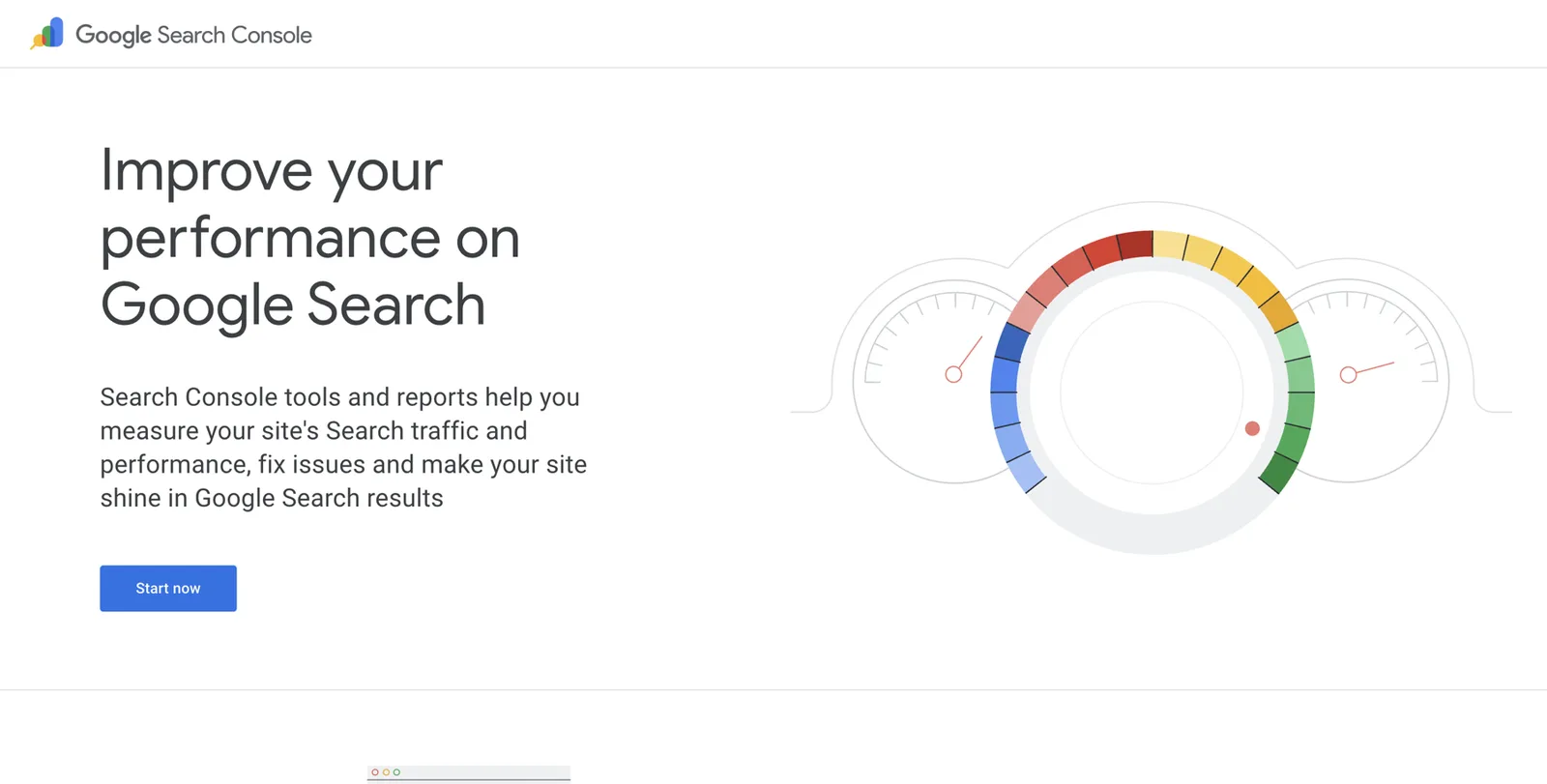
Google Search Console is Google’s free tool for website owners. It tells Google you own the site, lets you ask Google to look at new pages and, later, is one of the ways you can verify yourself when claiming a panel.
Go to search.google.com/search-console
Sign in with the Google account you want to keep for years: a personal one, not your company workspace account.
Click “Add property”
Choose “URL prefix” if you want the simplest route, and type your full address, such as https://www.nadiaferreira.com.
Choose a verification method
Most website builders let you paste a short “HTML tag” into their settings. Search your builder’s help for “Google Search Console verification”.
Click “Verify”
If it fails, wait ten minutes and try again; changes can take a moment to go live.
Submit your About page
Paste its address into the search bar at the top of Search Console and click “Request indexing”.
Google’s own help explains each verification method in detail38.
A7. Entity Home pre-launch checklist
Tick each before you tell anyone about the page.
| Item | Done? | Notes |
|---|---|---|
| Domain in my name registered | Yes | nadiaferreira.com |
| Page title = name + role | ||
| First sentence = identity sentence | ||
| Headshot near top, with alt text | ||
Person schema in plain English
Schema markup (also called structured data) is a small block of code on your page that labels facts for machines. Think of it as a passport stapled to the page: “This page is about a Person. Her name is Nadia Ferreira. She founded this Organization. These other profiles are also her.” Humans never see it. Search engines and AI tools read it.
It isn’t magic. Panels appear without schema, and schema alone won’t trigger one. But it removes guesswork and speeds things up, especially for the founder-company link.
Where it goes
On your Entity Home only, not every page. If your company’s website has a leadership page, it gets its own matching markup (we’ll show both).
The properties a founder needs
Each item below is a label from schema.org, the shared vocabulary search engines use17.
- @id: a permanent identifier for you, usually your About page address plus
#person. Other markup refers to you with it. - name and alternateName: your chosen name form and its variants.
- url: your Entity Home.
- image: your main headshot.
- description: your Entity Executive Summary.
- jobTitle: your current title.
- worksFor: your company, as an Organization.
- alumniOf: universities and, if you like, notable former employers.
- knowsAbout: the topics you want to be known for.
- award: real, editorial awards only.
- memberOf: real memberships.
- sameAs: links to profiles that are clearly and mostly about you. schema.org defines it as a page that unambiguously indicates the item’s identity.
- subjectOf: interviews, podcast episodes and articles about you.
And on the company side, the founder property. On schema.org, founder belongs to an Organization and can point to a Person18. There’s no matching “founded” property on a Person, so you describe the relationship from the company’s side, then point your Person back to the company with worksFor. Google’s own Organization documentation lists the properties it uses for company details such as logo, name and identifiers19; founder is valid schema.org even though Google doesn’t list it as recommended.
Google also supports a ProfilePage type for pages focused on one person, including “About me” pages and employee pages on company websites20. Wrapping your Person in a ProfilePage tells Google the page as a whole is about you.
A full example for a fictional founder
This example is for Nadia Ferreira, our fictional founder. Replace every value with your own and delete anything you can’t support.
{
  "@context": "https://schema.org",
  "@graph": [
    {
      "@type": "ProfilePage",
      "@id": "https://www.nadiaferreira.example/about#page",
      "url": "https://www.nadiaferreira.example/about",
      "name": "About Nadia Ferreira",
      "dateModified": "2026-10-21",
      "mainEntity": { "@id": "https://www.nadiaferreira.example/about#person" }
    },
    {
      "@type": "Person",
      "@id": "https://www.nadiaferreira.example/about#person",
      "name": "Nadia Ferreira",
      "alternateName": ["Nadia M. Ferreira"],
      "url": "https://www.nadiaferreira.example/about",
      "image": "https://www.nadiaferreira.example/images/nadia-ferreira.jpg",
      "description": "Nadia Ferreira is an entrepreneur and the founder and CEO of Quillstone, which makes supply chain planning software for mid-sized manufacturers.",
      "jobTitle": "Founder and CEO",
      "worksFor": { "@id": "https://www.quillstone.example/#organization" },
      "homeLocation": { "@type": "Place", "name": "Austin, Texas, United States" },
      "alumniOf": [
        { "@type": "CollegeOrUniversity", "name": "The University of Texas at Austin" },
        { "@type": "Organization", "name": "Tessellate Labs" }
      ],
      "knowsAbout": ["Supply chain planning", "Manufacturing operations", "B2B software"],
      "sameAs": [
        "https://www.linkedin.com/in/nadiaferreira-example",
        "https://www.crunchbase.com/person/nadia-ferreira-example",
        "https://x.com/nadiaferreira_example",
        "https://wellfound.com/u/nadiaferreira-example",
        "https://www.quillstone.example/leadership/nadia-ferreira"
      ],
      "subjectOf": [
        {
          "@type": "PodcastEpisode",
          "name": "Building software for the factory floor, with Nadia Ferreira",
          "url": "https://www.example-podcast.example/episodes/nadia-ferreira"
        },
        {
          "@type": "NewsArticle",
          "name": "Quillstone raises $4M seed to modernise manufacturing planning",
          "url": "https://news.example.com/2023/quillstone-seed"
        }
      ]
    },
    {
      "@type": "Organization",
      "@id": "https://www.quillstone.example/#organization",
      "name": "Quillstone",
      "url": "https://www.quillstone.example",
      "founder": { "@id": "https://www.nadiaferreira.example/about#person" },
      "foundingDate": "2022-03-14"
    }
  ]
}
What each block does, in plain words:
- The ProfilePage block says “this page is a profile, and its main subject is the person with this @id”.
- The Person block lists your facts.
worksForpoints to the company using the company’s own @id, so machines know the two descriptions refer to the same company. - The Organization block is a short reference to your company with
founderpointing back to you. That two-way link is what lets Google connect your panel and the company’s. - sameAs lists only profiles that are mostly about you. A company page isn’t you, so it doesn’t belong in sameAs, except a leadership page dedicated to you.
- subjectOf points to independent coverage. Use real URLs only.
On your company website, the leadership or About page should carry the matching block: the full Organization markup (name, logo, url, sameAs for the company’s own profiles) with founder pointing to your Person @id, using exactly the same address. Use the same @id values on both sites so the descriptions join up.
Once you have a panel, add its ID as a link in sameAs, in the form https://www.google.com/search?kgmid=/g/11abc1234x. Kalicube recommends this, and if Google holds more than one ID for you, listing all of them can help it merge them. Treat that as practitioner advice, not a Google instruction.
Rules
- Mirror the page. Everything in the schema should also be visible on the page.
- Accurate and current only. If in doubt, leave it out.
- Don’t overload early. A clean, small block beats a huge one with doubtful facts.
- One person per site. If your site builder or an SEO plugin (such as Yoast or Rank Math on WordPress) already outputs a Person or Organization, extend that rather than adding a second, conflicting one. Advanced: reuse the plugin’s @id.
- Revalidate after every change.
How to add it
The code goes inside a <script type="application/ld+json"> tag in the page.
- WordPress: add a “Custom HTML” block to your About page and paste the script, or use a header-and-footer plugin that lets you add code to one page.
- Squarespace: Page settings, then “Advanced”, then “Page Header Code Injection”.
- Wix: Settings, then “Custom code”, then add the code to the About page only, in the head.
- Webflow: Page settings, then “Custom code”, “Inside head tag”.
- Framer and others: search their help for “custom code in head”.
How to check it
Go to validator.schema.org
This is the Schema Markup Validator, run by schema.org.
Paste your About page address under “Fetch URL”
Or switch to “Code snippet” and paste your code.
Click “Run test”
On the right you’ll see each item it found: ProfilePage, Person, Organization.
Fix any errors or warnings
Click an item to see its properties and check every value is what you meant.
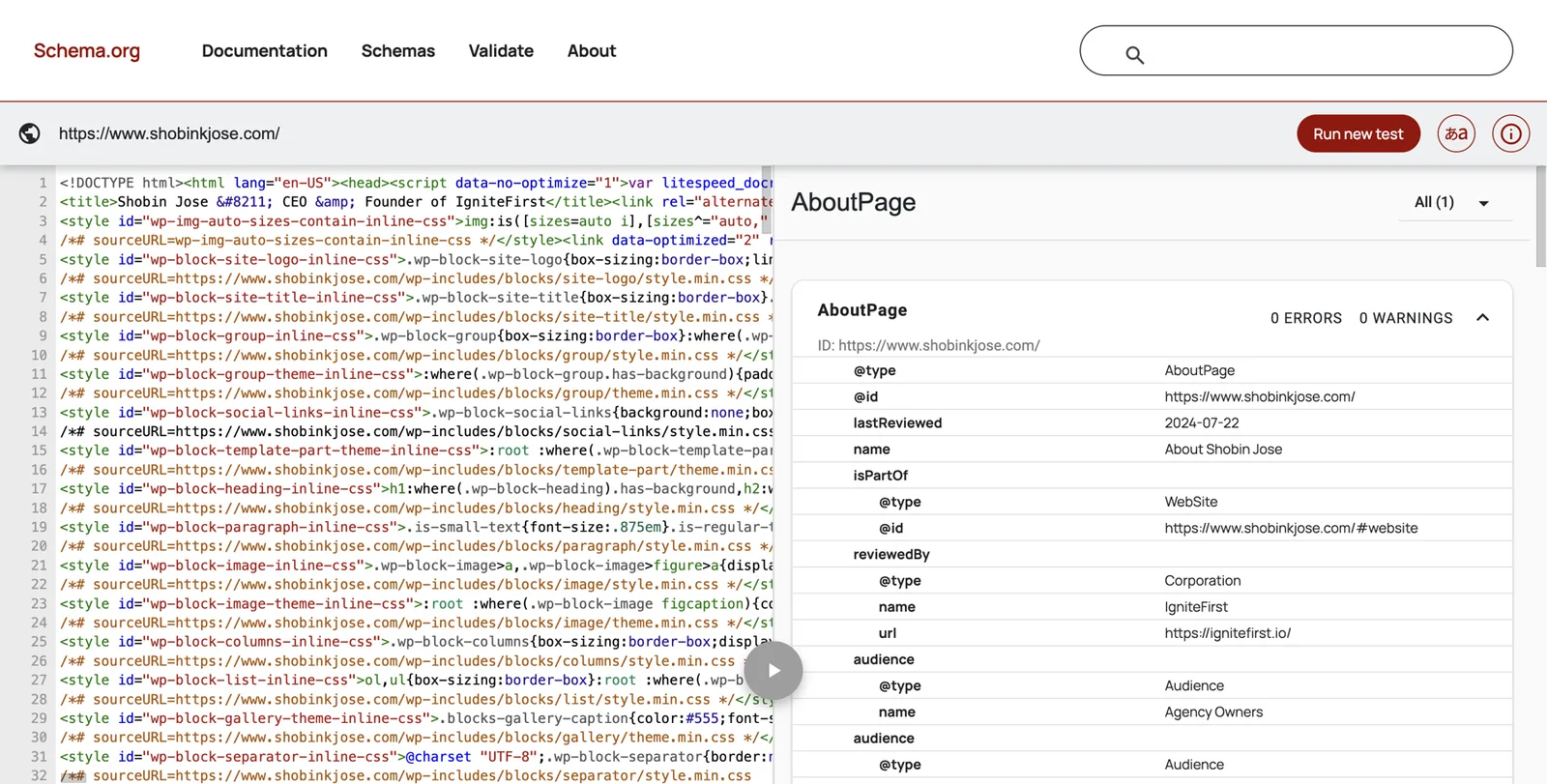
Google’s Rich Results Test only checks types that can produce special search features, so it may show “no items detected” for perfectly good Person markup. Google’s old Structured Data Testing Tool has been retired; ignore guides that tell you to use it.
A8. Schema checklist
- Person @id uses your About page address plus #person
- name matches your chosen name form exactly
- description starts with your identity sentence
- worksFor points to your company’s @id
- Company site’s Organization markup has founder pointing to the same Person @idAsk whoever manages the company site to add it.
- sameAs lists only profiles mostly about you, with final URLs
- subjectOf lists only real coverage
- Validator shows 0 errors
- Every fact in the code is visible on the page
Clean up everything you already own
This is usually the biggest quick win. Work in this order: your own sites, the profiles already ranking for your name, the other profiles you control, then third parties.
LinkedIn, step by step
LinkedIn dominates founder name searches. Kalicube calls it your best friend on Google but warns never to treat it as your home, because you don’t own it33.
Name
Click “Me”, then “View profile”, then the pencil icon next to your name. Use your exact chosen name form. Add a former name in the “Additional name” field if relevant.
Headline
Your identity line: “Founder and CEO, Quillstone | Supply chain software for manufacturers”. No emoji, no slogans.
Current position
In Experience, make sure your current role at your company is first, with the company’s official LinkedIn page selected (the logo should appear), and the correct start date. Title it “Founder and CEO” or whatever your fact sheet says.
Past roles
Close any roles that ended. Keep them; your history is evidence. Make sure no old role still says “Present”.
About
Paste your first-person intro, then your standard bio.
Contact info and website
Click “Contact info”, add your personal site (your Entity Home) as the first website, labelled “Personal”, and the company site second.
Featured
Pin your best interview, a talk and your company page.
Photo and banner
Your main headshot. A simple banner with no clutter.
Custom profile URL
Click “Edit public profile & URL” and set linkedin.com/in/your-name if it’s free.
Then check your company’s LinkedIn page: it should show you in the right role, and its “About” should mention the founders by name, consistently with your fact sheet.
Crunchbase, step by step
Crunchbase matters disproportionately for founders. Investors use it, journalists use it, and Kalicube observes that Google leans on it more than it used to35.
How it works: Crunchbase profiles aren’t owned by the person they describe. Registered users can add and edit most profiles, and some fields, including jobs and founders, can only be removed by Crunchbase staff, whom you contact through support22. Crunchbase’s own Founder Visibility Checklist suggests reviewing your company profile “from an investor’s perspective” before fundraising, and checking any AI-generated product descriptions for accuracy2.
Create a free account
Go to crunchbase.com, click “Log In”, then sign up with your work email.
Find your person profile
Search your name. If there are two profiles for you, note both URLs; you’ll ask support to merge them.
Edit your person profile
Click “Edit” on each section. Set your name, a short description using your one-liner, your location, your LinkedIn and personal website, and your headshot.
Fix your jobs
Add your current role at your company. Mark old jobs with end dates. If an old job is wrong and won’t end, note it for support.
Check the company profile’s founders field
Open your company’s profile. Make sure every co-founder is listed, correctly, linking to their person profiles. Crunchbase’s “Adding a Founder” help article explains how.
Email support for anything you can’t change
Send the profile URL, the exact change and the reason, with a public link that proves it. Crunchbase prefers correcting profiles to deleting them.
Review the AI-generated text
Crunchbase now shows machine-written descriptions on some profiles. Read them and correct anything wrong.
The other databases investors read
- PitchBook. A subscription database many investors use. You can request updates to your company’s and your own information through PitchBook’s free profile update tool. Search “PitchBook update your profile” to find it. Corrections are reviewed before they go live.
- Wellfound (the startup jobs platform formerly known as AngelList Talent). Update your profile and your company’s, especially if you hire through it.
- Dealroom, CB Insights, Tracxn. Common in Europe and among corporate development teams. Search your name and company; most have a “suggest an edit” or “claim” option.
- The Org. Builds public org charts from public web pages and community contributions23. You can join with your work email to correct your position, or follow its help pages to delete a position page about you.
- Bloomberg and similar executive profiles. If your company is covered, check your listed title.
- ZoomInfo and contact databases. Mostly sales tools. Correct obvious errors if they rank for your name; otherwise don’t spend time on them.
Your company’s website
You probably control it, so fix it this week:
- A leadership or team page with a short section on you that uses your standard bio and links to your personal site.
- An About page that names the founders consistently: “Quillstone was founded in 2022 by Nadia Ferreira and Sam Okafor.” Your co-founders deserve the same treatment you get.
- Organization schema with
founder(see above). - Press releases and news pages that use your current title.
Other profiles and channels
Update X, YouTube, GitHub, Product Hunt, Medium, Substack and any other active profile with your one-liner, your headshot and a link to your Entity Home. If an account is dead, update its bio and add the link before you decide whether to close it. Closing an account that Google already uses as a source can weaken your panel.
Old pages about you
- Former employers’ team pages: ask them to remove you or update your entry to “former”. Many will.
- Accelerator and investor portfolio pages: make sure they list your current title and link to your current company.
- Old speaker and podcast pages: ask for your current bio and a link.
- Pages from a company you’ve sold: ask the acquirer’s team for a short “founder” mention on the history or About page, with a link to your personal site, if your agreement allows it.
One headshot set
A12. Headshot plan
- One primary headshot used everywhereFace clearly visible, recent, plain background, at least 1200 × 1200 pixels.
- A landscape version cropped from the same shoot for speaker pages and press
- File named with your name, such as nadia-ferreira-founder-quillstone.jpg
- Alt text that names you and your role
- Old photos replaced on every profile you control
- A press kit folder with the photos, your bios and your logo usage rules
Asking third parties for updates
Keep it short and easy to say yes to. A template:
Subject: Quick update to my bio on [site]

Hi [name],

Thanks again for featuring me in [article / episode / event] in [year].
My role has changed since then. Would you be able to update the bio on
this page: [URL]

Current bio (50 words): [paste your short bio]

And, if possible, link my name to: https://www.nadiaferreira.example

Happy to send a new photo if useful. Thank you!

[Your name]
Ask for facts, never praise. Many editors will update a title or add a link; few will rewrite an article, and you shouldn’t ask them to.
Add the right corroborating sources
Once your own house is in order, add sources that confirm it. The principle: Google trusts the sources it expects for people like you, in your field and your country. For a founder, that means business databases, official registers, the press your industry reads, the events where founders speak, and the podcasts founders appear on. A handful of strong, relevant sources beats a hundred thin listings.
A useful way to find yours: search the names of three founders in your sector who already have panels. Look at which profiles their panels link to and what Google uses for their description. Search them on Bing too and look at what it shows. Those are the sources Google already trusts for people like you.
The founder source menu, by tier
| Tier | Source | What it gives you | When it applies |
|---|---|---|---|
| Core | Your Entity Home | The anchor everything points to | Always |
| Core | Your strongest profile; dominates name searches | Always | |
| Core | Crunchbase | The database investors and journalists check | Any startup or growth company |
| Core | Your company’s leadership and About pages | Institutional confirmation of your role | Always |
| Official | Companies House (UK) | Officer listing for directors; public and authoritative | UK company directors |
| Official | SEC EDGAR Form D (US) | Names executive officers and directors of companies raising under Regulation D | US companies that have filed Form D |
| Official | State business registries, OpenCorporates | Company records, sometimes officers | Varies by state and country |
| Database | PitchBook, Dealroom, CB Insights, Tracxn | Investor-facing company and people records | Venture-backed and acquisitive companies |
| Database | Wellfound | Founder and company profile, startup hiring | Startups that hire through it |
| Database | The Org | Public org chart with your position | If your company appears there |
| Database | Bloomberg executive profile | Executive listing | Larger or covered companies |
| Programme | Accelerator or investor portfolio pages (for example Y Combinator’s company directory) | An institution naming you as founder | If you went through one or your investors list portfolio founders |
| Press | Trade publications in your customers’ industry | Independent coverage your buyers read | Always worth pursuing |
| Press | Business and tech press (for example TechCrunch, Inc., Fast Company, Business Insider, regional business journals) | Independent, high-authority coverage | Funding news, interviews, features |
| Press | Muck Rack | Journalist database; may list you if you write | If you publish bylined articles |
| Speaking | Conference speaker pages (Web Summit, SaaStr, SXSW and industry events) | A page about you on an independent event site | Whenever you speak |
| Podcasts | Episode pages on show websites; Apple Podcasts, Spotify; Podchaser guest credits | Pages mostly about you, often with links | Every guest appearance |
| Awards | EY Entrepreneur Of The Year, Forbes 30 Under 30, Inc. 5000 (company), industry awards | Independent recognition | If you genuinely qualify |
| Peer groups | YPO, EO (Entrepreneurs’ Organization), Vistage | Credibility; mostly no public member pages | Membership itself rarely shows publicly |
| Writing | Bylined articles, Medium or Substack, a company blog under your name | Your ideas, attributed to you | If you write |
| Books | Amazon Author Central, Goodreads, Google Books, publisher author page | Author identity linked to your name | If you have a book |
| Code and product | GitHub, Product Hunt maker profile | Builder credibility | Technical and product founders |
| Knowledge bases | Wikidata | Structured facts Google reads | Only if you meet its notability rules |
What not to add
- Platforms that have nothing to do with you (film databases, music sites, unrelated directories).
- Pages that list dozens of people equally.
- Outdated pages you can’t fix.
- Pseudo-wikis and pay-to-publish “biography” sites.
- Mass directory submissions and “100 profiles for $50” packages.
Your peer-group map
Write two columns. On the left, where founders like you are validated: the databases, accelerators, awards and peer groups of your sector. On the right, where your buyers and investors read: the trade press, newsletters, podcasts and events of your customers’ industry. The best sources appear in both.
A9. Founder source menu: your shortlist
Pick 20 to 30 sources that fit you. Note eligibility and cost before you commit.
| Source | Tier | Eligible? | Cost | Owner of the task | Target date |
|---|---|---|---|---|---|
| Crunchbase person profile | Core | Yes | Free | Me | This week |
| Companies House officer record | Official | Already exists | Free | Check name form | This week |
| Manufacturing trade podcast | Podcasts | Pitch needed | Free | Me | Month 2 |
A10. Corroboration tracker
One row per source you create or fix. Recheck every quarter.
| URL | Party (1st / 2nd / 3rd) | % about you | Facts consistent? | Links to Entity Home? | Linked from Entity Home? | Last checked |
|---|---|---|---|---|---|---|
| linkedin.com/in/nadiaferreira-example | 2nd | 100% | Yes | Yes | Yes | Oct 2026 |
| podcast episode page | 3rd | 90% | Yes | Requested | Yes | Oct 2026 |
Close the loop
Now join everything up so Google can travel around it.
How the loop works
- Your Entity Home links out to every source that is mostly about you: LinkedIn, Crunchbase, your company leadership page, podcast episodes, speaker pages, articles.
- Every one of those sources links back to your Entity Home: in the website field of a profile, in the bio of a speaker page, in podcast show notes.
- Your schema’s
sameAsandsubjectOfrepeat those links in machine language.
When Google can go from your home to a source and back, and finds the same facts at each stop, its confidence grows.
Anchor text
The words you link should be natural: your name, “Nadia Ferreira on LinkedIn”, “Nadia’s interview on the Factory Floor podcast”. No keyword stuffing such as “best supply chain software CEO”.
Link hygiene
- Never link from your home page to a source you haven’t fixed yet. You’d be pointing Google at the wrong facts.
- Link to final addresses, not ones that redirect.
- Check every link once a quarter.
When a platform won’t allow a link
Some sites don’t allow links in bios. Mention your domain in plain text (“nadiaferreira.com”) and make sure the facts match. That still helps.
Wikidata, Wikipedia and the shortcuts that backfire
This is where founders most often waste money.
Wikipedia
You don’t need a Wikipedia article for a Knowledge Panel, and most founders don’t qualify. Wikipedia requires significant coverage in multiple reliable, independent sources, and its conflict-of-interest rules discourage you or anyone you pay from writing about you. Articles that don’t meet the bar get deleted, and a deleted article is a public record that a judgement was made against you. Don’t pay anyone to write one. If you become notable enough, someone independent will.
Wikidata
Wikidata is the free structured database run by the Wikimedia Foundation, and Google reads it. It can help, but only for people who meet its rules. Wikidata’s notability policy accepts an item if it has a link to a Wikimedia page, or if it’s a clearly identifiable entity that “can be described using serious and publicly available references”, or if it fills a structural need21.
For a founder, “serious and publicly available references” usually means independent news coverage, official registers and institutional pages, not your own website or LinkedIn. If you meet the bar:
- keep the entry neutral and factual, with a reference for every statement;
- don’t add promotional descriptions;
- never buy an item from a marketplace seller;
- if an item about you is deleted, don’t recreate it to get around the decision.
Deletion is worse than never having had an entry, because it removes a source Google may already rely on.
Pseudo-wikis
Sites such as EverybodyWiki and Wikitia look like Wikipedia but publish almost anything, often for a fee. Google treats them as low-trust. Panels built on them tend to disappear when reviewed.
Mass profiles and directories
“Get 100 high-authority profiles” packages create stale, contradictory pages that look like spam and dilute your real sources. Each one is another place your old title can live forever.
Press releases
Wire distribution is paid distribution. A release about a real milestone, such as a funding round, a launch or an acquisition, is fine and can be a useful confirmation. A stream of releases written only to create mentions is not coverage, and a “featured on 300 news sites” report usually means 300 automatic copies nobody reads.
Vanity awards and paid lists
“Top 50 CEOs to Watch” lists that charge for inclusion are advertising. Listing them as awards undermines the real ones, and in the US, misrepresenting a paid endorsement can run into the FTC’s rules.
Fake interviews and AI-generated “expert” quotes
The Press Gazette case shows where this ends: fabricated experts, pulled stories and editors who now verify everyone7. Answer journalist requests only as yourself, with real experience.
Helps
- One Entity Home on your own domain
- Consistent facts on 20 to 30 relevant sources
- Official records in your name
- Real interviews, talks and podcast episodes
- Wikidata only if you meet notability
- A real milestone press release
Backfires
- Bought Wikipedia or Wikidata pages
- Pseudo-wiki biographies
- Mass profile packages
- Press releases with nothing to announce
- Paid “Top X” awards presented as honours
- Fake reviews, followers or quotes
Earn third-party proof as a founder
Independent coverage carries the most weight with Google and AI, and it’s also what investors, candidates and buyers find most convincing. Founders have more to talk about than they realise: the problem the company solves, what you’ve learned building it, the data you see in your market.
Podcasts
Founder and industry podcasts are the easiest independent coverage to earn.
- Prepare a guest kit: your 30-second spoken intro, your short bio, your headshot, one link (your Entity Home) and three topics you can speak on.
- Change the angle between shows, never the core message. If you describe yourself differently on every show, you recreate the five-stories problem.
- Ask the host to use your bio and link in the show notes.
- Add each episode to your press page and your schema’s
subjectOf.
Press
- Funding, launches and milestones are news. Brief reporters at trade and regional business publications before you announce.
- Data and insight are news too. If your product sees patterns in your market, a short, honest report can earn coverage.
- Journalist-request services. HARO, the best-known one, closed in its Connectively form in December 2024. Alternatives include Qwoted, Featured.com, Source of Sources, SourceBottle (Australia and New Zealand) and ResponseSource (UK). Check each one’s current terms. Answer only under your real name, with real experience.
- Corrections. If an old article has your title or company wrong, ask the editor politely to correct the fact. Never ask for praise.
Speaking
Industry conferences, founder events, investor days and webinars hosted by others all produce speaker pages. Ask organisers to use your bio and link your name to your Entity Home. Keep a list of past talks on your home page.
Awards and lists with real standards
Real awards such as EY Entrepreneur Of The Year (nominations open to self or third parties) or editorial lists such as Forbes 30 Under 30 are independent recognition. Apply when you genuinely fit. Ignore anything that charges for inclusion.
Boards, advisory roles and investing
When you join a board or advise a company, ask for a short bio on its site that links to yours. These institutional pages are strong confirmation that you’re a recognised leader, and they help Google see the “businessperson” or “investor” side of your story.
A book
A book is a strong, durable entity linked to you. If you write one, use exactly your chosen name form as the author name, set up Amazon Author Central and Goodreads author profiles, and make sure your publisher’s author page links to your Entity Home.
Your press page
Give every strong piece its own entry with a link and one sentence of context. Put lighter mentions in a simple list. This page becomes the backbone of your subjectOf schema and the place journalists check before quoting you.
A11. Podcast and speaker guest kit
- 30-second spoken intro, written to be read aloud
- Short bio (about 50 words) and standard bio (100 to 150 words)
- Primary headshot and landscape version
- One link: your Entity Home
- Three topics, each with a one-line angle
- A polite request to use your bio and link in show notesSend it with the booking confirmation, not after the episode airs.

Part 5: Index, claim, grow and protect
Get found, then track progress
Make sure Google has seen your pages
Google can’t trust a page it hasn’t read. After you publish or update your Entity Home:
Request indexing in Search Console
Open Search Console, paste the page address into the bar at the top and click “Request indexing”. Google says this asks it to recrawl, though it doesn’t guarantee timing.
Check whether a page is indexed
In Google, type site: followed by the address, for example site:nadiaferreira.example/about. If it appears, it’s indexed.
Check your main profiles the same way
site:crunchbase.com/person/your-profile and so on. Not everything gets indexed, and that’s normal.
Leave it alone for a while
Requesting again and again doesn’t speed things up.
Google explains the recrawl options in its Search Central documentation39. Avoid paid “indexing services” that promise to force pages into Google. At best they waste money.
The progress ladder
A panel rarely appears all at once. Kalicube describes a ladder of levels a personal panel climbs. Here’s a simplified version for founders, so you can see movement month by month.
A14. Founder progress ladder
Tick the highest level you’ve reached each month. Movement up the ladder is progress, even without a visible panel.
| Level | What you see | Month 1 | Month 2 | Month 3 | Month 6 |
|---|---|---|---|---|---|
| 1. Entity exists | A Knowledge Graph ID (the checker finds you) | ||||
| 2. Name and photo | A panel with your name and an image, for some searches | ||||
| 3. Subtitle | Entrepreneur, Businessperson or similar | ||||
| 4. Website link | Your Entity Home linked in the panel | ||||
| 5. Profiles | Social profile icons | ||||
| 6. Description | A short bio with a source link | ||||
| 7. Facts | Education, organisations founded, born | ||||
| 8. Founder link | Company panel lists you as founder, clickable | ||||
| 9. Related people | People also search for | ||||
| 10. AI answers | Assistants describe you correctly by name |
Signals that you’re moving
- Google suggests your full name, or your name plus your company, as you type.
- Your own site ranks first for your name.
- A “See results about” box appears with your details.
- The free checker finds an entity where it found none before.
- The company search starts listing you as founder.
None of these guarantee a panel, but each one shows Google is learning about you.
Rhythm
Search weekly for the first three months, then monthly. Google updates its knowledge in cycles, so daily swings mean little. Keep screenshots so you can see the trend.
Your panel appears: the first 30 days
Record it
Take a screenshot on desktop and phone. Copy the share link and write down the ID (the kgmid= part) and the date. Add the ID to your schema’s sameAs as described in Part 4.
Claim it
Claiming means proving to Google that you’re the person the panel describes. It gives you the right to suggest changes, and Google can prioritise feedback from verified people about their own panels11.
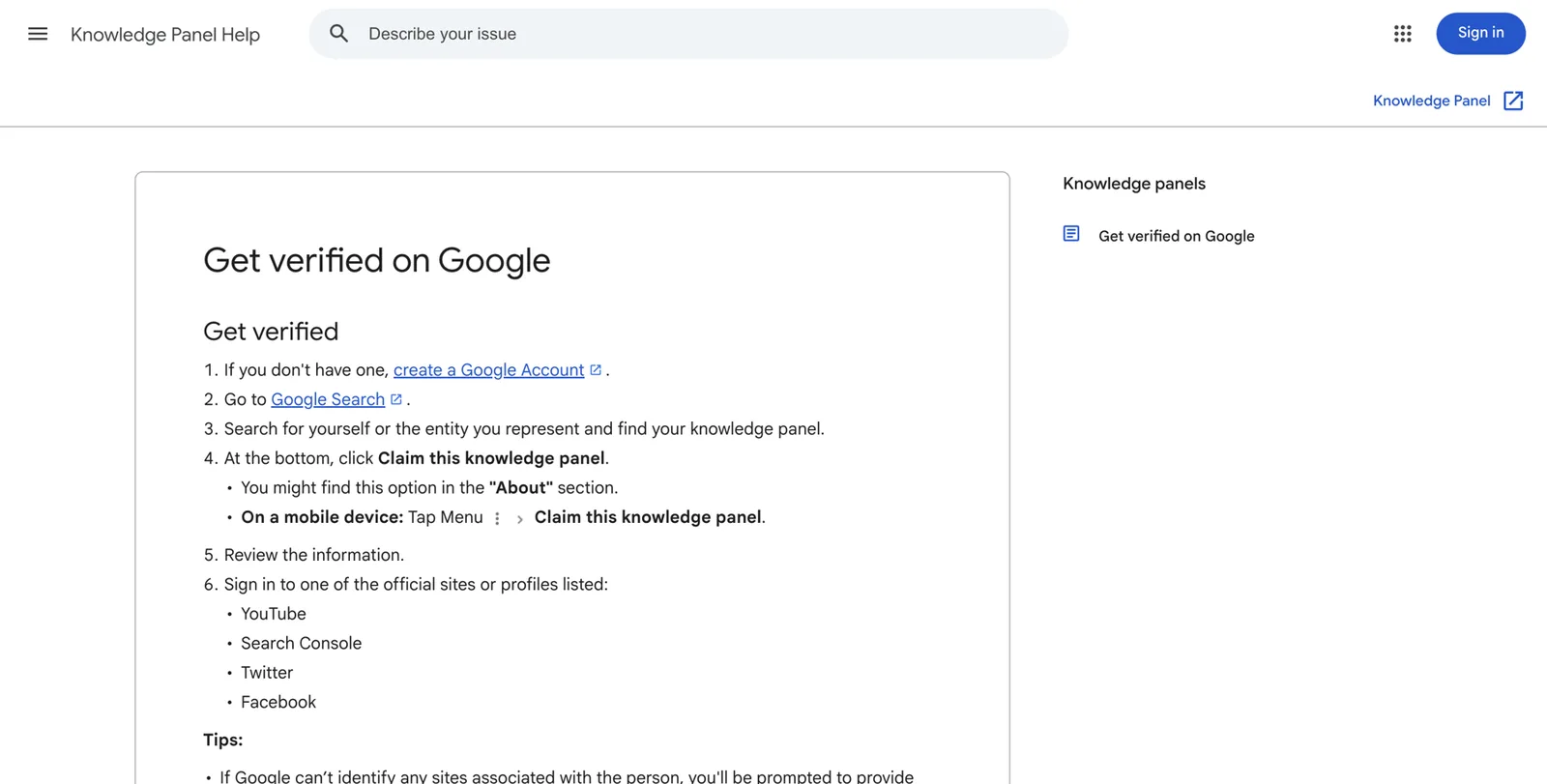
The steps, as Google describes them10:
Sign in to a Google account you’ll keep
A personal account you control, not your company workspace account and not an agency’s. Whoever holds the claim holds the keys.
Search your name and find your panel
If a namesake’s panel shows first, add your company name to the search.
Click “Claim this knowledge panel”
It’s at the bottom of the panel, sometimes in the About section. On mobile, open the panel’s menu.
Review the details
Check it’s really your entity, not a namesake’s.
Sign in to an official profile Google lists
Google offers sites or profiles it already links to you: YouTube, Search Console, X or Facebook. Search Console, for your personal site, is often the most reliable for founders.
Answer any extra questions
If Google can’t link any of those profiles to you, it asks for more information to verify your identity.
Look for “Suggest edits”
Once verified, it appears on your panel when you’re signed in.
If there’s no claim button, the panel may not be claimable yet. Google says to check back periodically10. If the button says someone is already managing it, check whether a former agency, your company or a PR firm claimed it, then use Google’s account recovery route.
When to wait before claiming
If your panel is very thin (just a name and a photo) or built mostly on weak sources, keep strengthening it for a few weeks first. Claiming doesn’t make a fragile panel safer, and you can’t edit it into strength.
What claiming gives you, and what it doesn’t
- You can suggest changes, and Google may prioritise them.
- You can add managers and contributors (an assistant or agency) while keeping ownership yourself.
- You can ask Google to omit some personal details, such as your birth date.
- You can’t write your own description or subtitle, and you can’t edit the panel directly.
Suggesting an edit that gets accepted
Google asks for one item per request, a description of what’s wrong and public links that support the change11. Use this shape:
Item: Occupation / title

What's wrong: The panel describes me as "Head of Product at Tessellate Labs".
I left Tessellate Labs in 2022.

Correct version: Founder and CEO of Quillstone (since March 2022).

Evidence (public pages):
1. https://news.example.com/2023/quillstone-seed  (independent news report)
2. https://www.crunchbase.com/person/nadia-ferreira-example  (Crunchbase, updated)
3. https://www.nadiaferreira.example/about  (my official website)
Fix your own sources before you submit. If LinkedIn and Crunchbase still show the old role, you’re asking Google to ignore its own evidence, and even an accepted change can drift back. Don’t resubmit the same request repeatedly.
What usually can’t be changed by request
The subtitle, the name form Google uses and “People also search for” are largely Google’s call. Change them by changing your sources: the first sentence of every bio, the name form on every profile, the people and companies you’re connected with.
Enrich it
Once the basics are right, add depth: “organisations founded” (through clear Organization schema and Crunchbase), education, a book, videos from your YouTube channel, more independent coverage. Each confirmed fact makes the panel sturdier.
Don’t slow down
New panels are fragile. Kalicube’s tracking suggests Google deletes around 15% of Knowledge Graph IDs each year, and that new entities are most at risk36. Treat that as their figure. Keep adding sources and keep everything consistent for at least the first year.
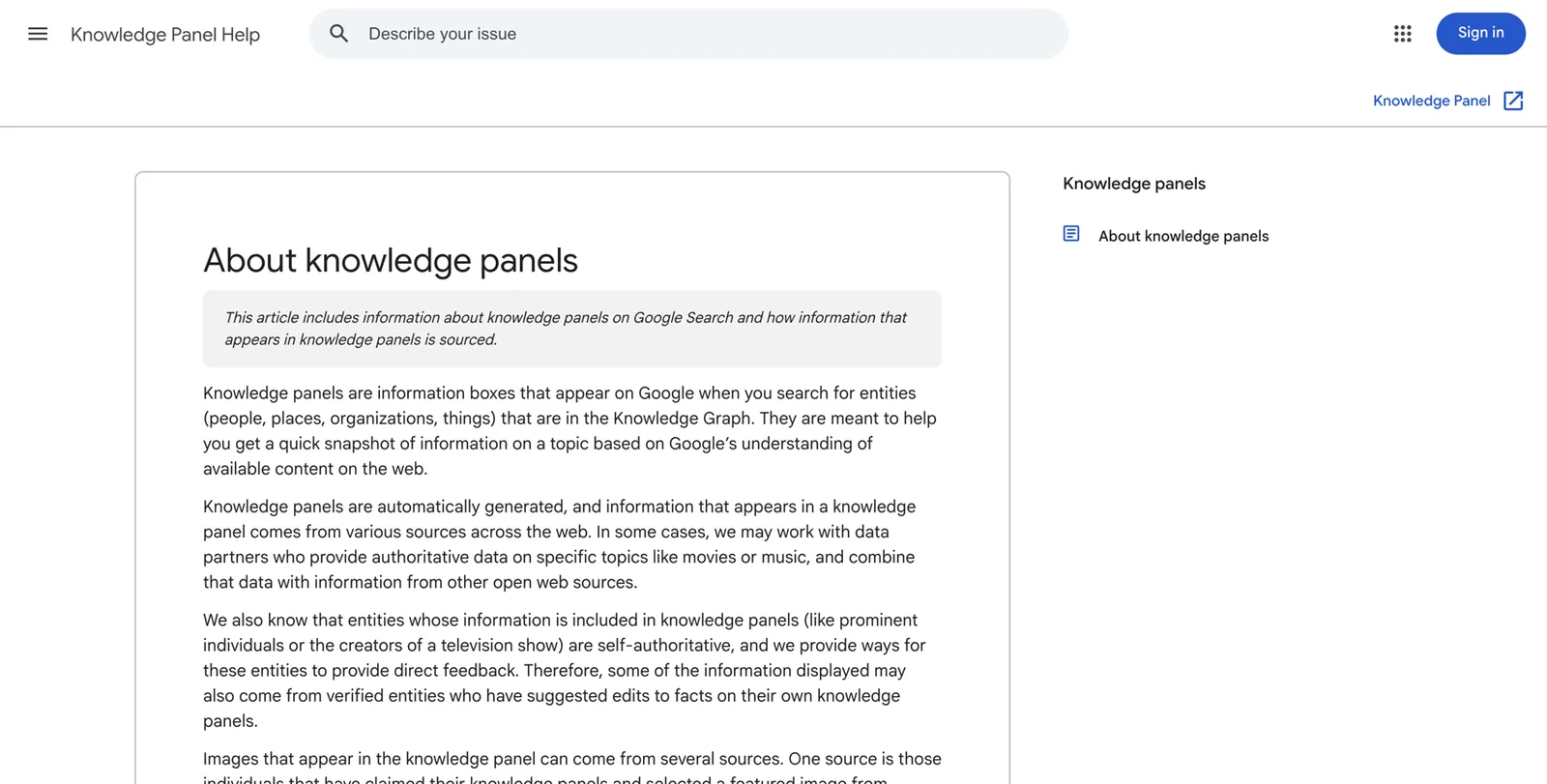
Troubleshooting for founders
A15. Troubleshooting map
Find your symptom, then work through the fix from left to right.
| Symptom | Likely cause | First fix | Then |
|---|---|---|---|
| Panel only shows with my company name added | A namesake is more probable for my name alone | Add a distinctive name form everywhere | More independent sources about me |
| Subtitle shows my old role | Old first sentences on sources | Change the first sentence everywhere | Wait for an update cycle, then suggest an edit |
“My panel exists but doesn’t show when I search my name”
Google isn’t confident you’re the person most searchers mean. Try your name plus your company, your name plus your city, and your name with a middle initial. If those show the panel, the cure is confidence: more consistent sources, a distinctive name form and links that tie you to your company and city.
“It shows in some countries but not others”
Panels are partly local. You may be the most likely “Tom Brennan” in Ohio and not in Ireland. Build sources in the regions that matter: local business press, regional associations, conference pages in those markets.
“The subtitle is my old title, or something odd”
Change the first sentence of every bio to your chosen label, everywhere, in the same week. Then wait for a Google update cycle. If it’s still wrong after a couple of months, submit an edit request with independent evidence. Remember Google picks from labels it recognises, so ask for one that exists.
“The panel shows the wrong photo”
Make sure your chosen headshot is on your Entity Home, LinkedIn, Crunchbase and your company leadership page, with alt text naming you. Then suggest a new featured image through the claimed panel. Old images can persist, because Google tends to keep the first one it trusted. Kalicube reported one founder’s photo being corrected in about 16 days; treat that as one case, not a promise.
“The description is from an old source”
Click the source link under the description. Fix the text at that source if you can (often LinkedIn, Crunchbase or an old company page), or ask its owner to. Then suggest an edit.
“A namesake dominates my name”
- Go local and specific first: your name plus company, then your name plus city.
- Use a distinctive name form consistently (a middle initial is the simplest).
- Tie every source to details only you have: your company, your city, your field.
- Build independent coverage. Kalicube describes a founder who shared his name with thousands of people and overtook a better-known namesake through consistent profiles and the right publications; it took steady work over about three years.
“Google thinks I’m two people”
This often happens to founders, with one entity from your site and another from Crunchbase, a book or an old employer. List every ID in your schema’s sameAs, make the facts identical across all the sources behind each one, and give Google time. Kalicube describes three duplicate IDs merging in about six weeks in one case, and much longer in others.
“The company panel doesn’t list me as founder”
Check, in this order: the company’s About page names you as founder in plain words; the company site has Organization schema with founder pointing to you; Crunchbase lists you in the company’s founders field; your own Entity Home says “founder of [Company]” in its first sentence and links to the company. Co-founder disputes in the sources (one article says three founders, another says two) keep this from resolving, so make the story identical everywhere.
“Old results from a company I left, or a pivot, outrank my current work”
You can’t delete other people’s pages, but you can outrank them. Publish your Entity Home, fix LinkedIn and Crunchbase, ask former employers to mark you as “former”, earn two or three new pieces of coverage about your current company, and link them all together. The old results usually slide down as the new ones gain trust.
“There’s a negative article on page one”
If it contains factual errors, ask the publisher to correct them, politely and with evidence. If it’s accurate, it won’t be removed, and trying to suppress it with fake content will make things worse. What works is time plus genuinely useful, accurate pages about you: interviews, talks, your own home page and profiles. For anything defamatory, talk to a lawyer.
“The panel disappeared”
Possible causes: a Knowledge Graph update, the loss of a source Google relied on (a deleted company page after an exit, a closed account, a removed Wikidata item), or a review that removed a panel built on weak sources. Check which source vanished. Restore or replace it, keep everything consistent and be patient. Kalicube’s experience is that rebuilding often takes longer than building the first time.
“The panel shows someone else entirely”
If your name search shows a panel about a different person, or a panel that blends you with someone else, don’t try to claim it. Use the panel’s Feedback link to report the mix-up, and consider specialist help. This is beyond do-it-yourself scope.
Show up in AI answers
The same foundation now pays off in AI tools. This routine builds on it.
Kalicube’s path from mention to recommendation
Kalicube describes three stages: AI tools first cite your content, then name you, then recommend you convincingly. Each stage depends on the one before. For founders, that means: first, assistants describe you correctly by name; then they mention you when someone asks about your company or your space; finally, they name you or your company when someone asks for the leaders in your category.
The founder AI routine
Fix the explicit answer first
Re-run your A2 prompts monthly. If an answer is wrong, find the source it cites and fix that source.
Make your facts easy to quote
Put a two-sentence summary at the top of your Entity Home and your company’s About page. Add an FAQ answering the questions investors and buyers actually ask: who founded the company, when, what it does, who it serves.
Keep “who founded” unambiguous
The same founding story, founders’ names and founding year on your site, the company site, Crunchbase, LinkedIn and every press kit.
Earn mentions where AI looks
Note which sites Perplexity, ChatGPT and Google’s AI cite for your category. Those are the publications, lists and directories worth pursuing.
Keep one message across interviews
A hundred episodes with a hundred descriptions of what you do confuse machines. Vary the stories, not the summary.
Don’t block the bots that matter
Ask whoever runs your sites to check that the robots settings allow search engines, and that pop-ups or log-in walls don’t hide your bio.
Track category prompts
Each month, ask “Who are the leading [category] companies for [customer] in [region]?” and log who gets named and which sources are cited.
When AI says nothing, or gets it wrong
- Fix the source data. Most errors trace back to an old bio or a confused profile.
- Use the tools’ feedback options. Most assistants let you flag an answer as wrong with a thumbs-down or a report option.
- Be patient through update cycles. Live web results change quickly; trained knowledge changes slowly.
Keep it working
When a fact changes
Update your Entity Home and its schema first, the same day. Then LinkedIn, Crunchbase and your company site in the same week. Then everyone else.
Founder moments that need a same-week update
| Moment | Update this week | Watch out for |
|---|---|---|
| A funding round closes | Company site, Crunchbase funding field, LinkedIn post (factual), press page | Securities rules if any part of the round is still open |
| New title (for example CEO to executive chair) | Every bio’s first sentence, schema jobTitle, LinkedIn, Crunchbase | Keep the founder label; “founder and executive chair” |
| A pivot or company rename | Company name everywhere, Organization schema, Crunchbase, your bios (“founder of Quillstone, formerly Tessellate”) | Keep the old name as an alternate name for a while |
| The company is acquired | Your Entity Home, LinkedIn, Crunchbase (exit), press page | The acquirer may redirect the old site; save copies of important pages and ask for a founder mention on the acquirer’s site |
| You step back or leave | Your bio leads with what’s next; old role marked “former” | Non-disparagement and confidentiality terms in your agreement |
| A new venture | New company linked from your Entity Home and schema, previous companies kept as history | Don’t let the new company’s site become your home |
| An IPO process starts | Nothing promotional; plain factual updates only, cleared with counsel | Quiet-period rules |
| A board seat or investment | Add to your Entity Home and LinkedIn; ask for a bio on the company’s site | Get permission before naming portfolio companies |
A16. Maintenance routine
- Monthly, 30 minutesName search in a private window, the five AI prompts, add new coverage to your press page, refresh one profile.
- Quarterly, about an hourCheck every link in your loop, revalidate your schema, sweep for new inconsistencies on Crunchbase, PitchBook and The Org.
- YearlyReview your positioning and label, rewrite the full bio, refresh headshots, review who has access to your claimed panel.
- After any founder moment: the same-week update from the table above
- Keep your source-of-truth profile as the master copy
Part 6: Your roadmap, and your options

The roadmap
10 minutes
The Quick Check
Six searches, three AI tools, a traffic-light score. You know where you stand.
One weekend
The foundation sprint
Full audit (A1 to A3), identity and name decided (A5), source-of-truth profile (A4), bio ladder (A6), Entity Home live on your own domain, LinkedIn and Crunchbase fixed.
Days 1 to 30
Structure and cleanup
Person and Organization schema, Search Console, company leadership and About pages, PitchBook, Wellfound and The Org corrected, old bios requested, first 10 corroborating sources consistent and linked.
Days 31 to 90
Corroboration and proof
10 to 20 more relevant sources, two or three podcast or press pitches a month, speaker pages, loop checks, monthly tracking on the progress ladder.
Months 4 to 12
Enrich, claim and protect
Claim the panel when it appears, suggest edits with evidence, add organisations founded, education and media, run the AI routine monthly, keep the maintenance rhythm.
Weekly time budget
- A light plan: about two hours a week after the weekend sprint. Slower, but steady.
- A heavier plan: four to six hours a week for the first three months, then an hour a week. Faster, if you or someone on your team can give it the time.
Founders’ time is the scarcest resource in the company, which is why many delegate this to a chief of staff, a marketing lead or an outside specialist. If you delegate, keep ownership of your accounts, your domain and your claimed panel yourself.
Do it yourself, or have it done for you
An honest tally of the work
Here’s what the full job involves, without exaggeration:
- dozens of searches across Google, Bing and five or six AI tools, repeated monthly;
- 50 to 200 web addresses to find, sort and check;
- a 30-field fact sheet to reconcile and approve;
- bios in nine formats;
- an Entity Home designed, written, published and verified;
- Person, ProfilePage and Organization schema written, added and validated on two sites;
- LinkedIn, Crunchbase, PitchBook, Wellfound, The Org and 20 or more other sources fixed or created by hand;
- polite update requests to former employers, hosts and editors;
- Wikidata rules to assess honestly;
- indexing, monitoring and claiming;
- judgement calls about what not to do, which is where most of the expensive mistakes happen.
When DIY makes sense
- You enjoy this kind of detailed work, or have a capable person on your team who does.
- Your name is fairly unique and your footprint is small and fixable.
- You aren’t in a hurry: no round, hire or launch in the next few months.
When it probably doesn’t
- You’re about to raise, hire senior people or close a large customer, and you want the search fixed first.
- You have a common name, a famous namesake, duplicate IDs or a messy history after a pivot or exit.
- You’ve tried before and the panel didn’t appear, or appeared and vanished.
- Your time is worth more spent on the company.
Questions to ask any provider
- Do you build an Entity Home on a domain I own? (If not, walk away.)
- Will I own every account, domain and login you create?
- What exactly do you do on Wikidata and Wikipedia, and how do you check notability?
- What happens if no panel appears? Is there a written guarantee, and what does “live” mean?
- How do you handle confidentiality about my investors, customers and deals?
Red flags:
- guaranteed panels in days;
- Wikipedia “packages”;
- pseudo-wiki biographies;
- no Entity Home;
- mass profile creation;
- logins you never receive;
- no guidance on claiming the panel yourself.
How DotVisible helps
DotVisible is the done-for-you option. Our service is The Authority Magnet: a personal Google Knowledge Panel plus AI visibility, which we call “Referred by AI”. It covers you, the person behind the company. Company panels sit outside it.
What’s included
- The footprint audit. We map everything the internet says about you, including your Crunchbase entry, press bios and old company pages, and check it against your LinkedIn so we know what’s outdated or contradictory.
- Search Signature. Your Entity Home and profile work: a personal home page separate from the company site, with the code that tells Google who you are, what you lead and where you’ve worked, and your profiles brought into line so your title, company, past roles and photo match everywhere.
- The first 90 days of Referred by AI. Features and mentions on the sources AI tools draw from, so ChatGPT, Gemini and Perplexity describe you accurately and have reason to name you.
You can read the full process on How it works and the service details on The Authority Magnet.
Your time and your part
About 20 minutes of your time in total. You’ll return a few details and approve content within 5 business days each time we ask, and make the two link updates we ask for. We do the rest.
Price and guarantee
- Launch price: $1,997 for the first 10 clients ($2,997 after launch).
- Start with a $500 refundable deposit. The $1,497 balance is due only when your Knowledge Panel is live and you can find it yourself.
- The guarantee: if your Knowledge Panel isn’t live within 150 days of the onboarding call, you choose a full refund of everything you’ve paid, or continued work at no charge until it appears. “Live” means it shows your correct name, photo and profession or role in an ordinary Google search for the agreed name in the agreed country, confirmed with three checks across 14 days. AI recommendations aren’t guaranteed, because nobody controls them. See our refund policy for the details.
- Timing: most clients with a reasonable existing presence see their panel within about 60 days, and AI visibility usually shows meaningful change around day 60.
- After 90 days, you can continue Referred by AI monthly for $497 a month. It’s optional.
Proof
The only proof we publish is our founder’s own panel, shown in Part 1: Shobin K Jose, subtitle “Entrepreneur”, founder of IgniteFirst and DotVisible. We don’t publish client names or results.
Start with the free audit
If you’re not sure which route suits you, start with the audit. Enter your name, LinkedIn URL and email. Within 1 business day you’ll get a report showing your name search as a stranger sees it, whether Google’s Knowledge Graph recognises you, where your title, company or past roles differ across profiles, and whether AI tools mention you. It’s free, with no call and no card.
Toolkit: worksheets, checklists and glossary
Everything you need to work through this playbook, in one place. The worksheets above (A1 to A16) are the detailed versions. These checklists are for quick reference.
The weekend sprint checklist
Foundation sprint
- Quick Check done and scored
- Name-search audit (A1) saved with screenshots
- AI baseline (A2) recorded
- Footprint inventory (A3) with severity scores
- Primary label, name form and identity sentence decided (A5)
- Source-of-truth profile approved (A4)
- Bio ladder written (A6)
- Domain in your name registered
- Entity Home published with headshot and links
- LinkedIn updated: name, headline, current role, About, website
- Crunchbase person profile and company founders field corrected
The 90-day checklist
Days 1 to 90
- Person and ProfilePage schema on your Entity Home, validated
- Organization schema with founder on the company site, validated
- Search Console verified and About page submitted
- Company leadership and About pages consistent
- PitchBook, Wellfound, Dealroom and The Org checkedOnly the ones that exist for you or rank for your name.
- Official records checked for name form (Companies House, Form D, state registry)
- Former employers and old hosts asked to update bios
- 20 to 30 relevant sources consistent and linked both ways
- Two or three podcast or press pitches a month
- Progress ladder (A14) updated monthly
The compliance checklist
Before you publish (not legal advice)
- No public invitation to invest unless your lawyer has cleared the route (506(c), Reg CF, UK exemptions)
- Customers, investors and deal sizes named only with permission
- No fake, composite or undisclosed insider reviews or testimonials
- Paid memberships and sponsored articles described honestly
- If public or pre-IPO: personal posts cleared under your disclosure policy
- Separation or acquisition agreement checked before discussing a former company
Myths in one place
Myth
- Only famous founders get panels
- You need Wikipedia
- The company panel covers you
- Someone can guarantee one in days
- Once it appears, it’s permanent
- AI recommendations can be bought
What’s true
- Google needs confidence, not fame
- Most person entities have no Wikipedia page
- You and your company are separate entities
- Google decides; nobody can force it
- Panels need upkeep and can disappear
- Nothing guarantees AI mentions; accurate sources make them likelier
Glossary
- AI Mode / AI Overviews. Google’s AI-written answers in Search. AI Overviews appear at the top of some results; AI Mode is a separate conversational tab.
- alternateName. A schema property for other forms of your name.
- Brand SERP. The page of results for a search of your name. SERP stands for search engine results page.
- Corroboration. Independent sources confirming the same facts about you.
- Entity. One distinct thing Google can identify: you, your company, your book.
- Entity Home. The page Google treats as your own authoritative statement of who you are. Ideally an About page on a domain in your name.
- Entity Executive Summary. A 20 to 50-word summary, opening with your identity sentence, repeated everywhere.
- First, second and third party. Sites you own; profiles you control on others’ platforms; pages about you that you don’t control.
- Form D. A notice US companies file with the SEC when raising money under Regulation D. It names executive officers and directors.
- founder (schema). A schema.org property on an Organization that points to the Person who founded it.
- Knowledge Graph. Google’s database of entities and the facts and relationships between them.
- Knowledge Panel. The box Google shows for an entity it’s confident about.
- KGMID. Your entity’s ID in Google’s Knowledge Graph, such as /g/11abc1234x.
- ProfilePage. A schema type for a page focused on one person or organisation.
- sameAs. A schema property listing other pages that clearly identify the same person.
- Schema markup (structured data). Code that labels facts on a page for machines.
- Search Console. Google’s free tool for website owners.
- Sprout. Kalicube’s term for a thin entity that rarely shows a panel.
- subjectOf. A schema property pointing to articles, episodes and pages about you.
- Subtitle. The one-line label under your name in a panel, such as “Entrepreneur”.
- Wikidata. The free structured database run by the Wikimedia Foundation, with its own notability rules.
Frequently asked questions
Do I need a personal Knowledge Panel if my company already has one?
They are separate things. A company panel describes the business. A personal panel describes you: your role, your background and the companies you have founded. Investors, candidates and journalists search your name as well as the company name, and a personal panel stays with you if you leave, sell or start again.
Can I use my bio on the company website as my main page?
You can start there, but it is a weak long-term choice. If you sell the company, step down or rebrand, you may lose control of that page. A short site on a domain in your own name is safer, and the company bio can link to it.
I keep a low profile. Is this still worth doing?
Yes. People search you whether or not you publish anything, and a quiet footprint leaves Google and AI tools to fill the gaps with old or wrong information. You decide what to share. Professional facts are enough; nothing personal is required.
How long does it take to get a Knowledge Panel?
Google gives no timeline and nobody can force a panel. Practitioner estimates for a first panel range from a few weeks to many months, depending on how clear and consistent your presence already is and how common your name is.
Will a Knowledge Panel help with fundraising?
It will not raise money for you. It helps the investor’s first search confirm the founder they heard about in the intro, with your current role, company and background in one place. Surveys of venture investors consistently put the founding team at or near the top of their decision criteria, so a clear name search removes one avoidable doubt.
Can I announce a fundraise on LinkedIn or my website?
Be careful. In the US, a traditional Rule 506(b) private round does not allow general solicitation, so publicly advertising the raise can cause problems. Rule 506(c) allows it with verified accredited investors. In the UK, inviting people to invest is a regulated financial promotion. Talk to your securities lawyer before posting anything about a live round.
What happens to my Knowledge Panel if I sell my company?
The panel is about you, so it can outlive the deal, but only if the sources behind it stay accurate. Update your own site, LinkedIn, Crunchbase and your schema the week the deal is announced, and expect the acquirer to change or remove the old team page.
Someone with my name is more famous than me. Can I still get a panel?
Often, yes, though it takes longer. Use one distinctive form of your name everywhere, tie it to details only you have (company, city, field) and build consistent sources around them. A panel may first appear for searches such as your name plus your company before it shows for your name alone.
Can you remove negative or outdated articles about me?
Nobody can make Google delete a legitimate news article. What you can do is publish and earn accurate, well-linked pages about your current work, ask editors to correct factual errors, and fix the profiles you control. Over time that gives Google better results to show.
Does a Knowledge Panel get me into ChatGPT or Perplexity answers?
Not directly, and nobody can guarantee AI mentions. AI tools draw on what they learned in training and on live web results. The same clean, consistent footprint that earns a panel also gives those tools accurate sources to quote, which makes a correct description more likely.
Do you build company Knowledge Panels too?
DotVisible’s service covers personal panels and how AI tools describe you, the person. Company panels sit outside it. This playbook explains how your personal panel and your company’s panel link to each other.
Sources
- 1How do venture capitalists make decisions? (Gompers, Gornall, Kaplan and Strebulaev)Harvard Law School Forum on Corporate Governance · 20 Aug 2019↩
- 2Founder Visibility ChecklistCrunchbase Support · Updated 2 Oct 2026↩
- 3How executives use social media to lead (summarising Brunswick Group research)Institute for Public Relations · 24 May 2022↩
- 42024 B2B Thought Leadership Impact ReportEdelman and LinkedIn · 2024↩
- 5Gartner sales survey finds 61% of B2B buyers prefer a rep-free buying experienceGartner · 25 Jun 2025↩
- 6The State of Corporate Reputation in 2020: Everything Matters NowWeber Shandwick and KRC Research · Jan 2020↩
- 7Fake experts, SEO and journalismPress Gazette · 11 Jun 2025, updated 10 Jul 2025↩
- 8Why ChatGPT lies about me: an analysis (Josh Bernoff)bernoff.com · Mar 2023↩
- 9About knowledge panelsGoogle Knowledge Panel Help · Accessed 21 Oct 2026↩
- 10Get verified on GoogleGoogle Knowledge Panel Help · Accessed 21 Oct 2026↩
- 11Submit feedback on content about youGoogle Knowledge Panel Help · Accessed 21 Oct 2026↩
- 12Search at I/O 2026Google blog · 19 May 2026↩
- 13AI features and your websiteGoogle Search Central · Accessed 21 Oct 2026↩
- 14AI Overviews and AI Mode in SearchGoogle · May 2025↩
- 15How does Perplexity work?Perplexity Help Center · Accessed 21 Oct 2026↩
- 16ChatGPT searchOpenAI Help Center · Accessed 21 Oct 2026↩
- 17Personschema.org · Accessed 21 Oct 2026↩
- 18founderschema.org · Accessed 21 Oct 2026↩
- 19Organization structured dataGoogle Search Central · Updated 8 Sep 2026↩
- 20Profile page (ProfilePage) structured dataGoogle Search Central · Updated 8 Sep 2026↩
- 21Wikidata:NotabilityWikidata · Accessed 21 Oct 2026↩
- 22Edit ProfilesCrunchbase Support · Accessed 21 Oct 2026↩
- 23Where does The Org get its data?The Org Support · Accessed 21 Oct 2026↩
- 24Rule 506 of Regulation DU.S. Securities and Exchange Commission · Accessed 21 Oct 2026↩
- 25General solicitation: Rule 506(c)U.S. Securities and Exchange Commission · Accessed 21 Oct 2026↩
- 26Form DU.S. Securities and Exchange Commission · Accessed 21 Oct 2026↩
- 27Report of Investigation: Netflix, Inc., and Reed Hastings (Release 34-69279)U.S. Securities and Exchange Commission · 2 Apr 2013↩
- 28PERG 8: Financial promotion and related activitiesFinancial Conduct Authority Handbook · Accessed 21 Oct 2026↩
- 29Federal Trade Commission announces final rule banning fake reviews and testimonialsFederal Trade Commission · 14 Aug 2024↩
- 30FTC’s Endorsement Guides: what people are askingFederal Trade Commission · Accessed 21 Oct 2026↩
- 31Georgia court dismisses defamation suit against AI developer OpenAICovington, Inside Global Tech · 16 Jun 2025↩
- 32Company acquisitions and mergersArchive Team · Accessed 21 Oct 2026↩
- 33Google Knowledge Panel for a company founder: how to get, manage and optimiseKalicube · Accessed 21 Oct 2026↩
- 34How do I keep my Google authority when I sell or leave my business?Kalicube · Accessed 21 Oct 2026↩
- 35Google is replacing Wikipedia as go-to trusted sourceKalicube · Accessed 21 Oct 2026↩
- 36Google Knowledge Graph algorithm updates and volatilityKalicube · 29 Dec 2023, updated 5 Sep 2024↩
- 37How to find a Knowledge Graph IDKalicube · Accessed 21 Oct 2026↩
- 38Verify your site ownershipSearch Console Help · Accessed 21 Oct 2026↩
- 39Ask Google to recrawl your URLsGoogle Search Central · Accessed 21 Oct 2026↩
- 40Google Knowledge Panel: why is my subtitle Writer instead of SEO?Kalicube · Accessed 21 Oct 2026↩