The Ultimate Knowledge Panel Playbook for Business Coaches & Consultants
Your next client, booker or podcast host will search your name before they reply. This playbook shows you, step by step, how to make Google and AI confirm who you are, with no technical background needed.
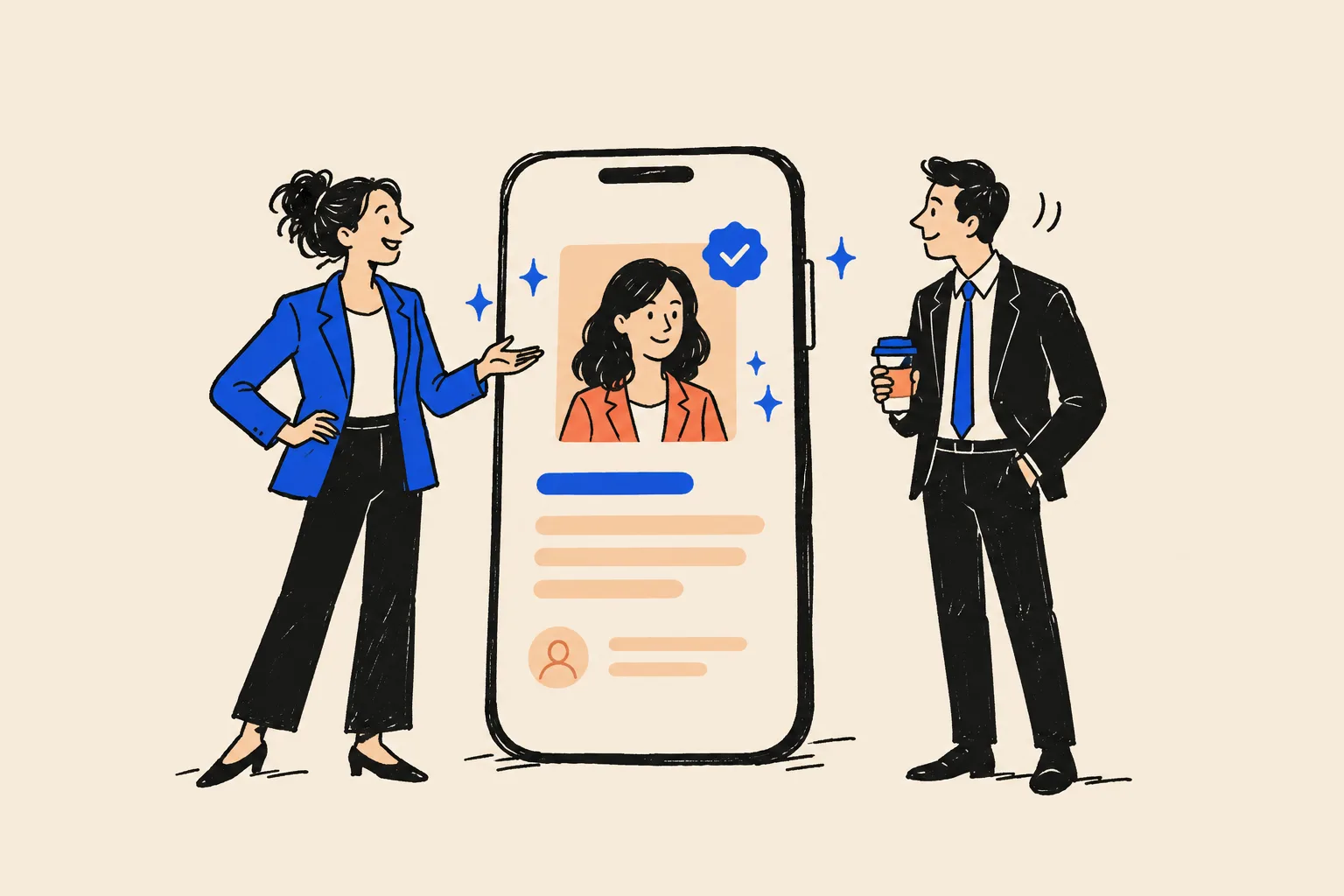
It’s 9.40 on a Tuesday night. A head of people at a 300-person software company has three names on a sticky note. Her CEO wants an executive coach for a newly promoted VP, and he wants a shortlist by Thursday.
One name came from a peer at another company. One came from a podcast she half-listened to on the drive home. One came from LinkedIn. She opens a new tab and types the first name into Google.
The first coach has a box on the right of the page: a photo, the words “Executive coach”, a short description, a link to a website, a row of books, links to LinkedIn and YouTube. The second coach’s results show a 2017 bio from a bank he left years ago, a namesake who sells real estate in Florida, and a LinkedIn page that calls him a “Transformation Strategist”. The third coach doesn’t appear at all. Google shows a different person entirely.
She asks ChatGPT, almost as an afterthought, to “tell me about” the three of them. It describes the first coach accurately. It has never heard of the other two.
You can guess who gets the Thursday meeting. And the two coaches who were dropped will never know it happened. Nobody emails to say “I looked you up and wasn’t sure.” They just don’t reply.
This playbook is about that two-minute check. It exists because coaching and consulting are bought on trust, and trust is now checked in a search box before anyone picks up the phone. Over the next few hours of reading, and the next few months of steady work, you’ll learn how to make Google and AI tools confirm who you are, what you do and who you do it for, so that the people already interested in you see a recognised expert when they look.

Who this playbook is for, and how to use it
This playbook is written for business coaches, executive coaches, leadership coaches, sales coaches, career-transition coaches who work with professionals, and independent or boutique consultants. If your name is the thing people buy, it’s for you.
It’s especially for you if:
- Most of your work comes from referrals, LinkedIn, podcasts, talks or events, and people usually look you up before they get in touch.
- You have a real track record, but the internet doesn’t show it clearly. Maybe your old corporate life still dominates your search results. Maybe your profiles say different things.
- You want to raise your fees, get onto more podcasts and stages, publish a book, or be considered for corporate work where buyers do proper due diligence.
- You’ve noticed that ChatGPT or Google’s AI answers either don’t know you or describe you wrongly.
It is not the right guide for three situations. If Google already shows a panel about you that contains the wrong person’s details, you need specialist help, because fixing a merged identity is delicate. If you want a panel for your company rather than for you, the principles overlap but the details differ. And if you’re looking for a shortcut that bends the rules, you won’t find one here. Every shortcut we’ve seen ends up costing more time than it saved.
Three ways to read it
You don’t have to read this in one go. Pick the route that fits your week.
Ten minutes tonight
Run the Quick Check in the next section. It tells you whether your name search is helping or hurting you and which part of this playbook to start with.
One weekend
Work through Parts 2 and 3 and the first chapter of Part 4. By Sunday evening you’ll have audited your name search, chosen one clear identity, written a bio in every length you need and planned your Entity Home.
Ninety days and beyond
Follow the roadmap in Part 6. It spreads the remaining work into short weekly sessions: schema, profile clean-up, new sources, podcast and speaking outreach, tracking, claiming and maintenance.
What you’ll have at the end
If you work through the whole playbook, you’ll finish with:
- A written audit of your name search on Google and Bing, on desktop and mobile.
- An AI baseline: what ChatGPT, Gemini, Perplexity, Copilot, Claude and Google’s AI features say about you today.
- One locked “source of truth” profile with every fact about you, and the evidence for each.
- A bio in eight lengths and formats, ready to paste anywhere.
- An Entity Home page on your own domain, with structured data that machines can read.
- Twenty or more consistent profiles and mentions that link back to that page.
- A tracker for progress and a 30-minute monthly maintenance routine.
The 10-minute Quick Check
Before you read anything else, find out where you stand. This check uses only Google, a phone and one or two free AI tools. You don’t need to install anything.
Step 1: open a private window
A private window stops Google from tailoring results to your own browsing history, so you see roughly what a stranger sees.
- Open Google Chrome on your computer.
- Click the three dots in the top right corner.
- Click New Incognito window. (In Safari, click File, then New Private Window. In Edge, click the three dots, then New InPrivate window.)
- Go to google.com.
Step 2: run six searches
Type each of these into Google, press Enter, and look at the whole first page each time. Replace the brackets with your details. Keep the quotation marks out unless shown.
- Your name, exactly as you use it professionally. For example: Dana Whitlock.
- Your name plus your profession. For example: Dana Whitlock executive coach.
- Your name plus your city. For example: Dana Whitlock Denver.
- Your name plus “reviews”. This is what a cautious corporate buyer types.
- “Who is” plus your name. For example: who is Dana Whitlock.
- Your name on your phone. Repeat the first search on your mobile, in a private tab. Most podcast hosts and event bookers check you on their phone.
Step 3: ask three AI tools
Open ChatGPT (chatgpt.com), Google Gemini (gemini.google.com) and Perplexity (perplexity.ai). You can use the free versions. In each one, start a fresh chat and type:
- “Who is [your name], the [your profession] in [your city or country]?”
- “What is [your name] known for?”
- “Who are the best [your niche] coaches for [your ideal client] in [your region]?”
Note whether the tool knows you, describes you correctly, and names you in the third answer.
Step 4: score yourself
Give yourself a colour for each line below. Be honest. Nobody else will see this.
| What to look for | Green | Amber | Red |
|---|---|---|---|
| A Knowledge Panel about you | A box about you shows on desktop and mobile | A box shows only for name plus profession | No box, or a box about someone else |
| Your own website | Ranks first for your name | On page one but not first | Not on page one, or you don’t have one |
| Your job title | The same title everywhere on page one | Two slightly different titles | Three or more titles, or an old corporate role |
| Your photo | The same recent headshot everywhere | Two or three different photos | Old, missing or someone else’s photo |
| Namesakes | None on page one | One or two lower down | A namesake ranks above you |
| Independent proof | Podcasts, articles or talks about you on page one | One item | None |
| AI tools describe you | Accurately, in all three | Partly right, or in one or two tools | Wrongly, or not at all |
| AI tools recommend you | Named in at least one niche answer | Never named, but competitors are vague | Competitors named, you’re absent |
If you scored red on three or more lines, start with Part 2 and work through the playbook in order. If you scored mostly amber, your foundation exists but disagrees with itself; Parts 3 and 4 will make the biggest difference. If you scored mostly green, jump to Part 5 to protect and grow what you have.
Part 1. Why your name search decides deals
Part 1 explains why this matters so much for coaches and consultants in particular, then takes your goals one at a time. If you’re already convinced and want to start doing, skip to Part 2. But read the “silent loss” section first, because it changes how you’ll prioritise everything else.
How coaching and consulting get bought now
Almost nobody buys coaching or consulting from a cold advert. Interest starts somewhere warm: a referral from a client, a podcast episode, a talk at an industry event, a thoughtful LinkedIn post, a mention in a newsletter. Then, before booking a call, the person does a little homework.
That homework is now done alone and online. In a March 2026 Gartner survey of 646 B2B buyers, 67% said they prefer a buying experience without a sales rep1. They want to research by themselves, then talk to you once they’re mostly convinced. A coaching or consulting engagement is a B2B purchase in most cases. More than half of coaching clients are sponsored by their employer, according to the International Coaching Federation’s 2025 Global Coaching Study2.
And more of that homework now happens in AI tools. Pew Research Center found in 2025 that 34% of US adults had used ChatGPT, rising to about half of adults with a bachelor’s or postgraduate degree3. Those are exactly the people who hire executive coaches and consultants.
Why coaches and consultants are judged harder than most
Doctors, lawyers and accountants have a licence a buyer can look up. Coaching has nothing equivalent. In most countries, anyone can call themselves a coach tomorrow. Credentials such as those from the ICF exist, and 74% of coach practitioners in ICF’s 2025 study hold one2, but no credential is legally required, and most buyers can’t tell which ones carry weight.
Coaches themselves have worried about this for a long time. In ICF’s 2012 Global Coaching Study, 43% of the more than 12,000 coaches surveyed named “untrained individuals who call themselves coaches” as the biggest obstacle facing the profession, and “marketplace confusion” came second4. With roughly 123,000 coach practitioners worldwide in 20252, buyers have more names to sort through than ever.
Consultants face a version of the same problem. Your proposal says you’ve led twelve operational turnarounds. The buyer can’t ring a licensing board to check. So they check the only place they can: your name on Google, your LinkedIn, and increasingly an AI tool.
Three things raise the stakes further:
- Corporate due diligence. When a company pays for coaching or consulting, someone in HR, learning and development or procurement usually has to justify the choice. They look for independent evidence: directory listings, articles, talks, books, a professional website.
- Premium fees. A buyer spending $15,000 on a leadership programme, or $60,000 on a consulting project, is taking a personal risk. The more expensive you are, the harder they look.
- Confidential work. Much of your best work can’t be shown. Clients don’t want to be named. That makes the public proof you can show even more important.
The three kinds of searching that involve you
It helps to know that people find and check you in three different ways. Jason Barnard, the Knowledge Panel specialist behind Kalicube, separates them like this, and we’ll use the same idea throughout.
- Explicit research. Someone searches your name, or asks an AI tool “Who is [your name]?” This is the referral checking you out. You have the most control here, and it’s where this playbook starts.
- Implicit research. Someone searches a problem or a category: “executive coach for first-time CEOs”, “operations consultant for family-owned manufacturers”, “best sales coach for SaaS founders”. Whether your name comes up depends on how clearly Google and AI tools understand what you do and who you serve.
- Ancillary mentions. AI tools mention or describe you inside other products: an assistant drafting an email, a sidebar summarising a document, a meeting tool preparing notes about attendees. You can’t see these happen, but they draw on the same information.
Fix the first one and the other two get easier, because a machine that can describe you correctly is far more likely to recommend you.
What prospects find
When we look at coaches’ and consultants’ name searches, the same problems come up again and again. Each one sends a quiet signal.
| What shows up | What the buyer concludes |
|---|---|
| A corporate bio from a job you left years ago | “Are they still doing that? Is coaching a side project?” |
| Three different job titles across LinkedIn, your site and a podcast page | “I’m not sure what they actually do.” |
| A namesake ranking above you | “Is this the same person?” Then they move on. |
| Nothing at all | “Maybe they’re very new.” |
| An outdated or inconsistent photo | “This doesn’t match the person I met.” |
| An AI answer that names other coaches but not you | “The experts must be those people.” |
| Your own website first, a panel confirming who you are, podcasts and articles about you, and consistent profiles | “This is a recognised expert. I’ll book the call.” |
Coaches tell us the same thing in their own words: they’re on every platform and still leave people unsure what they do, that their profiles tell different stories, and that they want visibility beyond LinkedIn.
The silent loss
Here is the part that changes how you prioritise. A prospect who searches you and leaves never shows up anywhere. They don’t fill in your form. They don’t open your email. They don’t appear in your CRM. You can’t see a lost deal you never knew existed, so it never appears in a report and it never feels urgent.
You can estimate it, though, with your own numbers.

Your silent-loss estimate
Fill in your own numbers. Use rough guesses where you must. The point is to see the size of the gap, not to be precise.
| Line | How to estimate it | Your number |
|---|---|---|
| A. People who look you up each month | Referrals given + podcast and event listeners who search + LinkedIn profile viewers who click through. If unsure, start with 20. | e.g. 20 |
| B. Share who move on after looking | Be honest about what your search shows today. A thin or confusing result might lose a quarter of them. | e.g. 25% |
| C. Share of those who would have signed | Your normal close rate on warm leads. | e.g. 20% |
| D. Average first-engagement value | Your typical first contract or programme fee. | e.g. $10,000 |
| Monthly silent loss = A × B × C × D | Multiply the four lines. | e.g. 20 × 0.25 × 0.20 × $10,000 = $10,000 |
What “good” looks like
When a coach’s or consultant’s name search is working, a buyer sees five things within seconds:
- A Knowledge Panel on the right (or a card at the top on mobile) that confirms your name, your photo, what you do and where your website is.
- Your own website in first place, with a clear title such as “Dana Whitlock, Executive Coach for First-Time CEOs”.
- Consistent profiles: LinkedIn, YouTube, your ICF or association listing, all with the same title, photo and story.
- Independent proof: podcast episodes, articles, conference pages and book listings about you.
- AI answers that describe you accurately when someone asks who you are.
You don’t have to be famous for any of this to happen. Google has to be sure about you, and the rest of this playbook shows how to get it there.
Your seven goals, and how this work serves each one
Coaches and consultants tell us they want the same seven things: more clients, more authority, more podcast invitations, more speaking slots, more invitations to events, a published book, and higher fees. A Knowledge Panel and a clean AI footprint support every one of them, but in different ways. This chapter takes them one at a time, with practical steps you can start this month.
The common thread is simple. Each of these goals involves a gatekeeper who looks you up: a buyer, an editor, a host, an event organiser, a publisher, a procurement team. Your name search is the evidence they see. Improve the evidence and every gate opens a little more easily.

Goal 1: more clients
How the work helps. Most of your clients already come from referrals and warm introductions. The panel protects that pipeline. When the referred person searches you, they see a recognised expert whose details agree everywhere, so more of them book the call. A clean footprint also helps AI tools describe you correctly when a prospect asks “What does [your name] do?”, and gives you a chance of being named in implicit questions like “Who’s a good coach for new managers in Manchester?”
Practical steps:
- Run the Quick Check and fix the worst red item first. For most coaches that’s an old bio or conflicting job titles.
- Make sure every profile links to one page on your own site (your Entity Home, explained in Part 4), not to a booking link or a link tree.
- Add a short, clear line to your email signature and LinkedIn featured section: your name, your one-line identity and your website.
- Write a page on your site that answers the questions buyers ask: who you work with, how engagements run, typical length, how you measure progress, what it costs or how pricing works. AI tools quote pages like this.
- Ask three recent clients for permission to publish a short, attributable testimonial. (See the compliance section in Part 3 first.)
What changes for the buyer. Before: a scattered page of links and a moment of doubt. After: a confirmation box, your site first, and independent proof. The doubt that used to cost you the call is gone.
Goal 2: more authority
How the work helps. Authority is other people vouching for you, in public, in places your buyers trust. A Knowledge Panel is Google’s visible sign that it has checked you against those places and is confident about who you are. That matters in a field where, as we saw, buyers struggle to tell serious practitioners from everyone else. Decision-makers also trust what experts publish more than marketing: in the 2024 Edelman-LinkedIn B2B Thought Leadership Impact Report, nearly three-quarters of business leaders said thought leadership was a more trustworthy basis for judging an organisation’s capabilities than its marketing materials5.
Practical steps:
- Choose one primary identity (Part 3) and stop diluting it. Authority builds faster in one lane.
- List the five publications, associations and podcasts your buyers already respect. These are your target corroboration sources (Part 4).
- Publish one substantial piece a quarter on your own site that answers a hard question in your niche, then pitch a shorter version to an industry publication.
- Keep a press page that lists every article, interview and talk about you, each with a link.
- Make sure your credentials are listed in the issuing body’s directory, with the exact wording they use.
What changes for the buyer. Before: “I can’t tell if they’re any good.” After: “Google, three industry podcasts and their association all agree this person is an expert in exactly what we need.”
Goal 3: more podcast invitations
How the work helps. Podcast hosts and their producers receive a lot of pitches. Before replying, they search you to check you’re real, articulate and relevant to their audience. A panel and a tidy name search make you look like a safe, prepared guest. Then every episode you record becomes a new independent source that mentions you, which strengthens the panel in return, so each booking makes the next one easier.
Practical steps:
- Build a one-page guest kit on your site: a 30-second spoken intro, a short bio, a headshot, three topics you can talk about, and a link to your Entity Home. (Part 4 has the template.)
- Use podcast-matching services such as PodMatch, MatchMaker.fm or PodcastGuests.com, or research shows directly. These services have paid tiers, so check terms before you sign up6.
- Pitch shows your buyers listen to, not just shows about coaching. An executive coach usually gets more from a podcast for CFOs than on another coaching podcast.
- After each episode goes live, ask the host to link your name in the show notes to your Entity Home, then add the episode to your press page and your schema’s “subjectOf” list (Part 4).
- Say the same core message in every interview. Change the angle for each audience, never the identity.
What changes for the booker. Before: an unanswered pitch. After: “They have a panel, a clear niche and a page made for hosts. Let’s book them.”
Goal 4: more speaking opportunities
How the work helps. Event organisers are careful because a weak speaker reflects on them. Planning guides tell organisers to check a speaker’s credentials, past reviews, sample videos, website and social profiles, and to follow up references7. A clear name search answers most of that before they ask. Each event you speak at usually publishes a speaker page about you, which is another independent source.
Practical steps:
- Create a speaker page on your site with your talk titles, a short video clip, past events with links, and a downloadable bio and headshot.
- Create a public profile on speaker platforms such as SpeakerHub and Sessionize. On Sessionize, organisers can only find you in their searches if you enable your public profile8.
- Start with chapter meetings of associations your buyers belong to, webinars hosted by others, and local business events. Smaller stages produce speaker pages too.
- Ask every organiser to link your speaker bio to your Entity Home and to use your standard bio word for word.
- If you speak professionally, look into professional speaking bodies. In the US, the National Speakers Association runs a public directory of Certified Speaking Professionals9.

Goal 5: participating in events
How the work helps. Beyond keynotes, events offer panels, roundtables, workshops, judging roles, sponsorships and invitations to private dinners. The people who curate these lists look for names they recognise and can justify. Being clearly identifiable online makes you easier to invite. Being listed on event pages, in turn, adds relationships Google can see: you, connected to an industry body, a conference, other recognised speakers.
Practical steps:
- Join one or two associations where your clients gather (an industry body, a chamber of commerce, a professional institute) and volunteer for something visible, such as a committee, a panel or a newsletter column.
- Offer to moderate panels. Moderators get listed on event pages and meet every panellist.
- Keep a simple “appearances” list on your site with dates, event names and links.
- Photograph yourself at events (or ask the organiser for photos) and use them on your site and social profiles with descriptive file names.
- Connect on LinkedIn with fellow panellists and organisers the same week, and mention the event in a post that links to the event page.
Goal 6: publishing a book
A book is one of the most powerful things a coach or consultant can add to their footprint, because it creates new, independent records about you in places Google and AI tools trust. It deserves its own chapter, and it has one: see “Your book: the strongest entity you can create” in Part 4. Here’s the short version.
How the work helps. When a book is properly published, Google often gives the book its own entry in Google Books and links it to its author. Amazon creates an author page you can claim through Amazon Author Central. Goodreads creates an author profile you can claim through its Author Program. Each of these is a structured, trusted source that names you, your book and your subject. Kalicube reports that Google Books has its own knowledge graph and that published authors can get panels from it, though it warns that your own website should still be the main reference10.
Practical steps before you publish:
- Decide your author name now and make it identical to the name you use everywhere else. Don’t add or drop a middle initial on the cover.
- If you self-publish, consider buying your own ISBN (the International Standard Book Number, a unique ID for each edition). In the US, ISBNs are sold by Bowker through myidentifiers.com, and a single ISBN cost $125 at the time of writing11. A free ISBN from a self-publishing platform usually lists that platform as the publisher.
- Create a page for the book on your own site before launch, with the title, subtitle, ISBN, publisher, publication date, cover image and a link to your About page.
- On launch, claim your Amazon Author Central page and your Goodreads author profile, and use your standard bio on both.
Goal 7: raising your prices
How the work helps. When a buyer pushes back on price, they are often unsure about the risk. A buyer who is sure about you worries less about the fee. Your name search is part of how they become sure. When a procurement team or a CFO looks you up and finds a recognised, consistently described expert with independent proof, your proposal stops looking like a gamble. Research from Edelman and LinkedIn found that 86% of decision-makers say they are more likely to invite organisations that produce high-quality thought leadership to bid for work5, which is often where premium engagements start.
Practical steps:
- Narrow your positioning. A specialist (“executive coach for first-time CEOs of venture-backed companies”) can charge more than a generalist, and is also far easier for Google and AI tools to categorise.
- Make your Entity Home look like the website of someone who charges what you want to charge: one clear identity, real proof, no clutter.
- Publish case studies your clients approve, focused on the problem and the change, without inflated numbers.
- Raise fees for new clients first, after your name search improves, and track whether close rates hold.
- Be careful with income and results claims. In the US, deceptive earnings claims are unlawful, and the FTC has been working on rules aimed specifically at business coaching offers12. See the compliance section in Part 3.
What a Knowledge Panel is, and what it isn’t
Everything in this playbook relies on a handful of terms. This chapter explains each one in plain words, using a real panel as the example.
The short definition
A Knowledge Panel is the information box Google shows when you search for a person, place, organisation or thing that Google holds in its Knowledge Graph13. On a computer it usually sits to the right of the search results. On a phone, the same information appears as one or more cards near the top.
Think of it as Google’s summary card about you. It says, in effect: “We know who this is, and here’s what we’re confident about.” Google generates panels automatically and updates them as the web changes13. Nobody writes their own, and you can’t buy one.
Anatomy of a panel, using a real example
Below is a real search for Shobin K Jose, DotVisible’s founder, taken in October 2026. It shows clearly what a panel for a working professional looks like.
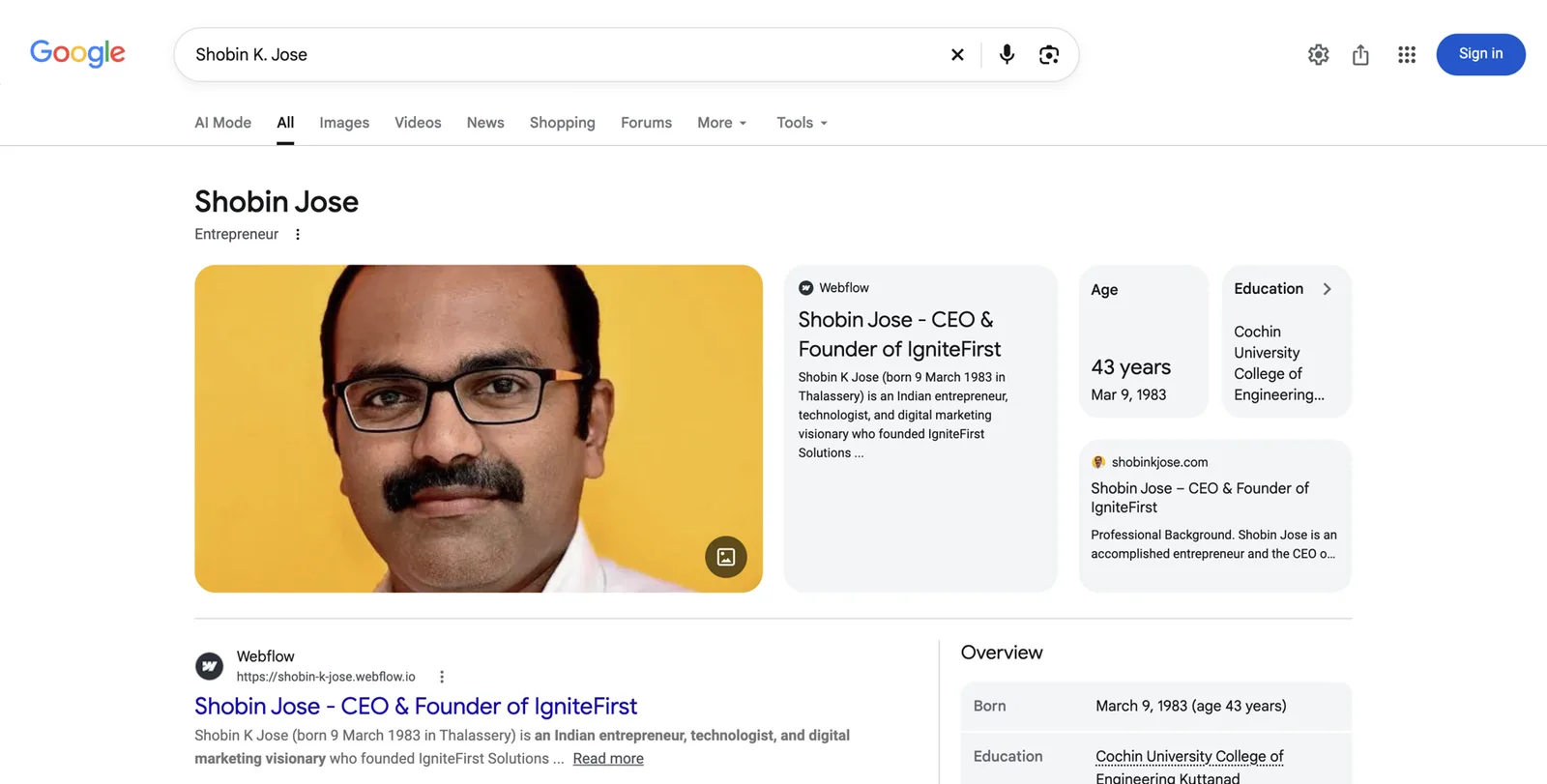
Each part, and where it comes from:
- Name. The panel shows “Shobin Jose”, Google’s chosen form of the name. Notice that the search was for “Shobin K Jose”. Google matched the two because his sources list both forms.
- Subtitle. The grey word under the name, here “Entrepreneur”. Google picks this from a set of roles it recognises, based on how the web describes you. For a coach it might read “Executive coach”, “Business coach”, “Consultant” or “Author”. You can’t type it in; you influence it by describing yourself the same way everywhere.
- Photo. One main image, with a small icon to see more. Google tends to keep using an image it has trusted for a while, so the photo you publish early matters.
- Website and description cards. The cards to the right of the photo come from pages Google associates with him, including his own site, shobinkjose.com. These pages are his Entity Home and supporting pages, ideas we’ll build in Part 4.
- Facts. “Age” and “Education” are facts Google is confident enough to state. For a coach these might include books, organisations founded or education.
- Overview. Further down, a structured list repeats the key facts. On some panels you’ll also see social profile icons, “People also search for”, videos and books.
- The three dots next to the subtitle. That menu is where a verified person can suggest changes, and where “Claim this knowledge panel” appears for an unclaimed panel. We cover claiming in Part 5.
On other people’s panels you’ll see extra features: tabs such as Overview, Books or Videos; a description with a link to its source; a row of social icons; and “People also search for”, a carousel of related people. For a coach with a book, a book carousel is common.
Things often confused with a Knowledge Panel
Several boxes look similar but are something else. Knowing the difference stops you chasing the wrong thing.
Knowledge Panel
- About a person, organisation or thing
- Google builds it from the Knowledge Graph
- You can claim it and suggest edits, not write it
- Earned through consistent, corroborated facts
Google Business Profile
- About a business location or service area
- The owner creates and edits it directly
- Shows a map, hours, reviews and a phone number
- Useful for a local practice, not a substitute for a personal panel
Lookalikes
- A featured snippet quoting your site
- Your LinkedIn result ranking first
- An AI Overview summary at the top
- A ‘See results about’ box asking which person you meant
A coach with an office may have both a Google Business Profile for the practice and a Knowledge Panel for themselves. They’re separate things, built in different ways. The old name for Business Profiles, Google My Business, is out of date; if someone uses it, they mean the same product.
The machinery behind it, in plain words
You’ll meet these terms throughout the playbook. Each one has an everyday comparison.
- Knowledge Graph. Google’s giant database of “things” and the facts linking them. Think of it as a library card catalogue for the world: one card per person, book or company, with notes connecting the cards. Google says it draws on hundreds of sources to build it, and that Wikipedia is only one of them14.
- Entity. One distinct “thing” Google can identify: you, your practice, your book, your podcast. Each is a separate card in the catalogue.
- KGMID. Your card’s ID number in the Knowledge Graph. It looks like /g/11abc123de or /m/0abc12. If you have one, Google holds you as an entity, whether or not a panel shows.
- Sprout. Kalicube’s nickname for a thin, early panel that only shows sometimes, perhaps for name plus profession but not for your name alone. Treat it as a starting point.
- Entity Home. The single web page Google treats as your own account of who you are. Usually your About page. Part 4 is built around it.
- Corroboration. Other sources saying the same thing about you. Like references on a job application: the more trustworthy referees agree, the more confident the employer.
- Brand SERP. “SERP” means search engine results page. Your Brand SERP is simply what Google shows when someone searches your name. It’s your online business card.
Being in the Knowledge Graph and having a visible panel are not the same. Many people have a KGMID with no panel showing. Google needs enough confidence, and enough reason to think a summary helps searchers, before it shows one.
Myths that waste coaches’ time
Only celebrities get Knowledge Panels.
Google needs confidence, not fame.
Plenty of coaches, consultants, authors and small-business owners have panels. What they share is clear, consistent information that independent sources confirm.
You need a Wikipedia page.
Most people with panels don’t have one.
You can buy a panel or edit it directly.
Google creates panels automatically and doesn’t sell them.
You can influence a panel by changing what the web says about you, and once you’ve claimed it you can suggest changes. You can never write it yourself, and anyone selling a guaranteed panel is promising something they don’t control.
Once you have a panel, it’s yours for good.
Panels change and can disappear.
Panels update as the web changes. Kalicube reports that Google deletes a meaningful share of Knowledge Graph IDs every year (its own figure is about 15%)16. Maintenance is part of the job.
AI answers: the new referral
A growing share of your buyers now ask an AI tool before, or instead of, searching. “Who’s a good executive coach for a first-time CEO?” “What do people say about [your name]?” “Summarise this consultant’s background before my call.” The answer usually names two or three people with a sentence about each. If you’re one of them, you’ve just had a warm introduction you didn’t ask for.

The tools that matter
- ChatGPT (OpenAI). The most used. It answers from what it learned in training plus live web searches.
- Google Gemini and Google’s AI features in Search, called AI Overviews (a summary at the top of some results) and AI Mode (a chat-style search tab). Google says these draw on its Knowledge Graph as well as web results17.
- Perplexity, which searches the web and shows its sources.
- Microsoft Copilot, built on Bing.
- Claude (Anthropic) and others, used more by professionals at work.
How they choose whom to name
None of these companies publishes a ranking formula for people. What we know, simplified, is that answers come from three ingredients:
- What the model learned during training. A snapshot of the web, fixed at a point in time. It rarely knows much about individual coaches.
- Live web search. For most questions about a specific person or a niche, the tool searches the web there and then and reads what it finds. OpenAI says ChatGPT’s search features use its own crawler, OAI-SearchBot, and that sites blocking it won’t appear in ChatGPT search answers18.
- Knowledge graphs. Google’s AI features draw on Google’s Knowledge Graph17. Other tools use their own data.
All three drink from the same well: the public web. So the same clean, consistent footprint that earns a Knowledge Panel also gives AI tools better material to describe you.
What a clean footprint does for AI, and what it doesn’t
A consistent, well-sourced footprint helps AI tools in three ways. It helps them identify you as one specific person. It helps them describe you accurately. And it makes you a safer name to mention, because the tool can find several sources that agree.
It does not guarantee anything. There is no published way to buy a place in an AI recommendation. There is also no evidence that Google’s Knowledge Panel feeds ChatGPT directly, despite what some sellers claim. And AI answers vary from one run to the next: research reported by Search Engine Journal in 2026 found AI tools rarely give the same list of recommendations twice19. Measure how often you appear across many tries, not your position in one answer.
Kalicube’s own observation is that accurate AI answers about a person tend to take between 9 and 24 months of consistent work to appear20. That’s their estimate. Plan for a project measured in months.
How Google decides to show you
You don’t need to understand Google’s engineering. You do need the mental model, because every step that follows comes from it.
Three conditions
Practitioners who study panels describe three conditions that all have to be true before Google shows one for a person20:
- Google understands who you are. It knows your name, what you do, who you serve, where you’re based and how you connect to other things it knows (your practice, your book, your association).
- Google is confident that understanding is right. Several trustworthy sources agree with each other and with your own description.
- You’re the person the searcher most probably means. If three people share your name, Google shows the one it thinks most searchers want. That judgement often depends on location, so a coach can have a panel in their home country and not elsewhere.
Google learns like a child
Jason Barnard compares Google to a bright child learning about the world, and it’s the most useful picture we know.
Imagine teaching a child who you are. You tell them yourself first: “I’m Dana, I coach new CEOs.” Then they check with people they trust. If their teacher, their uncle and a book all say the same thing, they believe it. If one person says you’re a coach, another says you’re a banker and a third has never heard of you, they stay unsure, and they keep quiet when asked.
That’s why repetition and consistency matter so much, and why contradictions are so damaging. Google won’t state a fact about you in a panel until it’s confident.

The three-step method
Almost everyone who does this work successfully uses the same three steps20:
- An Entity Home. One page you own and control that describes you clearly. This is where Google starts.
- Corroboration. Other sources that say the same things: your profiles, directories, articles, podcasts, event pages, book listings.
- A loop. Your Entity Home links out to those sources, and they link back to it. Google can follow the circle and confirm that everything describes the same person.
Structured data (also called schema markup) ties the loop together. It’s a hidden label on your Entity Home that tells machines, in their own language, who the page is about and where to confirm it. Part 4 explains it in plain English.
First-party, second-party and third-party sources
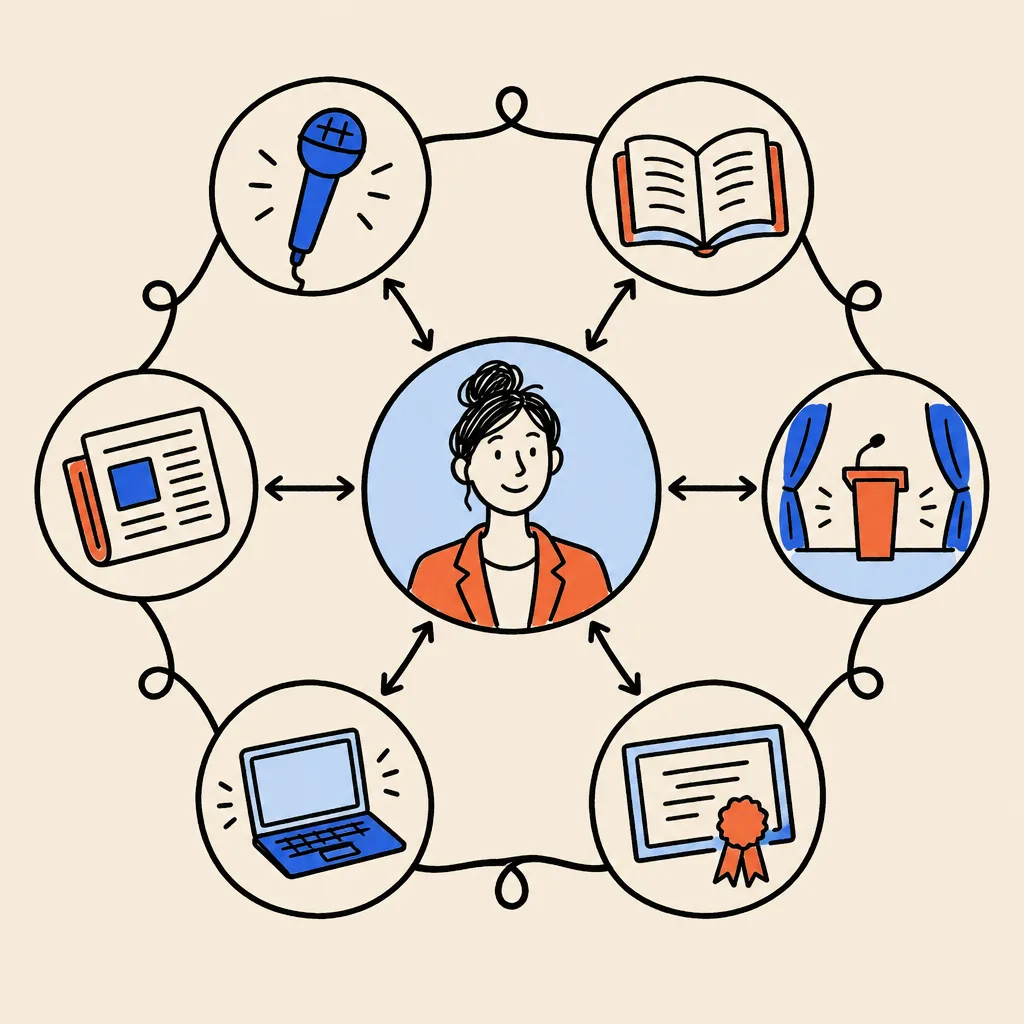
Sources fall into three groups, and they don’t carry equal weight.
- First-party sources are yours: your website, your blog, your newsletter archive.
- Second-party sources are profiles you partly control: LinkedIn, YouTube, X, your ICF directory listing, your Amazon author page, your speaker profile.
- Third-party sources are written by someone else: a podcast host’s show notes, an industry magazine interview, a conference speaker page, a client’s case study about working with you.
Independent, third-party sources carry the most weight, because you can’t simply write them yourself. Second-party profiles are useful, but each extra profile adds less than the one before. A handful of strong, relevant sources beats a hundred thin listings.
Why consistency beats volume
The single most common reason a coach or consultant doesn’t have a panel is inconsistency. A typical example: on the website: “Leadership consultant.” On LinkedIn: “Executive Performance Strategist.” In podcast bios written by hosts: “Business coach.” On an old employer page: “Senior Vice President, Operations.” To a person, those are four facets of one career. To a machine, they’re four possibly different people.
Google also reads structured, organised content (headings, tables, lists, structured data) with more confidence than loose paragraphs. So clarity of format matters as well as clarity of words.
What slows things down
- A common name, or a famous namesake.
- Old, wrong information that Google has already absorbed and joined together.
- A social profile acting as your “home”. If your LinkedIn is the most complete source about you, Google may treat it as your Entity Home. You don’t control LinkedIn’s layout or future, so you want your own site in that role.
- Contradictory updates, such as changing your title on some profiles this month and others next quarter.
- Shortcuts that look like spam (Part 4 explains which).
How long it takes
Google gives no timeline. The ranges reported by practitioners vary widely, from a few weeks to more than a year, depending on your starting point. The table below shows the kind of ranges Kalicube reports for a person doing the work well20. Read them as their observations, not as promises.
| Milestone | Range Kalicube reports |
|---|---|
| Google creates an ID for you and shows your name and photo | About 2 to 3 months |
| A panel shows for a search of your name | About 4 to 6 months |
| A stable panel that doesn’t come and go | About 6 to 12 months |
| Accurate descriptions in AI tools | About 9 to 24 months |
Source: Kalicube DIY guidance and instruction manual
What drives the spread is mostly where you start. A consultant who already has a personal website, a complete LinkedIn, a credential directory listing and five podcast appearances that all agree is far closer to the finish line than someone starting from a single profile.
Part 2. Diagnose: see what your prospects see
Part 2 turns the Quick Check into a proper audit. Set aside about an hour for the name-search audit and the AI baseline, and another hour or two for the footprint inventory. You’ll use what you find in every later step, so it’s worth doing carefully.
The name-search audit
Set-up. Use a private window, as in the Quick Check. Also check on your phone. Then repeat the main searches on Bing (bing.com), because Copilot relies on Bing and Bing shows its own version of a knowledge panel.
If you work across countries, it helps to see results from another location. Google’s own search settings let you change the region: on the results page, click Settings (the gear icon), then Search settings, then Region settings, pick a country and click Save. Treat this as a rough guide, as results still vary by device and history.
Searches to run. Run each one and record what you see.
- Your name as you use it professionally.
- Your name plus your profession: “coach”, “executive coach”, “consultant”, whichever you use.
- Your name plus your city.
- Your name plus “reviews”.
- “About” plus your name.
- “Who is” plus your name.
- Variations: with and without a middle initial, with “Dr” if you use it, your nickname, your maiden name or former name if you’ve changed it.
- The name of your practice or company.
What to record for each search. Use the worksheet below. For every search, write down:
- Whether a panel shows (yes or no). If yes, note the subtitle, the photo, the description and its source, the website link, the profiles listed and the “People also search for” names.
- Whether a “See results about” box appears, which means Google sees more than one possible person.
- Positions one to ten: what each result is, whether it’s about you, and whether it’s accurate and current.
- Any namesakes, old results or anything negative.
A1. Name-search audit
One row per result. Do this for your main name search first, then repeat for name plus profession and name plus city.
| Search | Position | Page (site and title) | About me? | Accurate and current? | Fix needed |
|---|---|---|---|---|---|
| Dana Whitlock | 1 | LinkedIn: Dana Whitlock, Executive Coach | Yes | Title differs from website | Align headline |
| Dana Whitlock | 4 | Old bank bio page | Yes | No, role from 2018 | Ask to update or remove |
Check whether Google already knows you
Even without a visible panel, Google may already hold you as an entity. Here are three ways to check, from easiest to most technical.
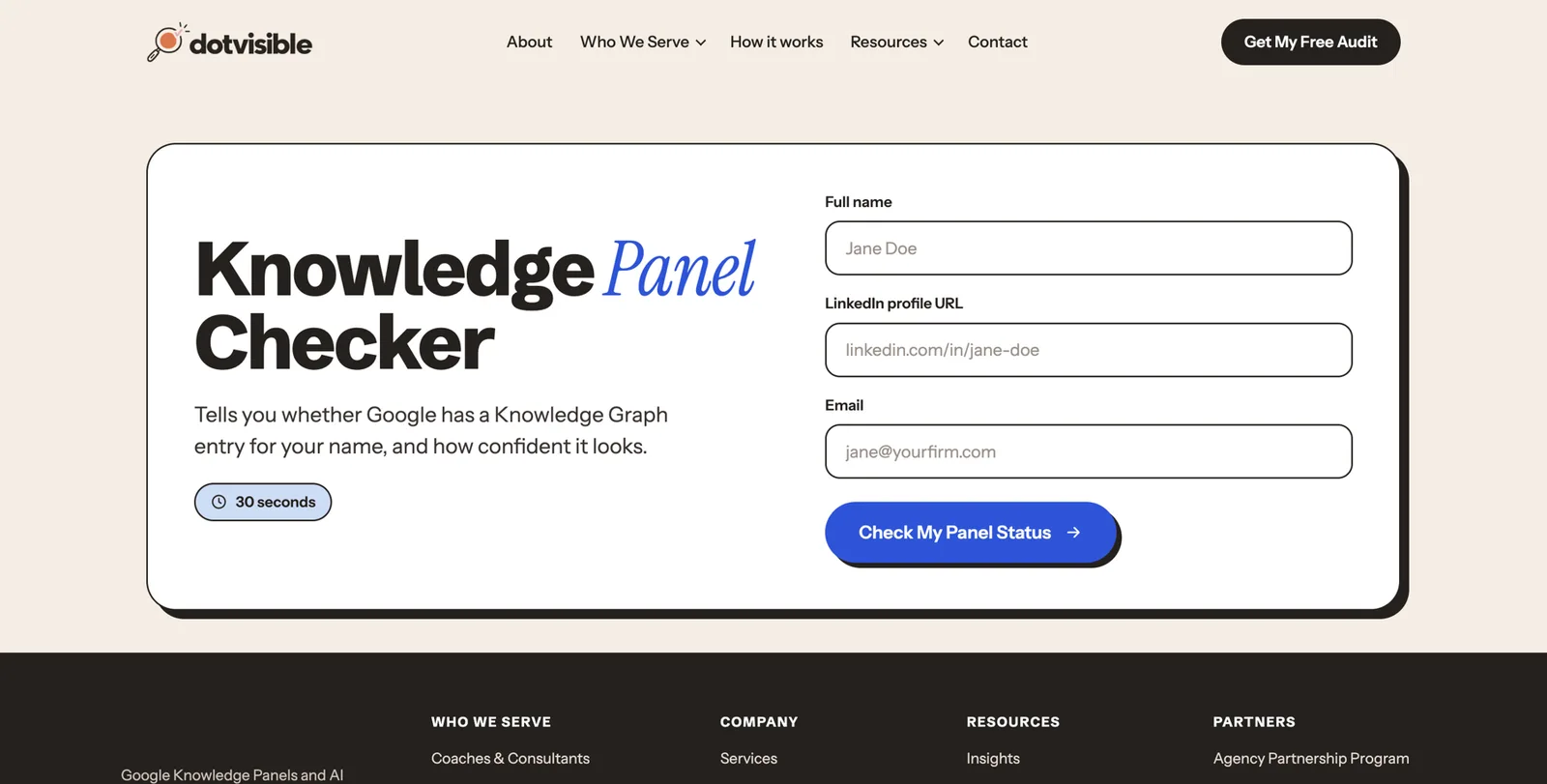
- Use a free tool. DotVisible’s Knowledge Panel Checker looks you up in Google’s Knowledge Graph and tells you whether you have an ID.
- Look in a panel’s share link. If any panel or “See results about” card appears, click the share icon (or the three dots, then Share) and copy the link. If it contains “kgmid=” followed by something like /g/11…, that’s your ID. Paste google.com/search?kgmid= followed by the ID into your browser to see the entity on its own.
- Use the Knowledge Graph Search API. Google offers a free developer tool that returns entities matching a name21. It requires a free API key, so most people use a checker tool instead.
If you find more than one ID for yourself, Google sees you as more than one person. That’s fixable, and Part 5 explains how.
The deep sweep (optional)
If you want a complete picture, run a deeper set of searches. Type each one into Google exactly as shown, replacing the name. The word “site:” followed by a website address tells Google to search only that website.
| Family | Example searches |
|---|---|
| Identity profiles | "Dana Whitlock" site:linkedin.com · "Dana Whitlock" site:x.com · "Dana Whitlock" site:youtube.com · "Dana Whitlock" site:crunchbase.com |
| Authority sources | "Dana Whitlock" site:wikidata.org · "Dana Whitlock" site:medium.com · "Dana Whitlock" site:substack.com |
| Professional | "Dana Whitlock" speaker · "Dana Whitlock" podcast · "Dana Whitlock" book · "Dana Whitlock" ICF · "Dana Whitlock" [your niche] · "Dana Whitlock" [your city] |
| News and press | "Dana Whitlock" interview · "Dana Whitlock" article · then click the News tab |
| Images | Search your name, click the Images tab, note which photos appear and where they come from |
For most coaches, the speaker, podcast, book and credential searches surface the most useful material, because those are pages mostly about you. Add every relevant page to your footprint inventory.
Your AI baseline
Now find out what AI tools say about you today. You’ll repeat this monthly, so keep the results.
- Open each tool in turn: ChatGPT, Google Gemini, Perplexity, Microsoft Copilot, Claude, and Google Search with AI Mode (the AI Mode tab on the Google results page, where available).
- Start a new chat for every question, so earlier answers don’t influence later ones.
- Ask the four prompts below.
- For each answer, mark it Accurate, Inaccurate or Absent, and note any sources it cites.
The four prompts:
- “Who is [your name]?”
- “Who is [your name], the [niche] coach in [city or country]?”
- “Who are the best [niche] coaches for [type of client] in [region]?”
- “What do people say about [your name] as a [coach or consultant]?”
A2. AI answer test card
Mark each cell A (accurate), I (inaccurate) or X (absent). Note any sources the tool cites underneath. Repeat monthly.
| Tool | Who is me? | Who is me, the niche coach? | Best niche coaches? | What do people say? | Sources cited |
|---|---|---|---|---|---|
| ChatGPT | I (old job title) | A | X | X | LinkedIn, an old podcast page |
Inventory your digital footprint
Next, turn everything you’ve found into one list of every place your name lives. This becomes your to-do list for Part 4.
Step 1: list every page. Open a spreadsheet (Google Sheets or Excel). Paste in every URL from your audit and deep sweep: profiles, directory listings, articles, podcast pages, event pages, old employer pages, book listings. A busy coach can easily end up with 50 to 200 rows.
Step 2: sort by priority.
- Priority 1: your website, LinkedIn and your main social profiles, plus any wiki-style entries about you.
- Priority 2: credential directories and associations, press articles, guest articles, author and contributor profiles.
- Priority 3: podcast episodes, speaking pages, book listings, awards, your own blog posts.
- Priority 4: forums, data-broker sites, everything else.
Step 3: decide how much each page is about you. Kalicube suggests a simple rule20:
- If 80% or more of the page is about you (your LinkedIn, a podcast episode page about you, an interview), it’s a core source.
- If it’s 20% to 80% about you (a panel write-up, a roundup quoting you), summarise it on your press page and link to it.
- If it’s under 20% about you (a passing mention, an attendee list), ignore it.
Step 4: check consistency, field by field. For every core source, compare these fields against what you want to say: name, title, practice or company name, niche, location, photo, bio, website link, years of experience, credentials.
Step 5: rate each problem. Use this self-assessment scale.
| Severity | Example | Deduct |
|---|---|---|
| Critical | Someone else’s photo or details mixed with yours | 20 |
| High | An outdated title or employer on a page that ranks for your name | 10 |
| Medium | Bios that tell different stories; achievements missing | 5 |
| Low | Formatting, capitalisation, small wording differences | 2 |
| Info | A true fact you could add | 0 |
Start at 100 and deduct points for each problem. The result is your footprint health score. It’s only a self-assessment, but it gives you a number to improve month by month.
Step 6: group by control. Mark each page as direct control (you can edit it today), partial control (you can request changes, such as an association listing) or no control (a journalist’s article). Work in that order: fix what you control first, then ask for changes, then build new sources.
A3. Footprint inventory and inconsistency log
One row per page that mentions you. Keep this sheet; you’ll update it every quarter.
| URL | Type (1st, 2nd, 3rd party) | % about me | What’s wrong | Severity | Control | Status |
|---|---|---|---|---|---|---|
| linkedin.com/in/danawhitlock | 2nd | 100% | Headline says Strategist | Medium | Direct | To fix |
| oldbank.com/leadership/dana | 3rd | 100% | Role from 2018 | High | Partial | Email sent |
The usual coach and consultant problems
When you fill in the inventory, look out for these. They come up in almost every audit we see.
- A corporate past that outranks the present. Your old employer’s site is strong, so its bio of you from 2018 outranks your coaching site.
- Several niches at once. Leadership coach on one site, sales trainer on another, wellness on Instagram.
- Personal brand versus practice brand. The practice website talks about “we”, and there’s no page that is clearly about you.
- Credential wording drift. “ICF certified” in one place, “PCC” in another, an old ACC level in a third.
- Different headshots everywhere, some years apart.
- Podcast host bios written by hosts, each one improvising a different title.
- A deactivated or abandoned profile still ranking for your name.
Which situation are you in?
Use your audit to place yourself in one of these situations, then follow the matching route.
| Situation | What it looks like | Where to focus |
|---|---|---|
| No panel, little presence | Few pages mention you | Parts 3 and 4 in full |
| No panel, plenty of presence | Many pages, but they disagree | Part 3, then the clean-up and loop chapters in Part 4 |
| Panel exists but rarely shows | A sprout: shows for name plus profession only | Strengthen sources and consistency; Part 5 tracking |
| Panel shows wrong or old details | Old title, wrong photo, old description | Fix the sources first, then suggest edits (Part 5) |
| Panel disappeared | It used to show and now doesn’t | Recovery steps in Part 5 troubleshooting |
| More than one ID | Two entities for you | Merge steps in Part 5 troubleshooting |
| Panel shows someone else | A namesake or a mix of you and them | Get specialist help; this is beyond DIY |
Part 3. Define: decide exactly who you are to machines
This is the most important decision in the whole playbook, and it costs nothing but thought. Before you touch a single profile, you’ll choose one identity, one name, one description of your ideal client, and one locked set of facts. Everything in Part 4 copies from what you decide here.
Choose your primary identity
Your primary identity is the label you want Google to put under your name: the subtitle on your panel. For coaches and consultants it’s usually one of these:
- Business coach
- Executive coach
- Leadership coach
- Sales coach
- Career coach
- Management consultant
- Leadership consultant
- Operations consultant
- Author (if your book is now the main thing you’re known for)
Three rules for choosing:
- Pick a label your buyers use. If HR directors search for “executive coach”, don’t call yourself a “Chief Clarity Officer”. Clever titles are fine in conversation. Machines need a label they recognise.
- Pick a label Google recognises as a profession. Kalicube observes that Google chooses panel subtitles from a set of roles it understands, and that its 2023 updates reshuffled many subtitles, for example toward “Writer” and “Author”15. A standard role is far more likely to stick than an invented one.
- Pick one. You can be a coach, an author, a speaker and a podcaster. But one label leads, and the others follow as secondary facets.
The identity order every bio follows
Once you’ve chosen your primary identity, every description of you follows the same order. Only the length changes from one platform to another.
- Primary identity, plus the practice you founded or run.
- Location and who you serve.
- Services and method.
- Credentials, books and media.
- Background and earlier career.
The first sentence decides the subtitle
The single most important sentence you’ll write is the first sentence of your bio. Barnard calls it a semantic triple: a simple subject, verb, object statement that machines can read without effort. The pattern is:
“[Name] is a [primary identity] who helps [audience] [outcome].”
For example (fictional): “Dana Whitlock is an executive coach who helps first-time CEOs of venture-backed companies lead through their first two years.”
The first label in that sentence is the one Google tends to pick for your subtitle20. If you write “Dana is an author, speaker and executive coach”, you’re telling Google “author” comes first. Order matters.
If you wear several hats
Many coaches are also speakers, podcasters and authors. That’s an asset, as long as you present it in a consistent order. Choose one primary identity and treat the others as supporting facts: “Dana Whitlock is an executive coach… She is the author of First Seat and hosts the Year One CEO podcast.” (Fictional.)
What confuses machines is mixing the order: “speaker” first on one site, “podcaster” first on another, “coach” first on LinkedIn. Each one pulls Google in a different direction.
If you changed careers
Many coaches and consultants spent years in corporate roles first. That history helps your credibility, but it can dominate your search results long after you’ve moved on. To shift it:
- Lead with the new identity everywhere. Every first sentence starts with your coaching or consulting role.
- Update old references rather than deleting them. Change your LinkedIn experience so your former role is clearly in the past. Ask your old employer to update or remove your bio page. Deleting history can create gaps that confuse more than they help.
- Join your new peer group. List yourself in coaching or consulting associations, speak at their events, appear on their podcasts. Google learns who you are partly from the company you keep.
- Use your background as a credential, not an identity. “Before founding Whitlock Leadership, Dana spent 14 years in finance leadership roles” belongs in the background module, not the first sentence.
- Measure success by the subtitle. When Google’s subtitle or AI description changes from your old title to your new one, the shift has worked.
Decide your name once
Choose one exact form of your name and use it everywhere: your website, every profile, every bio, every book cover, every podcast intro.
- Common name? Add something that makes it distinctive and keep it permanently: a middle initial (“Dana R. Whitlock”), a full middle name, or a niche word in your brand (Kalicube describes a client who used “Mark Preston SEO” this way). Pick the version you’re happy to use for the next 20 years.
- Variants exist? Record them as alternate names (for example, a maiden name or a nickname). You’ll list them in your schema in Part 4 so Google knows they’re all you.
- Don’t name your podcast or company exactly after yourself. “The Dana Whitlock Show” competes with you for your own name. “Year One CEO” with Dana Whitlock as host is clearer.
- Renaming is a full rebrand. If you change your name later (after marriage, for example), expect it to take months for Google to catch up.
If you must change your name: the day-of checklist
- Update your Entity Home first, and add the old name as an alternate name in your schema.
- Update LinkedIn, YouTube, X, Facebook and Instagram on the same day.
- Update your credential directory listings and association profiles within the same week.
- Keep your existing domain names and social handles.Redirect old URLs rather than letting them break.
- Email podcast hosts, event organisers and editors with a short request to update your name and bio.
- Write one line in your bio connecting the names, such as “formerly known as”, for at least a year.
Describe your ideal client in a way machines understand
AI tools decide whom to recommend partly by matching the question to how clearly a person’s footprint describes who they serve. “I help business owners” matches almost nothing. “I help founders of family-owned manufacturers in the Midwest prepare for succession” matches very specific questions.
A5. Identity and ideal-client sheet
Fill in each line. Specific beats broad every time.
| Question | Fictional example | Your answer |
|---|---|---|
| Primary identity (one label) | Executive coach | |
| Practice or company you founded | Whitlock Leadership | |
| Who you serve | First-time CEOs of venture-backed software companies | |
| Industry or niche | B2B software, Series A to C | |
| Typical engagement | Six- or twelve-month programmes, company-sponsored | |
| Geography | Denver, remote across the US | |
| Problems you solve | Board relationships, first executive hires, founder burnout | |
| When buyers find you | In the first 90 days after a CEO appointment | |
| Your first sentence | Dana Whitlock is an executive coach who helps first-time CEOs of venture-backed software companies lead through their first two years. |
Build your source-of-truth profile
Your source-of-truth profile is one locked document holding every fact about you, with the evidence for each. Everything else you publish copies from it. Without it, small differences creep in every time you write a new bio from memory.
Create a document (Google Docs or Word is fine) with these fields. Fill in what applies; leave the rest blank.
- Legal name, public name and any name variants
- Primary title and practice name
- Date the practice was founded (only if you can document it)
- Location (city and country; whether you work remotely)
- Niche and audience
- Services and programmes
- Short bio and long bio (you’ll write these next)
- Every profile URL you own
- Education (institution, qualification, year)
- Credentials (exact wording, issuing body and year, for example “Professional Certified Coach (PCC), International Coaching Federation, 2021”)
- Professional memberships
- Books (title, publisher, year, ISBN)
- Speaking (events, dates, links)
- Podcasts (shows, episode titles, dates, links)
- Media coverage (outlet, title, date, link)
- Awards (who awarded it, for what, year, link)
- Board or advisory roles
- Languages
- Topics you’re known for
- Approved photos (file names)
- Peers and organisations you’re publicly connected to
The evidence ladder
Not all evidence is equal. When you record a fact, note the strongest evidence for it. From strongest to weakest:
- Official records and credential issuers: your ICF credential in the ICF directory, a university’s record, a Certified Management Consultant listing.
- Your Entity Home and verified profiles.
- Institutional pages: an association’s page listing you as a board member, a university page listing you as a guest lecturer.
- Independent editorial coverage: an interview or article written by a journalist or host.
- Directories.
- Paid press releases and self-published reposts. These show you said something, not that anyone independent confirmed it.
Give each fact a status: verified (strong evidence you can link to), partial (some evidence; confirm), self-reported (true, but only you say so), or exclude for now (until you can confirm it).
A4. Source-of-truth profile
One row per fact. The evidence column is what keeps you honest and consistent.
| Field | Exact wording to use everywhere | Evidence (link) | Status |
|---|---|---|---|
| Credential | Professional Certified Coach (PCC), International Coaching Federation | ICF Credentialed Coach Finder listing | Verified |
| Book | First Seat (Example Press, 2025), ISBN 978-0-000000-00-0 | Publisher page | Verified |
| Years coaching | Coaching executives since 2016 | LinkedIn history, first client invoice | Self-reported |
Never invent or inflate
These are the claims that most often go wrong for coaches and consultants. Leave them out unless you can prove them with a link.
- Years of experience worked out from an incomplete timeline.
- Founding dates you can’t document.
- Client counts (“500+ executives coached”).
- Revenue or results figures (“clients grow 3x”).
- Podcast or speaking appearances you can’t link to.
- Awards that were really paid inclusions.
- Profiles or accounts you can’t prove are yours.
Some honesty rules are specific to this field:
- A paid “Top 50 coaches” feature is not an award. If you paid to be included, it’s advertising. Don’t call it an award, and don’t list it as one in your schema.
- A wire press release is not media coverage. It’s paid distribution. You can link to it, but don’t present it as an article about you.
- “As seen in” needs a real link. If you list a logo, there should be an article, interview or episode behind it.
- Testimonials must be real, attributable and permitted. More on this below.
Rules that limit what coaches and consultants can publish
Coaching isn’t licensed, but that doesn’t mean anything goes. Several rules shape what you can say online, especially about results and reviews. This is a plain-English summary, not legal advice. If you’re unsure, check with a lawyer in your country.
ICF Code of Ethics. If you hold an ICF credential or present yourself as an ICF Professional, the ICF Code of Ethics requires you to state your qualifications, training, certifications and ICF credentials accurately, and to make only true statements about what you, ICF and coaching offer. It also protects client confidentiality22. In practice: use your exact credential wording, don’t imply a higher level than you hold, and don’t name clients without permission.
US FTC Endorsement Guides. The US Federal Trade Commission finalised revised guides on endorsements and testimonials on 29 June 202323. In plain terms: testimonials must reflect real clients’ honest opinions; if you show a testimonial with unusual results, you need evidence they’re typical or must clearly say what people generally achieve; and if you gave someone something in return (a free session, a discount, payment), that connection must be disclosed.
US FTC rule on reviews and testimonials. Since 21 October 2024, an FTC rule bans fake reviews and testimonials, including AI-generated ones and those from people with no real experience of your service, as well as buying positive reviews and suppressing negative ones. Breaches can bring civil penalties24.
US FTC and earnings claims. Deceptive earnings claims are already unlawful in the US. In January 2025 the FTC proposed extending its Business Opportunity Rule to cover “money-making opportunities”, including business coaching, which would make unsupported income claims easier to penalise12. If you coach on business growth, be very careful with phrases like “clients double their revenue”.
UK fake reviews ban. Under the Digital Markets, Competition and Consumers Act 2024, fake reviews and undisclosed incentivised reviews became banned practices in the UK from 6 April 2025. The Competition and Markets Authority published guidance (CMA208) explaining what businesses must do25.
Other countries have their own consumer-protection rules. The safe pattern is the same everywhere.
Compliance-safe proof for coaches and consultants
- Use testimonials only from real clients who gave written permission to be quoted, with their name and role where they agree.
- Keep the permission on file.
- Avoid specific income or results promises.Describe the problem and the change in plain terms, and say results vary.
- Disclose any free sessions, discounts or payments given in exchange for a review.
- Never write, edit into new meaning, or generate reviews with AI.
- Don’t name corporate clients or show their logos without permission.
- State credentials exactly as the issuing body does.
- Don’t call paid list inclusions awards.
Lock the profile
When your source-of-truth profile is complete, read it through once more and approve it. From now on, when you write a bio, you change only the length, the person (“I” or “she”) and the format. You never change the facts. If a fact genuinely changes (a new credential, a new book, a move), update the profile first, then everything else.
Write your bio ladder
A bio ladder is the same story told at different lengths, so you always have the right version ready to paste. You’ll write it once now and reuse it for years.
The Entity Executive Summary
Start with the most important piece: a 20- to 50-word summary that opens with your identity sentence. Barnard calls this the Entity Executive Summary. You’ll paste it, word for word, into every profile and bio field that allows it.
Fictional example: “Dana Whitlock is an executive coach who helps first-time CEOs of venture-backed software companies lead through their first two years. Based in Denver, she is the founder of Whitlock Leadership and the author of First Seat.” (43 words.)
The full ladder
| Rung | Length | Where you’ll use it |
|---|---|---|
| Headline | One line, under 120 characters | LinkedIn headline, X bio first line, email signature |
| One-liner | About 150 characters | Instagram bio, directory taglines, author bylines |
| Short bio | About 50 words | Podcast show notes, conference programmes, guest article bylines |
| Standard bio | 100 to 150 words | LinkedIn About opening, speaker pages, association directories |
| Full bio | 300 to 500 words | Your Entity Home About page, media kit |
| First-person intro | 60 to 100 words | LinkedIn About, your homepage, networking |
| Spoken intro | About 30 seconds read aloud | Podcast and event hosts introducing you |
| Practice description | 50 to 100 words | Your company page, Crunchbase, partner pages |
| Page title, meta description and photo alt text | Short | The settings of your Entity Home page |
The full bio as an upside-down life story
Write the full bio in modules, newest and most important first. Barnard calls this an “upside-down life story”: start with who you are today and work backwards. Give each module its own heading on your About page.
- What you do today. Your identity sentence and practice.
- Who you serve and the change you help create.
- Programmes and method.
- Books, podcast and talks.
- Credentials and memberships.
- Media.
- Background and earlier career.
Writing rules that help machines
- Short sentences. Subject, verb, object.
- Capitalise proper names consistently: “Whitlock Leadership”, not “whitlock leadership” in one place and “Whitlock leadership” in another.
- Mention your city or region early. It helps Google tell you apart from namesakes.
- Name your relationships to organisations Google already knows: former employers, universities, associations, publishers, events.
- No superlatives. “Leading”, “top” and “world-class” add nothing a machine can check.
- Use the third person (“Dana is…”) on your Entity Home and in directories; use the first person (“I’m Dana…”) where the platform expects it, such as LinkedIn’s About section.
“Won’t duplicate content hurt me?”
No. Repeating the same bio across your profiles is the point here. You’re teaching Google that all these pages describe the same person. Duplicate-content concerns apply to whole web pages competing in search, not to a 50-word bio repeated on profiles.
Adapting the ladder for each platform
The facts stay fixed. What you lead with changes, based on who reads each platform.
| Platform | Lead with | Notes |
|---|---|---|
| Identity line as headline; first-person intro in About | Business modules first: who you serve, outcomes, programmes | |
| One-liner, warmer tone | Link to your Entity Home, not a link tree, if you can | |
| YouTube | Short bio in the channel description | Add links to your site and LinkedIn in the channel settings |
| Podcast show notes | Short bio plus one link | Ask hosts to use your exact short bio |
| Speaker pages | Standard bio plus talk titles | Include your headshot and Entity Home link |
| Association directories | Standard bio in the third person | Use exact credential wording |
| Crunchbase | Practice description | Only if you run a registered company |
| Medium or Substack | Short bio | Link to your Entity Home in the profile |
| Amazon Author Central | Standard bio with your books | Use the same author name as on your covers |
Worked examples (fictional)
These three people don’t exist. They show how the ladder looks for different kinds of coaches and consultants.
Fictional example 1: a business coach for manufacturers.
- Headline: Business coach for owners of family manufacturing firms · Founder, Bell Growth Partners
- Entity Executive Summary: Marcus Bell is a business coach who helps owners of family-run manufacturing companies in Ohio grow profitably and prepare for succession. He founded Bell Growth Partners in 2019 after 15 years in plant management.
- Spoken intro: “Marcus Bell is a business coach who works with owners of family manufacturing firms across Ohio. Before founding Bell Growth Partners, he spent fifteen years running plants. Today he helps owners grow without burning out and plan who takes over next.”
Fictional example 2: an executive coach for first-time CEOs.
- Headline: Executive coach for first-time CEOs · Author of First Seat · PCC
- Entity Executive Summary: Dana Whitlock is an executive coach who helps first-time CEOs of venture-backed software companies lead through their first two years. Based in Denver, she is the founder of Whitlock Leadership and the author of First Seat.
- First-person intro: “I’m Dana Whitlock, an executive coach. I work with first-time CEOs of venture-backed software companies across the US on board relationships, first executive hires and the pace of the job. I hold the ICF’s PCC credential and wrote First Seat about the first two years in the role.”
Fictional example 3: an operations consultant.
- Headline: Operations consultant for mid-sized logistics companies · Certified Management Consultant
- Entity Executive Summary: Priya Raman is an operations consultant who helps mid-sized logistics companies in the UK cut delivery costs and redesign warehouse processes. She founded Raman Operations in 2020 and is a Certified Management Consultant.
A6. Your bio ladder
Write each rung from your locked profile. Count the words. Paste the finished versions into the platforms in Part 4.
| Rung | Target length | Your text | Word count |
|---|---|---|---|
| Entity Executive Summary | 20 to 50 words | ||
| Headline | Under 120 characters | ||
| One-liner | About 150 characters | ||
| Short bio | About 50 words | ||
| Standard bio | 100 to 150 words | ||
| Full bio | 300 to 500 words | ||
| First-person intro | 60 to 100 words | ||
| Spoken intro | About 30 seconds |
Part 4. Build your Entity Home
Part 4 is where the work becomes visible. You’ll build the page Google treats as your own account of who you are, label it so machines can read it, clean up everything you already own, add the right new sources, and link it all together. Then you’ll earn independent proof through podcasts, talks, media and, if you’re ready, a book.
What an Entity Home is
Your Entity Home is the single web page that Google uses as the reference point for everything it learns about you. Barnard calls it Google’s “point of reconciliation”: when two sources disagree, Google looks to this page to decide which is right20. Because it carries so much weight, it has to be a page you fully control, for as long as your career lasts.
Options, best first:
- An About page on your own personal domain, such as danawhitlock.com/about.
- The homepage of your personal site, if the whole site is about you.
- A dedicated page about you on a company site you own and control, if you’ll never sell or rename the company.
Never use:
- A shared team page on a practice or employer site. You don’t control it, and teams change.
- A social profile such as LinkedIn or Instagram. You don’t control the layout, and the platform could change its rules or close.
Barnard puts the principle simply: you are not your practice. Practices get renamed, merged and sold. Your name stays with you.
The minimum viable version
You don’t need a large website. Kalicube says a two-page site (a home page and an about page) on a domain in your name is enough to start20. Buy the .com of your name if you can. If you only ever work in one country, a country domain (.co.uk, .com.au, .ca) is fine and signals your location; if you have international ambitions, prefer .com.
If you already have a practice website with a different brand name, you have two good options: add a dedicated “About [your name]” page to it (if you own the practice and won’t sell it), or buy your name’s domain and build a simple two-page personal site that links to the practice.
Page blueprint
Put these on the page, top to bottom.
Page heading: your name
The main heading is “About Dana Whitlock” or simply your name. One main heading per page.
First sentence: your identity sentence
Word for word from your locked profile: “Dana Whitlock is an executive coach who helps…”
Your main headshot near the top
The same photo you’ll use everywhere. Give the file a descriptive name, such as dana-whitlock-executive-coach.jpg, and alt text such as “Dana Whitlock, executive coach”.
Modular sections in ladder order
Subheadings for: What I do today · Who I work with · Programmes · Books, podcast and talks · Credentials and memberships · Media · Background.
A credentials table
Credential, issuing body, year, link to the issuer’s directory where one exists.
Books and media with links
Each book, interview, podcast episode and talk, with a link to the page about it.
A ‘Find me elsewhere’ list
Links to every profile you’ve cleaned up: LinkedIn, YouTube, your ICF listing, Amazon author page and so on.
Contact details
A contact page link, your city and country, and a business email.
Visible ‘last updated’ date
For example, “Updated October 2026”. Update it whenever a fact changes.
A7. Entity Home pre-launch checklist
Tick each line before you publish.
| Check | Done? |
|---|---|
| The page is on a domain I own and will keep | |
| Main heading is my name | |
| First sentence is my identity sentence, word for word | |
| Main headshot is near the top, with a descriptive file name and alt text | |
| Sections follow the ladder order | |
| Credentials table uses exact issuer wording | |
| Every profile and source I list has already been corrected | |
| Page is linked from the site menu or footer | |
| Person schema added and validated (next chapter) | |
| Page submitted in Google Search Console |
Choose it before Google chooses for you
If you don’t give Google a clear Entity Home, it will pick one, often LinkedIn. Changing its mind later is slow. So decide now, and if Google already shows a website link in a panel or sprout about you, think carefully before choosing a different page. Building on the page Google already trusts is usually faster.
Publish your chosen photo from day one
Google tends to keep using the first good photo it trusts for you. Choose your main headshot now and put it on your Entity Home and every profile in the same week. Kalicube recommends that photos be recognisable, high quality, with your face clearly visible, and never illustrations or heavily filtered images. A square image of at least 1200 × 1200 pixels works on almost every platform.
Set up Google Search Console
Google Search Console is a free Google tool that shows how Google sees your website. You’ll use it to ask Google to read your Entity Home, and it’s also one of the most reliable ways to claim your panel later.
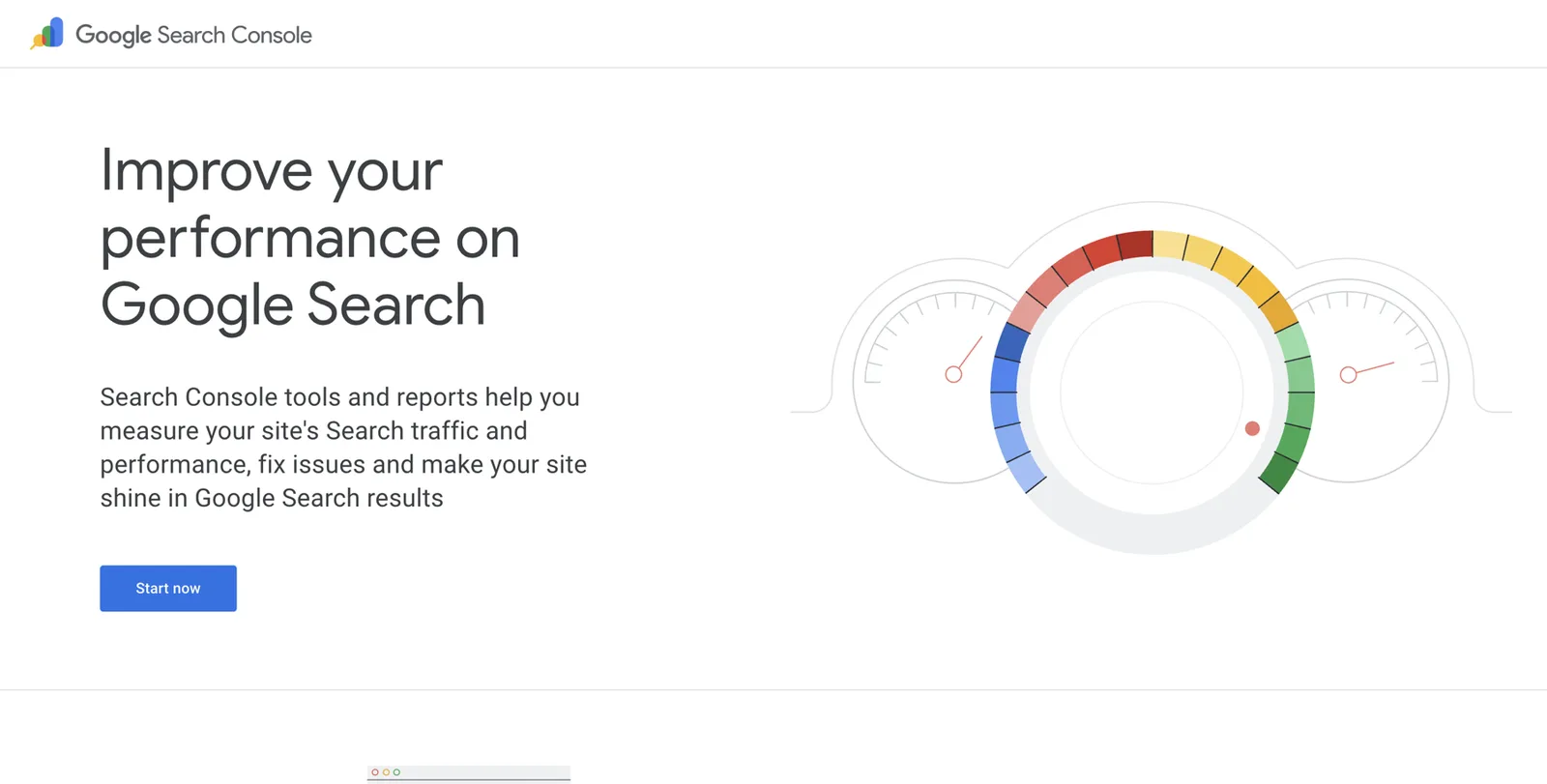
- Go to search.google.com/search-console and click Start now.
- Sign in with the Google account you’ll use for your professional life. Use the same account later to claim your panel.
- Choose Domain (covers your whole domain) or URL prefix (simpler if you use a website builder). Type your website address.
- Follow the verification steps. Website builders such as Squarespace, Wix and WordPress have help pages showing where to paste the code Google gives you26.
- Once verified, paste your Entity Home address into the search bar at the top of Search Console and press Enter.
- Click Request indexing. Google will add the page to its queue.
If you don’t have a website yet
Simple website builders such as Squarespace, Wix, Webflow and WordPress.com are fine. You don’t need custom design. You need a domain in your name, a clean About page following the blueprint above, and the ability to add a small piece of code (for schema). Most builders allow this on paid plans.
Person schema in plain English
Structured data, also called schema markup, is a small block of code on your Entity Home that describes you in a format machines read directly. It’s invisible to visitors. Google uses structured data to understand the content of a page27.
An everyday comparison: your About page is a letter introducing yourself. Schema is the neat label on the envelope that says who it’s from, what it’s about, and where to check the details.
Where it goes
Put Person schema on your Entity Home only. Not every page. One page, one person, one clear statement.
The properties a coach or consultant needs
The vocabulary comes from schema.org, a shared dictionary that search engines maintain together. Its Person type lists every property you can use28. Here are the ones that matter for you, in plain English.
| Property | What it means | What to put |
|---|---|---|
| @id | A permanent ID for “you” on your site | Your Entity Home URL plus #person |
| name | Your name | The exact form you chose |
| alternateName | Other names you’re known by | Middle-initial version, maiden name, nickname |
| url | Your Entity Home | The address of this page |
| image | Your main photo | Full address of your headshot file |
| description | Your Entity Executive Summary | Word for word |
| jobTitle | Your primary identity | “Executive coach” |
| worksFor or founder | Your practice | A link to an Organization described separately |
| address | Where you’re based | City and country |
| alumniOf | Where you studied | Universities, with their websites |
| hasCredential | Credentials you hold | Name and issuing body |
| memberOf | Associations you belong to | Their names and websites |
| award | Real awards | Only genuine ones, never paid inclusions |
| knowsAbout | Topics you’re known for | Five to ten specific topics |
| sameAs | Your profiles elsewhere | Pages at least 80% about you |
| subjectOf | Articles, episodes and videos about you | Interviews, podcast episodes, talks |
A full annotated example
Below is complete Person schema for a fictional executive coach. Copy it into a text editor, replace every detail with your own, delete anything you can’t back up, and keep the structure.
{
  "@context": "https://schema.org",
  "@graph": [
    {
      "@type": "Person",
      "@id": "https://danawhitlock.com/about#person",
      "name": "Dana Whitlock",
      "alternateName": ["Dana R. Whitlock"],
      "url": "https://danawhitlock.com/about",
      "image": "https://danawhitlock.com/images/dana-whitlock-executive-coach.jpg",
      "description": "Dana Whitlock is an executive coach who helps first-time CEOs of venture-backed software companies lead through their first two years. Based in Denver, she is the founder of Whitlock Leadership and the author of First Seat.",
      "jobTitle": "Executive coach",
      "founder": { "@id": "https://danawhitlock.com/#organization" },
      "address": {
        "@type": "PostalAddress",
        "addressLocality": "Denver",
        "addressRegion": "CO",
        "addressCountry": "US"
      },
      "alumniOf": {
        "@type": "CollegeOrUniversity",
        "name": "University of Colorado Boulder",
        "url": "https://www.colorado.edu"
      },
      "hasCredential": {
        "@type": "EducationalOccupationalCredential",
        "name": "Professional Certified Coach (PCC)",
        "recognizedBy": {
          "@type": "Organization",
          "name": "International Coaching Federation",
          "url": "https://coachingfederation.org"
        }
      },
      "memberOf": {
        "@type": "Organization",
        "name": "International Coaching Federation",
        "url": "https://coachingfederation.org"
      },
      "knowsAbout": [
        "Executive coaching",
        "First-time CEOs",
        "Board relationships",
        "Executive hiring",
        "Venture-backed software companies"
      ],
      "sameAs": [
        "https://www.linkedin.com/in/danawhitlock",
        "https://www.youtube.com/@danawhitlock",
        "https://x.com/danawhitlock",
        "https://www.amazon.com/author/danawhitlock"
      ],
      "subjectOf": [
        {
          "@type": "PodcastEpisode",
          "name": "The first 90 days as CEO, with Dana Whitlock",
          "url": "https://example-podcast.com/episodes/dana-whitlock"
        },
        {
          "@type": "Article",
          "name": "Interview: Dana Whitlock on coaching new CEOs",
          "url": "https://example-magazine.com/dana-whitlock-interview"
        }
      ]
    },
    {
      "@type": "ProfessionalService",
      "@id": "https://danawhitlock.com/#organization",
      "name": "Whitlock Leadership",
      "url": "https://danawhitlock.com",
      "founder": { "@id": "https://danawhitlock.com/about#person" },
      "areaServed": "US"
    },
    {
      "@type": "Book",
      "name": "First Seat",
      "author": { "@id": "https://danawhitlock.com/about#person" },
      "isbn": "9780000000000",
      "url": "https://danawhitlock.com/books/first-seat"
    }
  ]
}
What each part does, in plain words:
- @context tells machines which dictionary you’re using (schema.org).
- @graph is a list. It lets you describe several connected things on one page: you, your practice and your book.
- The Person block is you. Its @id is a permanent address that other blocks point to.
- founder points from you to your practice, and the practice block points back. That two-way link tells machines exactly how you’re related.
- The practice is described as a separate ProfessionalService (a type of local business on schema.org), rather than mixing it into your Person block. Keeping them separate is cleaner and avoids confusing machines about whether the page is about a person or a business.
- sameAs lists profiles that are mostly about you. subjectOf lists pages written about you.
- The Book block links back to you as the author.
- Once you have a KGMID, you can add your Google Knowledge Graph link to sameAs as well (for example, https://www.google.com/search?kgmid=/g/11abc123de). This tells Google “this ID is me”.
Rules for schema
- Mirror what’s visible. Everything in your schema should also appear in words on the page. Don’t hide claims in code.
- Include only accurate, current sources. If a profile is out of date, fix it before you list it in sameAs. If in doubt, leave it out.
- Don’t overload it early. Start with the core: name, url, image, description, jobTitle, founder, sameAs. Add more as you collect evidence.
- Watch out for plugins. SEO plugins such as Yoast and Rank Math often add their own Person or Organization schema. Two conflicting “people” on one page confuses machines. Either switch the plugin’s person markup off for that page or ask your web person to merge them by reusing the same @id.
- Revalidate after every change.
How to add it
Wrap the code in a script tag. In plain terms, you paste this around the JSON above:
<script type="application/ld+json">
  ... paste the JSON from above here ...
</script>
Then add it to your About page:
- WordPress: edit the About page, add a Custom HTML block anywhere on the page, and paste the whole thing in. Or use a header-and-footer plugin that lets you add code to one page.
- Squarespace: open the About page’s settings, go to Advanced, and paste it into Page Header Code Injection (requires a plan that supports code injection).
- Wix: go to the page’s SEO settings, open Advanced SEO, then Structured data markup, and add it there.
- Webflow: open the page settings and paste it into the Inside head tag custom code box.
Builders change their menus from time to time. If you can’t find the option, search the builder’s help centre for “add structured data” or “code injection”.
How to check it
- Go to validator.schema.org.
- Click Fetch URL, paste your Entity Home address, and click Run test.
- You should see your Person, ProfessionalService and Book listed, with 0 errors. Click each one to check the details.
- Optionally, run Google’s Rich Results Test (search.google.com/test/rich-results). It mainly checks for features Google shows as rich results, so it may not list Person schema; use it only to confirm the code has no syntax errors.
Google’s old Structured Data Testing Tool was retired. If a guide tells you to use it, the guide is out of date.
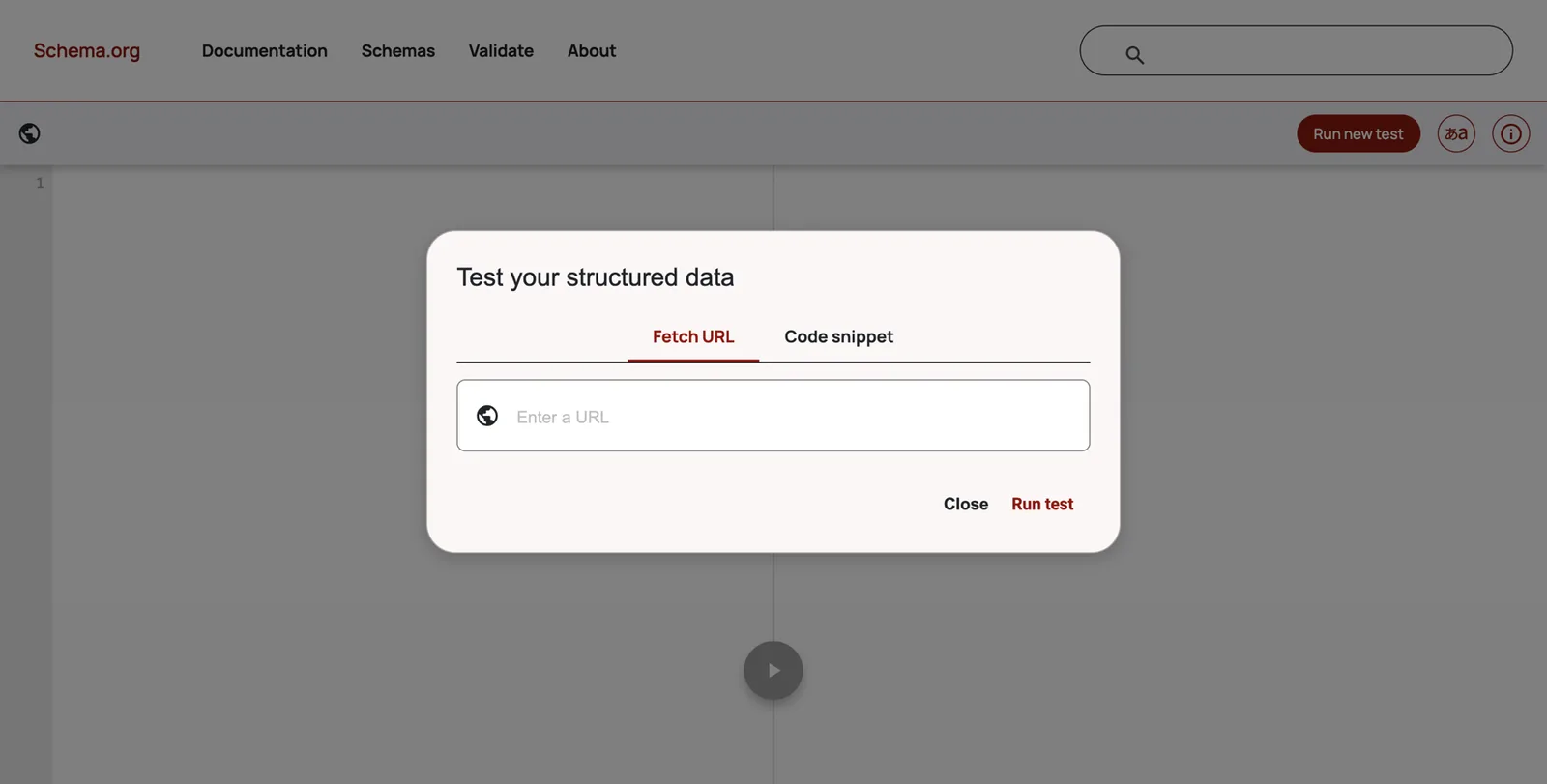
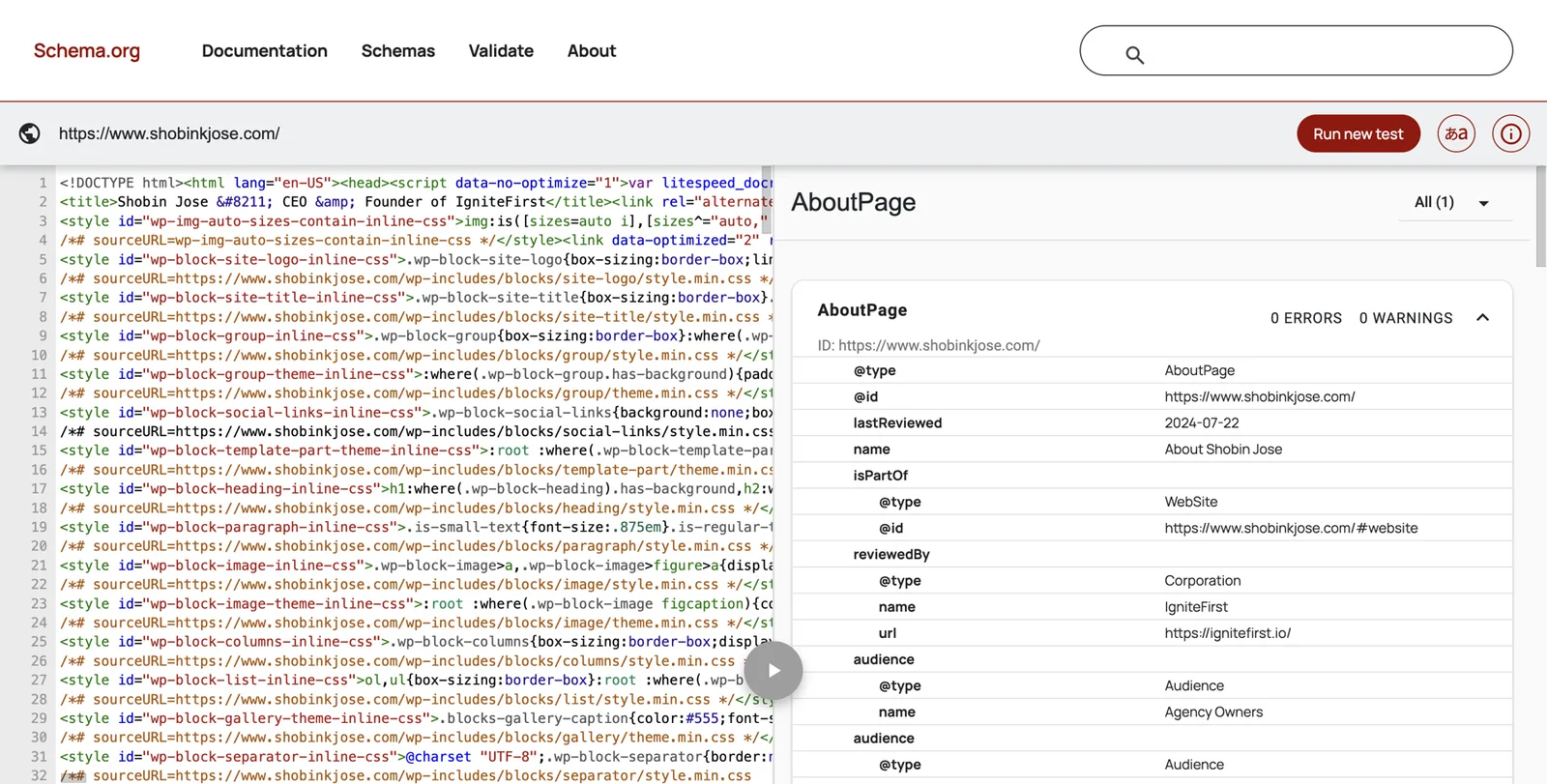
A8. Schema validation checklist
- Person schema is on the Entity Home only.
- name, url, image, description and jobTitle match the visible page exactly.
- The practice is a separate Organization or ProfessionalService linked with founder or worksFor.
- Every sameAs link is a profile at least 80% about me and already corrected.
- subjectOf lists only pages genuinely about me.
- No awards that were paid inclusions.
- No conflicting Person markup from a plugin.
- validator.schema.org shows 0 errors.
Clean up everything you already own
Most coaches and consultants get their biggest early win here. Before adding a single new profile, make every existing one tell the same story. Kalicube calls this the spring clean.
The order of work
- Your own website.
- The profiles that already rank on page one for your name.
- Other profiles you control.
- Third-party pages you can ask to update.
Make changes in as short a time as you can, ideally the same week. Updating some profiles this month and others next quarter creates a long period of contradiction, which is exactly what you’re trying to remove.
LinkedIn, step by step
LinkedIn is usually your strongest profile and often ranks first for your name. It should support your Entity Home, never replace it.
- Name. Click Me, then View profile, then the pencil icon next to your name. Make your first and last name exactly match your chosen name form. Don’t add credentials or emojis to the name field.
- Headline. In the same box, set the headline to your ladder headline, starting with your primary identity.
- Photo. Upload your main headshot.
- Current position. Under Experience, make sure your current role is your practice, with your primary identity as the title. If your old corporate role is still marked as current, add an end date.
- About. Paste your first-person intro, followed by your standard bio.
- Website. In the intro section, under Contact info, add your Entity Home URL as your website. You can also add a custom button or link in your profile settings where LinkedIn offers one.
- Featured. Add your Entity Home, your book, a podcast episode and a talk.
- Custom profile URL. Under Edit public profile & URL (on the right of your profile page), set your URL to your name, for example linkedin.com/in/danawhitlock.
Other socials and channels
- X: name, bio (one-liner), website field set to your Entity Home.
- Facebook: if you use a page or professional mode, use the same name, photo and short bio, and add your website.
- Instagram: name field, bio, and the link field pointing to your Entity Home.
- YouTube: in YouTube Studio, go to Customisation, then Basic info. Add the short bio as the description and links to your site and LinkedIn.
- TikTok: only if you use it. Same name, photo and one-liner.
- Medium or Substack: profile name, short bio, link to your Entity Home.
Coaching and consulting listings
- ICF Credentialed Coach Finder. If you hold an ICF credential, log in to your ICF account and check how your listing appears in the Coach Finder: name form, photo, location, specialities, website. Public directories like this are among the strongest independent confirmations a coach can have.
- Other coaching bodies. If you’re a member of EMCC Global, the Association for Coaching, or hold the Board Certified Coach credential from the Center for Credentialing & Education, check whether your level of membership includes a public listing and update it.
- Consulting bodies. If you hold the Certified Management Consultant designation, check your listing in IMC USA’s Consultant Directory or your national institute’s directory, and the international CMC directory run by CMC-Global2930.
- Marketplaces and platforms you’re listed on (coach matching platforms, expert networks, freelance consulting marketplaces). Use the same name, photo and bio, or close profiles you no longer use after updating them.
Old pages
Old pages are where many coaches and consultants lose the most ground.
- Former employer bios. Email the marketing or communications team and ask them to remove the page or redirect it, or update it to say you’ve left. Be polite and specific.
- Old speaker pages. Ask the organiser to update your bio and link it to your Entity Home.
- Podcast hosts’ bios of you. Send your current short bio and ask them to swap it in.
- Outdated directories. Log in and update them, or ask for removal.
Close dead accounts only after you’ve updated or redirected them. A deleted page that Google relied on can create a gap; an updated page tells the right story.
One headshot set
Choose one main headshot and use it everywhere for at least a year. If you want variety, create deliberate variations of the same session (a different crop, a different background) rather than unrelated photos from different years. Name the files descriptively and add alt text with your name and identity.
A12. Headshot and image plan
Decide which image goes where, so the same face appears everywhere.
| Image | File name | Used on | Alt text |
|---|---|---|---|
| Main headshot, square | dana-whitlock-executive-coach.jpg | Entity Home, LinkedIn, ICF, Amazon, podcast kit | Dana Whitlock, executive coach |
| Speaking photo | dana-whitlock-speaking-2026.jpg | Speaker page, event pages | Dana Whitlock speaking at a leadership conference |
Asking third parties to update you
Keep it short and easy to say yes to. Adapt this template:
Subject: Small update to my bio on your site
Hi [name], thanks again for having me on [show or event]. My title and details have changed since then. Could you replace the bio on [page link] with the version below, and link my name to [your Entity Home URL]? It would help listeners find the right person. Many thanks, [your name]
[Paste your short bio]
Corroboration sources for coaches and consultants
With your own house in order, you can add the sources that confirm who you are. This chapter is about choosing them well.
The principle: be where people like you are expected to be
Google trusts the sources it expects for your type of professional, in your field and your region. Barnard calls this looking at your “entity equivalents”: find five coaches or consultants similar to you who already have panels, and look at which sources Google and Bing cite for them. Those are the places Google expects someone like you to appear.
A handful of strong, matching sources beats a hundred thin listings. As a rough guide, Kalicube observes that people without Wikipedia or Wikidata entries typically need about 20 to 30 consistent, relevant sources20. Treat that as their rule of thumb, not a target to hit with filler.
The source menu
Use this menu to choose your sources. Not every row applies to you. Pick the ones that match your real work.
| Tier | Source | When it applies | Notes |
|---|---|---|---|
| Core | Your Entity Home | Always | The anchor for everything else |
| Core | Always | Your strongest profile; link it to your Entity Home | |
| Core | YouTube channel | If you publish talks or videos | Use your exact name as the channel name |
| Core | Crunchbase | If you run a registered company | Person and organisation profiles |
| Core | Gravatar or About.me | Optional light identity hubs | Only if you keep them current |
| Credentials | ICF Credentialed Coach Finder | If ICF-credentialed | Independent confirmation of name and level |
| Credentials | EMCC Global, Association for Coaching, CCE (Board Certified Coach) | If you hold their accreditation | Check whether your level includes a listing |
| Credentials | IMC USA directory, CMC-Global directory or your national consulting institute | If you hold the CMC | Searchable by specialty and location |
| Industry | Associations and chambers where your clients gather | If you’re a member or speaker | Board, committee and speaker pages count |
| Industry | Trade publications your buyers read | When you contribute or are interviewed | “Where my buyers read” |
| Podcasts | Episode pages on show websites, Apple Podcasts and Spotify | Every guest appearance | Episode pages mostly about you are core sources |
| Speaking | Event speaker pages, SpeakerHub, Sessionize, NSA directory | If you speak | Ask organisers to link to your Entity Home |
| Books | Amazon Author Central, Goodreads, Google Books, publisher author page | If you’re published | One author name, an ISBN, a book page on your site |
| Writing | Guest articles with an author bio, Medium or Substack | If you write | Author bio links to your Entity Home |
| Reviews | One or two review or testimonial platforms dedicated to you; LinkedIn recommendations | If clients agree to review you | Real, permitted reviews only |
| Knowledge bases | Wikidata | Only if you meet its notability rules | See the Wikidata chapter |
Your peer-group publication map
Two columns. Left: where your craft is validated. Right: where your buyers read. Aim for at least three in each.
| Where my craft is validated | Where my buyers read |
|---|---|
| ICF Credentialed Coach Finder | A trade magazine for software CFOs |
| A coaching association conference | A podcast for first-time founders |
What not to add
- Irrelevant platforms. Film databases, startup launch sites, music platforms. They confuse your category.
- Pages about many people. A directory page listing 300 coaches tells Google little about you.
- Outdated pages you can’t fix.
- Pseudo-wikis (more in the Wikidata chapter).
- Mass directory blasts. “We’ll list you on 200 directories” services create hundreds of thin, inconsistent pages that go stale.
A10. Corroboration tracker
One row per source you create or fix. Recheck every quarter.
| Source | URL | Party (1st, 2nd, 3rd) | % about me | Matches my profile? | Links back? | Last checked |
|---|---|---|---|---|---|---|
| ICF Coach Finder | coachingfederation.org/… | 3rd | 100% | Yes | Yes | Oct 2026 |
| CFO Weekly podcast episode | cfoweekly.example/ep-42 | 3rd | 90% | Yes | Asked | Oct 2026 |
Close the loop
You now have an Entity Home and a set of corrected sources. The last step of the method is to link them together in both directions.
How the loop works
- Your Entity Home links out to each source, in your “Find me elsewhere” list, your media list and your schema.
- Each source links back to your Entity Home, in its website field, bio link or show notes.
Google can then follow the circle: from your page to a profile, from the profile back to your page. Each round trip confirms that the same person is behind both.
Anchor text: the words you link
When you link to a source, use plain, natural words:
- Your name, for links to profiles: “Dana Whitlock on LinkedIn”.
- A description for links to coverage: “Dana Whitlock’s interview on CFO Weekly”.
- Avoid stuffing in keywords like “best executive coach Denver”. It reads as spam to people and machines.
Link hygiene
- Never link from your Entity Home to a source you haven’t corrected yet. Kalicube’s advice is to fix the source first, then link to it. Otherwise you’re pointing Google at a contradiction.
- Link to final addresses. Copy the address from your browser after the page has fully loaded, so you avoid redirects.
- Recheck quarterly. Pages move. Use the tracker above.
Where a platform won’t allow a link
Some directories and platforms don’t allow outbound links. Mention your domain in the text of your bio (for example, “danawhitlock.com”) and make sure every other fact matches. Consistency still counts without a clickable link.
Wikidata, Wikipedia and shortcuts that backfire
This chapter protects you from the most expensive mistakes we see. Read it even if you plan to skip the rest of Part 4.
Wikipedia
You don’t need a Wikipedia page for a Knowledge Panel, and most coaches and consultants don’t qualify for one. Wikipedia requires significant coverage in multiple reliable, independent, secondary sources, and its conflict-of-interest rules strongly discourage writing about yourself. A deleted article can leave a negative trace for years. Don’t pay anyone to write one. If you genuinely become notable, someone independent will write it.
Wikidata
Wikidata is a free, structured database of facts run by the Wikimedia Foundation. Google has used it as a source for years, which is why people talk about it. It can help, but only for people who meet its notability policy. Wikidata accepts items that are clearly identifiable and can be described using serious, publicly available references, or that fulfil a structural need31.
- The entry must be neutral, fully referenced and free of promotion.
- Never buy a Wikidata item from a seller.
- Items that don’t meet the policy get deleted, and a deletion is a negative signal.
- Removed entries must not be recreated to get around the rules.
If you have several independent sources about you (a credential issuer’s directory, a publisher, journal articles, mainstream interviews), you may qualify. If you’re unsure, wait.
Shortcuts that set you back
What works
- One Entity Home on your own domain
- A few relevant, consistent profiles
- Real interviews, podcasts and speaker pages
- Honest Wikidata only if you meet the policy
- Patience and maintenance
What backfires
- Pseudo-wikis such as EverybodyWiki or Wikitia
- Paid Wikipedia or Wikidata entries
- Mass profile creation and ‘100 backlinks’ packages
- Mass press releases fired out to trigger a panel
- Paid ‘Top 50 coaches’ awards presented as honours
- AI-written fake interviews
- Anyone promising a panel in two weeks
Why they backfire:
- Pseudo-wikis look like Wikipedia but have no editorial standards. Kalicube reports that panels built on them tend to be deleted when Google reviews them.
- Mass profiles go stale, contradict each other and look like spam, which is the opposite of the clarity you need.
- Press releases distributed over newswires are paid distribution, not independent coverage. One honest release about a real event (a book launch, a new practice) is fine. Dozens fired out to manufacture mentions count as spam.
- Vanity awards and paid lists fool nobody who checks, and calling them awards may breach advertising rules.
- “Panel in two weeks” offers usually rely on the shortcuts above. If the panel appears and is then removed, Kalicube’s experience is that rebuilding takes longer than doing it properly the first time.
Earn third-party proof
Independent sources carry the most weight, and you can’t write them yourself. But you can make them far more likely. This chapter turns your expertise into podcasts, interviews, talks and articles about you.
The podcast guest kit
Make one page on your site for hosts, and keep it current. Then every booking becomes easy, and every episode page gets the same facts.
A11. Podcast and speaker guest kit
Build this once as a page on your site. Send the link with every pitch.
| Item | What to include |
|---|---|
| Spoken intro | Your 30-second intro, written to be read aloud by the host |
| Short bio | Your 50-word bio, word for word |
| Headshot | Your main headshot, downloadable, at least 1200 × 1200 pixels |
| Link | Your Entity Home URL, and a request to link your name to it in show notes |
| Topics | Three topics with one-line descriptions, matched to your niche |
| Sample questions | Five questions hosts can ask |
| Past appearances | Links to three episodes or talks |
How to get booked:
- List 20 shows your buyers listen to. Search Apple Podcasts or Spotify for your buyers’ job titles and industries (for example, “CFO podcast”, “manufacturing leadership podcast”).
- Listen to an episode of each before pitching. Note the host’s name and a specific moment you liked.
- Send a short pitch: who you are (identity sentence), one topic idea tailored to their audience, why now, and your guest kit link.
- Consider matching services such as PodMatch, MatchMaker.fm or PodcastGuests.com to find hosts looking for guests. Check pricing and terms first.
- Prefer guesting before launching your own show. Kalicube’s advice is that guesting builds independent sources faster, while your own show is a big investment that mostly produces first-party content.
After each episode: thank the host, check that the show notes use your bio and link to your Entity Home, add the episode to your press page, and add it to your schema’s subjectOf list.
One message, many angles. Barnard warns that if your story changes across many interviews, you confuse the machines. Change the angle for each audience; keep the identity identical.
Written interviews
Many editors and bloggers send questions by email and publish your answers. Answer clearly, helpfully and neutrally, with no sales pitch. Barnard notes that useful, non-promotional answers often get published under the editor’s name, which makes them independent coverage. Follow each outlet’s rules about links and length.
Journalist requests and expert-source platforms
HARO (Help a Reporter Out) closed: its owner rebranded it as Connectively in 2024 and then shut it down in December 202432. Current options include:
- Qwoted, a marketplace connecting reporters with expert sources (free and paid tiers).
- Featured.com, which collects expert answers and publishes some of them in roundups.
- Source of Sources, a free email list relaunched by HARO’s founder Peter Shankman in 2024.
- Help a B2B Writer, a free service for B2B writers (it has been rebranded; check its current name).
- SourceBottle, free for sources and strongest in Australia, the UK and New Zealand.
- #JournoRequest on X and LinkedIn, which you need to monitor yourself.
Answer only requests where you have genuine expertise. Quality matters more than volume, and many platforms penalise generic answers. Don’t forget local business press and association newsletters: they’re often easier to get into and directly relevant to your buyers.
Speaking
- Start with chapter events of associations your buyers belong to, webinars hosted by others, and local business groups.
- Create public profiles on speaker platforms such as SpeakerHub and Sessionize, with your standard bio and Entity Home link.
- Pitch conference calls for speakers early. Many open six to nine months before the event.
- Always ask for a speaker page that uses your bio and links to your Entity Home.
- Ask for the recording or photos, and add them to your site with your name in the file names.
Client stories published by clients
When a client organisation is happy for it, a short case study published on their website, in their words, about working with you is strong independent proof. Always get written permission, and follow the compliance rules in Part 3.
Co-authored work with peers
Joint webinars, co-written articles and shared panels with other recognised people create relationships Google can see. Barnard suggests repeating these real relationships consistently across your sources. Never invent or exaggerate a connection.
Your press page
Give your site a press or media page. Each strong piece of coverage gets its own entry with a link and a two-sentence summary. Lighter mentions go in a simple list below. This page becomes a map for Google and AI tools of everything independent that’s been said about you.
Fixing old articles
If an article has your old title or a broken link, write a polite note to the editor asking for a factual correction. Ask only for facts. Never ask for praise or changes to the journalist’s opinion.
Your book: the strongest entity you can create
Many coaches and consultants plan to publish a book at some point. A book helps your clients and your reputation in obvious ways. It also does something less obvious: it creates new, structured records about you in some of the most trusted databases on the web. Done carefully, it strengthens your panel. Done carelessly, it can split your identity in two.

What a book adds
- Google Books. Google keeps book records with their authors. A published author may be recognised as an entity through those records. Kalicube says Google Books can trigger a panel for published authors, but warns that your own website must remain the main reference, because it’s the only place you fully control what’s said10.
- Amazon. Amazon creates a product page for each edition and lets you claim an author page through Amazon Author Central, with your bio, photo and every book in one place33.
- Goodreads. Goodreads creates author profiles that you can claim through its Author Program, free34.
- The ISBN. Each edition gets an ISBN (International Standard Book Number), a unique ID used by booksellers and libraries worldwide. It links the book’s metadata (title, author, publisher, date) across systems.
- Publisher pages. If a publisher releases your book, they’ll usually have an author page about you, another independent source.
- A book carousel and attributes in your panel. Coaches with books often see a “Books” row or tab in their panel.
Before you publish: decisions that are hard to undo
- One author name. Use exactly the name form you chose in Part 3. If your profiles say “Dana Whitlock”, your cover must not say “Dana R. Whitlock”. A different form can create a separate author record that Google struggles to join with you.
- Own your ISBN if you self-publish. In the US, ISBNs are sold by Bowker through myidentifiers.com; a single ISBN cost $125 at the time of writing, with discounts for blocks11. Other countries have their own agencies, and some issue them free. A free ISBN from a self-publishing platform usually lists the platform as publisher, and you can’t take it with you if you move the book elsewhere.
- Name an imprint you control. If you self-publish, register a simple imprint name (often your practice name or a variation) as the publisher. Use it consistently.
- Get metadata right first time. Title, subtitle, author name, description and categories are copied into many systems at launch and are slow to change later. Barnard calls the first publication a one-shot chance to control how Google describes the book.
- Write your author bio from your ladder. Your standard bio, word for word, on Amazon, Goodreads, your publisher page and the book’s back cover or inside flap.
On launch day and the weeks after
Publish a book page on your own site
Title, subtitle, cover, ISBN, publisher, publication date, a description and a link to your About page. Add Book schema linked to your Person schema.
Claim Amazon Author Central
Go to author.amazon.com, sign in, search for your book and click to claim it. Add your standard bio, your main headshot and a link to your site where the platform allows.
Join the Goodreads Author Program
Find your book on Goodreads, click your author name, and follow the prompt to claim the profile. Add the same bio and photo.
Check Google Books
Search books.google.com for your title. If you self-published, Google Books Partner Center (books.google.com/partner) lets publishers manage how their books appear.
Update your schema and press page
Add the book to your Person schema (or as a linked Book), add the Amazon author page to sameAs, and list launch coverage on your press page.
Use the book on podcasts and stages
A book gives hosts and organisers a concrete hook. Keep the identity sentence the same: you’re still a coach who wrote a book, unless you’ve decided ‘Author’ is now your primary identity.
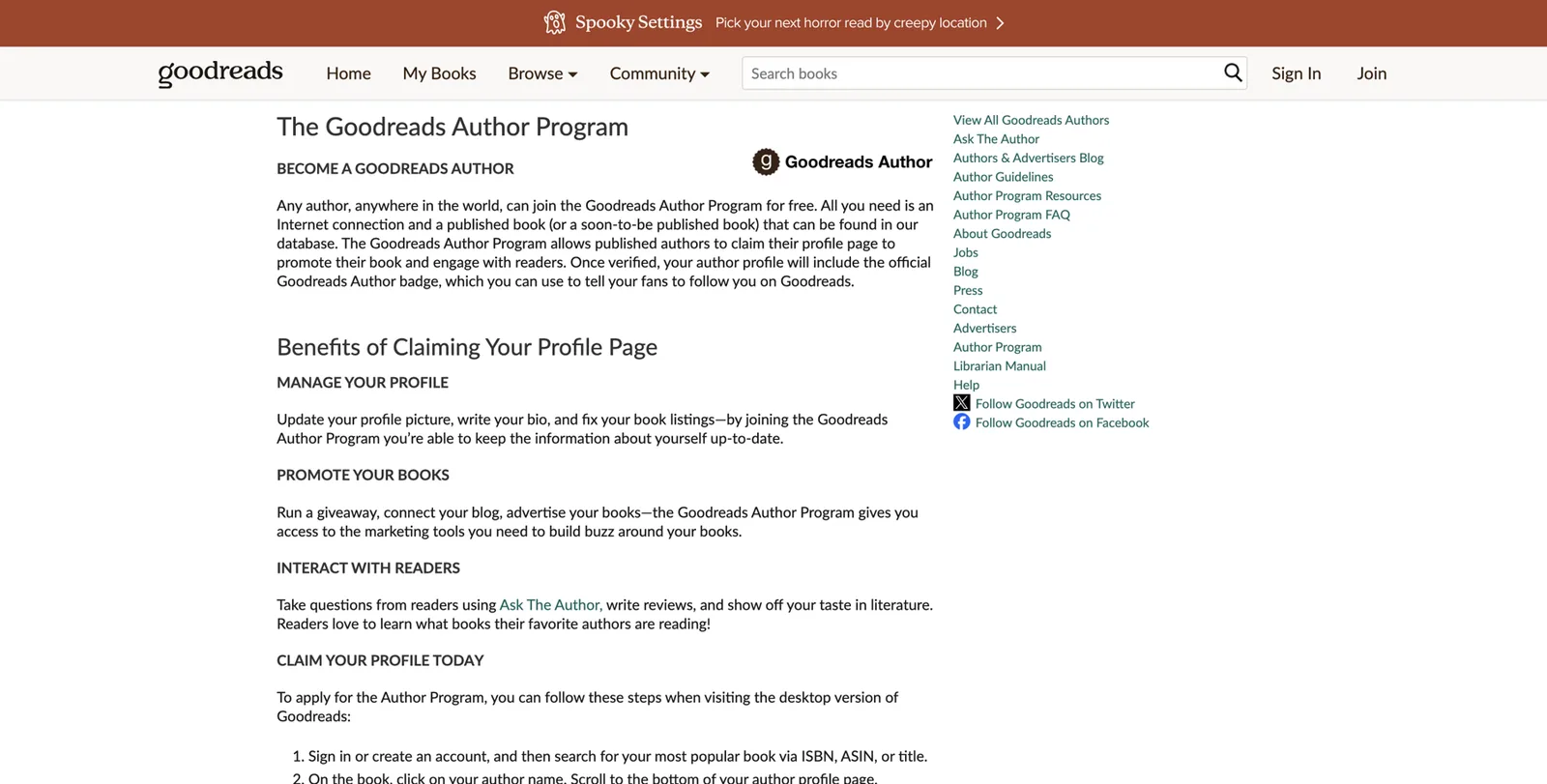
Should your subtitle become “Author”?
Kalicube observed that Google’s 2023 updates labelled many people “Writer” or “Author” in their panels15. For some coaches that’s welcome. For others, “Author” undersells the coaching or consulting work buyers pay for. Decide deliberately. If you want to remain “Executive coach”, keep that label first in every identity sentence, including on your book pages: “Dana Whitlock is an executive coach and the author of First Seat.”
Avoid the vanity-book trap
Kalicube warns against books produced only to manufacture credibility, such as anthologies where you pay to contribute a chapter, or thin books published under a brand you don’t control. Publish a book because you have something useful to say to your buyers. The panel benefits follow from a real book.
Part 5. Get found, then track progress
The foundation is built. Part 5 covers what happens next: making sure Google reads your work, seeing progress before a panel appears, claiming the panel when it does, fixing problems, showing up in AI answers and keeping it all working.
Make sure Google has read your pages
Google has to index a page (add it to its database) before it can use it. You can help in four ways.
- Submit your Entity Home in Search Console, as described in Part 4. Do it again after any significant change.
- Check what’s indexed. In Google, type site: followed by the address of a profile, for example site:linkedin.com/in/danawhitlock. If the page appears, it’s indexed. If not, give it a few weeks and make sure something links to it (your Entity Home).
- Don’t expect everything to be indexed. Google doesn’t index every page on the web. Focus on your strongest sources.
- Avoid “indexing services” that promise to force pages into Google. They’re unnecessary for real pages and often rely on spammy links.
The progress ladder
A panel rarely appears all at once. Kalicube describes a series of levels that an entity tends to climb20. We’ve adapted them into a ladder for coaches and consultants, so you can see progress month by month.
A14. Progress ladder tracker
Check monthly. Mark each rung with the month you first saw it.
| Rung | How to check | First seen |
|---|---|---|
| 1. Google holds an ID for you | Knowledge Panel Checker or a kgmid in a share link | |
| 2. Your name shows in a panel or card | Name search in a private window | |
| 3. Your photo shows | Name search | |
| 4. A subtitle shows | Name search | |
| 5. Your website link shows | Name search, desktop | |
| 6. Social profiles show | Name search | |
| 7. A description shows | Name search | |
| 8. Facts show (books, education, organisations) | Name search | |
| 9. People also search for shows | Name search | |
| 10. The panel shows for your name alone, every time | Weekly searches, desktop and mobile | |
| 11. AI tools describe you accurately | A2 AI test card | |
| 12. AI tools mention you for niche questions | A2 AI test card |
Signs you’re moving in the right direction
Before a panel appears, watch for these signals:
- Autocomplete. Start typing your name in Google. If your name, or your name plus your profession, appears as a suggestion, Google is learning who you are.
- Your site ranks first for your name.
- A “See results about” box appears with you as one of the options.
- The Knowledge Graph Search API returns you with a rising score. This is directional only; no particular score guarantees a panel.
The rhythm of checking
Search your name weekly for the first three months, then monthly. Don’t panic about daily swings. Google refreshes its knowledge in cycles, and panels can appear and disappear for a while before they settle. Kalicube describes this as normal for early panels.
Your panel appears: the first 30 days
One day you’ll search your name and the panel will be there. Do these five things, in order.
1. Record it
Take a screenshot on desktop and on mobile. Note the date. Copy the share link and save the kgmid. You’ll want these if anything changes.
2. Claim it
Claiming (Google calls it “getting verified”) proves to Google that you’re the person the panel is about. It doesn’t let you edit the panel directly, but it gives your suggested changes more weight and stops anyone else from claiming it.
Google’s current steps are35:
- If you don’t have one, create a Google Account. Use the same account as your Search Console if you can.
- Go to Google Search.
- Search for yourself and find your Knowledge Panel.
- At the bottom of the panel, click Claim this knowledge panel. You may find the option in the panel’s “About” section. On a phone, tap the menu (three dots), then Claim this knowledge panel.
- Review the information.
- Sign in to one of the official sites or profiles listed. Google’s help page lists YouTube, Search Console, Twitter (now X) and Facebook.
If Google can’t identify any sites associated with you, it will prompt you to provide more information. Kalicube reports that verification can take anything from minutes to a few weeks36.
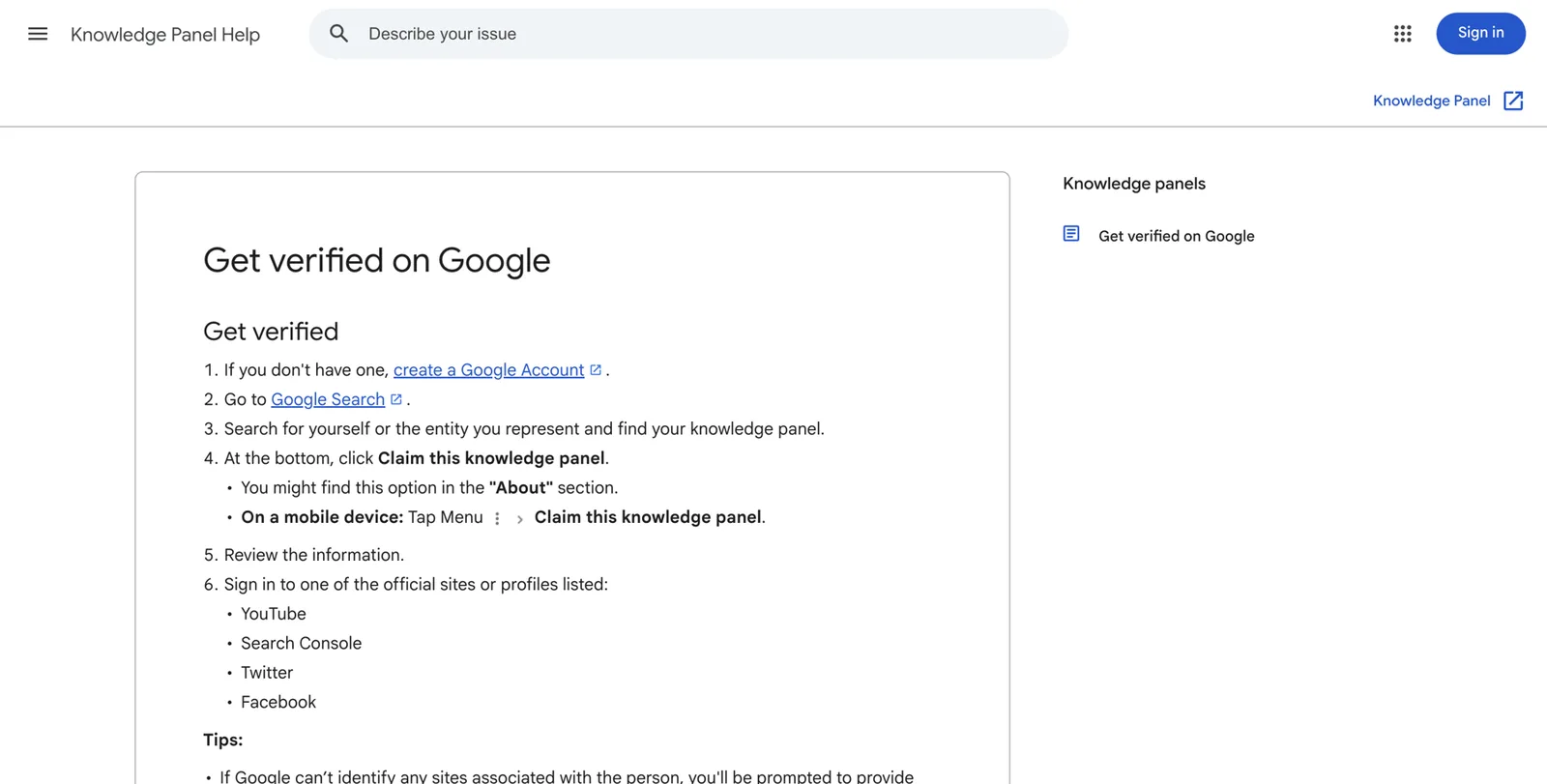
Not every panel shows a claim option straight away. If you don’t see one, keep strengthening your sources and check back.
When to wait before claiming
If your panel is very thin (a name and a photo only), or it appears to be built on low-quality sources you didn’t choose, strengthen it first. A claim draws attention to the panel, and weak panels can be removed when reviewed. Spend a few weeks adding consistent sources, then claim.
3. Suggest changes where needed
Once verified, you can suggest changes to facts in the panel. Google says it reviews feedback, and claimed panels get priority37.
A13. Suggest-an-edit template
Use this structure for every suggestion. Submit once and wait; repeated submissions don’t help.
| Field | What to write |
|---|---|
| The change | Subtitle or description currently says “Vice President, Finance”. It should describe me as an executive coach. |
| One line of context | I left Example Bank in 2018 and have been an executive coach since 2019. |
| Supporting link 1 (yours) | https://danawhitlock.com/about |
| Supporting link 2 (independent) | My ICF Credentialed Coach Finder listing |
| Supporting link 3 (optional) | A podcast episode page introducing me as an executive coach |
Some things usually can’t be changed by request: your name as shown, your subtitle and “People also search for”. Change those through your sources: repeat your identity sentence everywhere and wait for Google’s next update. Remember also that Google’s algorithms can reverse a human edit if the web still disagrees. Fix the source of the problem as well as suggesting the change.
4. Enrich the panel
Over the following months, add facts Google can display: books (with proper records), organisations you founded (with their own pages and schema), education, more profiles and videos. Each needs to be true, documented and consistent.
5. Don’t slow down
New panels are fragile. Kalicube reports that Google deletes a meaningful share of Knowledge Graph IDs each year, by its own measure about 15%16. The people who keep their panels are the ones who keep their footprint current.
Your first 30 days with a panel
- Screenshot desktop and mobile, and note the date.
- Save the share link and the kgmid.
- Add the kgmid link to sameAs in your schema.
- Claim through Search Console or another listed profile, unless the panel is very thin.
- Suggest any factual corrections, with two supporting links.
- Fix the sources behind anything wrong.
- Keep adding podcast, speaking and media sources at the same pace.
Troubleshooting common problems
Most problems trace back to one of a few causes. Use this chapter as a decision tree: find your symptom, then follow the fix.
| Symptom | Likely cause | What to do |
|---|---|---|
| The panel exists but doesn’t show for my name alone | Not enough confidence, a namesake, or location | Search name plus profession; strengthen consistency; check from other regions |
| It shows only in some countries or cities | Google shows the person most searchers in that place mean | Build local sources where you want to appear |
| Wrong or old subtitle | The first sentence about you differs across sources | Change the first sentence everywhere, use a recognised role, wait for an update cycle |
| Wrong photo | An older image Google trusts more | Publish your chosen photo everywhere, suggest the edit, be patient |
| Old description | Google is quoting an old source | Find the source of the text and fix it there |
| A namesake dominates | Google thinks most searchers mean them | Go local first, use a distinctive name form, build niche sources |
| Two or more IDs for me | Inconsistent names or homes | List both kgmids in sameAs, make every fact consistent, wait for Google to merge them |
| The panel disappeared | A Knowledge Graph update, a lost source, or a review | See the recovery steps below |
| Another person’s details in my panel | A source that mixes you up | Find and fix the confusing source |
| The panel shows the wrong person entirely | A merged identity | Get specialist help |
A wrong or old subtitle
This is the most common problem for career changers. Google appears to choose subtitles from a list of roles it recognises, and it follows the first label in the sources it trusts. Go through every source in your tracker and make sure the first sentence uses your chosen label. Pick a standard role (“Executive coach”, “Management consultant”), not an invented one. Then give it time: Kalicube observes that subtitle changes tend to follow Google’s update cycles, which can take months.
A wrong photo
Google tends to keep the first good photo it trusted. Upload your chosen headshot to your Entity Home and every profile, suggest the change through your claimed panel, and keep the old photo off any page you control. Kalicube reports photo fixes that took a couple of weeks and others that took far longer; it depends on how widely the old image is used.
A namesake dominates
Google shows the person it thinks most searchers mean. You can shift that, but start where you’re strongest. Barnard’s advice for people with famous namesakes is to win locally first: build local press, local association pages and local events, add each to your site, and grow from your city to your region to your country. Use a distinctive name form consistently (Part 3).
Two or more IDs
Duplicates usually come from inconsistent names, old names, or several “homes” (a LinkedIn and an old practice site, for example). List every kgmid you find in your schema’s sameAs, make sure one Entity Home and one @id describe you everywhere, and keep facts identical. Google often merges duplicates over time once the signals agree. Kalicube describes cases where this took several weeks; it can take longer.
The panel disappeared
Possible causes:
- A Knowledge Graph update. Google periodically reshapes its graph, and panels can drop out in bulk15.
- A lost foundation source. A deleted page, a closed account, a Wikidata deletion, or an Entity Home that changed address.
- A review. Panels built on weak sources may be removed.
Recovery: re-run your audit, restore or replace any lost source, check your Entity Home and schema still validate, keep everything consistent, and keep checking monthly. Kalicube’s experience is that rebuilding a lost panel takes longer than earning it the first time, which is one more reason to maintain it.
Show up in AI answers
AI visibility is built on the same foundation as your panel. This chapter turns it into a practical routine. Kalicube describes a path from being cited (AI uses your content), to being named (AI mentions you), to being recommended (AI suggests you so clearly that the next step is to book a call)20. Each stage depends on the one before.
1. Fix explicit questions first
Re-run your A2 test card monthly. Your first goal is for every tool to answer “Who is [your name]?” accurately. If one gets it wrong, look at the sources it cites. Those are the pages to fix.
2. Make your expertise easy to quote
AI tools favour pages that answer questions clearly. On your site:
- Put a two- or three-sentence summary at the top of key pages, starting with who you are and who you help.
- Create a clear page for each service or programme: who it’s for, what happens, how long it takes, what it costs or how pricing works.
- Add an FAQ answering the five to ten questions buyers really ask. Use the questions your prospects put to you on discovery calls.
- Publish case studies your clients approve.
- Show a “last updated” date.
3. Earn mentions in lists and comparisons
When people ask AI tools for recommendations, the tools often draw on lists, directories and roundups. Aim for genuine ones: association member directories, editorially selected features with real standards, podcast roundups, conference speaker lists. Avoid paid “Top X” lists.
4. Reviews that name what you do
Where clients are happy to review you publicly, ask them to mention the kind of work and the setting: “Dana coached me through my first year as CEO” tells a machine far more than “Great coach!” Follow the compliance rules in Part 3.
5. One message, everywhere
Barnard’s warning applies doubly to AI: a coach whose positioning drifts across a hundred podcast episodes leaves AI tools unsure what they do. Keep your identity sentence identical. Vary the angle, never the identity.
6. Don’t block the crawlers that matter
Some website builders and security plugins block AI crawlers by default. OpenAI says its search crawler, OAI-SearchBot, is controlled separately from its training crawler, GPTBot, and that blocking OAI-SearchBot keeps your site out of ChatGPT search answers18. Google explains how its AI features use web content in its Search Central documentation38. Ask whoever manages your website to check your robots.txt file and any bot-blocking settings, and to make sure pop-ups and cookie walls don’t hide your About page content.
7. Track implicit prompts
Each month, ask two or three implicit questions such as “Who’s the best [niche] coach for [audience] in [region]?” or “Who should I hire to help with [problem]?” Log who gets named and which sources the tool cites. Those sources are your next targets: directories to join, publications to pitch, podcasts to approach.
8. When AI says nothing or gets it wrong
- Fix the source data first. Most errors come from an old or wrong page the tool found.
- Use the tool’s feedback options (thumbs down, report an issue) with a short, factual correction.
- Be patient. Models and indexes update in cycles.
Keep it working
A panel needs steady, light care, much like a garden.
A16. Maintenance routine
- When a fact changesNew programme, book, title, city or photo: update your Entity Home and schema the same day, then every other source the same week.
- Monthly (30 minutes)Name search in a private window, A2 AI prompts, add new mentions to your press page, refresh one profile.
- Quarterly (1 hour)Check every link in your tracker still works, revalidate your schema, sweep for inconsistencies.
- Yearly (half a day)Review your positioning, update your full bio and headshot set, re-run the deep sweep.
- Keep your source-of-truth profile as the master copy. Change it first, always.
Part 6. Your roadmap, and your choices
You now know the whole method. Part 6 turns it into a plan, helps you decide whether to do it yourself, and explains how DotVisible can help if you’d rather not.
The roadmap
10 minutes
The Quick Check
Run the six searches and three AI prompts. Score yourself and pick your starting point.
One weekend
The foundation sprint
Name-search audit, AI baseline, primary identity, source-of-truth profile, bio ladder, Entity Home plan, and your LinkedIn updated.
Days 1 to 30
Build and clean
Publish your Entity Home, add and validate schema, set up Search Console, spring-clean every profile you own, and fix or add your first 10 sources.
Days 31 to 90
Corroborate
Add 10 to 20 more relevant sources, start podcast and media outreach, ask third parties to update old bios, close the loop and begin monthly tracking.
Months 4 to 12
Enrich, claim and grow
Keep earning podcasts, talks and articles. Claim the panel when it appears, suggest corrections, run the AI routine, and maintain everything monthly.
Year 2 onward
Compound
A book, bigger stages and higher fees build on a footprint that already confirms who you are.
How much time it takes each week
Light plan: about 2 hours a week
- Week 1 to 2: audit and identity
- Week 3 to 4: profile and bio ladder
- Month 2: Entity Home and schema
- Month 3: profile clean-up
- Months 4 to 6: one new source a week
- Then 30 minutes a month
Heavier plan: about 5 hours a week
- Week 1: audit, identity, profile
- Week 2: bio ladder and Entity Home
- Week 3: schema, Search Console, LinkedIn
- Weeks 4 to 6: full spring clean
- Months 2 to 3: two or three new sources a week plus podcast pitching
- Then 30 minutes a month
Do it yourself, or have it done for you
Everything in this playbook can be done by one determined person. Plenty of coaches and consultants have earned panels on their own. It’s worth being honest about the size of the job before you decide.
An honest tally of the work
- Dozens of searches across Google, Bing and six AI tools, repeated monthly.
- 50 to 200 web pages to find, sort and score.
- A 20- to 30-field profile to reconcile, with evidence for every fact.
- Bios in eight lengths, written to a strict formula.
- An Entity Home page and Person schema that validates.
- Twenty or more profiles built or corrected by hand, and polite emails to every third party.
- Judgement calls on Wikidata, press releases and which sources are worth it.
- Indexing, tracking and months of monitoring.
- Knowing what not to do, which is often the expensive part.
When DIY makes sense
DIY makes sense if you enjoy this kind of work, you have a couple of hours a week for several months, your name is reasonably distinctive, and your existing footprint is mostly consistent. It makes less sense if your time is better spent with clients, your history is complicated (a career change, a common name, duplicate profiles), or you want an experienced eye on the judgement calls.
Questions to ask any provider
If you hire help, from us or anyone else, ask these questions:
- Do you build or improve an Entity Home on my own domain?
- Which sources will you create or correct, and why are they relevant to me?
- Do I get the logins for every account you create in my name?
- What happens if the panel doesn’t appear? What exactly do you guarantee?
- How do you handle Wikidata and Wikipedia?
- Will you help me claim the panel when it appears?
How DotVisible can help
DotVisible exists for experts whose name is their business. If you’d rather spend your hours with clients, we offer two things. DotVisible is independent and is not affiliated with or endorsed by Google.
Start with the free audit
The free audit is the same check a prospect does, done properly. You enter your name, LinkedIn URL and email. Within 1 business day you get a report by email showing your name search, whether Google’s Knowledge Graph recognises you, where your profiles disagree, and whether AI tools mention you. It’s free, with no call and no card.
The Authority Magnet
The Authority Magnet is our done-for-you service. It covers both a Google Knowledge Panel and AI visibility, which we call Referred by AI. It takes about 20 minutes of your time.
It includes:
- The footprint audit: the full version of Part 2, done for you.
- Search Signature: your Entity Home and profile work, the Part 3 and Part 4 foundation, built and aligned for you.
- The first 90 days of Referred by AI: features and mentions on the sources AI tools draw from.
Price. The launch price is $1,997 for the first 10 clients ($2,997 after launch). You start with a $500 refundable deposit. The $1,497 balance is due only when your Knowledge Panel is live and you can find it yourself. After the first 90 days, Referred by AI continues monthly at $497 a month if you want it.
Guarantee. If your Knowledge Panel isn’t live within 150 days of your onboarding call, you choose: a full refund of everything you’ve paid, or continued work at no charge until it appears. “Live” means it shows your correct name, photo and profession or role in an ordinary Google search for the agreed name in the agreed country, confirmed with three checks across 14 days. AI recommendations are not guaranteed, because nobody can guarantee them. See the refund policy for the full terms.
What we ask of you. Return your details and approve content within 5 business days each time, and make the two link updates we ask for.
Timing. Most clients with a reasonable existing presence see their panel within about 60 days, and AI visibility usually shows meaningful change around day 60. You can see how the work runs, step by step, on how it works.
Proof. We don’t publish client testimonials or case studies. The proof we can show you is our founder’s own panel: search “Shobin K Jose” on Google and you’ll see a Knowledge Panel built with the same method described in this playbook.
Toolkit: worksheets, checklists and glossary
Every worksheet in this playbook is listed here so you can find it quickly. The ones you’ll use most are repeated below in short form.
| # | Worksheet | Where it is |
|---|---|---|
| A1 | Name-search audit | Part 2 |
| A2 | AI answer test card | Part 2 |
| A3 | Footprint inventory and inconsistency log | Part 2 |
| A4 | Source-of-truth profile | Part 3 |
| A5 | Identity and ideal-client sheet | Part 3 |
| A6 | Bio ladder | Part 3 |
| A7 | Entity Home pre-launch checklist | Part 4 |
| A8 | Schema validation checklist | Part 4 |
| A9 | Source menu by tier | Part 4 |
| A10 | Corroboration tracker | Part 4 |
| A11 | Podcast and speaker guest kit | Part 4 |
| A12 | Headshot and image plan | Part 4 |
| A13 | Suggest-an-edit template | Part 5 |
| A14 | Progress ladder tracker | Part 5 |
| A15 | Troubleshooting table | Part 5 |
| A16 | Maintenance routine | Part 5 |
The weekend sprint checklist
- Run the Quick Check and score yourself.
- Complete the A1 name-search audit for three searches.
- Complete the A2 AI test card.
- Choose your primary identity and exact name form.
- Fill in your source-of-truth profile with evidence.
- Write your Entity Executive Summary and the rest of the bio ladder.
- Plan your Entity Home using the blueprint.
- Update LinkedIn: name, headline, photo, About, website, Featured.
The 90-day checklist
- Entity Home published on your own domain.
- Person schema added and showing 0 errors at validator.schema.org.
- Search Console verified and Entity Home submitted.
- Every profile you own updated in the same week.
- Old employer and host bios: update requests sent.
- Ten to twenty relevant sources added or corrected, and listed in your tracker.
- Guest kit page live; at least five podcast pitches sent.
- Loop closed: Entity Home links out, sources link back.
- Monthly progress and AI checks recorded.
Myth buster, one page
| Myth | Fact |
|---|---|
| Only celebrities get panels | Google needs confidence, not fame |
| You need Wikipedia | Most people with panels don’t have a Wikipedia page |
| You can buy a panel | Google creates panels and doesn’t sell them |
| Schema creates panels | Schema reinforces what your page says; it isn’t enough alone |
| More profiles are better | A few consistent, relevant sources beat many thin ones |
| Duplicate bios hurt you | Repeating the same bio teaches Google it’s the same person |
| A panel is permanent | Panels change and can disappear without maintenance |
| A panel guarantees AI recommendations | It helps AI describe you; recommendations can’t be guaranteed |
Glossary
- AI Mode. A chat-style search tab in Google Search that answers questions using AI and web results.
- AI Overview. An AI-written summary at the top of some Google results.
- Brand SERP. What Google shows when someone searches your name.
- Claiming (verification). Proving to Google that you’re the person a panel is about, so you can suggest changes.
- Corroboration. Other sources confirming the same facts about you.
- Entity. One distinct thing Google can identify, such as you, your practice or your book.
- Entity Executive Summary. Your 20- to 50-word summary that opens with your identity sentence.
- Entity Home. The page you own that Google treats as your own account of who you are.
- First-, second- and third-party sources. Sources you own, profiles you partly control, and pages others write about you.
- Indexing. Google adding a page to its database so it can appear in results.
- ISBN. International Standard Book Number, a unique ID for each edition of a book.
- KGMID. Your ID in Google’s Knowledge Graph, such as /g/11abc123de.
- Knowledge Graph. Google’s database of entities and the facts connecting them.
- Knowledge Panel. The box Google shows summarising what it’s confident it knows about an entity.
- Loop. Links running from your Entity Home to your sources and back again.
- sameAs. A schema property listing your profiles on other sites.
- Schema markup (structured data). Hidden code that describes a page’s subject in a format machines read directly.
- Semantic triple. A simple subject, verb, object sentence, such as “Dana Whitlock is an executive coach”.
- Sprout. A thin, early panel that shows only some of the time.
- subjectOf. A schema property listing pages written about you.
- Subtitle. The short role under your name in a panel.
Frequently asked questions
Do I need to be famous to get a Google Knowledge Panel as a coach?
No. Google needs to be confident about who you are, and that confidence comes from clear, consistent facts on your own website that independent sources back up. Many coaches and consultants with a niche audience have panels. Fame helps, but it is not the test.
Do I need a Wikipedia page?
No. Google uses hundreds of sources, and your own About page is the most important one you control. Kalicube observed that after Google’s July 2023 update most person entities had no Wikipedia page at all. Writing your own Wikipedia article usually backfires.
How long does it take to get a Knowledge Panel?
Google gives no timeline and nobody can force one. Practitioners report anything from a few weeks to a year once the groundwork is done, depending on how consistent and well corroborated your presence already is. Expect months, not days, and expect to keep maintaining it afterwards.
Is my ICF credential enough to get a panel?
A credential helps because the ICF directory is an independent source that confirms your name and status. On its own it is rarely enough. Google wants your own website, your main profiles and several independent sources to tell the same story.
Will a Knowledge Panel get me more coaching clients?
A panel does not create demand by itself. It changes what happens when people who already heard about you search your name: referrals, podcast listeners, event attendees and corporate buyers see a recognised expert instead of a scattered set of links. That tends to protect the deals you were already close to.
Does a Knowledge Panel help me show up in ChatGPT?
Indirectly. Google says its AI Overviews and AI Mode draw on the Knowledge Graph. There is no evidence that ChatGPT reads Google’s graph, but the same consistent, well-sourced footprint that earns a panel also gives ChatGPT, Perplexity and Copilot clearer material to describe you. Nobody can guarantee an AI recommendation.
I changed careers from corporate to coaching. Will my old job show up in my panel?
It can, because Google remembers what the web said first. Lead every bio and profile with your coaching identity, update old employer pages where you can, keep the old role as history rather than deleting it, and give Google months of consistent signals. The subtitle usually follows your first sentence once the sources agree.
I have a common name. Can I still get a panel?
Yes, but you need to give Google a clear way to tell you apart. Pick one exact name form, such as adding a middle initial, use it everywhere, add your niche and city to your first sentence, and build local and niche sources first. Google shows the person it thinks most searchers mean, so start where you are the obvious answer.
Should I publish a book to get a Knowledge Panel?
Publish a book because you have something useful to say, not as a panel trick. When you do, a properly registered book creates new entities in Google Books, Amazon and Goodreads that point back to you. Use one author name, your own ISBN where possible, and an author page on your own site.
Can I write my own testimonials or use reviews from a coaching platform?
Only real, attributable reviews from actual clients who agreed to be quoted. In the US the FTC’s rules ban fake or AI-written testimonials and buying positive reviews, and the UK banned fake reviews in April 2025. Check your local rules; this is not legal advice.
Can I claim my Knowledge Panel before it appears?
No. You can only claim a panel that already shows. When it does, search your name, click Claim this knowledge panel and sign in to an official profile Google lists, such as YouTube, Search Console, X or Facebook.
What does DotVisible’s free audit include?
You enter your name, LinkedIn URL and email. Within 1 business day you get a report showing your name search, whether Google’s Knowledge Graph recognises you, where your profiles disagree and whether AI tools mention you. It is free, with no call and no card.
Sources
- 1Gartner Sales Survey Finds 67% of B2B Buyers Prefer a Rep-Free ExperienceGartner · 9 Mar 2026↩
- 22025 ICF Global Coaching Study: executive summaryInternational Coaching Federation · 2025↩
- 334% of U.S. adults have used ChatGPT, about double the share in 2023Pew Research Center · 25 Jun 2025↩
- 4Study: Coaching Industry Faces Challenges (reporting the 2012 ICF Global Coaching Study)Chief Learning Officer · 2012↩
- 52024 Edelman-LinkedIn B2B Thought Leadership Impact ReportEdelman and LinkedIn · 2024↩
- 6PodMatch vs Matchmaker.fm: cost, uses and alternativesTalks.co · 2026↩
- 79 tips for choosing conference, meeting and event speakersPlanning Pod · Accessed 21 Oct 2026↩
- 8Your speaker profile: managing sessions, events and moreSessionize · Accessed 21 Oct 2026↩
- 9CSP DirectoryNational Speakers Association · Accessed 21 Oct 2026↩
- 10The 3-step process to getting a Knowledge Panel for an authorKalicube · Accessed 21 Oct 2026↩
- 11How to get an ISBN numberTCK Publishing · Accessed 21 Oct 2026↩
- 12Concerned about deceptive earnings claims? SOS from the FTC: we want your feedbackFederal Trade Commission · Jan 2025↩
- 13About knowledge panelsGoogle Knowledge Panel Help · Accessed 21 Oct 2026↩
- 14A reintroduction to our Knowledge Graph and knowledge panels (Danny Sullivan)Google blog · 20 May 2020↩
- 15Google Knowledge Graph algorithm updates and volatilityKalicube · 29 Dec 2023, updated 5 Sep 2024↩
- 16Google Knowledge Panel: understanding why they disappearKalicube · Accessed 21 Oct 2026↩
- 17AI Overviews and AI Mode in SearchGoogle · May 2025↩
- 18Overview of OpenAI crawlersOpenAI · Accessed 21 Oct 2026↩
- 19AI recommendations change with nearly every query: SparkToro (Matt G. Southern)Search Engine Journal · 30 Jan 2026↩
- 20Your Instruction Manual for Google Knowledge Panels (Jason Barnard)Kalicube Academy · c. 2022-23↩
- 21Knowledge Graph Search APIGoogle for Developers · Updated 26 Apr 2024↩
- 22ICF Code of EthicsInternational Coaching Federation · Effective Jan 2020; accessed 21 Oct 2026↩
- 23FTC Endorsement Guides: what's newArnold & Porter · Jul 2023↩
- 24FTC publishes final rule banning fake consumer reviews and testimonialsHogan Lovells · Aug 2024↩
- 25Fake reviews (CMA208)Competition and Markets Authority, GOV.UK · Apr 2025↩
- 26Verify your site ownershipSearch Console Help · Accessed 21 Oct 2026↩
- 27Introduction to structured data markup in Google SearchGoogle Search Central · Updated 10 Dec 2025↩
- 28Personschema.org · Accessed 21 Oct 2026↩
- 29Become a Certified Management Consultant (CMC)Institute of Management Consultants USA · Accessed 21 Oct 2026↩
- 30The CMCCMC-Global (ICMCI) · Accessed 21 Oct 2026↩
- 31Wikidata:NotabilityWikidata · Accessed 21 Oct 2026↩
- 3210 best HARO alternatives for getting expert quotes and citationsBuzzStream · Accessed 21 Oct 2026↩
- 33Amazon Author Central: how to set up your author pageReedsy · Accessed 21 Oct 2026↩
- 34Author guidelinesGoodreads · Accessed 21 Oct 2026↩
- 35Get verified on GoogleGoogle Knowledge Panel Help · Accessed 21 Oct 2026↩
- 36How long does it take for Google to verify a knowledge panelKalicube · 24 Oct 2024, updated 8 Jan 2025↩
- 37Submit feedback on content about youGoogle Knowledge Panel Help · Accessed 21 Oct 2026↩
- 38AI features and your websiteGoogle Search Central · Updated 10 Dec 2025↩