The Ultimate Knowledge Panel Playbook for Accountants
Referrals start the conversation. Your name search decides whether it continues. This playbook shows accountants, step by step, how to make Google and AI confirm who you are, what you specialise in and why you are worth the fee.
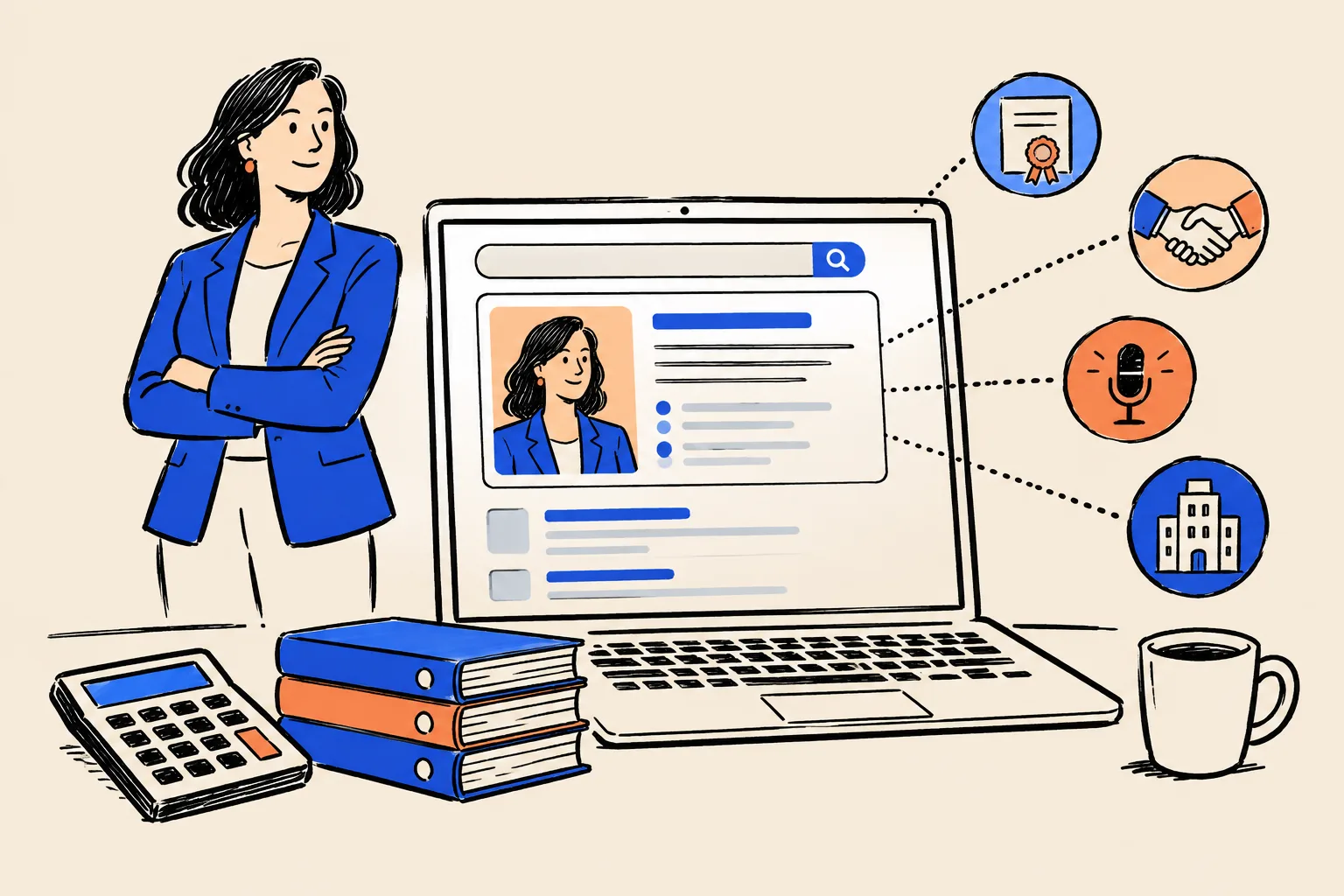
It is 9:40 on a Tuesday night. Maria runs three dental practices and has just had a hard conversation with her banker about cash flow. Before she left, the banker slid two business cards across the desk. “Either of these two would be good,” he said. “Both know dental.”
Now Maria is at her kitchen table with a phone in one hand and a cold cup of tea in the other. She types the first name into Google. A neat box appears on the right: a photo, the words “Certified public accountant”, a short description that mentions dental practices, a link to a personal website, and a row of profile icons. She types the second name. She gets a firm’s team page with a five-year-old photo, a LinkedIn profile that lists a different firm, and an Instagram account belonging to a wedding photographer with the same name.
She emails the first accountant at 9:52. The second never finds out he was in the running.

This playbook is about that search. Your referral network gives you the introduction. Google and, more and more, AI assistants such as ChatGPT decide what happens next. By the end of this guide you will know how to make both of them confirm, clearly and accurately, who you are, what you specialise in, and why a business owner should pick up the phone.
Before you start: who this is for and how to use it
This playbook is written for accountants whose name does commercial work for them. That includes:
- CPAs in public practice, from sole practitioners to partners in mid-sized firms.
- Chartered accountants (ICAEW, ICAS, CA ANZ, CPA Canada and similar), and ACCA members with a practising certificate.
- Tax advisors, including enrolled agents and chartered tax advisers.
- Fractional CFOs and outsourced finance leads, whether or not they hold a licence.
- Partners and directors at small and mid-sized firms who want their own name to carry weight alongside the firm brand.
It is for you if business owners, bankers, attorneys or financial advisors hear your name first and look you up second. It is for you if you are good at what you do and your search results don’t show it.
It is not for three situations. If Google already shows a panel about you that mixes you up with somebody else entirely, you need a specialist, because untangling two people is delicate work. If you want a panel for your firm rather than for yourself, the ideas overlap but the steps differ. And if you are hoping for a shortcut that bends Google’s rules, this guide will explain why those shortcuts tend to cost you a year or more.
Three ways to use this playbook
You don’t need to read all of it today. Pick the route that fits your week.
10 minutes
- Do the Quick Check below
- Score yourself green, amber or red
- Decide whether to keep going
One weekend
- Part 2: audit your name search
- Part 3: lock your identity and bios
- Part 4: build your Entity Home and fix LinkedIn
90 days and beyond
- Add trusted sources month by month
- Earn press, podcast and speaking mentions
- Track progress, claim the panel, maintain it
What you will have at the end
If you work through every part, you will finish with:
- An audited name search, so you know exactly what a prospect sees.
- One locked “source of truth” profile: every fact about you, with proof.
- A bio in six lengths, ready to paste anywhere.
- An Entity Home page on your own domain, with Person schema (hidden labels that tell machines who the page is about).
- Twenty or more consistent profiles and mentions that link back to that page, starting with licence and professional registries.
- A baseline of what ChatGPT, Gemini, Perplexity, Copilot and Google’s AI say about you today.
- A short monthly routine that keeps it all accurate.
The 10-minute Quick Check
Do this now, before you read anything else. You need a phone or a computer and ten minutes. Write your answers down; you will use them again in Part 2.
Step 1: Open a private window
A private window stops Google from tailoring results to your own history, so you see roughly what a stranger sees.
- On a computer using Chrome, press Ctrl + Shift + N (Windows) or Cmd + Shift + N (Mac). A dark window opens. In Safari, choose File → New Private Window. In Edge, press Ctrl + Shift + N.
- On an iPhone, open Safari, tap the tabs button (two overlapping squares) and choose Private. On Android, open Chrome, tap the three dots and choose New Incognito tab.
- Go to google.com.
Step 2: Run six searches
Type each search exactly as shown, replacing the brackets with your details. Use quotation marks where shown; they tell Google to look for that exact phrase.
Your name in quotes
For example "Priya Raman". Press Enter. Look at the right-hand side of the page on a computer, or the top of the page on a phone. Is there a box about you with a photo and a short description?
Your name plus your title
For example "Priya Raman" CPA, or "Tom Ashworth" chartered accountant, or "Marcus Bell" enrolled agent. Does the first result describe you correctly?
Your name plus your city
For example "Priya Raman" Columbus. Do you appear, or does someone else with your name?
Your name plus your niche
For example "Priya Raman" dental. Does anything on page one show the industry you specialise in?
Your name plus reviews
For example "Priya Raman" reviews. What would a cautious buyer find?
Who is your name
Type who is Priya Raman. Does Google show an AI Overview at the top? Does it describe you, someone else, or nothing?
Step 3: Ask three AI tools
Open ChatGPT (chatgpt.com), Gemini (gemini.google.com) and Perplexity (perplexity.ai). You can use them without paying. In each one, type these three prompts, one at a time:
- “Who is [your full name], the accountant in [your city]?”
- “What does [your full name] specialise in?”
- “Can you recommend an accountant in [your city] who specialises in [your niche]?”
For each answer, note whether it is accurate, inaccurate (wrong firm, wrong city, wrong person) or absent (the tool says it doesn’t know you, or names other people).
Step 4: Score yourself
Give yourself a colour for each line below.
| What you checked | Green | Amber | Red |
|---|---|---|---|
| Knowledge Panel | A panel about you appears for your name | A panel appears only with extra words, or shows old details | No panel, or a panel about someone else |
| First result for your name | Your own website or an accurate profile | An accurate but thin page (a team page, a directory) | Someone else, or an outdated page |
| Your title and firm | The same everywhere you looked | Small differences | Different firms, titles or cities |
| Your specialty | Clear on page one | Mentioned once, deep in a page | Invisible |
| Namesakes | None on page one | One or two below you | Above you, or mixed into your results |
| AI answers about you | Accurate in all three tools | Accurate in one or two | Absent or wrong everywhere |
| AI recommendation in your niche | You are named | You are named with errors | Other accountants are named |
Source: DotVisible self-assessment. Not a Google metric.
If you scored red on three or more lines, start with Part 2 and work forward in order. If you are mostly amber, Parts 3 and 4 will give you the biggest gains. If you are mostly green, jump to Part 5 to claim, enrich and protect what you have.
Part 1: Why your name search decides who calls
The background check you never see
Accounting is a referral business, and the numbers back that up. In a 2025 survey of 350 US businesses with revenue between $1 million and $100 million, commissioned by the practice-software company TaxDome, 57% said they found their current accountant through a peer referral. Only 3% said they chose one through advertising.1
Good news for anyone with a strong network. Still, a referral is rarely the end of the decision. Here is how it usually plays out:
- A banker, attorney, wealth advisor or fellow business owner mentions your name. Often they mention two or three names.
- The business owner writes the names down, or saves a forwarded email.
- Later that day, usually on a phone, they search each name.
- They compare what they find. One name looks established, specialised and easy to trust. Another looks thin, out of date or confusing.
- They contact one, maybe two. The others never hear about it.
Step 3 is the background check you never see. You don’t get a notification that you lost, and nothing shows up in your CRM. That is why most accountants underestimate how much work their name search is doing, for them or against them.

Why accountants are checked more carefully than most
Business owners hand their accountant something very personal: their numbers. Bank statements, payroll, tax notices, the real margin on every product line. Before they do that, they want to be sure of three things.
That you are who you say you are. Anyone can call themselves an accountant. In the United States only licensed people can call themselves a CPA, and in the UK only members of the chartered bodies can use “chartered accountant”. Savvy owners know this, and a growing number check. A Knowledge Panel and a clear set of registry listings answer that question before it is asked.
That you understand businesses like theirs. In the same TaxDome survey, the leading reasons businesses gave for leaving an accountant were poor responsiveness and lack of industry insight. Of businesses that left a specialist firm, 98% moved to another specialist, and businesses with more than $1 million in revenue were twice as likely to hire niche specialists.1 If your specialty doesn’t show in your search, you lose the one argument that matters most to these buyers.
That you are worth more than the cheapest option. Compliance work is easy to compare on price. Owners can get three quotes for a tax return in an afternoon. Advisory work is bought on trust and expertise, and trust starts with what the owner finds when they look you up.
The three kinds of searches about you
People research you in three different ways, and this playbook covers all three.
| Type | What it looks like | Example |
|---|---|---|
| Explicit | Someone searches your name, or asks an AI tool about you | “Priya Raman CPA”, “Who is Tom Ashworth accountant Leeds?” |
| Implicit | Someone researches a problem or a type of accountant, and you might appear | “CPA for dental practices in Columbus”, “accountant who understands Shopify inventory” |
| Ancillary | An AI tool mentions or describes you inside another product | A business owner asks an AI email assistant to draft a note to “my new accountant”, and it adds a description of you |
Source: Adapted from Jason Barnard’s explicit, implicit and ancillary model (Kalicube).
Explicit searches come first. If Google and AI tools can’t describe you correctly when someone asks for you by name, they are very unlikely to suggest you when someone asks for “an accountant who knows construction”.
What business owners find, and what it signals
When we look at accountants’ name searches, the same patterns come up again and again. Each one sends a message, whether you intend it or not.
| What they find | What it signals to a buyer |
|---|---|
| A team page at a firm you left three years ago | “Are they still in practice? Did something go wrong?” |
| LinkedIn says “Senior Accountant”, your website says “Partner” | “Which is true? Are they overstating?” |
| No mention of the industries you serve | “A generalist. Let’s compare prices.” |
| A namesake (a photographer, a footballer, a criminal case) | Confusion at best. Doubt at worst. |
| A directory listing with two reviews from 2019 | “Small, possibly inactive.” |
| Nothing much at all | “Too new, too small, or hiding something.” |
| An AI answer that names three other accountants | “The internet seems to prefer these people.” |
You may be an excellent accountant with any of these problems. The buyer only sees the weaker story the internet tells, and has nothing else to go on.
The silent loss: a worked example
Because these losses never show up in your CRM, it helps to put a rough number on them. The calculation below uses made-up inputs. Swap in your own.
Your silent-loss estimate
Fill in your own best guesses. Be conservative. The point is to see the order of magnitude, not to be exact.
| Input | Your estimate | How to estimate it |
|---|---|---|
| Name searches a month | 8 | Referrals you receive a month, plus event and podcast contacts |
| Quiet drop-off a month | 2 | Referrals that never turned into a call |
| Average annual fee | $7,500 | Last year’s fees divided by number of clients |
| Average tenure (years) | 6 | How long a typical client stays |
| Yearly loss | $180,000 | Drop-off x 12 x annual fee |
How this connects to what you want
Most accountants we speak to want specific things from their practice, and a clear name search supports each one.
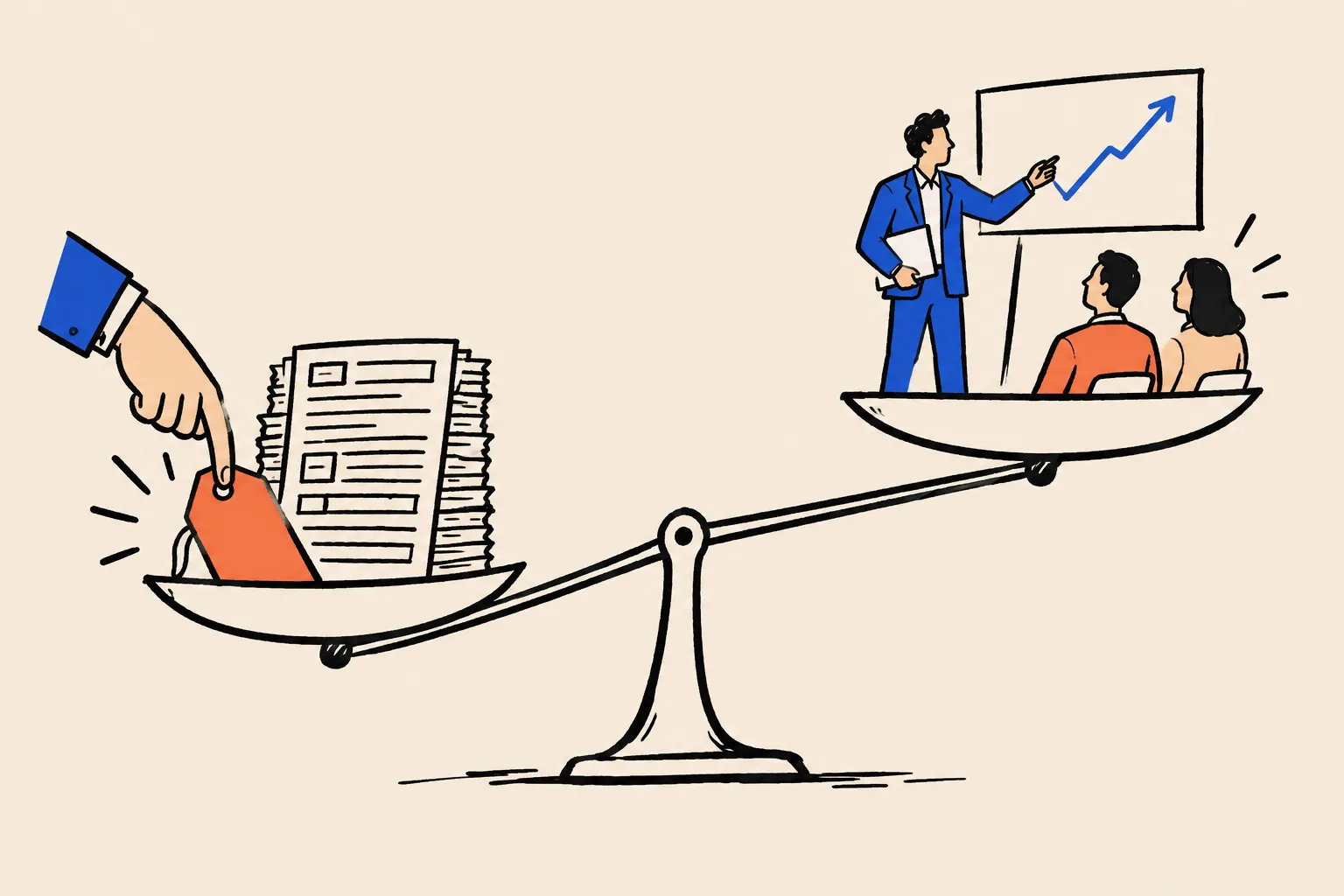
Moving from compliance to advisory, and charging for it. Owners shop compliance on price because it looks the same everywhere. Advisory is bought from people who look like specialists. A panel with the right subtitle, a website that names your niche, and articles where you explain sector-specific issues all make the case for a higher fee before the first meeting.
Being known for a niche. If you work mostly with dental practices, restaurants, construction firms, e-commerce brands, nonprofits or medical groups, your name search should say so in the first line. Buyers who want a specialist search with the niche in mind, and AI tools answer niche questions by looking for clear, repeated statements about who serves whom.
Better-fit clients. A vague search attracts vague enquiries. A specific search tells the wrong-fit prospects to look elsewhere and the right-fit ones that you are exactly who they need.
Referral partners who pass your name with confidence. Bankers, attorneys, wealth advisors and business brokers are protecting their own reputations when they refer. Many of them look you up before they put your name forward. A clean search makes you the easy, safe referral.
Being quoted, invited to speak and booked on podcasts. Journalists, conference organisers and podcast producers check people before they contact them. A clear identity, a headshot that matches everywhere and a press page make you easy to book.
A book. If you plan to write one, a panel can later carry a books section. Publishers and event organisers will look you up too.
Recruiting. The AICPA’s 2024 PCPS CPA Firm Top Issues Survey found that finding qualified staff was the top issue for every size of firm except sole practitioners.2 Candidates research the partners they would be working for. A partner who is visibly respected in the profession is easier to say yes to.
Partner visibility that lifts the firm. Clients choose people as much as firms. A recognised partner makes the firm’s name stronger, not weaker.
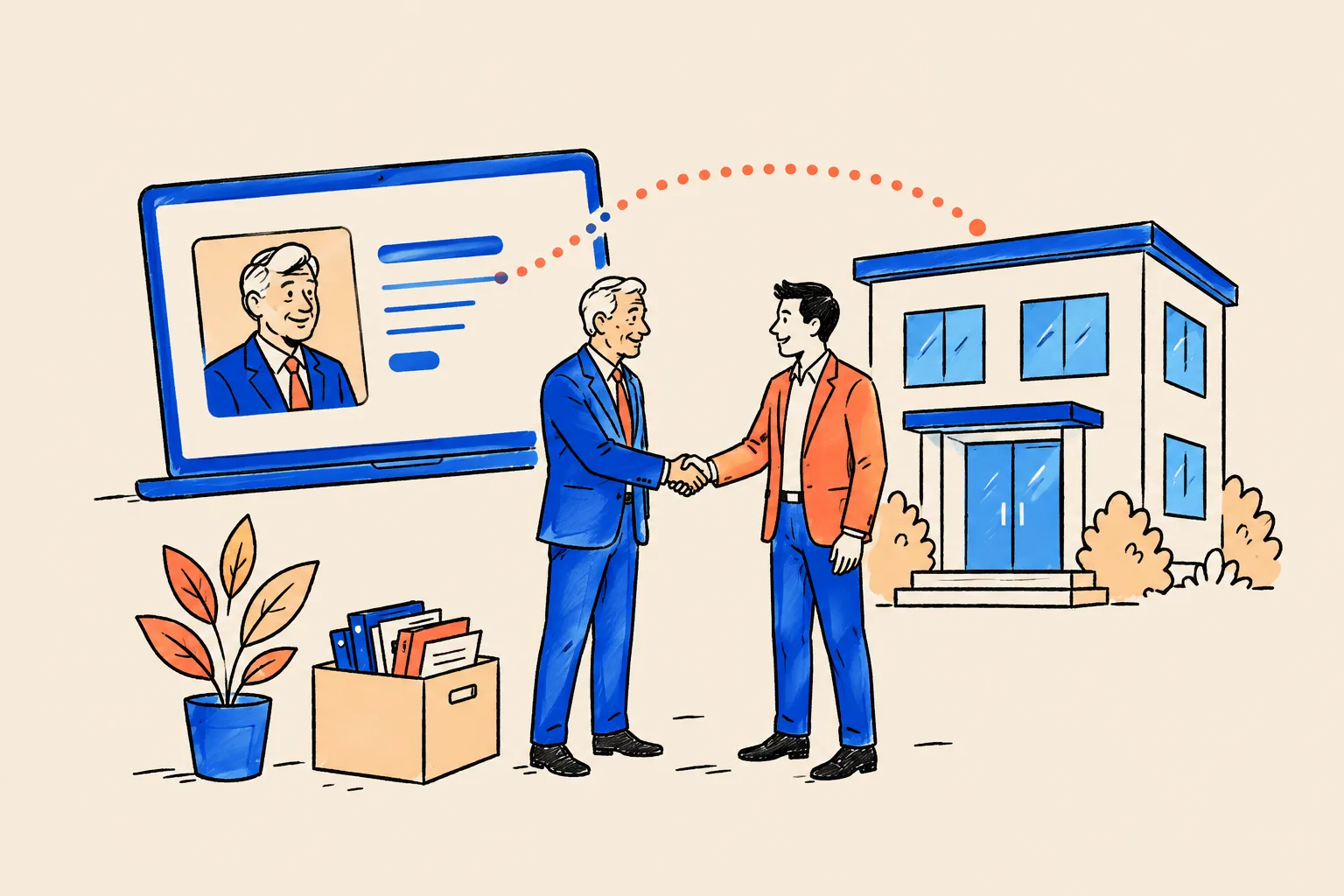
Succession and selling a practice. If you plan to sell, merge or hand over the practice, buyers and successors look at reputation as well as the client list. A well-documented, consistent professional identity is part of the goodwill you are handing over. It also makes a planned transition easier to communicate, because you can update one Entity Home and your sources rather than chase dozens of contradictory profiles.
What “good” looks like
When a business owner searches a well-presented accountant, they typically see:
- A Knowledge Panel with the accountant’s photo, a subtitle such as “Certified public accountant” or “Accountant”, a short description that mentions the firm and specialty, and a link to their website.
- The accountant’s own website first, with a page title that names them and their niche.
- Registry and directory listings that match: state board or CPAverify, the IRS preparer directory, ICAEW or ACCA, a QuickBooks or Xero advisor profile.
- A LinkedIn profile whose headline matches the website word for word.
- Independent proof: an article in a trade or local business publication, a podcast episode, a conference speaker page.
- AI answers that describe the accountant accurately when asked by name.
The rest of this playbook shows you how to get there.
What a Knowledge Panel is and isn’t
The definition, in plain English
A Knowledge Panel is the information box Google shows when you search for a person, place, organisation or thing that Google holds in its Knowledge Graph.3 On a computer it usually sits to the right of the results. On a phone it appears near the top, sometimes split into a few cards.
The Knowledge Graph is Google’s database of “things” (Google calls them entities) and the facts that link them. In 2020 Google said it held more than 500 billion facts about 5 billion entities.4 Think of it as a giant, constantly updated card index. Each card is one thing: a city, a company, a book, a person. Your card, if you have one, holds what Google is confident about: your name, your profession, your firm, your website, perhaps your education.
A panel is simply Google showing that card to a searcher. Google builds and updates panels automatically. You can’t write one, buy one, or apply for one.3
Anatomy of a real panel
Here is the live panel for Shobin K Jose, DotVisible’s founder, as it appeared in October 2026. An accountant’s panel has the same parts.
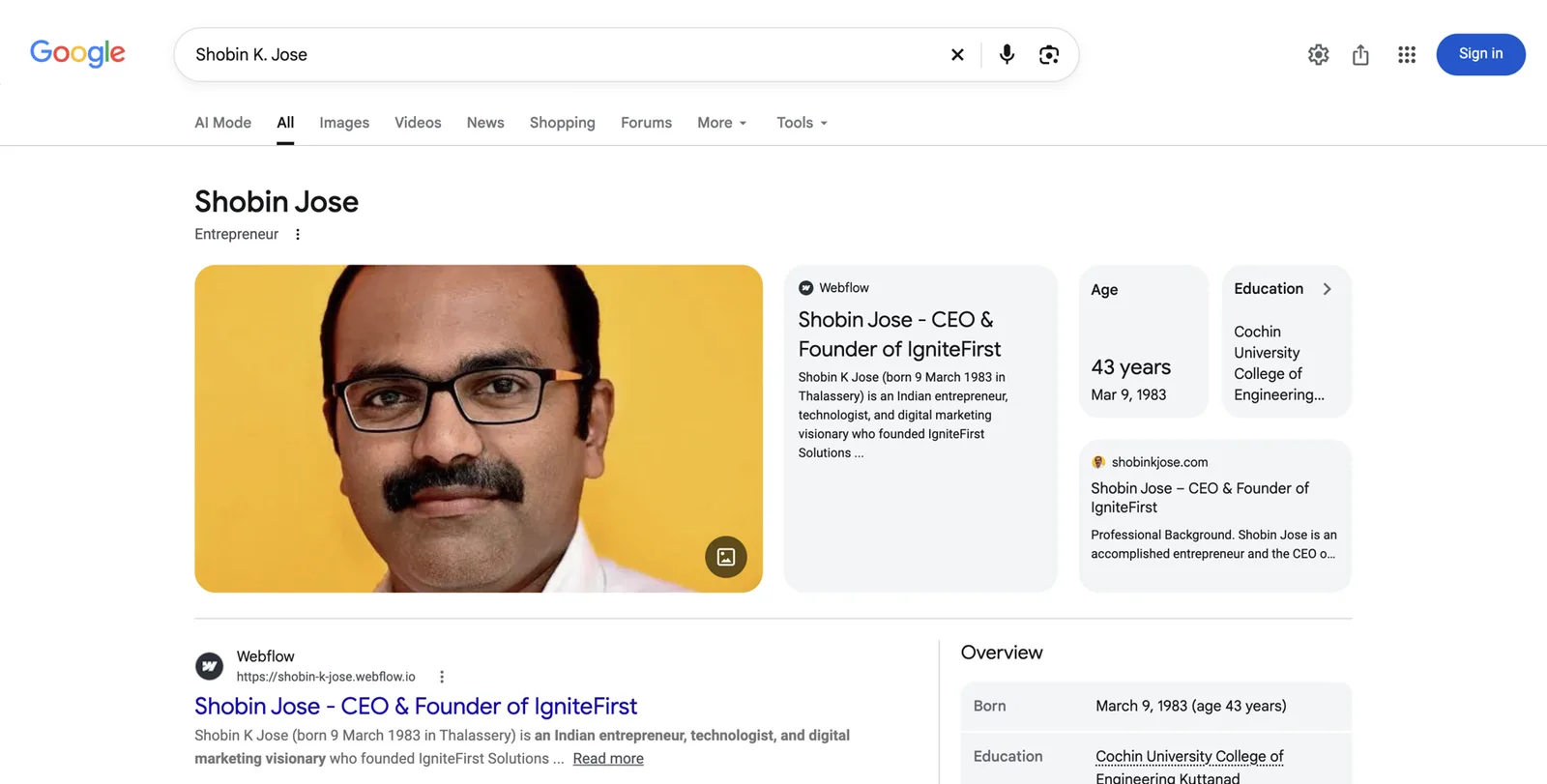
Read it from top to bottom:
- Name. The version of your name Google is most confident about. Here, “Shobin Jose”.
- Subtitle. A one- or two-word label describing what you are. Here, “Entrepreneur”. For accountants it is often “Accountant”, “Certified public accountant”, “Chartered accountant”, “Tax advisor”, “Author” or a business title. Google picks this from a fixed list of labels it can verify. You can’t type in your own.
- Photo. Usually taken from a page Google trusts about you, often your own website.
- Website card. A link to the page Google treats as your official home online. We call it your Entity Home.
- Key facts. Age, education, employer and similar attributes, when Google can confirm them.
- Overview and profiles. Social and professional profiles Google has linked to you.
- The three-dot menu. Behind it sits the option to share the panel and, when available, to claim it.
Priya Raman
Certified public accountant
Priya Raman is an executive leadership coach who helps first-time founders build and lead their teams. example.com
- Education
- Example State University
- Books
- The First Hundred Hires
- Organization
- Ellis Leadership Partners
Profiles
People also search for
- Name and subtitleThe name and the one-line description Google settles on.
- ImagesPhotos Google is confident show this person.
- DescriptionA short bio, usually from a source Google trusts, with a link to it.
- Key factsStructured facts pulled from the Knowledge Graph entry.
- ProfilesOfficial social profiles Google has matched to the entity.
- People also search forRelated entities, which shows how Google files this person.
- Claim this knowledge panelThe verification link the person can use to suggest edits.
What a Knowledge Panel is not
Several things on a results page look similar. They are different, and the difference matters for accountants.
Knowledge Panel (person)
- About you as a person
- Google builds it from many sources
- You can claim it and suggest edits, not write it
- Follows you if you change firms
Google Business Profile
- About your firm’s office or service area
- You create and manage it directly
- Shows reviews, hours, map, phone
- Belongs to the business, not to you
Your firm probably has a Google Business Profile already (Google’s listing for a business location, the thing that shows up on Maps with reviews and opening hours). Keep it. It does a different job. A partner can have a personal Knowledge Panel and the firm can have a Business Profile at the same time. If the old name “Google My Business” still appears in your notes, that is the same product under its former name.
Other things that are not a panel:
- An AI Overview: the AI-written summary at the top of some results. It may draw on the same facts, but it is generated fresh for each search.
- A featured snippet: a quoted box from one web page answering a question.
- Your LinkedIn result: even if it shows a photo, it is just a normal result.
- A “See results about” box: this appears when Google knows several things share your name and is asking the searcher which one they meant. It is a good sign that Google is close, but it is not your panel.
The machinery behind it
You only need a few terms to follow the rest of this guide.
- Entity: any single, distinct thing Google can identify. You are one. So is your firm.
- Knowledge Graph ID (KGMID): Google’s ID number for an entity, in the form
/g/11abc...or/m/0abc.... If you have one, Google has a card for you, even if it isn’t showing a panel yet. - Entity Home: the single web page that Google treats as your own, authoritative description of yourself.
- Corroboration: other trustworthy sources confirming the same facts.
- A thin or “sprout” panel: a panel with only a name and maybe a subtitle. It often shows only for very specific searches. It is a starting point.
Being in the Knowledge Graph and having a visible panel are two different things. Many people have a KGMID but no panel for their plain name, because Google isn’t yet confident enough that they are the person most searchers mean.
Myths accountants hear
Only celebrities and famous CEOs get a panel.
Google needs confidence about who you are, not fame.
Plenty of local professionals have panels. What they share is a clear, consistent, well-corroborated presence.
You need a Wikipedia page.
Most people with panels don’t have one.
Google uses hundreds of sources. Wikipedia’s notability bar is high, and very few accountants meet it. Part 4 explains why trying to force one backfires.
Someone can buy you a panel, or Google sells them.
Google builds panels automatically and doesn’t take payment for them.
Anyone promising a guaranteed panel in days is selling something that isn’t theirs to sell.
Once you have a panel, it’s permanent.
Panels change and sometimes disappear.
Google regularly updates its Knowledge Graph. Panels with weak foundations are the first to go. Maintenance matters.
My firm’s website is enough.
A shared team page rarely works as your Entity Home.
Team pages describe many people, change when staff change and disappear when you move firms. You need a page that is about you alone.
Why AI answers now matter as much as Google
Business owners are asking AI for accountants
A growing number of business owners now ask an AI assistant before they ask a friend. The questions look like this:
- “Who’s a good CPA for a dental practice in Columbus?”
- “I sell on Shopify and Amazon. Which accountants understand multi-state sales tax?”
- “Is Priya Raman a real CPA? What does she specialise in?”
- “Compare these two accountants my banker suggested.”
The answer usually names two or three people or firms, with a sentence about each. If you aren’t one of them, you never knew you were in the race.
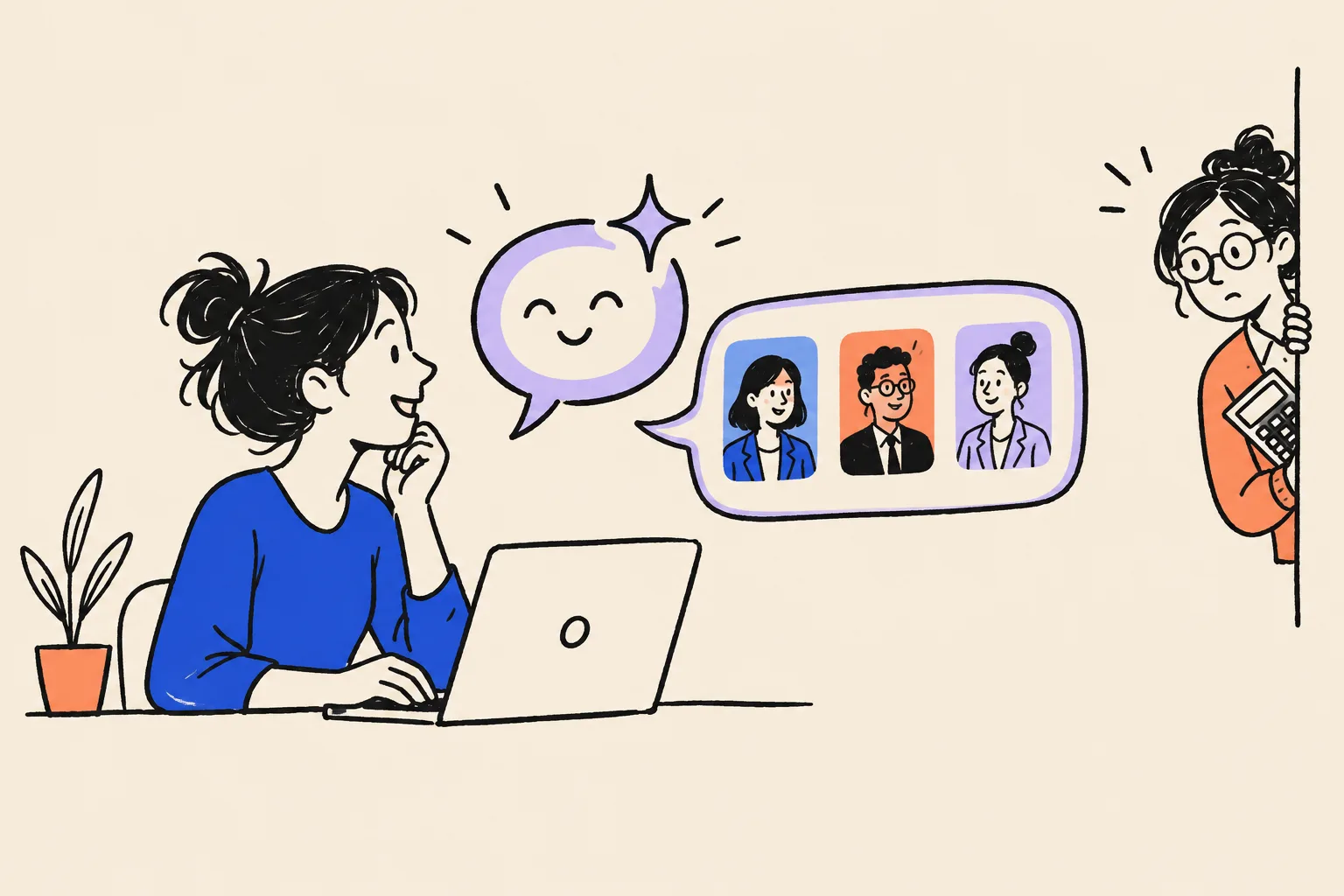
The UK figures hint at what is at stake. A 2026 survey of 500 UK businesses, commissioned by the accounting software company Ravical, found that more than a third of businesses using common advisory services were buying them from someone other than their main accountant, even when their main firm offered the same service. At firms with two to ten staff, the figure was 48%.5 Owners are shopping around for advisory work. When they do, they search, and increasingly they ask AI.
How AI tools decide whom to name
You don’t need the technical detail, but a simple model helps. AI assistants such as ChatGPT, Gemini, Perplexity, Microsoft Copilot and Google’s AI Overviews and AI Mode draw on some mix of three ingredients:
- What the model learned in training. A snapshot of the public web, books and other text, frozen at a point in time.
- Live web search. Many tools now search the web as they answer and cite the pages they used. Perplexity does this almost every time. ChatGPT and Copilot do it for many questions.
- Knowledge graphs. Structured databases of facts about entities. Google says its AI Overviews and AI Mode draw on its Knowledge Graph, among other systems.6 Other companies have their own.
All three ingredients come from the same public web: your website, your profiles, registries, articles and podcast pages. If those sources agree about who you are, AI tools can describe you with confidence. If they contradict each other, or say almost nothing, the safest thing for the tool to do is leave you out.
What a clean footprint does for AI, and what it doesn’t
A consistent, well-corroborated identity helps AI tools:
- Identify you, rather than a namesake.
- Describe you accurately: your firm, your credential, your city, your specialty.
- Treat you as a safe name to mention when the question fits.
It does not guarantee you will be recommended. AI answers vary from one day to the next, from one wording to another, and from one tool to another. There is also no public evidence that ChatGPT or Copilot read Google’s Knowledge Graph directly, so be wary of anyone who says “get a panel and ChatGPT will recommend you”. What is true is that the same work (a clear Entity Home, consistent facts, trustworthy corroboration) feeds every one of these systems.
The order that works
Work in this order:
- Explicit first. Make sure AI tools describe you correctly when someone asks for you by name.
- Then implicit. Earn mentions on the sources AI tools cite when someone asks for “a CPA for restaurants in Denver”.
- Then keep it current. Re-check every month and fix anything that drifts.
Part 5 gives you the practical routine.
How Google decides to show you a panel
This chapter gives you the mental model behind every step that follows. Once you understand it, the rest of the playbook will feel like common sense.
Three conditions
Google shows a Knowledge Panel for a person when three things are true:
- Google understands who you are. It has a card for you in its Knowledge Graph with at least a name and a type (a person) and ideally a profession.
- Google is confident that understanding is right. Several sources it trusts agree on the same facts.
- Google believes you are the person the searcher most probably means. If there are five Priya Ramans, Google has to judge which one most people searching that name want. This can differ by country and even by city.
Most accountants without panels fall down on the second or third condition. Google has some idea who they are, but it either isn’t confident, or it isn’t sure they are the dominant person with that name.
Teaching Google is like briefing a new junior
Think about how you would brief a new junior accountant on a client you have never met. You would start with the client’s own documents: their engagement letter, their prior returns. Then you would check those against independent records: the bank statements, the IRS transcript, Companies House or the state registry. If everything matches, you trust the picture. If the client’s documents say one thing and the bank says another, you stop and ask questions before you sign off.
Google works in much the same way.
- It starts with your own explanation: your Entity Home.
- It checks with sources it trusts: licence registries, professional bodies, directories, independent articles.
- Repetition and consistency build confidence: the same name, title, firm, city and specialty, over and over.
- Contradictions make it hold back: different job titles, different cities and different photos give Google a reason to stay silent.
As an accountant, you already think this way. Your name search is a reconciliation exercise. The Entity Home is your ledger; the sources are the supporting documents. Google signs off when they tie out.
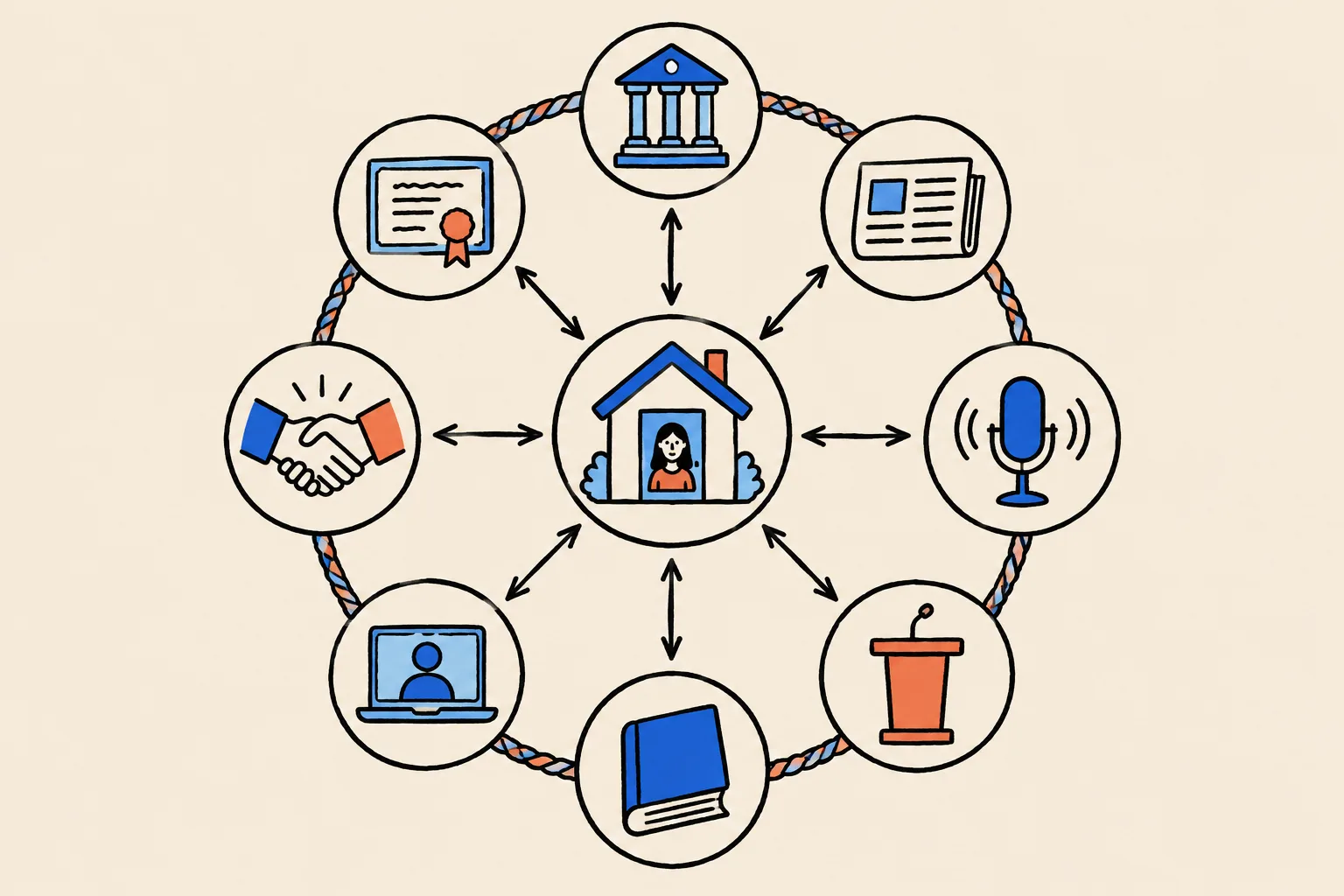
The three-part method
Everyone serious in this field uses some version of the same method:
An Entity Home you control
One page, on a website you own, that states clearly who you are, what you do, where and for whom. It is your account of yourself.
Corroboration from sources that agree
Licence registries, professional directories, profiles and independent articles that repeat the same facts.
A loop of links
Your Entity Home links out to each source, and each source links back to your Entity Home. Person schema (hidden labels on your page) ties it together for machines.
Three kinds of source
Not all sources carry the same weight.
- First party: yours. Your website and Entity Home. Google listens, but knows you wrote it.
- Second party: profiles you control on someone else’s platform. LinkedIn, X, a QuickBooks ProAdvisor profile, your ICAEW or state society directory entry. Useful, but you wrote most of them too.
- Third party: independent. A licence registry run by a state board, the IRS preparer directory, an article in a trade publication written by a journalist, a conference speaker page, a podcast episode page. These weigh the most.
Accountants have an unusual advantage here. Licence registries such as CPAverify and state board lookups are independent, official and maintained by government or regulators. Few professions have such strong third-party confirmation of identity sitting there for free.
Second-party profiles add less and less after the first dozen or so. Third-party proof keeps adding confidence. That is why this playbook spends real time on earning press, podcast and speaking mentions.
Why consistency beats volume
The most common reason an accountant has no panel is sources that disagree. A typical example:
- Website: “Priya Raman, Founder, Raman Ledger Advisory”
- LinkedIn: “Priya R., CPA | Tax | Advisory | Helping Businesses Grow”
- State society directory: “Priya Raman-Iyer, CPA, Sole Practitioner”
- Old firm’s site: “Priya Raman, Tax Manager, Morrow & Pike”
- Podcast page: “Priya, a Columbus bookkeeper”
To a person, that is obviously one accountant with a long career. To a machine, it could easily be four or five different people. Google has to reconcile every one of these before it can be confident. The fix is to make the existing profiles say the same thing before adding new ones.
How Google reads pages
Google reads structured content (headings, tables, lists and schema markup) with more confidence than loose paragraphs. A page that says, in a clear heading and first sentence, “Priya Raman is a certified public accountant in Columbus, Ohio, who advises dental practices” is far easier to understand than a page of marketing copy about “helping visionary businesses thrive”.
What slows things down
- A common name. There are a lot of Michael Smiths. Part 3 shows you how to choose a distinctive form.
- A famous namesake. If you share a name with an athlete or an actor, Google will usually assume searchers mean them. You can still win local and niche searches.
- Old, wrong information Google has already joined together. It takes time to unlearn.
- A social profile acting as your home. If LinkedIn is the only place that describes you, Google has no page you control to anchor on.
- Frequent changes. Changing your title, firm or headshot every few months resets the clock.
How long it takes
Google gives no timeline. Practitioners report ranges from a few weeks to about a year for a first panel, and longer for one that is stable and rich. The spread depends on how much work your existing presence needs, how common your name is, how strong your third-party sources are, and how often Google refreshes its data. Most clients we work with who have a reasonable existing presence see their panel within about 60 days, but that is no promise for anyone doing it themselves, and every situation differs.
Part 2 Diagnose: see what business owners see
Part 2 turns the Quick Check into a proper audit. Set aside about an hour for the name-search audit and another hour for the footprint inventory. You will use what you find here in every later step, so do it carefully and write everything down.
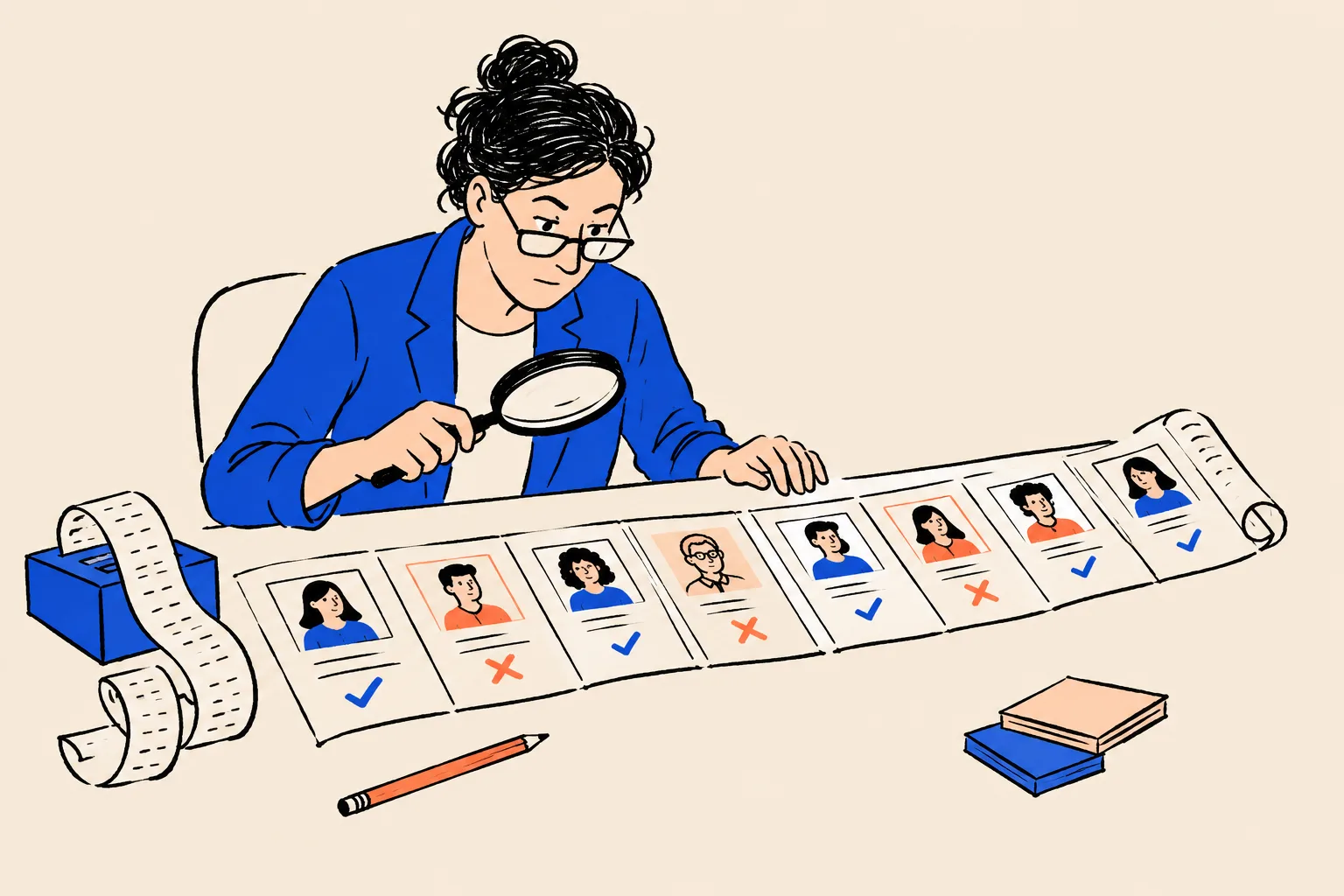
The name-search audit
Set up
- Open a private window as you did in the Quick Check.
- Sign out of Google, or use the private window, so your own browsing history doesn’t change the results.
- Use two devices: a computer and a phone. Results differ, and most business owners will look you up on a phone.
- Check Bing too (bing.com). Bing powers Microsoft Copilot and some other AI tools, and it sometimes shows a panel-style box drawn from different sources.
- Optional: check from other locations. If you serve clients in several cities or countries, results can vary. A free location-changer browser extension, or Google’s own region setting (Settings → Search settings → Region), can show you roughly what searchers elsewhere see.
Run these searches
Search each one in quotes, then without quotes if the results look different.
"Your Name""Your Name" CPA(or chartered accountant, enrolled agent, tax advisor, fractional CFO: whatever you hold)"Your Name" accountant"Your Name" [your city]"Your Name" [your firm]"Your Name" [your niche], for example dental, construction, Shopify"Your Name" reviewswho is Your Nameabout Your Name- Name variants: with and without your middle initial, a maiden or former name, a nickname, “CPA” after your name
Record what you find
For each search, write down what appears in positions 1 to 10, and whether a panel appears. Use the worksheet below.
A1: Name-search audit
One row per result. Mark each one Mine-accurate, Mine-outdated, Mine-wrong, Someone else, or Irrelevant.
| Search | Position | Page or site | About me? | Accurate? | What to fix |
|---|---|---|---|---|---|
| "Priya Raman" | 1 | LinkedIn profile | Yes | Outdated: shows old firm | Update headline and experience |
| "Priya Raman" | 2 | Morrow & Pike team page | Yes | Outdated: I left in 2022 | Ask firm to remove or redirect |
| "Priya Raman" | 3 | Instagram, painter in Hobart | No: namesake | n/a | Disambiguate (Part 3) |
For any panel that appears, also record:
- the name and subtitle shown
- the photo and where it comes from (click the photo to see the source page)
- the description and its source (shown as a small link under the text, often “Wikipedia”, “LinkedIn” or a website)
- the website link in the panel, if any
- the profiles shown
- any “People also search for” names
- whether there is a “Claim this knowledge panel” link
Also note any “See results about” box. It means Google has more than one entity with your name and is asking the searcher to choose.
Check whether Google already knows you
Even without a visible panel, Google may already have a card for you. Here are three ways to check, from easiest to most technical.
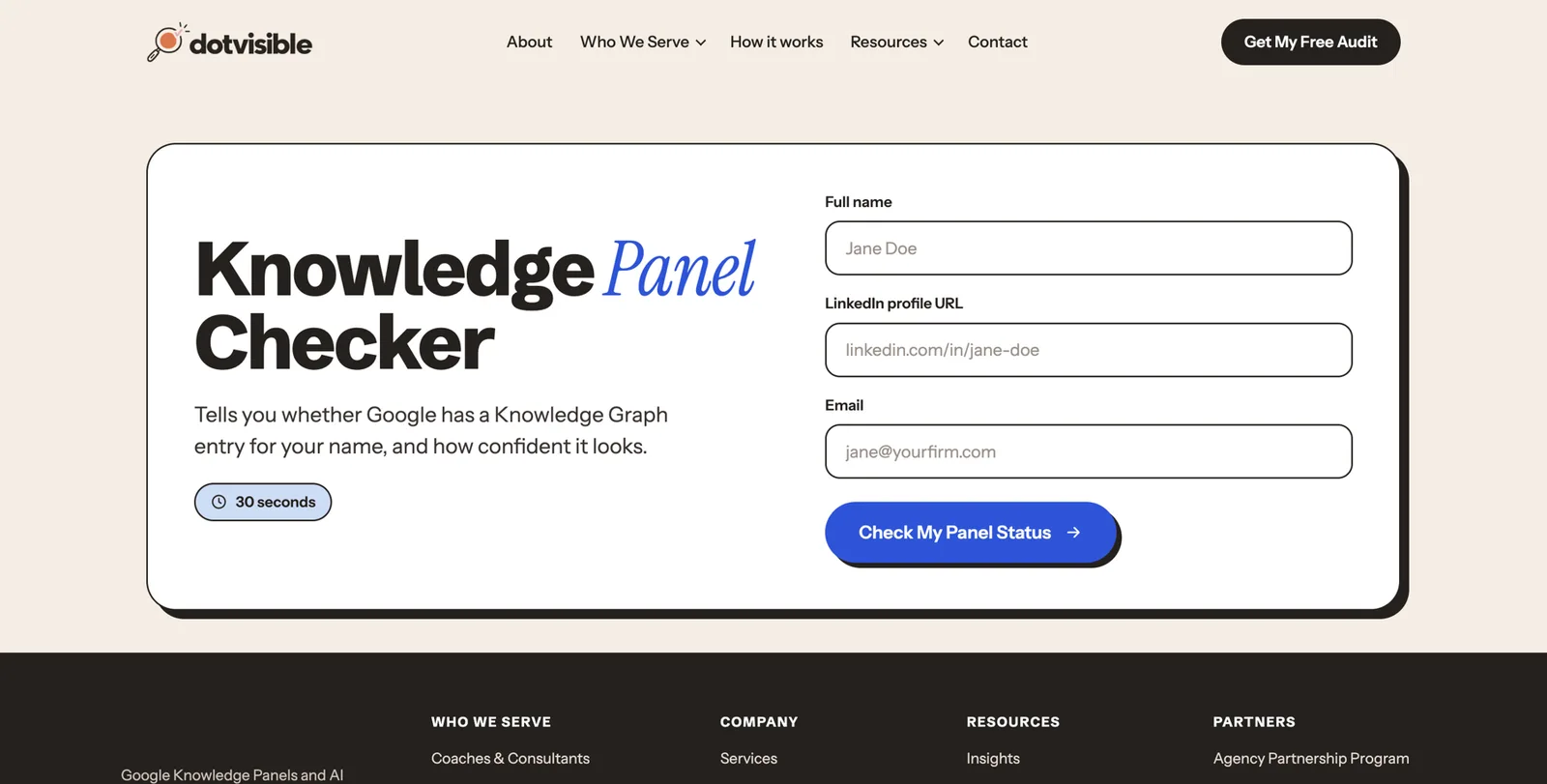
1. DotVisible’s free Knowledge Panel Checker. Go to /tools/knowledge-panel-checker, type your name, and it looks you up in Google’s Knowledge Graph and tells you what it finds.
2. The share link. If a panel appears for any search, click the three dots (⋮) on the panel, then Share, and copy the link. It contains kgmid=/g/... or kgmid=/m/.... That code is your Knowledge Graph ID. Paste it into a text file and keep it; you will use it in your schema later.
3. The Knowledge Graph Search API. Google offers a public tool for developers that returns entities matching a name.7 If you aren’t technical, skip it. The checker above uses the same idea.
If you find more than one ID that seems to be you (for example, one as “Priya Raman” and one as “Priya Raman-Iyer”), Google sees more than one of you. Note every ID. Part 5 covers how to encourage Google to merge them.
The licence and registry check
This step is unique to regulated professionals, and it matters more than most accountants realise. Your licence records are among the strongest sources Google can find about you, and they are frequently out of date.
Look yourself up on CPAverify (US CPAs)
Go to cpaverify.org, choose Search, pick your jurisdiction, type your last name and first name, tick the terms box and press Search. Note exactly how your name, city and licence status appear.
Check your state board’s own lookup
Some states keep details CPAverify doesn’t show. Search your board’s website for licence lookup or licensee search, and record the result.
Check the IRS preparer directory
Search for Directory of Federal Tax Return Preparers on irs.gov. If you hold a PTIN and are a CPA, EA, attorney or Annual Filing Season Program participant, you should be listed with your name, city, state and ZIP.
UK and elsewhere
ICAEW members: search find.icaew.com. ACCA members: use ACCA’s Find an accountant. Australia: the Tax Practitioners Board public register. Canada and others: your provincial or national body’s directory.
Compare
Does each record use the same form of your name, the same city and the same firm as your website and LinkedIn? Write down every difference.
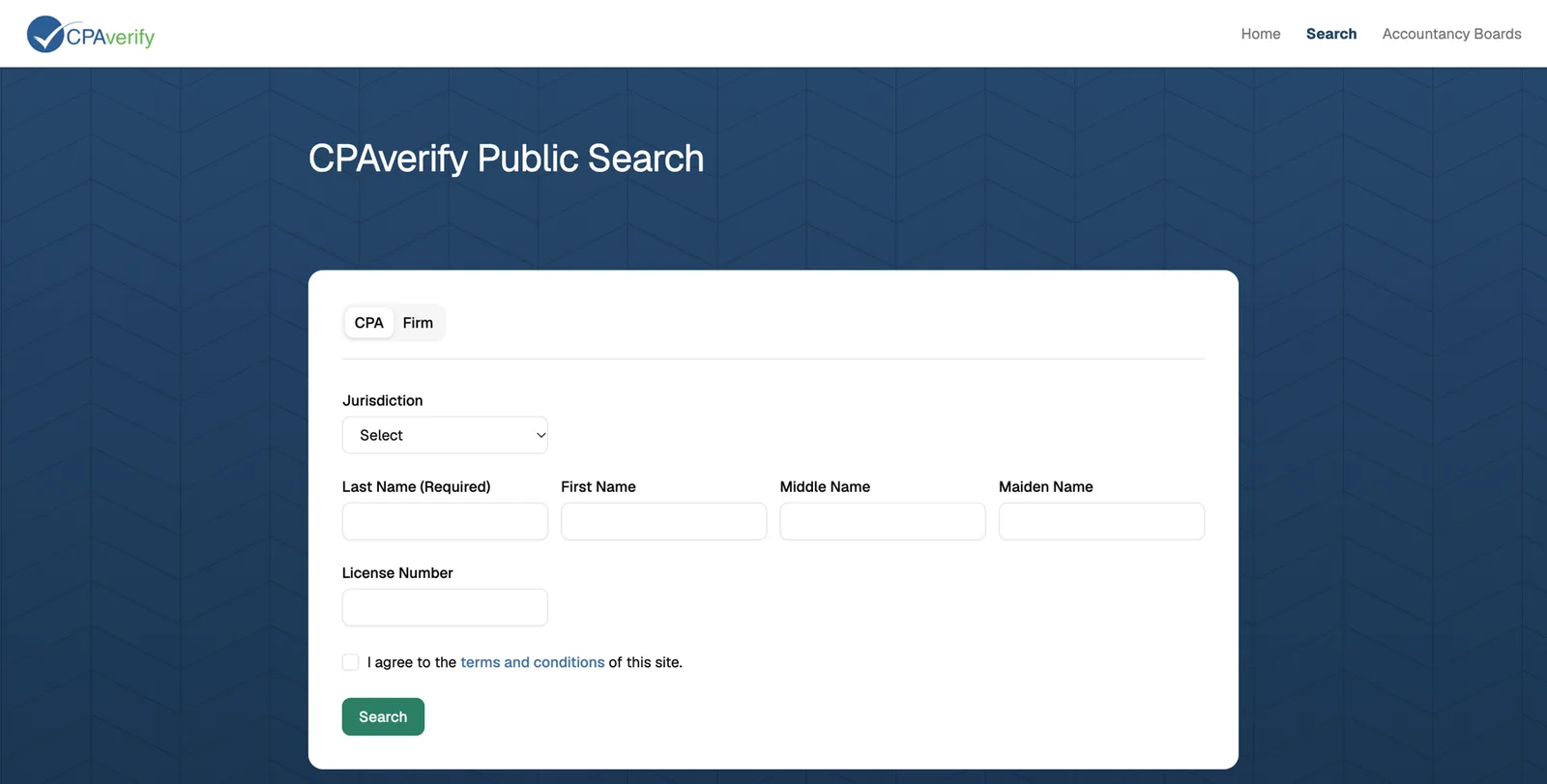
NASBA describes CPAverify as a free lookup of licensed CPAs and firms populated by official state board data, with 53 jurisdictions taking part.8 The IRS directory is updated weekly from the PTIN system, but changes can take up to four weeks to appear, and you correct your details through your online PTIN account.9 Outside the US, ICAEW,21 Australia’s Tax Practitioners Board22 and, for enrolled agents, the National Association of Enrolled Agents23 all run public directories you can check the same way.
The deep sweep (optional)
If you have time, run these targeted searches. Each uses site:, which tells Google to search inside one website only. Type them exactly, with your name in quotes.
Identity
site:linkedin.com "Your Name"site:x.com "Your Name"site:facebook.com "Your Name"site:youtube.com "Your Name"site:crunchbase.com "Your Name"
Professional
site:cpaverify.org "Your Name"(registry pages are not always indexed, so a blank result here is normal)"Your Name" "enrolled agent"or"Your Name" ACAor"Your Name" FCA"Your Name" ProAdvisorand"Your Name" Xero"Your Name" "[state] society of CPAs""Your Name" speakerand"Your Name" webinar"Your Name" podcast"Your Name" bookor"Your Name" author
Media and authority
"Your Name" site:journalofaccountancy.com"Your Name" site:accountingtoday.com"Your Name" site:cpapracticeadvisor.com"Your Name" "said"(catches quotes in articles)"Your Name" site:wikidata.org"Your Name" site:medium.comandsite:substack.com "Your Name"
Local business press
"Your Name" "Business Journal"(US cities often have one)"Your Name" [your city] chamber
Add every result about you to the footprint inventory below.
The AI baseline
This is your “before” picture for AI. You will repeat it monthly.
- Open each of these in a private window, signed out if possible: ChatGPT, Gemini, Perplexity, Microsoft Copilot, Claude and Google (look for the AI Overview at the top of results, and try the AI Mode tab).
- Ask each one the same four prompts:
- “Who is [Full Name]?”
- “Who is [Full Name], the [CPA / chartered accountant / tax advisor] in [city]?”
- “Recommend a [credential] in [city or region] who specialises in [your niche].”
- “What do people say about [Full Name], [credential], [city]?”
- For each answer, record Accurate, Inaccurate or Absent, and list any sources the tool cites (Perplexity, Copilot and Google show them; ChatGPT does when it searches).
A2: AI answer test card
Repeat monthly. Keep old cards so you can see change over time.
| Tool | Prompt | Accurate / Inaccurate / Absent | What it said | Sources cited |
|---|---|---|---|---|
| ChatGPT | Who is Priya Raman, the CPA in Columbus? | Inaccurate | Said she works at Morrow & Pike | LinkedIn (old) |
| Perplexity | Recommend a CPA in Columbus for dental practices | Absent | Named three other firms | Two directories, one dental trade article |
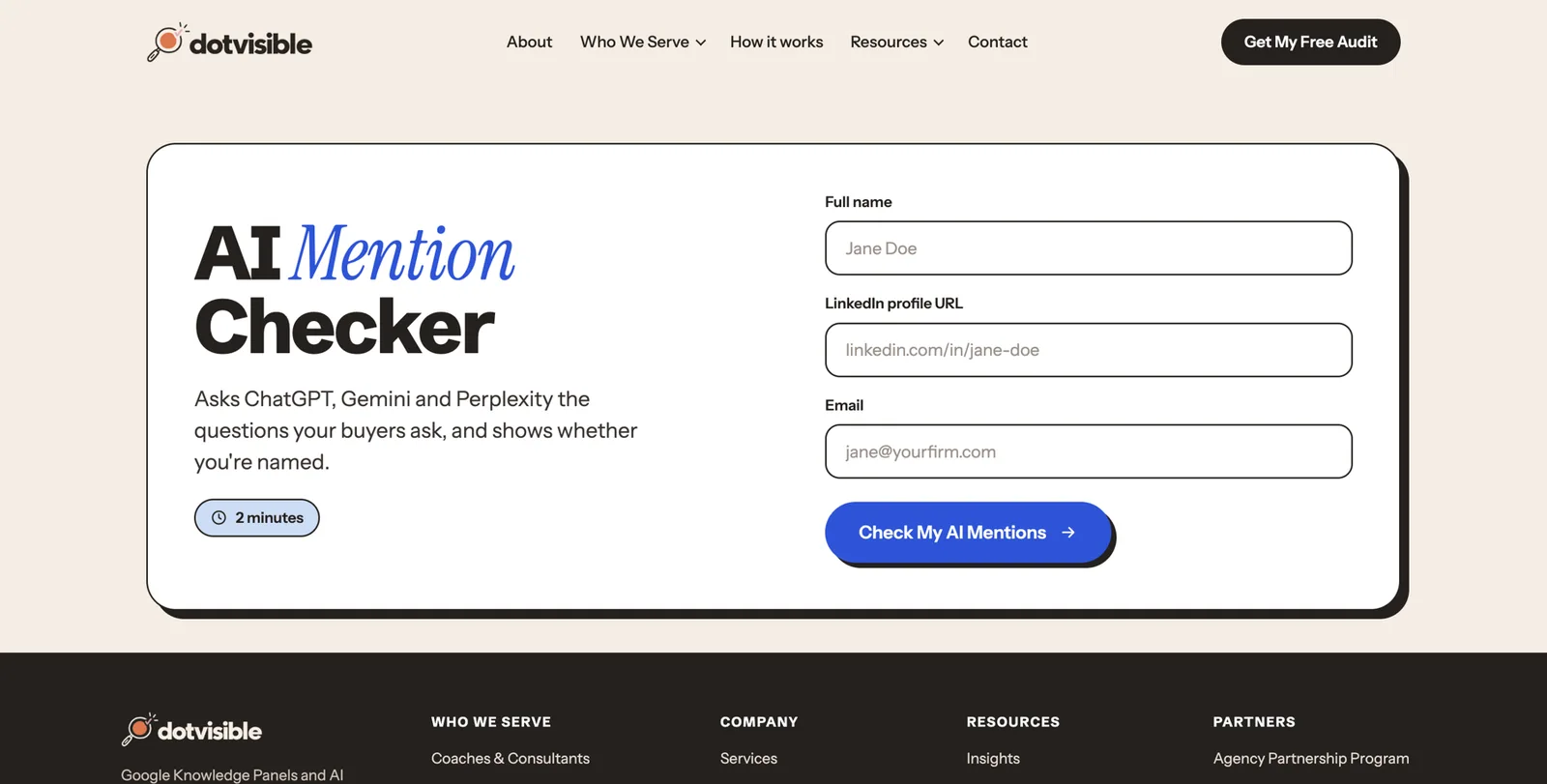
DotVisible’s free AI Mention Checker runs a version of this test for you.
Inventory your digital footprint
Now turn everything you found into one list of every place your name lives online.
Sort sources by priority
- Priority 1: your own website, LinkedIn, your firm’s page about you, licence registries.
- Priority 2: professional and association directories (state society, ICAEW, ACCA, NAEA, QuickBooks, Xero), Google Business Profile for your firm, press articles, guest articles you wrote.
- Priority 3: podcast episodes, conference speaker pages, webinars hosted by others, book pages, awards.
- Priority 4: old forums, data-broker sites, anything else.
Apply the “how much is about you” rule
For each page, estimate how much of it is about you.
- 80% or more: a core source (your LinkedIn, your directory listing, a profile interview). These go in your schema and your links.
- 20 to 80%: a supporting source (an article that quotes you at length). List it on your press page.
- Under 20%: a passing mention (your name in a list of 40 attendees). Ignore it.
Check every field, line by line
For each core source, compare these fields with what you want them to say:
| Field | What to look for |
|---|---|
| Name | Same form everywhere, including middle initial and credential letters |
| Title | Same primary title (Partner, Founder, Director, Principal) |
| Firm | Current firm name, spelled exactly |
| Credential | CPA, CA, ACA, FCA, ACCA, EA, CTA: only what you currently hold |
| Specialty | The same niche, in the same words |
| Location | Same city and state or county |
| Photo | The same headshot, or a deliberate variant |
| Bio | Same opening sentence |
| Website link | Points to your Entity Home, not an old page |
| Dates | Years in practice, founding dates: only if documented |
Rate each issue
| Severity | Example | Deduct |
|---|---|---|
| Critical | Another person’s photo or details mixed into yours; a licence shown as lapsed when it isn’t | 20 |
| High | Outdated firm or title on a top-five result | 10 |
| Medium | Bios that differ; specialty missing | 5 |
| Low | Formatting, spacing, capitalisation | 2 |
| Info | Facts you could add (memberships, talks) | 0 |
Source: Adapted from DotVisible’s audit process.
Start at 100 and deduct for each issue. Below 70 means consistency work will be your biggest win. This is a self-assessment to help you prioritise. Google doesn’t use a score like this.
A3: Footprint inventory and inconsistency log
One row per source. Control means: Direct (you edit it), Partial (you request changes) or None.
| URL | Type | Priority | % about me | Control | Issues found | Severity | Fixed? |
|---|---|---|---|---|---|---|---|
| linkedin.com/in/priyaraman-example | Profile | P1 | 100% | Direct | Old firm in headline | High | |
| morrowpike.example/team | Former employer | P1 | 15% | Partial | Still lists me as Tax Manager | High | |
| Ohio Society of CPAs directory | Directory | P2 | 100% | Direct | Maiden name only | Medium | |
The usual accountant problems
These come up again and again. Check for each one.
- A former employer’s team page still lists you, often outranking your current firm.
- Big-firm alumni pages: an old profile at a large firm with a corporate headshot from a decade ago.
- Different credential wording: “CPA” in one place, “Certified Public Accountant” in another, “CPA, CGMA, PFS” in a third.
- Maiden and married names split across registries.
- Firm brand versus personal brand: the firm’s directory listing describes the firm and barely mentions you.
- Seasonal profiles: tax-season listings on marketplaces that you set up once and forgot.
- A dormant X or Facebook account with an old photo.
- Software directories (QuickBooks, Xero) with a different firm address or an outdated certification.
- Podcast and webinar bios written by hosts, each one slightly different.
Group by control and work in order
- Direct control: your website, LinkedIn, your directory listings. Fix these first.
- Partial control: your firm’s team page, a former employer’s page, a podcast host’s bio. Request changes.
- No control: news articles, data-broker sites. Leave these until the end, and only chase the ones that matter.
Which situation are you in?
Use your audit to place yourself in one of these situations. Each points to where you should spend your time.
| Situation | What it means | Go to |
|---|---|---|
| No panel, little online presence | Google has little to go on | Parts 3 and 4 in full, in order |
| No panel, plenty of presence | You have sources, but they disagree | Part 3, then the clean-up and loop steps in Part 4 |
| Panel exists but rarely shows for your plain name | Google knows you but isn’t confident or dominant | Part 4 corroboration and earned proof, then Part 5 |
| Panel shows wrong or old details | Google is reading outdated sources | Part 4 clean-up, then suggest edits in Part 5 |
| Panel disappeared | A source was lost or Google updated its graph | Part 5 troubleshooting |
| More than one Knowledge Graph ID | Google thinks there are two of you | Part 3 name decision, then Part 5 merging |
| Panel shows a different person entirely | Out of scope for DIY | Get specialist help |
Part 3 Define: decide exactly who you are to machines
Part 3 is about decisions, not websites. You will choose one name, one primary identity and one set of facts, and write them down once. Every later step copies from what you decide here. Accountants who skip this part usually end up with a beautifully built website that says something slightly different from LinkedIn, which is the very problem we are trying to fix.
Your compliance guardrails, first
Before you write a word about yourself, know the rules that apply. They are simpler than they look, and they line up neatly with what Google rewards: facts you can prove.
AICPA Code of Professional Conduct (US CPAs who are AICPA members). The Advertising and Other Forms of Solicitation Rule says a member in public practice must not seek clients through advertising or solicitation that is false, misleading or deceptive, and bans coercive, over-reaching or harassing solicitation. The Code’s interpretation lists promotion that would count as false, misleading or deceptive, including anything that creates false or unjustified expectations of favourable results, implies an ability to influence a court, tribunal or regulator, or would be likely to cause a reasonable person to misunderstand or be deceived. It also says members must not do through others what they are prohibited from doing themselves, which covers any agency or marketer working for you.10
Use of the CPA credential. The same Code says the use of the CPA credential is governed by state accountancy laws and board rules, and that breaking them counts as false, misleading or deceptive.10 In practice, only people who hold a current licence (or a practice privilege) may call themselves a CPA in that state. Boards take this seriously, including on social media. In one published 2023 example, North Carolina’s board announced an agreement with a former CPA to stop using the title, including on LinkedIn and Facebook.11 If your licence has lapsed or you are licensed in a different state, check your board’s rules on wording before you write your bio.
Client confidentiality. The AICPA Code’s confidential client information rule means you need a client’s specific consent before disclosing information about them.10 That covers naming clients on your website, case studies and testimonials.
IRS Circular 230 (anyone practising before the IRS). Section 10.30 bars false, fraudulent, coercive, misleading or deceptive statements in any public communication or private solicitation about IRS matters. Enrolled agents may not use the word “certified” to describe their designation or imply they work for the IRS. Approved wording includes “enrolled to practice before the Internal Revenue Service”. If you publish fees, there are rules about honouring them for at least 30 days.12
ICAEW, ACCA, CA ANZ and other IESBA-based codes (UK, Ireland, Australia, NZ and elsewhere). The ICAEW Code of Ethics says that when marketing, a professional accountant must be honest and truthful and must not make exaggerated claims about their services, qualifications or experience, or make disparaging references or unsubstantiated comparisons to the work of others.13 Only use designatory letters you hold (for ICAEW, ACA or FCA), and follow your body’s rules on describing a firm as “chartered accountants”.
What this means for your name search
Safe to publish
- Your licence or membership, exactly as the registry shows it
- Your firm, title and city
- The industries you serve, stated as fact
- Memberships, committee roles and CPE-backed certifications you hold
- Articles, talks and podcasts you can link to
- Testimonials and client names only with written consent, where your rules allow them
Avoid
- “Best CPA in Ohio”, “top tax expert” and other superlatives
- Implying results: “we cut every client’s tax bill”
- Implying influence with the IRS, HMRC or a court
- The CPA title if you are not currently licensed where you use it
- “Certified” for an enrolled agent designation
- Paid “Top 100” listings presented as awards
Google rewards the kind of content your rules allow. A specific, verifiable fact tells it far more than a superlative.
Choose your primary identity
The single most important decision in this playbook is the one label you lead with. Google tends to choose a panel subtitle from the first identity it sees in your main sources. If your sources open with five different labels, Google may pick the wrong one or none.
Options accountants commonly use
- Certified public accountant (CPA)
- Accountant
- Chartered accountant
- Tax advisor (or tax adviser in the UK), chartered tax adviser
- Enrolled agent
- Fractional CFO, outsourced CFO
- Founder or managing partner of a named firm
- Author, if a book is a central part of what you do
How to choose
- Pick a label Google can verify. Google picks subtitles from a fixed list of recognised professions and roles. “Certified public accountant”, “Accountant” and “Tax advisor” are well established. Invented labels like “Profit Architect” or “Tax Whisperer” won’t become a subtitle, and some may raise compliance concerns.
- Pick a label your buyers use. Business owners search for “CPA”, “accountant” and “tax advisor”, not “financial clarity partner”.
- Pick a label your registries confirm. If CPAverify, your state board, ICAEW or the IRS directory say you are a CPA, a chartered accountant or an EA, your primary label should match. That is free third-party confirmation.
- Think five years ahead. If you are steadily moving towards advisory or a fractional CFO role, choose the identity you are building, as long as it is true today.
Write your identity sentence
Every bio you write will start with the same sentence. It follows this pattern:
[Full Name] is a [primary label] [and role at Firm] who [serves whom] in [where].
For example (all fictional):
- “Priya Raman is a certified public accountant and the founder of Raman Ledger Advisory, a Columbus, Ohio firm that advises dental practices.”
- “Tom Ashworth is a chartered accountant and director of Ashworth & Pine, who works with independent restaurants and hospitality groups across Yorkshire.”
- “Marcus Bell is an enrolled agent who represents small-business owners in IRS collection and audit matters from his practice in Tampa, Florida.”
- “Dana Whitlock is a fractional CFO who helps venture-backed software companies in Austin prepare for their first audit and Series A.”
Notice what each sentence does. It names the person, gives a recognised label, names the firm, says who they serve and says where. It contains no adjectives. Dana, who isn’t a CPA in this example, never implies she is.
The identity order every bio follows
After the first sentence, every bio, profile and page follows the same order:
- Primary identity, plus the firm you founded or lead.
- Location and who you serve.
- Services and approach: tax planning, advisory, audit, outsourced CFO, IRS representation.
- Credentials, memberships, publications and media.
- Background and earlier career.
Keeping the same order matters because machines, like busy readers, weight what comes first.
Multiple roles: CPA, author, speaker, podcaster
Many accountants wear several hats. Choose one primary identity and treat the others as secondary facets. A good pattern: “Priya Raman is a certified public accountant… She is also the author of Clean Books for Dental Practices and hosts the Chairside Numbers podcast.” (Both titles are fictional.) Lead with the profession; add the other roles later in the bio. If every source opens with a different hat, Google may treat each hat as a different person.
Career changers and recent moves
Common accountant transitions include Big Four to own practice, industry to public practice, staff to partner, practice to fractional CFO, or one firm to another after a merger. If you have changed roles:
- Lead with the new identity everywhere, on the same day if you can.
- Update old references rather than delete them. Ask your former firm to remove or redirect your old team page, and update your LinkedIn experience with an end date.
- Join the new peer group. A fractional CFO should appear where fractional CFOs are listed, not only where tax preparers are.
- Watch the subtitle. Your Knowledge Panel subtitle is the best signal that Google has caught up.
Decide your name once
Choose one exact form of your name and use it everywhere: your website, LinkedIn, registries where you can, directories, articles, podcast pages.
If you have a common name, make it distinctive:
- add a middle initial (“Priya K. Raman”)
- use a full middle name
- use your credential consistently (“Priya Raman, CPA”) in titles and headings
- add your city in early sentences, so Google can tell you apart by place
Registry names matter. If your licence is under a maiden name or a full legal name you don’t use socially, either update the registry (where your board allows) or list the registry form as an alternate name in your schema. Never leave Google to guess.
Don’t name your firm exactly after yourself if you can help it. “Priya Raman CPA LLC” is fine as a legal name, but a firm and a person with the same name compete for the same search. If your firm is already named after you, that is OK. Just make sure your Entity Home is clearly about you as a person, and your firm’s pages are clearly about the firm.
Every rename is a full rebrand. If you change your name after marriage or divorce, or add a credential to how you present yourself, update every major source within a few days, keep your domains and handles, and list the old name as an alternate name.
A5: Identity and name decision
Fill this in once. Everything else in this playbook copies from it.
| Decision | My choice | Why |
|---|---|---|
| Exact name form | Priya Raman | Matches LinkedIn and most press; add Priya K. Raman as alternate |
| Primary label | Certified public accountant | On CPAverify; buyers search CPA |
| Firm relationship | Founder, Raman Ledger Advisory | Firm I own |
| Location | Columbus, Ohio | Where clients and referral partners are |
| Who I serve | Dental practices and dental groups | 70% of fees; strongest referrals |
| Secondary facets | Author, podcast host | Lower in bio |
Describe your ideal client for machines
Buyers and machines can only match you to a need they can read. Write down, in plain words:
- Who you serve: “owner-dentists with one to five practices” rather than “small businesses”.
- Industry or niche: dental, construction, e-commerce, restaurants, nonprofits, real estate investors, medical practices, SaaS.
- Size of client: revenue band or headcount.
- Geography: city, state, region, or remote across the country.
- The problems you solve: entity structure, multi-location reporting, sales tax nexus, R&D credits, IRS notices, cash-flow forecasting, practice acquisitions.
- The moment they need you: buying a second practice, raising money, getting an IRS letter, outgrowing a bookkeeper.
You will reuse these words, unchanged, in your bio, your Entity Home, your schema knowsAbout list and every profile.
Build your source-of-truth profile
This is one locked fact sheet that every profile copies from. Most accountants find it oddly satisfying: it is basically a permanent file on yourself, with supporting evidence.
The fields
| Field | Example (fictional) | Evidence |
|---|---|---|
| Public name | Priya Raman | Website, LinkedIn |
| Alternate names | Priya K. Raman; Priya Raman-Iyer | Licence record, older articles |
| Primary label | Certified public accountant | CPAverify, Ohio board |
| Licence | CPA, Ohio, licence number on file | Board lookup |
| Firm and role | Founder, Raman Ledger Advisory | Ohio Secretary of State filing, firm site |
| Firm founded | 2019 | State filing date only |
| Location | Columbus, Ohio | Firm address |
| Niche | Dental practices and dental groups | Website service pages |
| Services | Tax planning, outsourced CFO, practice acquisition due diligence | Website |
| Memberships | AICPA, Ohio Society of CPAs | Membership records |
| Other credentials | Any AICPA designation you hold | Issuer’s directory |
| Education | BS Accounting, Ohio State University | Degree |
| Software certifications | QuickBooks ProAdvisor; Xero certified advisor | Directory listings |
| Books | Title, publisher, ISBN | Publisher page |
| Media | Articles you wrote or were quoted in | Links |
| Podcasts and talks | Episode pages, event pages | Links |
| Profiles | Every URL | Links |
| Photo | Primary headshot file name | File |
Evidence ladder, strongest first
- Official records: licence registries, board lookups, the IRS directory, company registrations.
- Your Entity Home and verified profiles.
- Institutional pages: your professional body, your university, a society committee page.
- Independent editorial coverage with a named author or editor.
- Directories and aggregators.
- Paid press releases and self-published reposts.
A weaker source can help you find a claim, but it must never override a stronger one. If a magazine says you founded your firm in 2015 and your state filing says 2019, the answer is 2019.
Claim states
Give every fact one of four labels:
- Verified: you have an official or independent source.
- Partial, confirm: you think it is right but need to check.
- Self-reported: true, but you are the only source. Use it only on your own pages, never presented as independently verified.
- Exclude until confirmed: don’t publish it anywhere yet.
Never invent or infer
Accountants are careful with numbers at work. Be equally careful here. Don’t publish:
- “20+ years of experience” unless your timeline adds up and you can show it
- a founding date earlier than the firm’s registration
- client counts, assets under management, “$50M in tax savings” or similar results claims
- podcast, speaking or publication credits you can’t link to
- awards that were paid inclusions
- social accounts you can’t prove are yours
- credentials you hold in one jurisdiction presented as if they apply everywhere
Several of these could also breach the advertising rules above. The facts Google trusts most are the same ones regulators want you to stick to.
A4: Source-of-truth profile
One row per fact. Lock it once approved. Afterwards change only length, person and format, never the facts.
| Field | Exact wording | Evidence URL or document | Status |
|---|---|---|---|
| Licence | Certified public accountant, Ohio | Ohio board lookup | Verified |
| Firm founded | 2019 | Secretary of State filing | Verified |
| Years in practice | Since 2009 | Need to confirm first CPA licence date | Partial, confirm |
| Quoted in Columbus Business First | 2025 article on practice sales | Link needed | Exclude until confirmed |
Write your bio ladder
Now turn the locked profile into ready-to-paste copy for every platform. You will write it once and reuse it for years.
Start with your Entity Executive Summary
A short paragraph, 20 to 50 words, that starts with your identity sentence. You will paste it word for word everywhere it fits.
Fictional example: Priya Raman is a certified public accountant and the founder of Raman Ledger Advisory, a Columbus, Ohio firm that advises dental practices. She helps owner-dentists with tax planning, multi-location reporting and practice acquisitions.
The ladder
| Rung | Length | Where it goes |
|---|---|---|
| Headline | 8 to 15 words | LinkedIn headline, X bio first line, directory title |
| One-liner | about 150 characters | Social bios, podcast guest lists |
| Short bio | about 50 words | Directory listings, conference programmes |
| Standard bio | 100 to 150 words | LinkedIn About, firm team page, speaker pages |
| Full bio | 300 to 500 words | Your Entity Home |
| First-person intro | 60 to 100 words | LinkedIn, Medium, newsletters where first person is normal |
| Spoken intro | about 30 seconds | Podcast hosts, event MCs |
| SEO title and description | 60 and 155 characters | Your Entity Home page settings |
Worked examples (fictional)
Priya Raman, CPA (dental niche, US)
- Headline: Certified public accountant for dental practices | Founder, Raman Ledger Advisory | Columbus, Ohio
- One-liner: CPA and founder of Raman Ledger Advisory. Tax planning, reporting and acquisitions for dental practices in Ohio.
- Short bio: Priya Raman is a certified public accountant and the founder of Raman Ledger Advisory, a Columbus, Ohio firm that advises dental practices. She works with owner-dentists on tax planning, multi-location reporting and practice acquisitions. She is a member of the AICPA and the Ohio Society of CPAs.
- Spoken intro: “My guest today is Priya Raman. Priya is a certified public accountant and the founder of Raman Ledger Advisory in Columbus, Ohio, where she works with dental practices on tax, reporting and buying and selling practices.”
Tom Ashworth ACA (hospitality, UK)
- Headline: Chartered accountant for restaurants and hospitality groups | Director, Ashworth & Pine | Leeds
- Short bio: Tom Ashworth is a chartered accountant and a director of Ashworth & Pine, a Leeds practice that works with independent restaurants and hospitality groups across Yorkshire. He advises on VAT, payroll and multi-site reporting. Tom is an ICAEW member (ACA).
Marcus Bell, EA (IRS representation, US)
- Headline: Enrolled agent | IRS audit and collection representation for small businesses | Tampa, Florida
- Short bio: Marcus Bell is an enrolled agent, enrolled to practice before the Internal Revenue Service, who represents small-business owners in IRS audits, collection matters and payroll tax issues from his practice in Tampa, Florida. He is a member of the National Association of Enrolled Agents.
Notice that Marcus never says “certified”, and nothing in any bio promises an outcome.
Dana Whitlock (fractional CFO, not a CPA)
- Headline: Fractional CFO for venture-backed SaaS companies | Austin, Texas
- Short bio: Dana Whitlock is a fractional CFO who works with venture-backed software companies in Austin, Texas, on financial planning, board reporting and audit readiness. Before going independent she led finance at two software companies.
Writing rules
- Short sentences. Subject, verb, object.
- Proper names capitalised and spelled the same way every time: your firm, your professional body, your university.
- Location early to tell you apart from namesakes.
- Relationships to known organisations: your firm, the AICPA, ICAEW, a state society, a university, a publisher. These help Google connect you to entities it already knows.
- No superlatives. No “leading”, “top”, “best”, “renowned”. They add nothing for Google and they can cause compliance trouble.
- Third person on your Entity Home and in directories. First person where the platform expects it, such as LinkedIn About.
Platform adaptation
| Platform | Lead with | Notes |
|---|---|---|
| Headline rung, then standard bio in About | Website link to your Entity Home | |
| Firm team page | Standard bio | Link to your Entity Home if the firm allows |
| State society or ICAEW directory | Short bio | Use your registry name form |
| QuickBooks ProAdvisor or Xero directory | Short bio plus industries served | Choose the same industries as your niche |
| NAEA directory (EAs) | Short bio | Approved EA wording only |
| Podcast show notes | One-liner plus link | Send hosts your guest kit (Part 4) |
| Conference speaker page | Short bio plus headshot | Ask for a link to your Entity Home |
| Medium or Substack | One-liner | Link in profile |
| Amazon Author Central | Standard bio | Only if you have a book |
A6: Bio ladder
Write each rung from your locked profile. Check every rung opens with your identity sentence or a shortened form of it.
| Rung | My text | Word or character count |
|---|---|---|
| Headline | Certified public accountant for dental practices | Founder, Raman Ledger Advisory | Columbus, Ohio | 15 words |
Part 4 Build: the foundation Google trusts
Part 4 is where the work becomes visible. You will build your Entity Home, add schema, clean up what you already own, add the right sources, tie them together with links, and start earning independent proof. Take it one step at a time. Nothing here needs coding skills, and where a step is technical we explain every click.
Your Entity Home
Your Entity Home is the one page Google treats as your own, authoritative account of who you are. Everything else points to it.

Where it should live, best option first
- An About page on your own personal domain, for example priyaraman.com/about.
- The homepage of your personal domain, if the site is entirely about you.
- A dedicated page about you on a firm website you own and control, if you are the founder and don’t plan to sell or rename the firm.
Avoid using a shared team page on a firm site (it describes many people and changes when staff change), a page on a firm you might leave or sell, or any social profile, including LinkedIn. LinkedIn is your strongest profile, but you don’t control it, and Google treats it as one source among many.
The minimum viable version
You don’t need a big website. Two pages are enough to start: a homepage and an About page, on a domain in your name. A .com is the safest default. A country domain such as .co.uk or .com.au is fine if all your clients are in one country.
If you don’t have a personal website yet:
- Choose a domain registrar (any well-known one will do) and search for yourname.com. If it is taken, try your name with a middle initial, or your name plus “cpa” (for example priyaramancpa.com), as long as you are licensed.
- Buy the domain for at least three years. Turn on auto-renew so it never lapses.
- Use a simple website builder such as Squarespace, Wix, Webflow or WordPress.com. Pick a plain template.
- Create two pages: Home and About. Most builders let you do this from a Pages menu.
- Follow the blueprint below for the About page.
Page blueprint
Build your Entity Home in this order, top to bottom.
Page title (H1): your name
For example "About Priya Raman" or simply "Priya Raman". In most builders, the first big heading on the page is the H1.
First sentence: your identity sentence
Word for word from Part 3. Don’t start with a welcome message.
Your primary headshot near the top
The same photo you use on LinkedIn and directories. Name the file priya-raman-cpa.jpg and set its alt text to "Priya Raman, certified public accountant".
Full bio in sections, with headings
One heading per rung of your identity order: What I do, Who I work with, Services, Credentials and memberships, Publications and media, Background.
A credentials table
Licence (with state or body), memberships, designations, software certifications, education. Link each to its registry or issuer where possible.
Media and talks
Links to articles you wrote, articles that quote you, podcast episodes and speaker pages.
Find me elsewhere
A list of links to your LinkedIn, registry entries, directory listings and other profiles. These are the links that close the loop.
Contact details
Firm name, city, a contact page link. Match your Google Business Profile exactly if you have one.
A visible "Last updated" date
For example "Updated October 2026". Change it every time you update a fact.
Use the real headings and lists in your website builder’s toolbar instead of bold text. Headings, lists and tables help Google read the page with confidence.
Choose it before Google chooses for you
If Google already shows a website link in a panel or a “See results about” box for you, find out which page it is. If it is a page you control, build on it rather than starting a new one. Changing the Entity Home later is slow, because Google has to unlearn the old one.
The photo rule
Google tends to stick with the first good image it associates with you. Choose your primary headshot now and publish it on your Entity Home from day one.
- At least 1200 × 1200 pixels, face clearly visible, plain background.
- A real photo, not an illustration or logo.
- The same photo on LinkedIn, directories and speaker pages. If you want variety, keep a small deliberate set (one formal, one speaking) rather than a different photo everywhere.
Set up Google Search Console
Search Console is Google’s free tool for website owners. It shows whether Google has found your pages, and it is also one of the most reliable routes for claiming your panel later.
- Go to search.google.com/search-console and sign in with the Google account you want to use long term (ideally one you will also use to claim your panel).
- Click Add property. Choose Domain and type your domain without “https://” or “www”.
- Google shows a line of text (a TXT record) to add to your domain settings. Log in to the company where you bought your domain, find DNS settings, add a new TXT record, and paste the text in. Many registrars and builders have a one-click option for Google verification; use it if you see one.
- Back in Search Console, click Verify. It can take a few minutes to a day.
- Once verified, paste your Entity Home address into the search bar at the top (URL inspection) and click Request indexing.
If DNS settings feel daunting, most website builders publish a step-by-step help article for Search Console verification. Search their help centre for “Google Search Console”.
A7: Entity Home pre-launch checklist
Tick each before you publish. Re-check whenever you change a fact.
| Check | Done? |
|---|---|
| Page is on a domain I own | |
| H1 is my name | |
| First sentence is my identity sentence, word for word | |
| Primary headshot near the top, descriptive file name and alt text | |
| Credentials table links to registries | |
| Find me elsewhere lists only corrected profiles | |
| Contact details match my Google Business Profile | |
| Last updated date visible | |
| Person schema added and validated | |
| Search Console verified and indexing requested |
Person schema in plain English
Schema markup is a set of hidden labels on your Entity Home that tells search engines and AI tools, in a format they read easily, “this page is about this person, and here is where to confirm it”. Visitors don’t see it. Machines do.
Think of it as the index tab on a client file. The file is there whether or not it has a tab, but the tab tells whoever picks it up exactly what is inside and where the supporting documents are.
Google says it uses structured data to understand page content and the world more generally.14 The vocabulary comes from schema.org, which defines a Person type with properties such as name, job title, the organisations a person works for and links to their profiles.15
Where it goes
On your Entity Home only. Not on every page of your site.
The properties an accountant needs
| Property | What it means | Accountant example |
|---|---|---|
@id | A permanent ID for you, usually your Entity Home address plus #person | https://priyaraman.example/about#person |
name | Your chosen name form | Priya Raman |
alternateName | Other forms people or registries use | Priya K. Raman, Priya Raman-Iyer |
url | Your Entity Home | https://priyaraman.example/about |
image | Your primary headshot | https://priyaraman.example/priya-raman-cpa.jpg |
description | Your Entity Executive Summary | Your 20 to 50 word summary |
jobTitle | Your primary label or role | Certified Public Accountant |
worksFor / founder | Your firm, described separately | Raman Ledger Advisory |
hasCredential | Licences and designations, with who issued them | CPA licence, recognised by the Accountancy Board of Ohio |
memberOf | Professional bodies | AICPA, Ohio Society of CPAs |
alumniOf | Universities | The Ohio State University |
knowsAbout | Your specialty topics | Dental practice accounting, practice acquisitions |
address | City and region (not your home address) | Columbus, Ohio |
sameAs | Profiles that are at least 80% about you | LinkedIn, directory profiles, Wikidata if you have it |
subjectOf | Articles, episodes and pages about you | A podcast episode page, an interview |
identifier | Your Knowledge Graph ID, once you have one | kg:/g/11abc… |

A full example for a fictional accountant
This is a complete, annotated example. Copy it, replace every value with your own, and delete anything you can’t support with evidence. The firm is described as its own item (an AccountingService, which schema.org defines as a type of financial service) and linked to the person, rather than mixing the two.
<script type="application/ld+json">
{
  "@context": "https://schema.org",
  "@graph": [
    {
      "@type": "Person",
      "@id": "https://priyaraman.example/about#person",
      "name": "Priya Raman",
      "alternateName": ["Priya K. Raman", "Priya Raman-Iyer"],
      "url": "https://priyaraman.example/about",
      "image": "https://priyaraman.example/images/priya-raman-cpa.jpg",
      "description": "Priya Raman is a certified public accountant and the founder of Raman Ledger Advisory, a Columbus, Ohio firm that advises dental practices.",
      "jobTitle": "Certified Public Accountant",
      "founder": { "@id": "https://ramanledger.example/#firm" },
      "worksFor": { "@id": "https://ramanledger.example/#firm" },
      "address": {
        "@type": "PostalAddress",
        "addressLocality": "Columbus",
        "addressRegion": "OH",
        "addressCountry": "US"
      },
      "hasCredential": {
        "@type": "EducationalOccupationalCredential",
        "name": "Certified Public Accountant (CPA) licence",
        "credentialCategory": "license",
        "recognizedBy": {
          "@type": "GovernmentOrganization",
          "name": "Accountancy Board of Ohio"
        }
      },
      "memberOf": [
        { "@type": "Organization", "name": "American Institute of Certified Public Accountants", "url": "https://www.aicpa-cima.com" },
        { "@type": "Organization", "name": "Ohio Society of CPAs", "url": "https://ohiocpa.com" }
      ],
      "alumniOf": { "@type": "CollegeOrUniversity", "name": "The Ohio State University" },
      "knowsAbout": [
        "Accounting for dental practices",
        "Dental practice acquisitions",
        "Tax planning for practice owners",
        "Multi-location financial reporting"
      ],
      "sameAs": [
        "https://www.linkedin.com/in/priyaraman-example",
        "https://x.com/priyaraman_example",
        "https://www.youtube.com/@priyaraman-example"
      ],
      "subjectOf": [
        {
          "@type": "PodcastEpisode",
          "name": "Buying your second practice, with Priya Raman",
          "url": "https://dentalbusinesspodcast.example/episodes/priya-raman"
        }
      ]
    },
    {
      "@type": "AccountingService",
      "@id": "https://ramanledger.example/#firm",
      "name": "Raman Ledger Advisory",
      "url": "https://ramanledger.example",
      "founder": { "@id": "https://priyaraman.example/about#person" },
      "address": {
        "@type": "PostalAddress",
        "addressLocality": "Columbus",
        "addressRegion": "OH",
        "addressCountry": "US"
      }
    }
  ]
}
</script>
What each block does, in plain English:
@contextand@graphsay “this uses the schema.org vocabulary, and here is a small set of connected items”.- The Person block describes Priya. Her
@idis a permanent label other items can point to. founderandworksForpoint to the firm’s@idrather than repeating the firm’s details. That tells machines “the firm described below is hers”.hasCredentialnames the licence and who issued it. Don’t include your licence number unless you are happy for it to be public; the registry already confirms you.sameAslists only profiles that are mostly about Priya and that already say the same thing as her Entity Home.subjectOflists pages that are about her, such as a podcast episode.- The AccountingService block describes the firm and points back to Priya as founder.
All the URLs above use .example, a domain reserved for examples. Replace them with your real addresses.
Rules for schema
- Mirror what is visible on the page. Don’t put facts in schema that aren’t in your bio.
- Only accurate, current sources in
sameAs. If a profile still shows your old firm, fix it first, then add it. - Don’t overload early. A clean, modest block beats a long one full of weak links.
- If your website already has schema from an SEO plugin such as Yoast or Rank Math, it may already describe a Person. Ask your web person to merge your details into that block (reusing its
@id) rather than adding a second, competing Person. - Revalidate after every change.
How to add it to your site
- WordPress: add a Custom HTML block at the bottom of your About page and paste the full script. Or use your SEO plugin’s schema settings.
- Squarespace: open the page settings for your About page, go to Advanced, and paste the script into Page Header Code Injection. (This feature depends on your plan.)
- Wix: go to the page’s SEO settings, then Advanced SEO, then Structured data markup, and paste the JSON part (without the script tags, if Wix asks for JSON only).
- Webflow: open Page settings for the About page and paste the script into Custom code → Before body tag.
How to check it
- Go to validator.schema.org.
- Click Fetch URL, paste your Entity Home address and click Run test. Or click Code snippet and paste the script.
- Look for your Person item, with 0 errors and ideally 0 warnings.
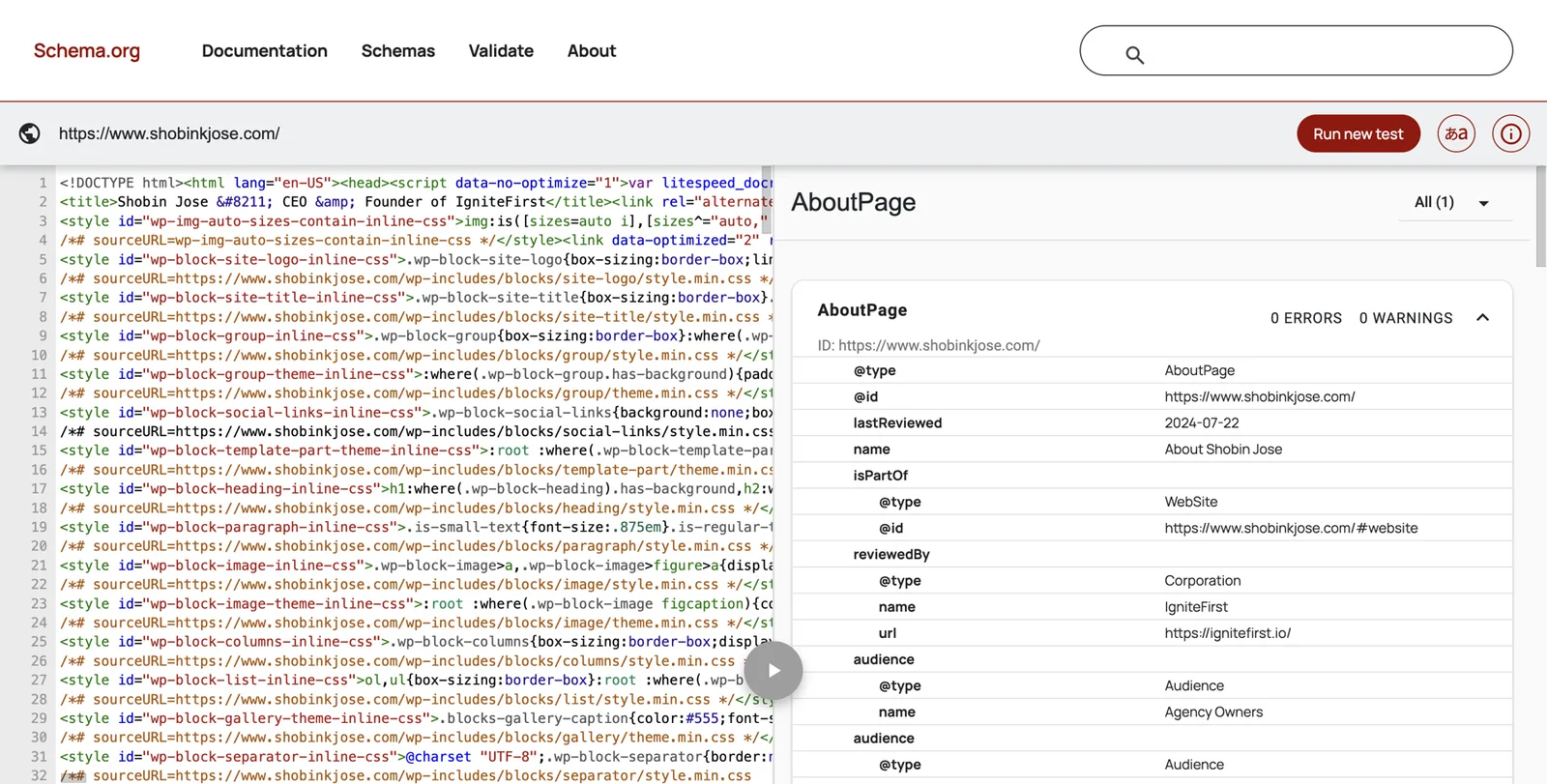
Google’s Rich Results Test can also read your code, but it focuses on features that produce special search results, so a Person block may show as “no items detected” there even when it is fine. Google’s old Structured Data Testing Tool has been retired.
Clean up everything you already own
This is usually the biggest quick win. Most accountants already have enough sources. They just disagree.
Order of work
- Your Entity Home (done above).
- The profiles that already rank on page one for your name.
- Other profiles you control.
- Third-party pages you can ask to update.
LinkedIn, in detail
LinkedIn is the profile business owners and referral partners check most often. Update it carefully.
- Sign in and click your photo, then View profile.
- Click the pencil next to your name. Make your first and last name match your chosen name form exactly. Add your credential in the Additional name or after your last name only if your platform rules and board rules allow it; many CPAs use “Priya Raman, CPA”.
- Headline: paste your headline rung.
- Current position: your firm, exactly as written elsewhere, with the correct start date.
- Location: your city.
- Contact info → Website: add your Entity Home address. Choose the type Personal or Other.
- About: paste your standard bio or first-person intro.
- Experience: close out old roles with end dates. Make sure job titles match what former firms show.
- Featured: add your Entity Home, a press article and a podcast episode.
- Photo: your primary headshot.
LinkedIn is your strongest second-party profile, but it should never be your home. It points to your Entity Home, not the other way around.
Other profiles
- X (formerly Twitter): name, bio (one-liner), website link, headshot.
- Facebook: if you have a professional page, update its About section and website. A personal profile that is private doesn’t need to match.
- YouTube: channel name, description (short bio) and links. YouTube is also one of Google’s claim routes, so a channel in your name is worth having.
- Instagram and TikTok: only if you use them professionally.
- Medium or Substack: author bio and link.
Accounting-specific listings
- State society or ICAEW / ACCA directory: update your profile. Use the same name form as your licence where possible.
- QuickBooks ProAdvisor and Xero advisor directories: check firm name, address, industries served and certifications. Pick industries that match your niche.
- NAEA Find a Tax Expert, if you are an EA member.
- IRS PTIN account: correct name, city and ZIP so the IRS preparer directory matches.
- Google Business Profile for your firm: make sure the website points to the firm site, the address matches, and, if you are the face of the firm, your Entity Home is linked from the firm site.
Old pages
- Former firms’ team pages: politely ask them to remove your profile or redirect it.
- Old speaker pages and webinar listings: ask hosts to update your bio and link.
- Outdated directories: update or, if you can’t, request removal.
Close dead accounts only after you have updated or redirected them. Deleting an old account that Google relies on can remove a source before your new ones are in place.
One headshot set
Use the same primary photo everywhere. Name files descriptively (priya-raman-cpa.jpg, not IMG_4021.jpg) and give every image alt text that names you.
Asking third parties for updates
Use a short, polite note. For example:
Hi [Name], thanks again for featuring me on [page]. I have since [moved to / founded] [Firm]. Would you be able to update my bio to the version below and link my name to [Entity Home URL]? Here’s the new short bio: [short bio]. Thank you, [Your name]
Ask for corrections and current links. Never ask for praise.
If you are a partner in a multi-partner firm
Partners face a question sole practitioners don’t: how much should the firm’s brand carry, and how much should your own name carry? In practice the two support each other, as long as each has its own clear home.
The firm keeps its own identity. The firm website, the firm’s Google Business Profile and the firm’s directory listings describe the firm. Leave them alone, apart from making sure your details on them are current.
You get your own Entity Home. Ideally on a personal domain. If firm policy doesn’t allow personal sites, ask for a dedicated, permanent page about you on the firm site (for example firmname.com/people/priya-raman) that follows the blueprint above, with its own Person schema. A row on a shared team grid isn’t enough.
The two link to each other. Your Entity Home names the firm in its first sentence and links to it. The firm’s page about you links to your Entity Home, or is your Entity Home. In schema, your Person item points to the firm with worksFor, and the firm’s Organization item can list you as an employee or founder.
Agree the rules internally first. Many firms have a marketing or risk policy covering what partners publish. Show your managing partner or marketing lead your bio ladder before it goes live. It is much easier to agree the wording once than to unpick it later, and it keeps the firm’s own compliance review in the loop. Remember that the AICPA Code treats work done through others as your own, so anything the firm’s marketing team publishes about you still has to meet the same standard.
Plan for change. Partners retire, move firms and sell their stakes. If your Entity Home is on your own domain, a move means updating one sentence and a few links. If it sits on the firm’s site, agree in advance what happens to the page if you leave, for example a redirect to your new page for a period.
Why it helps the firm. When referral partners search a partner’s name and find a clear, recognised professional, the firm gains credibility too. Firms that want to grow advisory work, recruit experienced staff or prepare for a merger benefit from partners whose names already carry weight in their niches.
What referral partners see when they check you
Bankers, attorneys, wealth advisors and business brokers protect their own reputation each time they refer. Before they put your name forward, many run a quick search of their own. Their questions differ slightly from a business owner’s:
- Are you still in practice, and where? A current firm, a current city and a current licence record answer this.
- Do you handle the kind of client I am about to send? A clear niche and a few articles or episodes on that niche answer this.
- Will you make me look good? A professional headshot, a consistent bio and some independent proof (a talk, a quote, a panel) answer this.
- Is there anything awkward? A namesake with bad press, a lapsed licence record or an old disciplinary matter for someone with your name. If a namesake is a problem, use your distinctive name form everywhere, so the partner can tell you apart at a glance.
Send your referral partners your short bio and Entity Home link once your foundation is in place. Many will paste them straight into the email that introduces you, which puts your own words in front of the business owner before they search.
Add the right corroborating sources
With your own house in order, add new sources. Choose relevance and trust over volume.
The principle
Google trusts the sources it expects for your type of professional, in your field and region. For accountants, that means licence registries, professional bodies, accounting software directories, trade and business press, and events where accountants speak. A handful of strong, matching sources beats a hundred thin listings.
Kalicube, Jason Barnard’s firm, observes that about 20 to 30 consistent, relevant sources tend to be needed when there is no Wikipedia or Wikidata entry.16 Treat that as a rough guide from one practitioner, not a Google rule.
The accountant’s source menu
| Tier | Source | Who it’s for | Notes |
|---|---|---|---|
| 1: Official registries | CPAverify (NASBA) | US CPAs | Official state board data; 53 jurisdictions take part |
| 1 | Your state board’s licensee lookup | US CPAs | Keep name and address current |
| 1 | IRS Directory of Federal Tax Return Preparers | CPAs, EAs, attorneys, AFSP participants with a PTIN | Fix details through your PTIN account |
| 1 | ICAEW Find a Chartered Accountant | ICAEW members and firms | Search by name, specialism and town |
| 1 | ACCA Find an accountant | ACCA members with a practising certificate | Shows certificates held |
| 1 | Tax Practitioners Board public register | Australian tax and BAS agents | Official register |
| 2: Professional bodies | State CPA society Find a CPA directories | Society members who opt in | Voluntary; not a licence check |
| 2 | NAEA Find a Tax Expert | NAEA member EAs | Free listing for members |
| 2 | Committee, chapter or section pages | Volunteers and leaders | Strong if the page names you |
| 2 | Your university’s alumni or faculty pages | If you teach or are featured | Institutional source |
| 3: Software and platforms | QuickBooks Find-a-ProAdvisor | Certified ProAdvisors | Profiles show certifications and industries |
| 3 | Xero advisor directory | Xero-certified advisors at qualifying partner status | Filter by industry |
| 3 | Clutch (accounting category) | Firms serving B2B clients | Firm-level, with verified client reviews |
| 4: Media | Journal of Accountancy, Accounting Today, CPA Practice Advisor, CPA Trendlines, AccountingWEB | Contributors and people quoted | Trade press |
| 4 | Your clients’ trade press | Dental, construction, restaurant, SaaS publications | Where your buyers read |
| 4 | Local business press | US Business Journals, regional papers | Quotes and profiles |
| 5: Podcasts | Accounting podcasts and your clients’ industry podcasts | Guests | Each episode page about you counts |
| 6: Speaking | State society conferences, AICPA & CIMA ENGAGE, industry events, webinars | Speakers | Ask for a speaker page with a link |
| 7: Books | Amazon Author Central, Goodreads, Google Books, publisher page | Authors | One author name, consistent bio |
| 8: Knowledge bases | Wikidata | Only if you meet its notability policy | See below |
Source: DotVisible research, October 2026. Listings and rules change; verify before relying on them.

Mapping your peer group
Draw two columns on a sheet of paper:
- Where my craft is validated: registries, the AICPA or ICAEW, my state society, accounting trade press, accounting podcasts and conferences.
- Where my buyers read: the trade press, associations, podcasts and events of the industry I serve. For Priya, that is dental practice management publications and dental association events.
You want sources in both columns. The first proves you are a real, qualified accountant. The second proves you are the accountant for that industry.
What not to add
- Platforms irrelevant to you: film databases, startup launch sites, random “business directory” sites.
- Pages about many people, where you are one name in fifty.
- Pseudo-wikis: sites like EverybodyWiki or Wikitia that look like Wikipedia but let anyone publish anything. Google treats them as low trust.
- Mass directory blasts: services that create 100 profiles at once. They go stale and contradict each other.
A10: Corroboration tracker
One row per source. Revisit quarterly.
| Source | URL | Party (1st / 2nd / 3rd) | % about me | Facts match? | Links to Entity Home? | In sameAs? | Last checked |
|---|---|---|---|---|---|---|---|
| Ohio board lookup | Search tool | 3rd | 100% | Yes | n/a | No (no stable URL) | Oct 2026 |
| linkedin.com/in/priyaraman-example | 2nd | 100% | Yes | Yes | Yes | Oct 2026 | |
| Dental practice podcast | Episode page | 3rd | 90% | Yes | Yes | subjectOf | Oct 2026 |
Close the loop
Now make every source point home, and home point to every source.
Your Entity Home links out to each corrected source
In your Find me elsewhere section, and in your credentials and media tables.
Each source links back to your Entity Home
In its website field, contact section or bio. On LinkedIn, the website field in Contact info.
Your schema lists the same sources
Profiles in sameAs, articles and episodes in subjectOf.
Link text. Use your name, or natural phrases like “Priya Raman on LinkedIn” or “Priya’s interview on the Dental Business Podcast”. Don’t stuff keywords into link text.
Link hygiene.
- Never link from your Entity Home to a source you haven’t corrected yet.
- Use the final address of each page (no redirects or tracking codes).
- Re-check every link quarterly. Directories change their addresses more often than you would think.
When a platform won’t allow a link, mention your domain in plain text in your bio and make sure the facts match.
Wikidata, Wikipedia and the shortcuts that backfire
This section protects you from the most expensive mistakes we see.
Wikipedia
You don’t need it, and most accountants can’t get it. Wikipedia’s notability rules require significant coverage in several independent, reliable sources. Writing about yourself breaches its conflict-of-interest guidelines. Articles that don’t meet the bar get deleted, and a deleted article can leave Google confused about you for a long time. Don’t pay anyone to write one.
Wikidata
Wikidata is a free, structured database run by the Wikimedia Foundation, and Google has historically used it as one of many sources. It can help, but only for people who meet its notability policy: broadly, an item must be clearly identifiable and backed by serious, publicly available references, or fill a structural need.17
If you consider it:
- Make sure you have independent sources to cite: a registry, published articles, a book with an ISBN.
- Keep the entry neutral, factual and fully referenced. No promotional language.
- Never buy a Wikidata item.
- If an item is deleted, don’t recreate it to get around the decision. Deletion is a negative signal and recreating it makes things worse.
Shortcuts to avoid
- Pseudo-wikis (EverybodyWiki, Wikitia and similar). Low trust. Panels that lean on them tend to be removed when Google reviews them.
- Mass profile creation: the “100 profiles” packages. They contradict each other within a year and look like spam.
- Press releases as fake coverage. A wire release is paid distribution, not independent coverage. Used honestly, to announce something real, it can help corroborate a fact. Used in bulk to trigger a panel, it looks like spam. Never present a wire release as “featured in” media.
- Paid “Top 100 accountants” lists and vanity awards. If you paid to be included, it isn’t an award, and presenting it as one could fall foul of the advertising rules in Part 3.
- “Panel in 14 days, guaranteed”. Google creates panels; nobody can guarantee one. Panels built on weak sources often disappear, and rebuilding is slower than doing it properly the first time.
- AI-generated fake interviews and articles. They are easy to spot and can damage your reputation with the very people you want to impress.
Earn third-party proof
Independent sources weigh the most, and accountants have more opportunities to earn them than they realise. This is also where the work connects most directly to your aspirations: being quoted, being invited to speak, appearing on podcasts and, eventually, publishing a book.
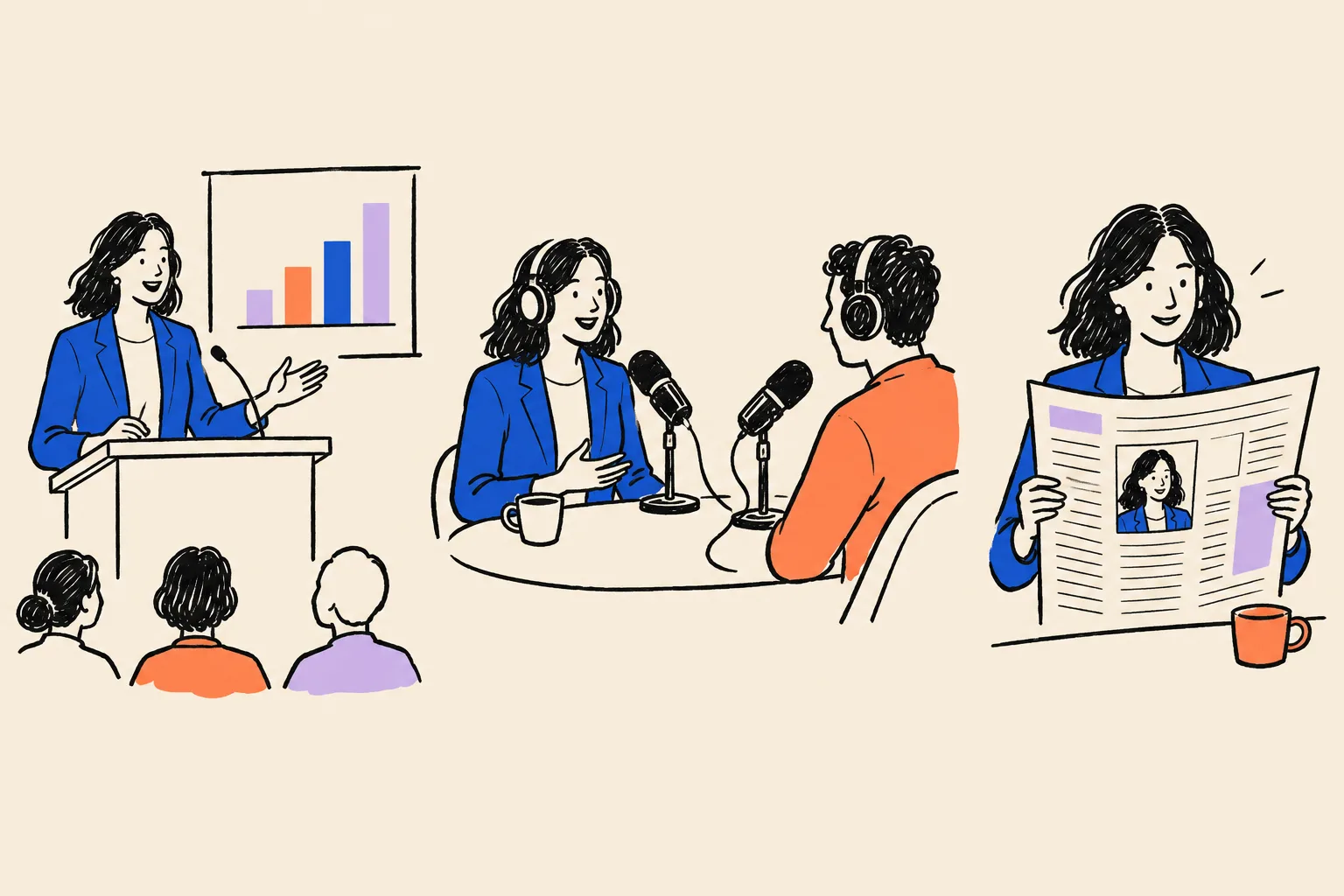
Your podcast guest kit
Podcast hosts in every industry need guests who can explain money clearly. Accountants who serve a niche are ideal guests for that niche’s shows.
Prepare once:
- One spoken intro (your 30-second rung).
- One link: your Entity Home.
- Your short bio and primary headshot, ready to send.
- Three topics you can talk about without selling: for Priya, “what to check before buying a second practice”, “how dentists should pay themselves”, “reading a practice P&L”.
Then pitch shows in your clients’ industry as well as accounting shows. Change the angle between shows, never the message. Every episode page that is mostly about you becomes a source.
Accounting shows such as The Accounting Podcast, Earmark, CPA Trendlines and the Journal of Accountancy podcast are good for peer credibility. Industry podcasts are better for reaching buyers.
Written interviews and expert quotes
Journalists covering tax season, small business, payroll and the economy need accountants to explain things. Many send written questions.
- Answer clearly and neutrally, as an educator. Don’t sell.
- Stay inside your rules: no promises, no implied results, no client details without consent.
- Ask for your name, credential, firm and city to be used the same way you use them everywhere.
The old free journalist-request service HARO has closed. Other expert-source services exist; check what each one currently offers and costs before signing up. Often the best route is simpler: introduce yourself to the reporter who covers small business at your local business journal, and to the editor of the trade publication your clients read.
Writing
- Articles for your clients’ trade publications: a dental management magazine, a restaurant association newsletter, a construction trade site. Each one should carry your standard bio and, ideally, a link to your Entity Home.
- Your state society magazine or newsletter, and accounting trade press for peer credibility.
- Your own articles on your website, Medium or Substack, published under your exact name.
Speaking
- State society chapter meetings and conferences.
- Your clients’ industry conferences and association meetings.
- Webinars hosted by banks, law firms, software vendors or industry groups.
- AICPA & CIMA events, if you have something to share with peers.
Each time, ask for a speaker page that uses your short bio, your headshot and a link to your Entity Home.
A book
A book is a big project, but it is one of the strongest sources an accountant can have. It creates a Google Books entry, a publisher page, an Amazon author page and Goodreads entries, all tied to your name. If you plan to write one, publish under exactly the same name form you chose in Part 3.
Client stories, with permission
Published case studies, written with a client’s specific consent and following your rules on testimonials, can be strong sources, especially when the client publishes them on their own site. Never imply future results.
Your press page
Add a Press or Media section to your Entity Home. Give each strong piece its own entry with a link and one line of summary. List lighter mentions below. This page becomes a hub for subjectOf in your schema.
A11: Podcast and speaker guest kit
Fill in once, then send the same kit to every host.
| Item | My version |
|---|---|
| Spoken intro (30 seconds) | Priya Raman is a certified public accountant and the founder of Raman Ledger Advisory in Columbus, Ohio… |
| Link | https://priyaraman.example/about |
| Topics | Buying a second practice; paying yourself; reading a practice P&L |
Part 5: Index, claim, grow and protect
Part 5 covers what happens after you build the foundation: getting Google to notice, tracking progress before a panel appears, claiming the panel when it does, fixing problems, earning a place in AI answers, and keeping everything accurate.
Get found, then track progress
Indexing
“Indexing” means Google has found a page and added it to its records. A page that isn’t indexed can’t help you.
- Submit your Entity Home in Search Console using URL inspection, then Request indexing. Do the same for any new page about you on your site.
- Check your profiles are indexed. In Google, search
site:linkedin.com/in/priyaraman-example(using your real profile address). If the page appears, it is indexed. Repeat for your key directory profiles. - Be patient. Not every page gets indexed, and it can take days or weeks.
- Avoid “indexing services” that promise to force pages into Google. They tend to use spammy methods.
A progress ladder
A panel rarely appears overnight. These are the usual steps along the way, adapted from Kalicube’s levels for a person. Track them monthly.
Step 1
Google has an ID for you
The Knowledge Panel Checker or a share link shows a KGMID.
Step 2
Your name and type are right
Google classifies you as a person with your chosen name.
Step 3
A thin panel appears for specific searches
For example your name plus CPA, or your name plus your city.
Step 4
Photo and subtitle
Your chosen headshot and a profession label appear.
Step 5
Website link
Your Entity Home appears in the panel.
Step 6
Panel shows for your plain name
Google now judges you the person most searchers mean, at least in your area.
Step 7
Description and profiles
A short description, ideally from your own site, plus profile links.
Step 8
Richer panel
Education, books, people also search for, more facts.
Step 9
AI tools describe you correctly
ChatGPT, Gemini, Perplexity and Google’s AI give accurate answers about you.
Signs you are moving in the right direction
- Your name starts to autocomplete in Google’s search box, sometimes with “CPA” or your city.
- Your own site ranks first for your name.
- A “See results about” box appears with you as one of the options.
- The DotVisible checker or the Knowledge Graph Search API starts to return you, with a rising result score. Treat the score as directional only; no particular number guarantees a panel.
Rhythm
Check weekly for the first three months, then monthly. Google refreshes its knowledge in cycles, and results can wobble from day to day. Don’t react to a single bad day.
A14: Monthly progress tracker
Note the highest step you have reached each month, and anything that changed.
| Month | Highest step reached | Panel for plain name? | Subtitle shown | AI answers accurate (of 6) | Notes |
|---|---|---|---|---|---|
| Nov 2026 | Step 1 | No | n/a | 1 | KGMID found; LinkedIn fixed |
| Dec 2026 | Step 3 | Only with CPA | Accountant | 3 | Podcast episode live |
What tends to speed things up, and slow them down
Tends to speed things up
- A distinctive name used identically everywhere
- An Entity Home on your own domain, live early
- Up-to-date licence and directory records
- A few strong independent articles or episodes
- Fixing contradictions before adding new sources
Tends to slow things down
- A very common name or a famous namesake
- Old team pages and stale profiles still ranking
- Changing your title or photo repeatedly
- Relying on LinkedIn as your only description
- Low-quality shortcuts that Google later discounts
Your panel appears: the first 30 days

Day one
- Screenshot it on a computer and a phone.
- Record the date and the searches that show it.
- Copy the share link (three dots → Share) and save the KGMID.
- Check every element against your source-of-truth profile.
Claiming your panel
Claiming (Google calls it getting verified) tells Google you are the person the panel is about. It gives your suggested changes priority and stops anyone else from claiming it. It doesn’t let you edit the panel directly.
Google’s current steps, from its help page:18
Sign in to a Google Account
Use the account you plan to keep long term. If you set up Search Console with an account, use the same one.
Search for yourself on Google
Find your panel.
Click Claim this knowledge panel
At the bottom of the panel, or in its About section. On a phone, tap the three-dot menu, then Claim this knowledge panel.
Review the information
Google shows what it will do next.
Sign in to an official site or profile Google lists
Google lists the accounts it already links to you, such as YouTube, Search Console, X (shown on Google’s page under its old name, Twitter) or Facebook. Sign in to one.
If Google can’t match an account
It asks for more information to confirm your identity, which can include a photo of an ID and a selfie.
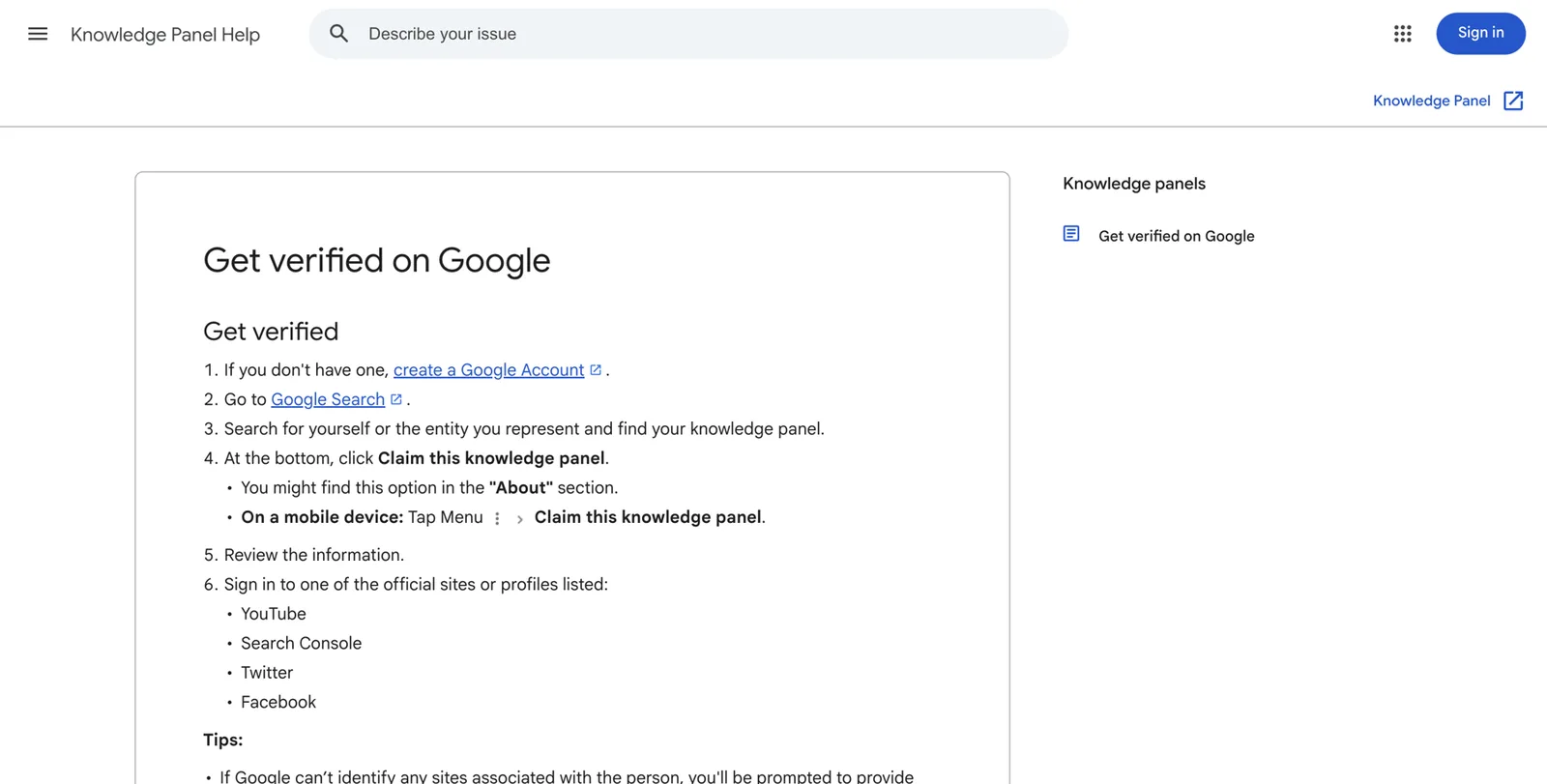
Not every panel is claimable at first. If you don’t see the claim link, keep building and check back.
When to wait before claiming
If your panel is very thin or appears to rest on weak sources (for example, a single directory), strengthen it first. Claiming can trigger a review, and weak panels are the ones most likely to be removed.
Suggesting changes
Once verified, you can suggest changes to facts and, in some cases, the featured image.19 Use this sparingly and well:
- Say exactly what should change.
- Add one line of context.
- Include at least two supporting links, at least one of them independent (a registry, an article).
- Don’t resubmit the same request over and over.
Google’s systems can reverse a human edit if the web still says otherwise. Always fix the source as well.
What usually can’t be changed by request
The name, the subtitle and People also search for usually come straight from Google’s algorithms. Change them by changing your sources: your first sentence, your profiles, your registries.
Enrich the panel
Add more facts that Google can confirm: a book, your firm as an organisation you founded, education, more profiles, a YouTube channel. Each one should appear first on your Entity Home and in your schema.
Don’t slow down
New panels are fragile. Kalicube reports that Google deletes a meaningful share of Knowledge Graph IDs each year (around 15% in their observation).16 Treat that figure as theirs, but the lesson stands: keep your foundation maintained.
A13: Suggest-an-edit template
Prepare the request before you open Google’s feedback form.
| Field | What to write |
|---|---|
| Element | Description |
| Current | Says Tax Manager at Morrow & Pike |
| Correct | Founder of Raman Ledger Advisory |
| Context | I founded my own firm in 2019 |
| Evidence 1 | Ohio Secretary of State filing link |
| Evidence 2 | Article in a dental trade publication naming me as founder |
Troubleshooting
Use this as a decision guide. Find your symptom, then work through the fixes in order.
| Symptom | Likely cause | What to do |
|---|---|---|
| Panel exists but doesn’t show for your plain name | Google isn’t yet confident you are the person most searchers mean | Keep adding independent sources; use your exact name form everywhere; try name plus CPA or city to confirm it exists |
| Shows in one city or country only | Google judges dominance by location | Build local sources where you want to appear: local press, local events, local association pages |
| Wrong or old subtitle (for example “Writer”) | Your sources open with a different label | Change your first sentence everywhere within a few days, using a recognised label; wait a cycle |
| Wrong photo | Google picked an image from a source it trusts | Make your chosen headshot dominant on your Entity Home and profiles; ask the source to change its image; suggest the edit once verified |
| Old description | Google is quoting an outdated page | Find the source shown under the description and fix it there |
| A namesake dominates | Another person with your name is more searched | Use a distinctive name form; win local and niche searches first; build independent proof |
| Two or more Knowledge Graph IDs | Inconsistent profiles made Google think there are two of you | Fix name forms; list every ID and alternate name in your schema; keep facts identical; expect merging to take time |
| Panel disappeared | A Knowledge Graph update, a lost source (deleted page, closed account, deleted Wikidata item) or a review | Check what changed; restore or replace the lost source; strengthen independent sources; be patient |
| Your old firm or a competitor appears in your panel | A source links you to them | Find the confusing page and ask for a correction; update your Entity Home and schema |
| The panel shows a different person entirely | Two people merged in Google’s records | Get specialist help; this is delicate |
Show up in AI answers
AI visibility builds on the same foundation. Kalicube describes a path from mention to client: AI cites your content, then names you, then recommends you strongly enough that the next step is a call. Each stage needs the one before it.
- Fix explicit first. Re-run your AI baseline monthly. If a tool describes you wrongly, find the source it cites and fix it there.
- Make your expertise easy to quote. On your website:
- a short summary at the top of each service page, starting with who it is for
- clear pages for each service and each niche (“Accounting for dental practices”)
- an FAQ answering the five to ten questions your buyers really ask
- published articles that explain one issue well
- visible “last updated” dates
- Earn mentions in the places AI tools read. Association directories, trade articles, local business press, podcast pages and genuine editorial lists in your niche. When you run your implicit prompts, note which sources the AI cites, then work on appearing in those sources.
- Reviews and testimonials, within your rules. Where your board and professional body allow them, reviews that name your service and niche help. Never offer anything in return for a review, and never write your own.
- One message across every interview. If you describe yourself differently on every podcast, machines hear several different people.
- Don’t block the tools you want to be found by. Some website settings and security plugins block AI crawlers by default. Ask your web person to check your robots.txt file and security settings. Google publishes guidance on how its AI features use website content.20
- Track implicit prompts monthly. “Best CPA for [niche] in [city]”, “Who should I hire to help with [problem]?” Log who gets named and which sources are cited.
Nothing guarantees an AI recommendation. This work raises the odds that AI tools describe you correctly and consider you when the question fits.
Keep it working
Treat your panel like an open client file that needs regular attention.
When a fact changes (new firm, title, credential, city, photo or book)
- Update your Entity Home and schema first, the same dayChange the last updated date too.
- Update LinkedIn and your main profiles within the same week
- Update licence and directory records through the proper channelState board, PTIN account, ICAEW or ACCA, society directory.
- Ask third parties to update their bios of you
- Update your source-of-truth profile and bio ladder
Monthly (30 minutes)
- Search your name in a private window on a computer and a phone
- Run the four AI prompts in at least three tools and log the results
- Add any new articles, episodes or talks to your press page and schema
- Refresh one profile
Quarterly
- Check every link on your Entity Home still works
- Re-run validator.schema.org on your Entity Home
- Sweep your top 20 results for inconsistencies
- Check your registry and directory listings
Yearly
- Review your positioning: is your niche still right?
- Update your full bio and headshot if needed, everywhere at once
- Renew your domain and check auto-renew is on
- Re-read your professional body’s advertising guidance for changes
Part 6: Your plan, your choices and next steps
Your roadmap
10 minutes
The Quick Check
Six searches, three AI tools, a traffic-light score.
One weekend
Foundation sprint
Name-search audit, registry check, identity decision, source-of-truth profile, bio ladder, Entity Home live, LinkedIn updated.
Days 1 to 30
Make it machine-readable
Person schema added and validated, Search Console verified, spring clean of every profile you control, first ten consistent sources linked from your Entity Home.
Days 31 to 90
Corroborate and earn
Ten to twenty more relevant sources, update requests to third parties, first podcast and article pitches in your clients’ industry, monthly tracking.
Months 4 to 12
Enrich, claim, protect
Speaking and press, a press page, claim the panel when it appears and it is solid, AI prompt tracking, quarterly maintenance.
Weekly time budget
Light plan: about 2 hours a week
- Weekend sprint once
- One profile or source a week
- One pitch a fortnight
- Monthly 30-minute check
Heavier plan: about 5 hours a week
- Weekend sprint once
- Three sources a week
- One pitch a week, one article a month
- Weekly checks for three months
Tax season will interrupt either plan. That is fine. Do the weekend sprint before or after your busiest months, and let the monthly routine run on autopilot during them.
Do it yourself, or have it done for you
An honest tally of the work
If you do all of this yourself, here is what it usually involves:
- dozens of searches across Google, Bing and six AI tools
- 50 to 200 URLs to find, sort and assess
- a 30-field profile to reconcile and prove
- a bio in six or more lengths, checked against your advertising rules
- 20 or more profiles and listings built, fixed or requested by hand
- a personal website and Entity Home, with schema written and validated
- Search Console and indexing
- judgement calls on Wikidata, press releases and which sources to skip
- months of monitoring, before and after the panel appears
When DIY makes sense
DIY works well if you enjoy this kind of detailed reconciliation (many accountants do), you have a few hours a week outside tax season, your name is reasonably distinctive, and your existing presence is fairly clean.
It is harder if you share a name with someone better known, your history spans several firms and name changes, you are in the middle of a merger or practice sale, or your time is better spent on billable advisory work.
Questions to ask any provider
If you hire someone, ask:
- Who creates the panel? (The right answer is “Google”.)
- Do you guarantee a panel? If so, what exactly happens if it doesn’t appear?
- Will you build an Entity Home on a domain I own?
- Which sources will you use, and will I approve every one?
- Will I own the logins to every profile you create?
- How will you keep my content inside my profession’s advertising rules?
- What do you do about Wikidata and Wikipedia?
- What happens after the panel appears?
Red flags: guaranteed panels in days, Wikipedia promises, pseudo-wikis, no Entity Home, you don’t get the logins, “hundreds of profiles”, and no guidance on claiming.
How DotVisible helps
DotVisible is a done-for-you service for experts whose name is their business, including accountants. Our main service is called The Authority Magnet. It earns two things: a Google Knowledge Panel that confirms who you are, and visibility in AI answers, which we call Referred by AI.
What it includes
- A footprint audit: everything the internet says about you, checked against your LinkedIn and your registries.
- Your Search Signature: the Entity Home and profile work described in Parts 3 and 4, including schema, consistent bios and the link loop, written as facts and approved by you before anything goes live.
- The first 90 days of Referred by AI: features and mentions on sources that AI tools draw from.
Your time. About 20 minutes, on one call to approve your details and bios. After that, you return details and approve content within five business days each, and make the two link updates we ask for.
Price. The launch price is $1,997 for the first 10 clients ($2,997 after launch). You start with a $500 refundable deposit. The $1,497 balance is due only when your Knowledge Panel is live and you can find it yourself. After the first 90 days, Referred by AI continues as an optional monthly service at $497 a month.
Guarantee. If your Knowledge Panel isn’t live within 150 days of your onboarding call, you choose: a full refund of everything you paid, or continued work at no charge until it appears. “Live” means it shows your correct name, photo and profession or role in an ordinary Google search for the agreed name in the agreed country, confirmed with three checks across 14 days. AI recommendations are not guaranteed. The full terms are in our refund policy.
Timing. Most clients with a reasonable existing presence see their panel within about 60 days. AI visibility usually shows meaningful change around day 60.
Proof. The only proof we publish is our founder’s own panel, shown in Part 1. We don’t publish client testimonials or case studies.
Read more on The Authority Magnet and how it works. DotVisible is independent and is not affiliated with or endorsed by Google.
Frequently asked questions
Do accountants really need a Google Knowledge Panel?
Nobody needs one, but it helps. Most business owners find an accountant through a referral and then look the name up. A panel shows them, in one glance, that Google recognises you as a real professional with a clear specialty. Without one they piece you together from whatever links rank.
Can I get a panel if most of my work is compliance and tax returns?
Yes. Google does not judge the kind of work you do. It needs to understand who you are and to find the same facts about you on several trustworthy sources. Plenty of accountants who mainly do compliance have panels, and the work in this playbook also helps you show the advisory side of your practice.
Will this break AICPA, state board or Circular 230 rules?
Not if you stick to facts. The AICPA Code, state boards, Circular 230 and the ICAEW Code all prohibit false, misleading or deceptive promotion. Everything in this playbook is factual information you can prove: your licence, your firm, your specialty, your memberships and your published work. This is not legal advice, so check your own board’s rules or ask your professional body if you are unsure.
I am a partner in a larger firm. Should I build a personal panel or focus on the firm?
Both can exist side by side. Clients and referral partners choose people as well as firms, and a recognised partner makes the firm look stronger. The firm keeps its own website and Google Business Profile. Your personal page links to the firm, and the firm’s team page links back to you.
I am not a CPA. Can I still do this as an enrolled agent, bookkeeper or fractional CFO?
Yes. Use the titles you actually hold. An enrolled agent may describe themselves as enrolled to practice before the IRS but may not use the word certified for that designation. A fractional CFO without a CPA licence should never use the CPA title or imply it. The method is the same; only the labels change.
How long does it take to get a Knowledge Panel?
Google gives no timeline and nobody can force a panel. Practitioners report anything from a few weeks to a year, depending on how clear and consistent your existing presence is. If you work steadily through this playbook, you improve your odds and your name search at the same time.
Do I need a Wikipedia page?
No. Very few accountants meet Wikipedia’s notability rules, and Google draws on hundreds of sources. Your own website, your licence records, professional directories and independent articles about you matter far more for most accountants.
Will a panel make ChatGPT recommend me?
Nobody can promise that. A clear, consistent footprint helps AI tools identify you and describe you correctly, which comes before any recommendation. Google says its AI Overviews and AI Mode draw on its Knowledge Graph. There is no evidence that ChatGPT uses Google’s graph directly, but it reads many of the same web sources.
Can I name my clients or show testimonials?
Only with care. The AICPA Code’s confidentiality rule means you need a client’s specific consent before you disclose information about them, and many state boards and professional bodies have their own rules on testimonials. Keep testimonials truthful and permitted, and never imply results a new client should expect.
What does the free DotVisible audit check?
You enter your name, LinkedIn URL and email. Within one business day you get a report showing your name search as a stranger sees it, whether Google’s Knowledge Graph recognises you, where your profiles disagree, and whether AI tools mention you. It is free, with no call and no card.
Toolkit: checklists, worksheets and glossary
Everything below is also scattered through the playbook where you need it. This section gathers the key checklists in one place so you can print it or work from it.
The weekend sprint checklist
Weekend sprint
- Run the name-search audit (A1)Private window, computer and phone, Google and Bing.
- Check CPAverify or your board, the IRS directory, and your professional body directory
- Run the AI baseline (A2)
- Fill in the footprint inventory (A3) and score it
- Decide your name form and primary identity (A5)
- Fill in your source-of-truth profile (A4) with evidence
- Write your bio ladder (A6)
- Publish your Entity Home (A7)
- Update LinkedIn to match
The 30-day checklist
Days 1 to 30
- Add Person schema and validate it at validator.schema.org
- Verify your domain in Google Search Console and request indexing
- Update X, Facebook, YouTube and any other profiles you control
- Update your state society, ICAEW, ACCA or NAEA directory listing
- Update QuickBooks ProAdvisor and Xero directory profiles
- Correct your PTIN account details for the IRS directory
- Ask former firms to remove or redirect your old team page
- Add your first ten corrected sources to Find me elsewhere and sameAs
The compliance checklist for every bio and page
Before you publish anything about yourself
- Every credential is current and held in the jurisdiction where you use itCPA title only where licensed or under a practice privilege.
- No superlatives or unsubstantiated comparisons
- No implied results or promises of outcomes
- No implied influence with the IRS, HMRC, a court or a regulator
- Enrolled agents: no use of “certified” for the EA designation
- Client names, stories and testimonials used only with specific consent and where your rules allow them
- Paid listings are not described as awards; wire releases are not described as media coverage
- Published fees, if any, are accurate and honoured
- If in doubt, checked with your board or professional bodyThis checklist is a planning aid, not legal advice.
Source menu worksheet
A9: My corroboration sources by tier
List the sources from the menu in Part 4 that you qualify for, and plan when to add each.
| Tier | Source | Eligible? | Planned date | Done |
|---|---|---|---|---|
| 1 | CPAverify / state board | Yes | Check now | |
| 2 | Ohio Society of CPAs Find a CPA | Yes (member) | Week 2 | |
| 3 | QuickBooks Find-a-ProAdvisor | Yes | Week 3 | |
| 4 | Dental practice trade magazine article | Pitch | Month 2 | |
Headshot and image plan
A12: Headshot and image plan
One primary photo everywhere, plus a small set of deliberate variants.
| Image | File name | Alt text | Used on |
|---|---|---|---|
| Primary headshot | priya-raman-cpa.jpg | Priya Raman, certified public accountant | Entity Home, LinkedIn, all directories |
| Speaking photo | priya-raman-speaking.jpg | Priya Raman speaking at a dental practice conference | Speaker pages, press page |
Glossary
| Term | What it means |
|---|---|
| AI Overview | The AI-written summary Google shows at the top of some search results |
| AI Mode | A Google Search mode where you have a conversation with Google’s AI, which searches the web for you |
| alternateName | A schema property listing other forms of your name |
| Brand SERP | The page of results for a search on your name (SERP means search engine results page) |
| Claiming | Proving to Google that a panel is about you, so your suggestions get priority |
| Corroboration | Other trustworthy sources confirming the same facts about you |
| Entity | Any single, distinct thing Google can identify: you, your firm, your book |
| Entity Home | The one page you control that Google treats as your own description of yourself |
| First, second and third party | Your own site; profiles you control on other platforms; independent sources |
| Indexing | Google finding a page and adding it to its records |
| JSON-LD | The format used to write schema markup on a page |
| KGMID | Your Knowledge Graph ID, such as /g/11abc… |
| Knowledge Graph | Google’s database of entities and the facts that connect them |
| Knowledge Panel | The box Google shows when it is confident it knows who or what you searched for |
| sameAs | A schema property listing profiles that are about you |
| Schema markup | Hidden labels on a web page that tell machines what the page is about |
| Search Console | Google’s free tool for website owners |
| “See results about” | A box Google shows when several entities share a name |
| Sprout panel | A thin panel with only a name and maybe a subtitle |
| subjectOf | A schema property listing pages about you, such as interviews |
| Subtitle | The short label under your name in a panel, such as “Certified public accountant” |
Final word
You already know how to do this kind of work. You reconcile records for a living, you know the difference between a source document and a summary, and you know that one wrong figure can undermine trust in a whole set of accounts. Your name search is the same exercise, applied to yourself: get the facts to agree and keep them current.
The referral will still come from the banker, the attorney or the happy client. The work in this playbook gives you the best chance that when the business owner searches your name at 9:40 on a Tuesday night, the internet tells them what your referral partners already know.
Sources
- 12025 Niche Business Accounting Report, as reported in “Survey of SMBs shows how they choose and evaluate their accounting firm” (commissioned by TaxDome)CPA Practice Advisor · 19 Aug 2025↩
- 2Staffing, IRS service problems and leadership development are top issues for CPA firms (PCPS CPA Firm Top Issues Survey 2024)AICPA & CIMA · Jun 2024↩
- 3About knowledge panelsGoogle Knowledge Panel Help · Accessed 21 Oct 2026↩
- 4A reintroduction to our Knowledge Graph and knowledge panels (Danny Sullivan)Google blog · 20 May 2020↩
- 5A third of accounting clients’ advisory work is going to rival firms, U.K. study finds (commissioned by Ravical)Thomson Reuters · Jul 2026↩
- 6Expanding AI Overviews and introducing AI Mode (Robby Stein)Google blog · 5 Mar 2025↩
- 7Knowledge Graph Search APIGoogle for Developers · Accessed 21 Oct 2026↩
- 8All about CPAverifyNASBA · 12 Mar 2026↩
- 9Frequently asked questions: Directory of federal tax return preparers with credentials and select qualificationsIRS · Accessed 21 Oct 2026↩
- 10AICPA Code of Professional Conduct: ET 1.600 Advertising and Other Forms of Solicitation; ET 1.700 Confidential Client Information (copy hosted by MNCPA)AICPA · 2024 edition↩
- 11Notice of apparent violation and agreement to cease and desist the use of the CPA title (press release)North Carolina State Board of CPA Examiners · Mar 2023↩
- 1231 CFR § 10.30 Solicitation (Circular 230)Legal Information Institute, Cornell Law School · Accessed 21 Oct 2026↩
- 13Professional and personal conduct (ICAEW Code of Ethics, including R115.2)ICAEW · Accessed 21 Oct 2026↩
- 14Introduction to structured data markup in Google SearchGoogle Search Central · Accessed 21 Oct 2026↩
- 15Personschema.org · Accessed 21 Oct 2026↩
- 16Your Instruction Manual for Google Knowledge Panels (Jason Barnard)Kalicube · c. 2022-23↩
- 17Wikidata:NotabilityWikidata · Accessed 21 Oct 2026↩
- 18Get verified on GoogleGoogle Knowledge Panel Help · Accessed 21 Oct 2026↩
- 19Submit feedback on content about youGoogle Knowledge Panel Help · Accessed 21 Oct 2026↩
- 20AI features and your websiteGoogle Search Central · Accessed 21 Oct 2026↩
- 21Find a Chartered AccountantICAEW · Accessed 21 Oct 2026↩
- 22Public registerTax Practitioners Board (Australia) · Accessed 21 Oct 2026↩
- 23Find a Tax ExpertNational Association of Enrolled Agents · Accessed 21 Oct 2026↩